Nº 586 of 605
Moodboard canvas
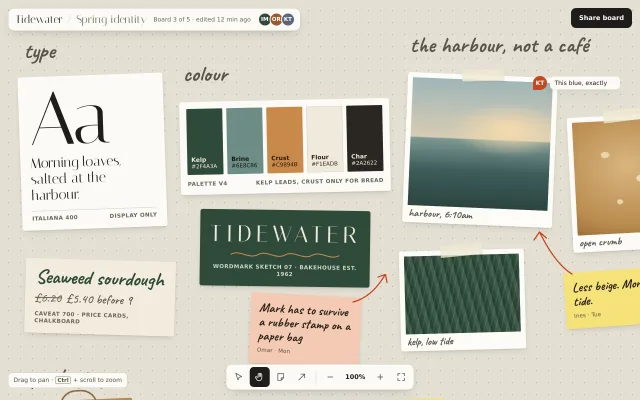
A pannable, zoomable moodboard: swatches, type specimens, drawn photos, sticky notes and marker arrows pinned on a dotted board, each lifting on hover.
Preview
Use it
Free to use · credit appreciated1 Once, in your project · Node 22.20+
npx skills add SusanAcharya/Design-Lounge 2 Then ask
Using the Design Lounge skill, build "Moodboard canvas" (piece board-moodboard-canvas) in my stack. Match its brief; restyle it onto my product's theme.
No skill? Paste the brief instead. It carries the numbers, tokens and behaviour.
<!-- Design Lounge Nº 586 · "Moodboard canvas" · www.designlounge.live -->

# Moodboard canvas

> **Build brief for a coding agent.** Rebuild this piece in the reader's stack. If they haven't said which stack, ask once, then default to semantic HTML + CSS + a little vanilla JS. Match the numbers below; don't "improve" them.

## What it is

A brand moodboard for an invented bakery identity project ("Tidewater / Spring identity"), laid out on a 2200 × 1400px dotted board that is larger than the window. The user drags the empty board to pan and uses a floating toolbar (or Ctrl + scroll, or + / − / 0) to zoom. Pinned on the board: a five-colour palette card, two type specimens, four taped "photographs" drawn in CSS gradients, a wordmark sketch, packaging mock-ups, sticky notes in handwriting, orange marker arrows and one comment pin. Every item sits at a slight rotation and lifts toward the viewer on hover. The detail worth copying is that the board is a real native scroll container scaled with a sizer element, so panning, trackpads and keyboard scrolling all work without a custom physics engine.

## Reference behaviour

1. Initial state at 1280 × 800: zoom 100%, the board scrolled to (200, 100) so the type card, palette, wordmark, harbour photo, kelp photo and two notes fill the frame; the "packaging" row peeks in at the bottom edge, inviting a pan.
2. Initial state below 760px wide: zoom 50%, scrolled to (112, 30), so the left two-thirds of the board (type, colour, wordmark, packaging) fits a phone.
3. Pointer-down on empty board (not on an item): cursor becomes `grabbing`; moving the pointer scrolls the board 1:1 in the opposite direction; pointer-up restores `grab`.
4. Hover or keyboard-focus any item: it rises 6px, scales to 1.015, its rotation relaxes to 40% of its resting angle, and its shadow deepens; it renders above neighbours (`z-index:5`).
5. Click "+" in the toolbar: zoom steps to the next value in `[33, 50, 67, 80, 100, 125, 150, 200]%`, animated over 220ms with a cubic ease-out, centred on the middle of the window. "−" steps down. The percentage label updates every frame.
6. Click the percentage label: zoom returns to 100% around the window centre.
7. Click the fit button (four corners icon): zoom and scroll so the content bounds (230, 160)–(1820, 1190) fit the window with 16px side gutters and room for the header and toolbar, never above 100%.
8. Ctrl or Cmd + wheel: continuous zoom around the pointer position, `z × e^(−deltaY/300)`, clamped 33%–200%. Plain wheel scrolls (pans) natively.
9. Keyboard: `+`/`=` zooms in, `-` zooms out, `0` resets to 100%. Arrow keys scroll the board when it has focus (native behaviour of the scroll container).
10. Tool buttons (Select, Hand, Note, Arrow) are a single-choice group: clicking one sets `aria-pressed="true"` on it and false on the rest. Hand is pressed on load. Only the visual state changes in this demo.

## Structure

```
1280 × 800 (fixed chrome floats over a full-window scroll container)
┌─────────────────────────────────────────────────────────────────────────────┐
│ ┌ header 16,16 ──────────────────────────────────┐              [Share board]│
│ │ Tidewater / Spring identity · meta · avatars ×3 │               40h, r10   │
│ └─────────────────────────────────────────────────┘                          │
│   type            colour                     the harbour, not a café         │
│  ┌──────┐  ┌───────────────────────┐  ┌─────────┐  ┌──────┐                  │
│  │  Aa  │  │ ▓ ▓ ▓ ▓ ▓  5 chips    │  │ harbour │  │crumb │  ← photos        │
│  │      │  └───────────────────────┘  │  photo  │  └──────┘                  │
│  └──────┘  ┌──────────────┐           └─────────┘     ↖ note                 │
│  ┌──────┐  │  TIDEWATER   │  note ↗   ┌───────┐                              │
│  │price │  └──────────────┘           │ kelp  │                              │
│  └──────┘                             └───────┘                              │
│  packaging    ┌ toolbar, centred, bottom 20 ─────────────┐                     │

… 187 more lines. Copy or download for the full brief. Loading the source…Brief
227 linesBuild brief for a coding agent. Rebuild this piece in the reader’s stack. If they haven’t said which stack, ask once, then default to semantic HTML + CSS + a little vanilla JS. Match the numbers below; don’t “improve” them.
What it is
A brand moodboard for an invented bakery identity project (“Tidewater / Spring identity”), laid out on a 2200 × 1400px dotted board that is larger than the window. The user drags the empty board to pan and uses a floating toolbar (or Ctrl + scroll, or + / − / 0) to zoom. Pinned on the board: a five-colour palette card, two type specimens, four taped “photographs” drawn in CSS gradients, a wordmark sketch, packaging mock-ups, sticky notes in handwriting, orange marker arrows and one comment pin. Every item sits at a slight rotation and lifts toward the viewer on hover. The detail worth copying is that the board is a real native scroll container scaled with a sizer element, so panning, trackpads and keyboard scrolling all work without a custom physics engine.
Reference behaviour
- Initial state at 1280 × 800: zoom 100%, the board scrolled to (200, 100) so the type card, palette, wordmark, harbour photo, kelp photo and two notes fill the frame; the “packaging” row peeks in at the bottom edge, inviting a pan.
- Initial state below 760px wide: zoom 50%, scrolled to (112, 30), so the left two-thirds of the board (type, colour, wordmark, packaging) fits a phone.
- Pointer-down on empty board (not on an item): cursor becomes
grabbing; moving the pointer scrolls the board 1:1 in the opposite direction; pointer-up restoresgrab. - Hover or keyboard-focus any item: it rises 6px, scales to 1.015, its rotation relaxes to 40% of its resting angle, and its shadow deepens; it renders above neighbours (
z-index:5). - Click ”+” in the toolbar: zoom steps to the next value in
[33, 50, 67, 80, 100, 125, 150, 200]%, animated over 220ms with a cubic ease-out, centred on the middle of the window. ”−” steps down. The percentage label updates every frame. - Click the percentage label: zoom returns to 100% around the window centre.
- Click the fit button (four corners icon): zoom and scroll so the content bounds (230, 160)–(1820, 1190) fit the window with 16px side gutters and room for the header and toolbar, never above 100%.
- Ctrl or Cmd + wheel: continuous zoom around the pointer position,
z × e^(−deltaY/300), clamped 33%–200%. Plain wheel scrolls (pans) natively. - Keyboard:
+/=zooms in,-zooms out,0resets to 100%. Arrow keys scroll the board when it has focus (native behaviour of the scroll container). - Tool buttons (Select, Hand, Note, Arrow) are a single-choice group: clicking one sets
aria-pressed="true"on it and false on the rest. Hand is pressed on load. Only the visual state changes in this demo.
Structure
1280 × 800 (fixed chrome floats over a full-window scroll container)
┌─────────────────────────────────────────────────────────────────────────────┐
│ ┌ header 16,16 ──────────────────────────────────┐              [Share board]│
│ │ Tidewater / Spring identity · meta · avatars ×3 │               40h, r10   │
│ └─────────────────────────────────────────────────┘                          │
│   type            colour                     the harbour, not a café         │
│  ┌──────┐  ┌───────────────────────┐  ┌─────────┐  ┌──────┐                  │
│  │  Aa  │  │ ▓ ▓ ▓ ▓ ▓  5 chips    │  │ harbour │  │crumb │  ← photos        │
│  │      │  └───────────────────────┘  │  photo  │  └──────┘                  │
│  └──────┘  ┌──────────────┐           └─────────┘     ↖ note                 │
│  ┌──────┐  │  TIDEWATER   │  note ↗   ┌───────┐                              │
│  │price │  └──────────────┘           │ kelp  │                              │
│  └──────┘                             └───────┘                              │
│  packaging    ┌ toolbar, centred, bottom 20 ─────────────┐                     │
│               │ ▸ ✋ ▢ ↗ │ − 100% + ⤢                    │                    │
└─────────────────────────────────────────────────────────────────────────────┘
board (world) 2200 × 1400, dot grid 24px, scaled from its top-left corner
<header class="top">fixed at 16/16:<h1>with project name and a dimmer ”/ board name” span, a meta line, an avatar stack (aria-label="3 people on this board").<button class="share">fixed top-right, 40px tall.<div class="vp" tabindex="0">full-windowoverflow:autowith hidden scrollbars. Inside it<div class="sizer">whose width and height are2200z × 1400z, and inside that<div class="world">at 2200 × 1400 withtransform: scale(z)andtransform-origin: 0 0.- Items are absolutely positioned children of
.world:<article>for cards,<figure>+<figcaption>for photos,<aside>for notes. All havetabindex="0"and class.it. - Hand-written section labels (
.label) and marker arrows (inline SVG) are decoration,pointer-events:none. <nav class="tools" aria-label="Canvas tools">fixed bottom-centre: four tool buttons, a 1px divider, zoom out, percentage button, zoom in, fit..hintfixed bottom-left (16px, 24px): “Drag to pan · Ctrl + scroll to zoom”.
Item positions on the world (left, top, width; rotation):
| Item | left | top | width × height | rotation |
|---|---|---|---|---|
| Type specimen (Aa) | 240 | 250 | 290 × auto | −2° |
| Price card (Caveat) | 250 | 620 | 300 × auto | 1.6° |
| Palette | 560 | 300 | 420 × auto | −1.2° |
| Wordmark sketch | 600 | 520 | 340 × auto | 0.8° |
| Harbour photo | 1010 | 250 | 300 × 300 | 2.4° |
| Crumb photo | 1340 | 330 | 230 × 270 | −3° |
| Kelp photo | 1000 | 600 | 250 × 200 | −1.5° |
| 1962 sign photo | 1590 | 250 | 210 × 250 | 3.5° |
| Paper bag | 250 | 900 | 220 × 270 | −2.5° |
| Stamp test | 520 | 960 | 300 × auto | 1.2° |
| Notes | 1330/640, 700/690, 1600/560, 880/900 | 200–220 wide | −4°, 3°, 2°, −2° |
Tokens
:root {
  /* board and chrome */
  --ground: #e4dfd4;      /* board and window ground */
  --dot: #c4bcac;         /* 1.2px dot every 24px */
  --panel: #fbfaf6;       /* cards, header, toolbar, polaroid paper */
  --line: #d6d0c3;        /* hairlines and panel borders */
  --line-2: #8f8879;      /* kbd border */
  --ink: #1f1d1a;         /* primary text, pressed tool fill, share button */
  --ink-2: #58534a;       /* labels, captions, icons */
  --ink-3: #6b6558;       /* meta, small caps captions */
  --marker: #c4461f;      /* arrows, comment pin, focus ring */
  --note: #f6e27a;        /* yellow sticky */
  --note-2: #f4c9b4;      /* peach sticky */
  --note-3: #cfe0d2;      /* sage sticky */
  --tape: rgba(240, 232, 210, .78);

  /* project palette shown on the board */
  --kelp: #2f4a3a; --brine: #6e8c86; --crust: #c9894b; --flour: #f1eadb; --char: #2a2622;

  /* type */
  --display: "Italiana", Georgia, serif;
  --hand: "Caveat", "Bradley Hand", cursive;
  --ui: ui-sans-serif, system-ui, -apple-system, "Segoe UI", sans-serif;

  /* shape */
  --r-panel: 12px;  /* header, toolbar */
  --r-item: 4px;    /* board items */
  --r-tool: 8px;    /* tool buttons */
  --board-w: 2200px; --board-h: 1400px; --grid: 24px;

  /* depth */
  --sh-item: 0 1px 2px rgba(31,29,26,.10), 0 6px 14px -6px rgba(31,29,26,.18);
  --sh-lift: 0 2px 4px rgba(31,29,26,.10), 0 22px 40px -14px rgba(31,29,26,.38);
  --sh-panel: 0 1px 0 rgba(31,29,26,.04), 0 8px 24px -10px rgba(31,29,26,.25);

  /* motion */
  --t-micro: 160ms;  /* tool hover */
  --t-lift: 240ms;   /* item lift */
  --t-zoom: 220ms;   /* button zoom tween (JS) */
  --ease: cubic-bezier(.2, .7, .2, 1);
  --ease-out: cubic-bezier(.16, 1, .3, 1);
}
Typography
| Role | Family | Size | Weight | Line-height | Tracking | Case |
|---|---|---|---|---|---|---|
| Project title | Italiana | 22px (19px < 760) | 400 | 1 | +0.02em | Title |
| Specimen “Aa” | Italiana | 150px | 400 | 0.9 | −0.02em | — |
| Specimen line | Italiana | 28px | 400 | 1.15 | 0 | sentence |
| Wordmark | Italiana | 46px | 400 | 1 | +0.18em | UPPERCASE |
| Section label | Caveat | 44px | 700 | 1 | 0 | lowercase |
| Sticky note | Caveat | 26px | 600 | 1.08 | 0 | sentence |
| Photo caption | Caveat | 22px | 600 | 1 | 0 | lowercase |
| Price card title | Caveat | 40px | 700 | 1 | 0 | sentence |
| Item caption (cap) | system UI | 11px | 600 | 1.3 | +0.06em | UPPERCASE |
| Chip name / hex | system UI | 12px / 11px | 600 / 500 | 1.35 | 0 | — |
| Chrome text | system UI | 12–13px | 500–600 | 1.4 | 0 | sentence |
Italiana is display-only (≥ 22px). Caveat carries every human voice on the board. The UI chrome uses the system sans so the board’s two fonts read as content, not as interface.
Motion
| Element | Trigger | Property | From → To | Duration | Easing | Reduced motion |
|---|---|---|---|---|---|---|
.it | hover / focus-visible | transform | rotate(r) → translateY(-6px) rotate(r × .4) scale(1.015) | 240ms | --ease-out | no transform change |
.it | hover / focus-visible | box-shadow | --sh-item → --sh-lift | 240ms | --ease-out | instant |
| world zoom | + / − / 100% buttons, keys | scale + sizer size + scroll | z → next step | 220ms | 1 − (1 − k)³ via rAF | instant jump |
| world zoom | Ctrl + wheel | scale | continuous | per event | none | same |
.tb | hover | background, colour | transparent → #ece7dc | 160ms | --ease | none |
| pan | pointer drag | scrollLeft/Top | follows pointer 1:1 | — | — | same |
States
- Item rest: rotated by its own
--r,--sh-itemshadow,cursor: default. - Item hover / focus-visible: lifted (see Motion),
z-index:5. Focus-visible also draws a 2px--markeroutline at 4px offset. - Board panning:
.vp.panningsetscursor: grabbing. - Tool pressed:
aria-pressed="true"→ fill--ink, icon--panel. Unpressed hover: fill#ece7dc, icon--ink. - Zoom limits: at 33% ”−” does nothing; at 200% ”+” does nothing. The label shows whole percentages.
- Focus-visible (buttons): 2px
--markeroutline, 2px offset.
Accessibility
- The scroll container has
tabindex="0"andaria-label="Moodboard canvas. Drag to pan."so keyboard users can scroll it with arrow keys and Page Up/Down. - Every item is focusable in DOM order (type, price, palette, wordmark, photos, notes, packaging); give each a real
aria-labeldescribing what it shows. Drawn photos arerole="img"with anaria-label. - Tool buttons are
<button aria-pressed>with labels that include their shortcut letter (“Hand, pan the board (H)”). - The percentage button is
aria-live="polite"so zoom changes are announced, and labelled “Reset zoom to 100%”. - Contrast:
--ink-2on--ground5.7:1;--ink-3on--panel5.5:1; chip text is chosen per chip (Flour on Kelp 8.1:1,#0f1817on Brine 4.9:1,#2a1a0bon Crust 5.7:1). - Hit targets: toolbar buttons 40 × 40, share button 40 tall.
- Arrows, tape and labels are decoration (
aria-hiddenon SVG, labels are plain text spans).
Responsive rules
- ≥ 1280: as specified; starting scroll (200, 100) at 100%.
- 1024–1279: same layout; the board simply shows less to the right.
- 760–1023: same; consider starting at 80% so the photo column is visible.
- < 760: start at 50% scrolled to (112, 30). Hide the meta line, the ”/ Spring identity” span, the drag hint, and the Note and Arrow tools; the toolbar keeps Select, Hand and the zoom group so it stays under 300px wide.
- The page itself never scrolls; only
.vpdoes, so nothing runs sideways at 390px.
Acceptance checklist
Always
- The board is a native
overflow:autocontainer; a sizer sets the scrollable size to board × zoom; the world scales from0 0. - Dragging empty board pans 1:1; dragging on an item does not pan.
- Button zoom keeps the window centre fixed; Ctrl + wheel zoom keeps the pointer position fixed.
- Zoom is clamped to 33%–200% and the label shows the current whole percentage.
- Every item lifts 6px with a deeper shadow on hover and on keyboard focus, and returns on leave.
- Tool buttons form a single-choice group with
aria-pressed. - Toolbar buttons are 40 × 40 with a visible focus ring.
- With reduced motion, zoom jumps instantly and items do not move on hover.
- At 390 wide the page has no sideways scroll and the chrome fits.
This demo
- Header reads “Tidewater / Spring identity” with “Board 3 of 5 · edited 12 min ago” and avatars IM, OR, KT.
- Palette chips are Kelp #2F4A3A, Brine #6E8C86, Crust #C9894B, Flour #F1EADB, Char #2A2622.
- Four taped photos: “harbour, 6:10am”, “open crumb”, “kelp, low tide”, “the 1962 sign”, all drawn with gradients.
- The comment pin “KT · This blue, exactly” sits on the harbour photo’s top-right corner.
- Fit frames (230, 160)–(1820, 1190) at no more than 100%.
Implementation notes
Zoom around a point with a native scroller. Convert the point to world coordinates before changing the scale, then scroll so the same world point is back under it:
function apply(nz, cx, cy) {            // cx, cy: point inside the viewport
  const wx = (vp.scrollLeft + cx) / z, wy = (vp.scrollTop + cy) / z;
  z = nz;
  world.style.transform = `scale(${z})`;
  sizer.style.width = W * z + 'px'; sizer.style.height = H * z + 'px';
  vp.scrollLeft = wx * z - cx; vp.scrollTop = wy * z - cy;
}
Lift without losing the tilt. Keep the resting angle in a custom property so hover can relax it rather than reset it:
.it { transform: rotate(var(--r, 0deg)); transition: transform 240ms cubic-bezier(.16,1,.3,1), box-shadow 240ms cubic-bezier(.16,1,.3,1); }
.it:hover, .it:focus-visible { transform: translateY(-6px) rotate(calc(var(--r) * .4)) scale(1.015); box-shadow: var(--sh-lift); z-index: 5; }
Drawn photographs. Stack gradients rather than reaching for images; a sea horizon is a hard stop in a linear gradient with a soft radial sun on top:
.harbour { background:
  radial-gradient(60% 30% at 70% 38%, #f7dcae 0, rgba(247,220,174,0) 70%),
  linear-gradient(180deg, #9fb6b8 0, #d9cdb4 46%, #7d9894 47%, #3e5d5a 72%, #2c4440 100%); }
Common mistakes: panning by translating the world instead of scrolling (you lose trackpad momentum and keyboard scrolling); using overflow:hidden on the board (text off the edge then counts as clipped content and keyboard users cannot reach it); calling setPointerCapture when the pointer-down began on an item, which breaks item focus; animating zoom with CSS transition on the transform while the sizer jumps, which makes the scroll position lurch.
Details
- Palette
- Type
- Italiana · Caveat
- Motion
- Subtle motion
- Build
- One session
- Tags
Similar
Sticker board
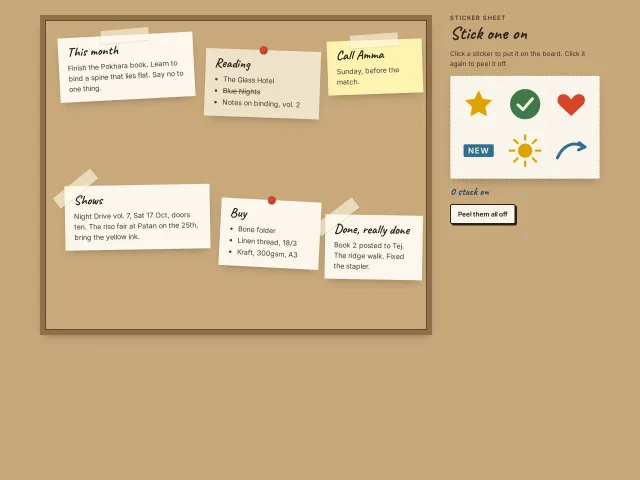
A cork-framed kraft board of six paper notes, taped or pinned, beside a sticker sheet: click a sticker and it pops onto the board at its spot with a spring; click again to peel it off.
Live cursors on a board
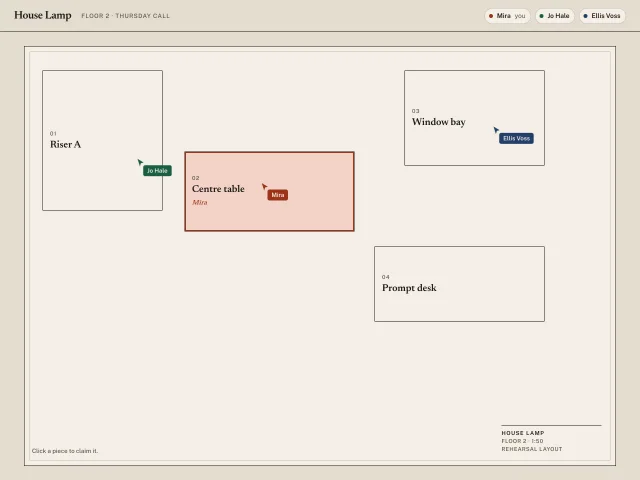
Three named cursors on a rehearsal floor plan. Yours follows the pointer. Click a set piece to claim it.
Kanban board
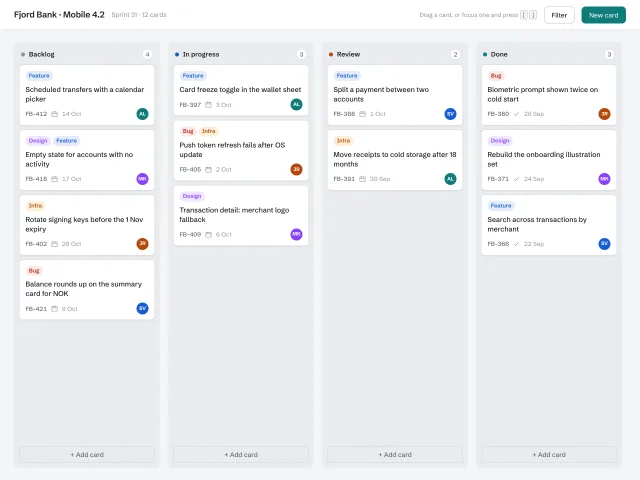
Four 292px columns with live counts, labelled cards with avatars, pointer-event drag-and-drop with a 3° tilted ghost and a dashed drop placeholder, plus [ ] keyboard moves.
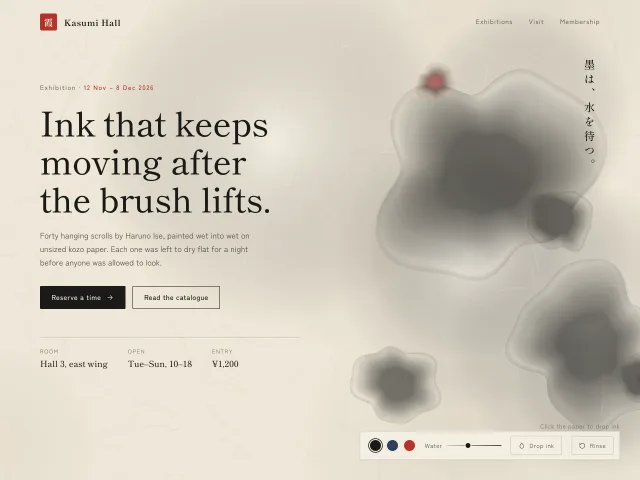
Ink wash background
Sumi ink blooms that spread and dry on rice paper where you click, drawn on canvas with layered translucent washes, tide-line edges and pigment grain.
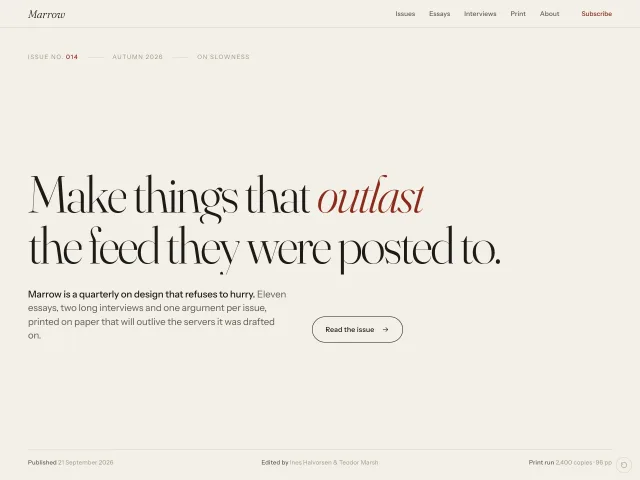
Editorial landing hero
A paper-toned magazine landing hero: 104px Fraunces headline rising word by word, hairline nav, one-line manifesto, a single outlined pill CTA and a mono issue index.
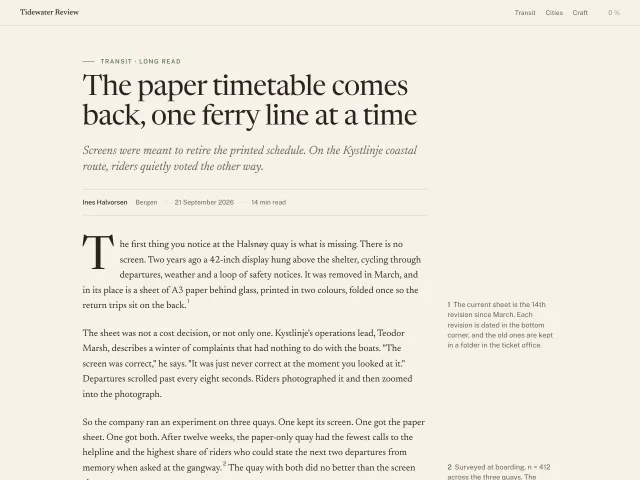
Paper article reader
Long-form article page on warm paper: Newsreader body at 19px/1.6 on a 66ch measure, a four-line drop cap, a pull quote, floated margin notes at ≥1100px and a 2px sticky reading-progress hairline.