Nº 413 of 677
Slider field
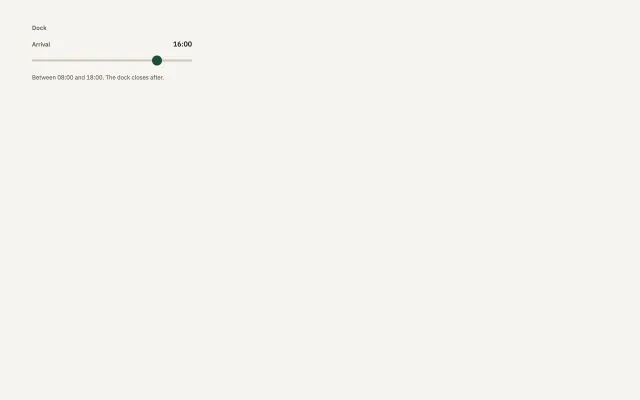
A dock arrival from 08:00 to 18:00. The thumb starts at 16:00. The value sits beside the label and updates as the thumb moves.
Preview
Use it
Free to use · credit appreciated1 Once, in your project · Node 22.20+
npx skills add SusanAcharya/Design-Lounge 2 Then ask
Using the Design Lounge skill, build "Slider field" (piece slider-field) in my stack. Match its brief; restyle it onto my product's theme.
No skill? Paste the brief instead. It carries the numbers, tokens and behaviour.
<!-- Design Lounge Nº 413 · "Slider field" · www.designlounge.live -->

# Slider field

> **Build brief for a coding agent.** Rebuild this piece in the reader's stack. If they haven't said which stack, ask once, then default to semantic HTML + CSS + a little vanilla JS. Match the numbers below; don't "improve" them. When a kit is locked, the thumb uses `--primary` and the track uses `--line-strong`. Do not import a second slider skin.

## What it is

One slider for the hour a load arrives at the dock. The range is 8 to 18. It starts at 16, shown as 16:00 beside the label. The track is 4px, the thumb is 20px, and the whole control is 40px tall so the hit target matches the other fields. A hint under it says the dock closes after 18:00. Arrow keys step one hour. This is a native range input, drawn to the yard. It is not a chart scrubber.

## Reference behaviour

1. The output reads 16:00. `aria-valuenow` is 16. `aria-valuetext` is 16:00.
2. Dragging the thumb, or pressing ArrowLeft and ArrowRight, steps by 1 hour and rewrites the output as HH:00.
3. The value never leaves 08:00 to 18:00. Home and End, if the browser provides them, jump to the ends.
4. There is no animation. The thumb does not glide past the step.
5. Focus ring is 2px `--focus`, offset 2px, around the control.
6. There is no second handle. A date span is `date-range-picker`.

## Structure

```
padding 48px 64px
Dock                         12px
width 320
  Arrival            16:00   label and output
  [========O------]          40px hit, 4px track, 20px thumb
  Between 08:00 and 18:00. The dock closes after.
```

- The label's `for` matches the input id. The output's `for` matches it too.
- The input is `type="range"` with `min="8"` `max="18"` `step="1"` `value="16"`.

## Tokens

```css
:root {
  --bg: #f6f4ef;
  --ink: #161513;
  --ink-2: #5a554c;

… 129 more lines. Copy or download for the full brief. Loading the source…Brief
169 linesBuild brief for a coding agent. Rebuild this piece in the reader’s stack. If they haven’t said which stack, ask once, then default to semantic HTML + CSS + a little vanilla JS. Match the numbers below; don’t “improve” them. When a kit is locked, the thumb uses
--primaryand the track uses--line-strong. Do not import a second slider skin.
What it is
One slider for the hour a load arrives at the dock. The range is 8 to 18. It starts at 16, shown as 16:00 beside the label. The track is 4px, the thumb is 20px, and the whole control is 40px tall so the hit target matches the other fields. A hint under it says the dock closes after 18:00. Arrow keys step one hour. This is a native range input, drawn to the yard. It is not a chart scrubber.
Reference behaviour
- The output reads 16:00.
aria-valuenowis 16.aria-valuetextis 16:00. - Dragging the thumb, or pressing ArrowLeft and ArrowRight, steps by 1 hour and rewrites the output as HH:00.
- The value never leaves 08:00 to 18:00. Home and End, if the browser provides them, jump to the ends.
- There is no animation. The thumb does not glide past the step.
- Focus ring is 2px
--focus, offset 2px, around the control. - There is no second handle. A date span is
date-range-picker.
Structure
padding 48px 64px
Dock                         12px
width 320
  Arrival            16:00   label and output
  [========O------]          40px hit, 4px track, 20px thumb
Between 08:00 and 18:00. The dock closes after.- The label’s
formatches the input id. The output’sformatches it too. - The input is
type="range"withmin="8"max="18"step="1"value="16".
Tokens
:root {
  --bg: #f6f4ef;
  --ink: #161513;
  --ink-2: #5a554c;
  --ink-3: #5c564e;
  --line-strong: #cfc6b8;
  --primary: #1f4d3a;
  --focus: #1f4d3a;
  --sans: "IBM Plex Sans", system-ui, sans-serif;
}
The thumb is a circle because it is a thumb, not because the family is a pill. The family’s radius does not turn the thumb into a square. The track radius stays 2px.
Typography
| Role | Family | Size | Weight | Colour |
|---|---|---|---|---|
| Where | sans | 12px | 500 | --ink-2 |
| Label | sans | 12px | 500 | --ink-2 |
| Value | sans | 14px | 500 | --ink |
| Hint | sans | 12px | 400 | --ink-3 |
The value uses tabular numbers so 08:00 and 18:00 occupy the same width. Letter-spacing on the where-line is 0.04em.
Motion
None on a timer. The thumb follows the pointer. Reduced motion has nothing to remove. Do not animate the number with an odometer. An odometer is odometer-counter.
| Thing | Trigger | What changes |
|---|---|---|
| Drag or arrows | value | output text and aria-valuetext |
| Focus | keyboard | 2px ring |
States
- Track: 4px tall,
--line-strong, radius 2px, across the 320px width. - Thumb: 20px circle,
--primary, no border. Vertically centered on the track. - Control box: 40px tall so the thumb has padding around it.
- Value: 14px, weight 500, at the right of the label row.
- Hint: 12px
--ink-3. - Focus-visible: 2px outline, offset 2px.
- There is no filled portion of the track in a second colour. One track, one thumb. A budget bar is
budget-meter.
Accessibility
- The visible label is Arrival. The output is tied with
for. - Set
aria-valuetextto the clock string. The raw value 16 is not what the person means. - Arrow keys come from the native range. Do not replace the input with a div.
- Hit target: the input is 40px tall. The thumb is 20px inside it.
- Contrast: the green thumb
#1f4d3aon#f6f4efis the control, not text. The value text#161513on the paper clears 4.5. - Do not put the only copy of the hour inside the thumb.
Responsive rules
- At 1280 the field is 320px, padding 48px 64px.
- At 768 it may grow to max 420px.
- Below 640 it is full width inside 20px padding. The hit height stays at least 40px, and 44px on a phone. Do not shrink the thumb below 20px.
Acceptance checklist
- The label is Arrival. The range is 8 to 18. The start value is 16:00.
- The hint names 08:00 and 18:00.
- Dragging or the arrow keys update the output as HH:00.
- The value cannot pass 08:00 or 18:00.
- The track is 4px. The thumb is a 20px circle in
#1f4d3a. - The control is 320px wide and 40px tall.
-
aria-valuetextmatches the output. - Focus ring is 2px, offset 2px.
- There is one thumb and no animation.
- The hour is not drawn inside the thumb.
Implementation notes
Style both the WebKit and Firefox pseudos. appearance: none drops the native track.
input::-webkit-slider-thumb {
  -webkit-appearance: none;
  width: 20px; height: 20px; margin-top: -8px;
  border-radius: 50%; background: var(--primary); border: 0;
}
Pad the hour to two digits before adding :00.
Common mistakes:
- A text field for a value that is only a step on a known scale.
- Two thumbs for a start and end. That is a different piece.
- A tooltip on the thumb as the only place the hour appears.
- A library slider with its own purple thumb.
- Filling the track with a gradient.
- A thumb smaller than 20px.
- Forgetting Firefox’s
::-moz-range-thumb, so one browser shows the native widget. - Animating the output.
- Using this scrubber on a chart. Chart values live in the heading. Read the chart briefs.
Where it sits in a product:
- Use it when the value is a step on a short scale: an hour, a count, a percent the person sets.
- A free number the person types is
text-field. - A span of dates is
date-range-picker. - The label and the current value are both visible. The thumb is not a label.
- Step is 1 in this demo. A product may step by 15 minutes and must say so in the hint.
- The family’s button radius does not restyle the thumb.
- When a theme is locked, the thumb is
--primary. - One slider per question. Do not stack five sliders where a single choice would do.
- The where-line Dock is the screen name.
- Keep the credit line on the token block.
Rebuild order:
- Set the paper and IBM Plex Sans.
- Place the label and the output 16:00.
- Place the range from 8 to 18 at 16.
- Draw the 4px track and the 20px thumb.
- On input, write HH:00 into the output and into
aria-valuetext. - Check the ends.
- Check the keyboard.
- Map the thumb colour onto
--primarywhen a kit is on.
Copy you keep:
- Dock.
- Arrival.
- 16:00 as the start.
- Between 08:00 and 18:00. The dock closes after.
Details
- Palette
- Type
- IBM Plex Sans
- Motion
- Static
- Stack
- Plain HTML, CSS and vanilla JS. No framework or packages, so nothing to clash with your versions.
- Build
- Quick build
- Tags
On the shelves
Similar
Text field
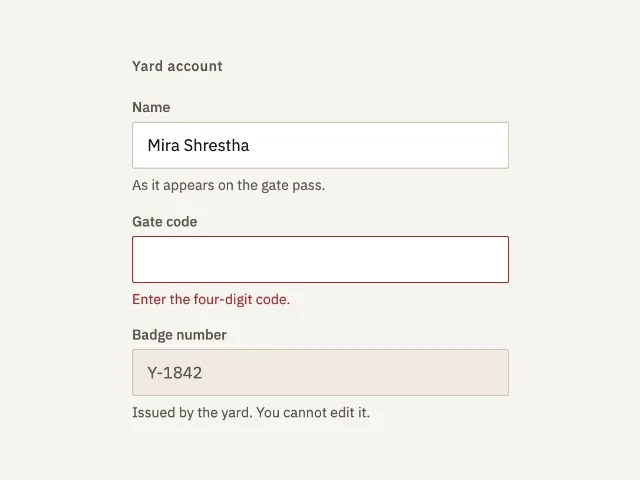
Three account fields: a name with a hint, a gate code in error until it is four digits, and a badge number that cannot be edited.
Date range picker
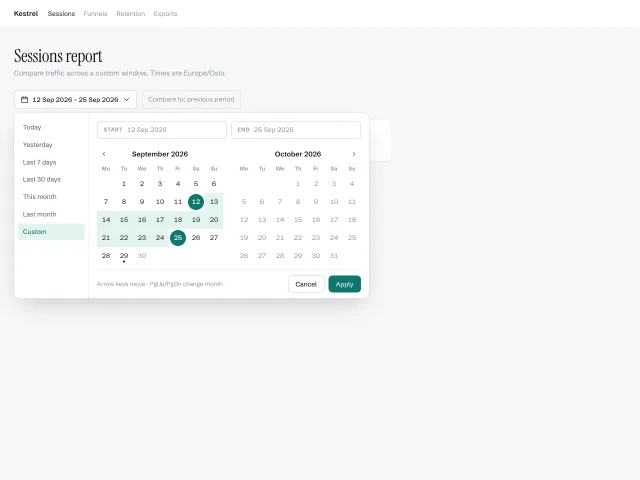
A two-month calendar popover with a presets column, start/end pills, hover-previewed ranges and full arrow-key navigation across month boundaries.
Radio group
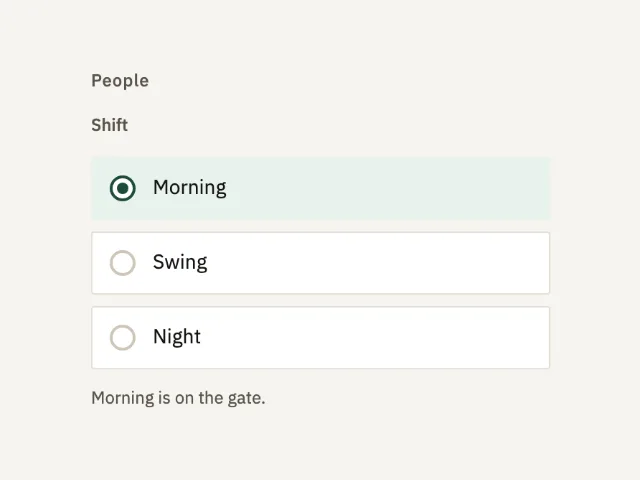
Three shifts in one fieldset. Morning starts selected. Arrow keys move the choice. The status line names the shift on the gate.
Combobox
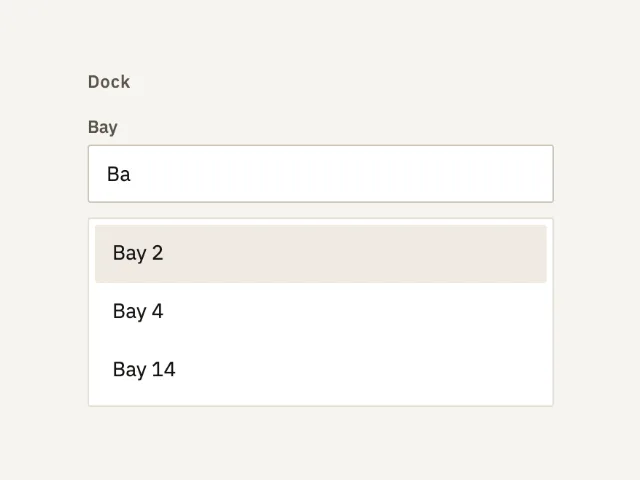
A bay field that filters eight names as you type. It opens on Ba, with Bay 2, Bay 4, and Bay 14. Enter commits the highlighted row.
Hold and slide to confirm
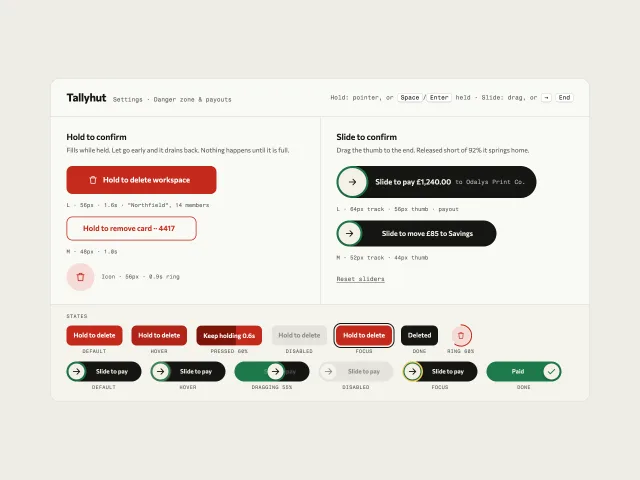
Hold-to-delete buttons that fill while held and drain on release, plus slide-to-pay tracks that spring home short of 92%, all with keyboard paths.
Password field
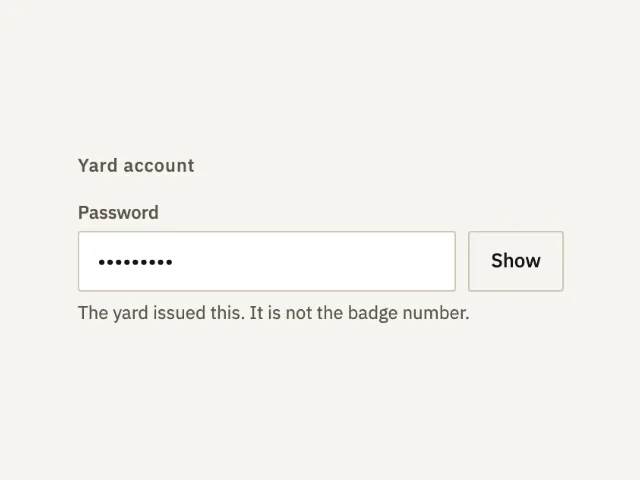
A password that starts hidden. Show reveals gate-1842. Hide puts it back. The hint says the yard issued it.