Nº 558 of 605
Accordion with media swap
Four features in a vertical accordion; opening one crossfades a drawn product screen on the right, and a 7s progress bar advances the tour until you hover.
Preview
Use it
Free to use · credit appreciated1 Once, in your project · Node 22.20+
npx skills add SusanAcharya/Design-Lounge 2 Then ask
Using the Design Lounge skill, build "Accordion with media swap" (piece features-accordion-media-swap) in my stack. Match its brief; restyle it onto my product's theme.
No skill? Paste the brief instead. It carries the numbers, tokens and behaviour.
<!-- Design Lounge Nº 558 · "Accordion with media swap" · www.designlounge.live -->

# Accordion with media swap

> **Build brief for a coding agent.** Rebuild this piece in the reader's stack. If they haven't said which stack, ask once, then default to semantic HTML + CSS + a little vanilla JS. Match the numbers below; don't "improve" them.

## What it is

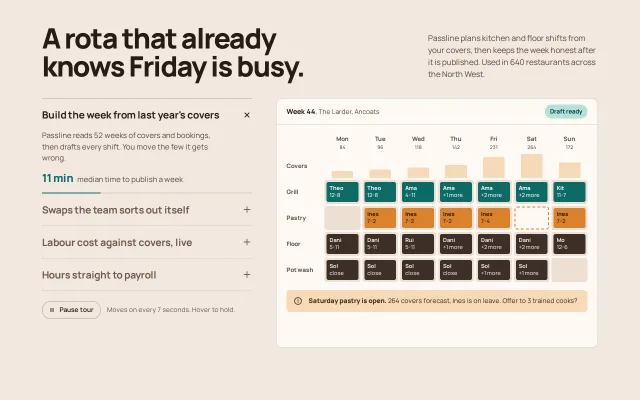
The features section for "Passline", an invented rota tool for restaurant kitchens. A 420px accordion of four features sits on the left; the right holds a 500px-tall panel showing the product screen for whichever feature is open: a week planner, a shift-swap inbox, a labour chart and a payroll export. Opening a feature crossfades the screen. The open item carries a 2px teal bar that fills over 7 seconds and then opens the next item, so the section gives itself a guided tour; hovering or focusing anywhere in the section holds it, and a Pause tour button stops it. The thing to copy: the timer is a CSS animation whose `animationend` advances the accordion, so pausing is just `animation-play-state`.

## Reference behaviour

1. Initial state: item 1 "Build the week from last year's covers" is open, its bar filling; the week planner is on the right. Items 2–4 are closed, titles in `--ink-3`.
2. After 7000ms the bar reaches the end; item 1 closes, item 2 opens, the swap inbox crossfades in, and item 2's bar starts from zero. After item 4 it wraps to item 1.
3. Hover anywhere over the section (accordion or screen), or move focus into it: the bar freezes where it is. Leaving resumes from the same point.
4. Click any closed title: it opens (rows grow over 320ms), the previous one closes, the screen swaps, the bar restarts.
5. Clicking the open title keeps it open (one item is always open).
6. Keyboard on a title: Down and Up move to the next or previous title and open it; Home and End jump to the first and last. Enter and Space open the focused title.
7. Pause tour toggles `aria-pressed`, swaps the icon (two bars, triangle), the label (Pause tour, Play tour) and the hint text ("Tour paused. Open any feature.").
8. The plus icon in each title rotates 45° into a close mark when open.
9. Screen contents: week planner (7 days × 4 roles with covers bars and an open Saturday pastry slot outlined in amber, plus an amber alert); swaps (one request card with Approve swap and Decline, a three-message thread, a queue of two more swaps); labour (three KPI tiles and a bar plus line chart with a target band); payroll (five staff rows, a totals row and a CSV file row with Send to payroll).

## Structure

```
1280 × 800
┌────────────────────────── wrap 1200 max, padding 48 / 44 ────────────────────────────┐
│ A rota that already                                     Passline plans kitchen and…  │
│ knows Friday is busy.  (56px, 800)                       (34ch, 16px)                 │
│                                                                                       │
│ ┌── accordion 420 ─────────────┐  gap 48  ┌──── media 1fr × 500, radius 14 ───────┐  │
│ │ Build the week from last…  × │          │ Week 44, The Larder, Ancoats [Draft]   │  │
│ │ paragraph                    │          │ ───────────────────────────────────── │  │
│ │ 11 min  median time…         │          │  Mon Tue Wed Thu Fri Sat Sun            │  │
│ │ ████████░░░░░░░ 2px bar      │          │  covers bars                            │  │
│ │ Swaps the team sorts out…  + │          │  Grill / Pastry / Floor / Pot wash      │  │
│ │ Labour cost against covers + │          │  [ alert: Saturday pastry is open ]     │  │
│ │ Hours straight to payroll  + │          │                                         │  │
│ └──────────────────────────────┘          │                                         │  │
│ (Pause tour)  Moves on every 7 seconds…   └─────────────────────────────────────────┘  │

… 180 more lines. Copy or download for the full brief. Loading the source…Brief
220 linesBuild brief for a coding agent. Rebuild this piece in the reader’s stack. If they haven’t said which stack, ask once, then default to semantic HTML + CSS + a little vanilla JS. Match the numbers below; don’t “improve” them.
What it is
The features section for “Passline”, an invented rota tool for restaurant kitchens. A 420px accordion of four features sits on the left; the right holds a 500px-tall panel showing the product screen for whichever feature is open: a week planner, a shift-swap inbox, a labour chart and a payroll export. Opening a feature crossfades the screen. The open item carries a 2px teal bar that fills over 7 seconds and then opens the next item, so the section gives itself a guided tour; hovering or focusing anywhere in the section holds it, and a Pause tour button stops it. The thing to copy: the timer is a CSS animation whose animationend advances the accordion, so pausing is just animation-play-state.
Reference behaviour
- Initial state: item 1 “Build the week from last year’s covers” is open, its bar filling; the week planner is on the right. Items 2–4 are closed, titles in
--ink-3. - After 7000ms the bar reaches the end; item 1 closes, item 2 opens, the swap inbox crossfades in, and item 2’s bar starts from zero. After item 4 it wraps to item 1.
- Hover anywhere over the section (accordion or screen), or move focus into it: the bar freezes where it is. Leaving resumes from the same point.
- Click any closed title: it opens (rows grow over 320ms), the previous one closes, the screen swaps, the bar restarts.
- Clicking the open title keeps it open (one item is always open).
- Keyboard on a title: Down and Up move to the next or previous title and open it; Home and End jump to the first and last. Enter and Space open the focused title.
- Pause tour toggles
aria-pressed, swaps the icon (two bars, triangle), the label (Pause tour, Play tour) and the hint text (“Tour paused. Open any feature.”). - The plus icon in each title rotates 45° into a close mark when open.
- Screen contents: week planner (7 days × 4 roles with covers bars and an open Saturday pastry slot outlined in amber, plus an amber alert); swaps (one request card with Approve swap and Decline, a three-message thread, a queue of two more swaps); labour (three KPI tiles and a bar plus line chart with a target band); payroll (five staff rows, a totals row and a CSV file row with Send to payroll).
Structure
1280 × 800
┌────────────────────────── wrap 1200 max, padding 48 / 44 ────────────────────────────┐
│ A rota that already                                     Passline plans kitchen and…  │
│ knows Friday is busy.  (56px, 800)                       (34ch, 16px)                 │
│                                                                                       │
│ ┌── accordion 420 ─────────────┐  gap 48  ┌──── media 1fr × 500, radius 14 ───────┐  │
│ │ Build the week from last…  × │          │ Week 44, The Larder, Ancoats [Draft]   │  │
│ │ paragraph                    │          │ ───────────────────────────────────── │  │
│ │ 11 min  median time…         │          │  Mon Tue Wed Thu Fri Sat Sun            │  │
│ │ ████████░░░░░░░ 2px bar      │          │  covers bars                            │  │
│ │ Swaps the team sorts out…  + │          │  Grill / Pastry / Floor / Pot wash      │  │
│ │ Labour cost against covers + │          │  [ alert: Saturday pastry is open ]     │  │
│ │ Hours straight to payroll  + │          │                                         │  │
│ └──────────────────────────────┘          │                                         │  │
│ (Pause tour)  Moves on every 7 seconds…   └─────────────────────────────────────────┘  │
└───────────────────────────────────────────────────────────────────────────────────────┘
<section class="feat" aria-labelledby="ft">with a.head(<h2 id="ft">and a<p>) and a.grid(420px 1fr, gap 48)..acc: four.items. Each is<h3><button class="trig" aria-expanded aria-controls>+<div class="panel" role="region" aria-labelledby>+.prog(the 2px track with an<i>fill)..ctl: Pause tour<button aria-pressed>+ hint<span>..media: four.panes stacked absolutely. Each pane is a window:.bar(52px, title + status pill) and.body(20px padding) holding the drawn screen.
Tokens
:root {
  /* colour: warm clay ground, teal action, amber for gaps and demand */
  --bg: #F3E8DF;          /* page */
  --surface: #FFF9F4;     /* media window */
  --sunk: #EEDFD3;        /* empty shift cell, message bubble */
  --line: #E0CDBE;        /* hairlines */
  --line-2: #B8A190;      /* accordion top rule, ghost button border */
  --ink: #261B16;         /* titles, open item */
  --ink-2: #5A4A41;       /* body */
  --ink-3: #6E5A4F;       /* closed titles, hints, axis */
  --accent: #0D6B66;      /* progress fill, facts, primary buttons, kitchen shifts */
  --accent-2: #B4E1D9;    /* status pills, chart target band */
  --pill-ink: #073A37;
  --warm: #D9822B;        /* pastry shifts, open-slot outline */
  --warm-2: #F6D9B8;      /* covers bars, alert ground */
  --dark-shift: #3D2E28;  /* floor and pot wash shifts */
  --warn-ink: #9A3F12;    /* blocked swap */

  /* type */
  --font: "Manrope", system-ui, sans-serif;
  --fs-h2: clamp(34px, 4.6vw, 56px);
  --fs-title: 20px;
  --fs-fact: 22px;
  --fs-body: 15px;
  --fs-small: 13px;
  --fs-micro: 11–12px;

  /* layout */
  --acc-w: 420px;
  --media-h: 500px;
  --gap: 48px;
  --r: 14px;
  --r-sm: 8px;
  --bar-h: 2px;

  /* motion */
  --t: 160ms;
  --t-open: 320ms;
  --t-fade: 420ms;
  --t-settle: 520ms;
  --dwell: 7000ms;
  --ease: cubic-bezier(.2, .7, .2, 1);
  --expo: cubic-bezier(.16, 1, .3, 1);
}
Typography
| Role | Family | Size | Weight | Line-height | Tracking | Case |
|---|---|---|---|---|---|---|
| Section headline | Manrope | clamp(34px, 4.6vw, 56px) | 800 | 1.0 | -0.04em | sentence |
| Lede | Manrope | 16px | 400 | 1.5 | 0 | sentence |
| Accordion title | Manrope | 20px | 700 | 1.25 | -0.015em | sentence |
| Panel body | Manrope | 15px | 400 | 1.5 | 0 | sentence |
| Fact figure | Manrope | 22px | 800 | 1 | -0.02em | numerals, accent |
| Fact label, hint | Manrope | 13px | 400 | 1.4 | 0 | sentence |
| Window title | Manrope | 14px / 13px | 700 / 400 | 1.3 | 0 | sentence |
| Status pill | Manrope | 12px | 700 | 1 | 0 | sentence |
| KPI value | Manrope | 24px | 800 | 1.1 | -0.02em | tabular numerals |
| Grid labels, shift blocks | Manrope | 11–12px | 500–700 | 1.25 | 0 | sentence |
Motion
| Element | Trigger | Property | From → To | Duration | Easing | Reduced motion |
|---|---|---|---|---|---|---|
.prog i | item opens | transform scaleX | 0 → 1 | 7000ms | linear (it is a clock, not a UI move) | removed, no auto-advance |
.panel | open / close | grid-template-rows | 0fr ↔ 1fr | 320ms | --ease | 1ms |
| title plus icon | open / close | rotate | 0 ↔ 45deg | 320ms | --ease | 1ms |
.pane | becomes active | opacity | 0 → 1 | 420ms | --ease | 1ms |
.pane | becomes active | transform | scale(.975) translateY(8px) → none | 520ms | --expo | 1ms |
| title colour | hover / open | color | --ink-3 → --ink | 160ms | --ease | 1ms |
The outgoing pane fades on the same 420ms, so for a moment both overlap; that overlap is the crossfade. Hover, focus-within, or the paused class set animation-play-state: paused on the bar.
States
- Open item: title
--ink, icon rotated, panel visible, progress track visible. - Closed item: title
--ink-3; hover lifts it to--ink. - Focus-visible: 2px teal outline, 3px offset, 4px radius, on titles, Pause tour and every button in the screens.
- Tour paused (hover, focus, or button): the bar holds at its current width.
- Tour stopped (button):
aria-pressed="true", triangle icon, label Play tour, hint “Tour paused. Open any feature.” - Open shift slot: a 2px dashed amber outline inside the cell, no fill.
- Swap blocked: right-aligned 12px bold
#9A3F12reason; ready swaps use teal “Ready to approve”.
Accessibility
- Each title is a real
<button>inside an<h3>, witharia-expandedandaria-controls; each panel isrole="region"labelled by its button. - Arrow keys, Home and End move between titles, matching the accordion pattern.
- Inactive panes get
aria-hidden="true"andvisibility: hidden, so a screen reader and the tab order meet only the active screen. Each pane has anaria-labelnaming it. - Auto-advance can be stopped with the Pause tour button (WCAG 2.2.2) and also holds while focus is anywhere inside the section, so keyboard users never have content move under them.
- Under
prefers-reduced-motion: reducethere is no auto-advance at all and the Pause control is hidden. - Contrast:
--ink-3on--bg4.9:1;--ink-2on--surface8.4:1; white on teal 6.5:1;--pill-inkon--accent-29.6:1;#2B1606on amber shifts 6.1:1. - Titles are 60px-tall rows, Pause is 36px tall, window buttons 38px.
Responsive rules
- ≥ 1280: as specified.
- 1024–1279: grid stays two columns; the media narrows.
- < 1024: one column. Headline and lede stack with 14px gap; the media panel sits under the accordion and controls, gap 28px.
- < 760: wrap padding 32px 16px. Panes switch from absolute to a single grid cell (
grid-area: 1 / 1) so the panel takes the active pane’s height. The week grid uses a 44px label column, hides covers numbers and hides text inside shift blocks (the colours carry it); swaps, KPI tiles and the chat stack to one column. At 390 wide nothing scrolls sideways.
Acceptance checklist
Always
- Exactly one item is open at a time and one screen is visible.
- The open item’s bar fills over 7000ms and then opens the next item, wrapping from last to first.
- Hover over the section or focus inside it pauses the bar at its current position; leaving resumes.
- A visible Pause tour button stops auto-advance and reports
aria-pressed. - Screens crossfade (opacity 420ms plus a 520ms scale-up from 0.975), never cut.
- Panels open with the
grid-template-rows: 0fr → 1frtechnique, 320ms, no fixed heights. - Up, Down, Home and End move between titles and open them.
- Reduced motion: no auto-advance, no progress bar, state changes are instant.
- At 390 wide: single column, the media sizes to its content, no sideways scroll.
This demo
- Headline “A rota that already knows Friday is busy.”
- Facts: 11 min, 83%, 2.6 pts, 0.
- Week planner shows covers 84, 96, 118, 142, 231, 264, 172 and an open Saturday pastry slot.
- Payroll totals: 1,926.75 hours, £3,861.40 tronc, 232.4 h holiday for 14 people.
Implementation notes
The timer is the animation. Restart it by toggling the animation off and forcing a reflow, then advance on animationend. No setInterval.
.prog i { position: absolute; inset: 0; background: var(--accent);
          transform-origin: 0 50%; transform: scaleX(0); }
.item.open .prog i { animation: fill var(--dwell) linear forwards; }
@keyframes fill { to { transform: scaleX(1); } }
.feat:hover .prog i, .feat:focus-within .prog i, .feat.paused .prog i { animation-play-state: paused; }
function open(i) {
cur = (i + items.length) % items.length;
items.forEach((it, k) => {
it.classList.toggle('open', k === cur);
it.querySelector('.trig').setAttribute('aria-expanded', k === cur);
const bar = it.querySelector('.prog i');
bar.style.animation = 'none'; void bar.offsetWidth; bar.style.animation = '';
});
panes.forEach((p, k) => { p.classList.toggle('on', k === cur); p.setAttribute('aria-hidden', k !== cur); });
}
items.forEach((it, k) => it.querySelector('.prog i')
.addEventListener('animationend', () => it.classList.contains('open') && open(k + 1)));Height without measuring.
.panel { display: grid; grid-template-rows: 0fr; transition: grid-template-rows 320ms var(--ease); }
.item.open .panel { grid-template-rows: 1fr; }
.panel > div { overflow: hidden; }
Panes that crossfade but stay out of the tab order. Delay the visibility flip on the way out so the old pane is still painted while it fades:
.pane { opacity: 0; visibility: hidden;
        transition: opacity 420ms var(--ease), transform 520ms var(--expo), visibility 0s 420ms; }
.pane.on { opacity: 1; visibility: visible; transform: none; transition-delay: 0s; }
Common mistakes: running the tour with setInterval (it cannot pause mid-way and drifts from the bar); forgetting to pause on :focus-within, so a keyboard user’s focus is yanked; drawing the screens as grey boxes; letting the media panel’s height jump between panes (fix it at 500px on desktop).
Details
- Palette
- Type
- Manrope
- Motion
- Subtle motion
- Build
- One session
- Tags
Studied
StripeLet one big moving thing carry the colour. Keep the words light and the cards real.
All sourcesSimilar
Tabbed feature preview
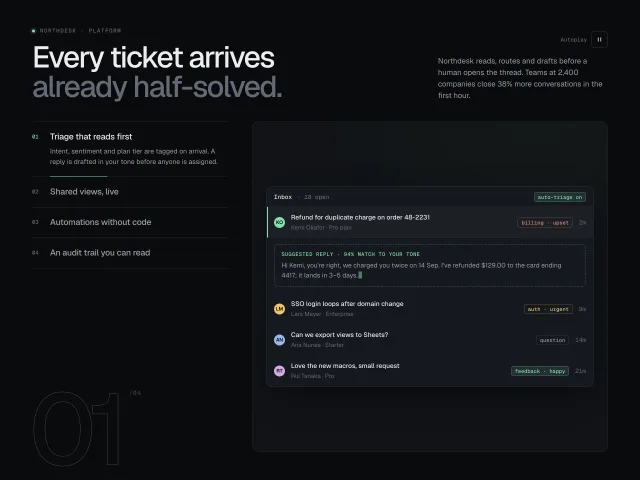
Four vertical feature tabs with 6s autoplay progress hairlines; the preview pane crossfades between CSS-built product UIs, with a giant outlined step numeral.
Sticky scroll feature steps
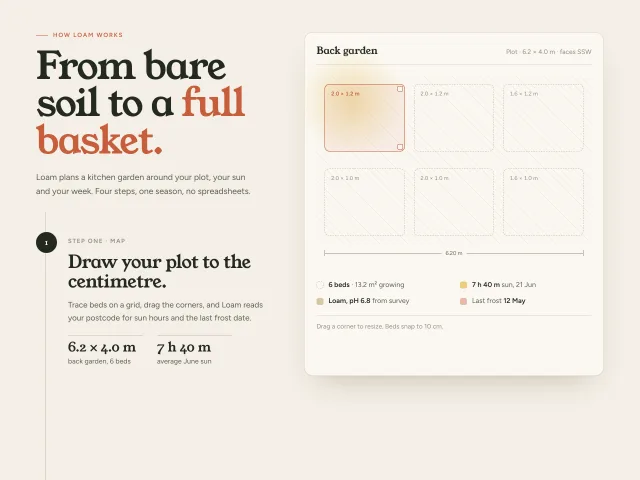
Four Loam garden-planning steps scroll on the left while a 600px plot preview sticks on the right and morphs beds, crops, calendar and harvest tally.
FAQ category accordion
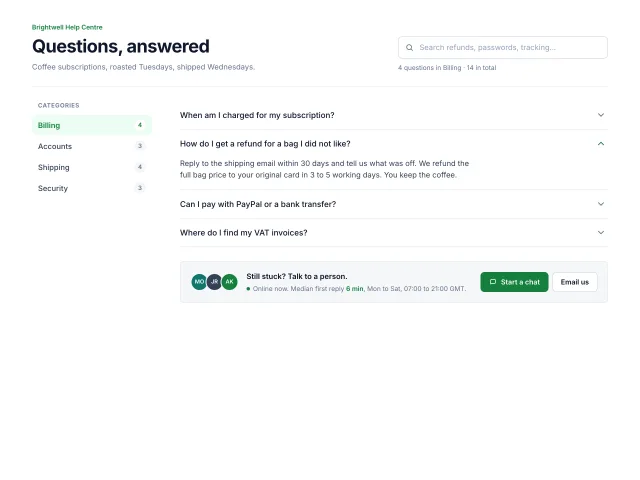
A Brightwell help centre FAQ: four categories with counts on the left, an accordion on the right, live search with highlighted matches, and a talk-to-a-person card.
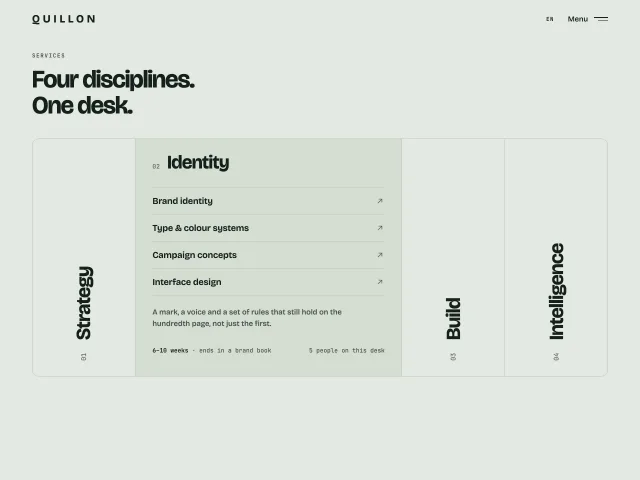
Vertical label service columns
Four tall columns with rotated service names. Hover, click or Enter widens one into a list of services with arrows; the others stay as labels.
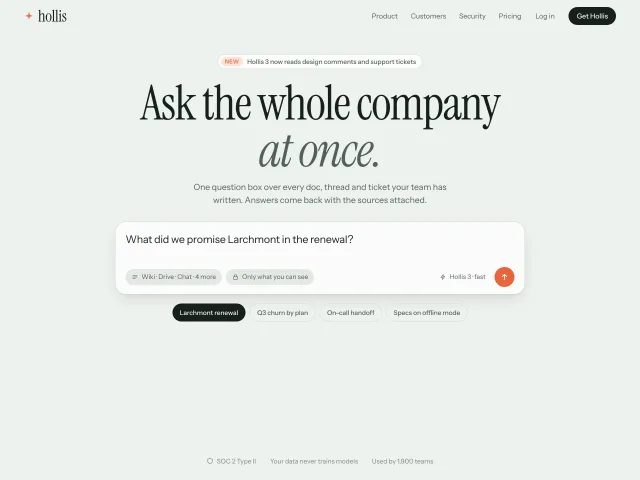
AI prompt cycle hero
A Hollis product hero whose question box types four real company prompts, then streams a sourced answer; chips, Enter and New question all drive the same cycle.
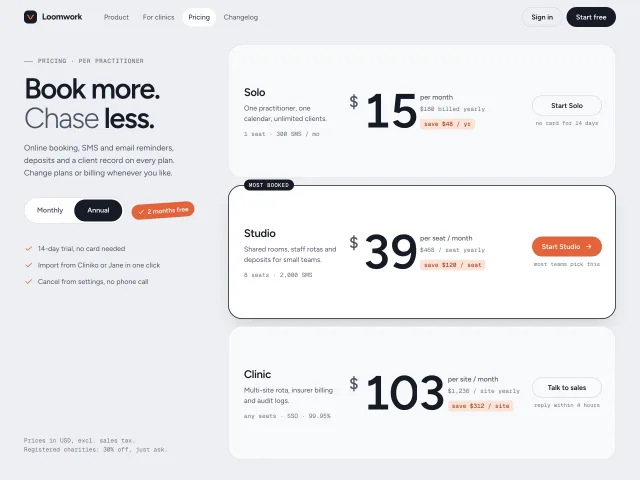
Annual toggle with rolling prices
Pricing rows whose 96px prices roll digit by digit like an odometer when billing flips to annual, while a tilted savings badge springs in.