Nº 573 of 605
Spotlight onboarding tour
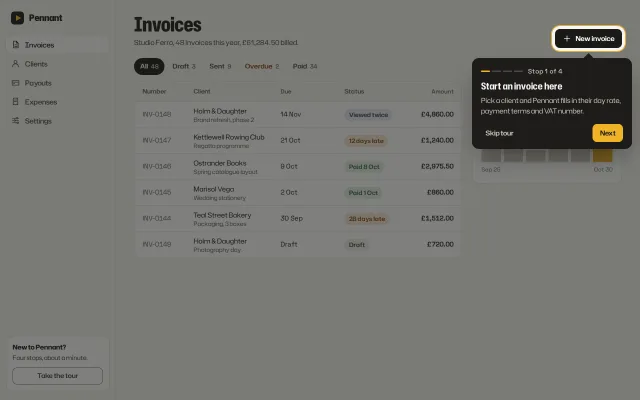
A four-stop coach-mark tour over an invoicing app: a spotlight cutout that glides between targets, a dark popover with step count, Back, Next and Skip.
Preview
Use it
Free to use · credit appreciated1 Once, in your project · Node 22.20+
npx skills add SusanAcharya/Design-Lounge 2 Then ask
Using the Design Lounge skill, build "Spotlight onboarding tour" (piece popup-onboarding-tour) in my stack. Match its brief; restyle it onto my product's theme.
No skill? Paste the brief instead. It carries the numbers, tokens and behaviour.
<!-- Design Lounge Nº 573 · "Spotlight onboarding tour" · www.designlounge.live -->

# Spotlight onboarding tour

> **Build brief for a coding agent.** Rebuild this piece in the reader's stack. If they haven't said which stack, ask once, then default to semantic HTML + CSS + a little vanilla JS. Match the numbers below; don't "improve" them.

## What it is

The first-run tour of Pennant, an invoicing app for small studios. The whole screen dims except a rounded cutout around one real control, ringed in saffron, and a near-black popover beside it says what that control does for this studio, in this studio's numbers. Four stops: New invoice, the Overdue filter, a "Viewed twice" status, the Next payout card. Between stops the cutout does not blink off and on: it glides, changing position, size and corner radius over 460ms, and the popover glides with it while its text cross-fades. The detail worth copying is the cutout itself: one element with a 9999px box-shadow, so the dim, the hole and the ring are a single box that can animate.

## Reference behaviour

1. Initial state: the tour is already running at stop 1. The cutout hugs the "New invoice" button (6px padding, radius = button radius + 6px) with a 2px saffron ring and a soft halo pulse. The popover sits below it, its arrow pointing at the button's centre, reading "Stop 1 of 4", "Start an invoice here", "Pick a client and Pennant fills in their day rate, payment terms and VAT number." Back is hidden.
2. Next (or ArrowRight) moves to the next stop. The popover body fades to 0 over 140ms, the text is replaced, then the cutout and popover move together over 460ms on `cubic-bezier(.16,1,.3,1)` and the body fades back in over 200ms. The four 18 × 3px progress pips fill saffron up to the current stop.
3. Stops and preferred placement:
   - 1 New invoice, below. 2 the Overdue tab, below ("Late invoices stand out"). 3 the "Viewed twice" status chip on INV-0148, left ("See what the client did"). 4 the Next payout card, left ("Know when money lands").
   - If the preferred side lacks room (16px margin), left falls back to below, and below falls back to above. The popover is then clamped inside the viewport and the arrow is clamped 14px from the popover's corners, so it always points at the target.
4. Back (or ArrowLeft) goes to the previous stop. On stop 4, Next reads "Finish".
5. Finish, Skip tour and Escape end the tour. A dark toast confirms: "Tour finished. It is under Take the tour if you want it again." or "Tour skipped. Take the tour is in the sidebar." for 3000ms. Focus goes to the "Take the tour" button in the sidebar's help card, which restarts at stop 1.
6. Before measuring, the target is scrolled into view. On resize the current stop is placed again.
7. The halo is the one loop: a ring that grows from 0 to 12px and fades over 2.4s, behind the saffron line.

## Structure

```
1280 × 800
┌───────────┬────────────────────────────────────────────────────────────┐
│ ▶ Pennant │ Invoices (40px condensed)                  ╔[+ New invoice]╗│
│ Invoices  │ Studio Ferro, 48 invoices...               ╚═══════════════╝│
│ Clients   │ (All 48) Draft 3 Sent 9 Overdue 2 Paid 34   ┌──── tip 320 ──▲┐│
│ Payouts   │ ┌ table ──────────────────────────────┐ ┌──│ ━━ ── ── ──  │ │
│ Expenses  │ │ Number Client      Due  Status  Amt │ │  │ Stop 1 of 4  │ │
│ Settings  │ │ INV-0148 Holm & D. 14 Nov Viewed ...│ │  │ Start an ... │ │
│           │ │ ...                                  │ │  │ [Skip]  [Next]││
│           │ └──────────────────────────────────────┘ │  └──────────────┘ │
│ ┌ help ─┐ │                                          │ payout card 300  │
│ │ Take  │ │                                          └──────────────────│
│ │ tour  │ │   everything outside ╔══╗ is under rgba(26,26,23,.56)       │
└───────────┴────────────────────────────────────────────────────────────┘
```

… 172 more lines. Copy or download for the full brief. Loading the source…Brief
212 linesBuild brief for a coding agent. Rebuild this piece in the reader’s stack. If they haven’t said which stack, ask once, then default to semantic HTML + CSS + a little vanilla JS. Match the numbers below; don’t “improve” them.
What it is
The first-run tour of Pennant, an invoicing app for small studios. The whole screen dims except a rounded cutout around one real control, ringed in saffron, and a near-black popover beside it says what that control does for this studio, in this studio’s numbers. Four stops: New invoice, the Overdue filter, a “Viewed twice” status, the Next payout card. Between stops the cutout does not blink off and on: it glides, changing position, size and corner radius over 460ms, and the popover glides with it while its text cross-fades. The detail worth copying is the cutout itself: one element with a 9999px box-shadow, so the dim, the hole and the ring are a single box that can animate.
Reference behaviour
- Initial state: the tour is already running at stop 1. The cutout hugs the “New invoice” button (6px padding, radius = button radius + 6px) with a 2px saffron ring and a soft halo pulse. The popover sits below it, its arrow pointing at the button’s centre, reading “Stop 1 of 4”, “Start an invoice here”, “Pick a client and Pennant fills in their day rate, payment terms and VAT number.” Back is hidden.
- Next (or ArrowRight) moves to the next stop. The popover body fades to 0 over 140ms, the text is replaced, then the cutout and popover move together over 460ms on
cubic-bezier(.16,1,.3,1)and the body fades back in over 200ms. The four 18 × 3px progress pips fill saffron up to the current stop. - Stops and preferred placement:
- 1 New invoice, below. 2 the Overdue tab, below (“Late invoices stand out”). 3 the “Viewed twice” status chip on INV-0148, left (“See what the client did”). 4 the Next payout card, left (“Know when money lands”).
- If the preferred side lacks room (16px margin), left falls back to below, and below falls back to above. The popover is then clamped inside the viewport and the arrow is clamped 14px from the popover’s corners, so it always points at the target.
- Back (or ArrowLeft) goes to the previous stop. On stop 4, Next reads “Finish”.
- Finish, Skip tour and Escape end the tour. A dark toast confirms: “Tour finished. It is under Take the tour if you want it again.” or “Tour skipped. Take the tour is in the sidebar.” for 3000ms. Focus goes to the “Take the tour” button in the sidebar’s help card, which restarts at stop 1.
- Before measuring, the target is scrolled into view. On resize the current stop is placed again.
- The halo is the one loop: a ring that grows from 0 to 12px and fades over 2.4s, behind the saffron line.
Structure
1280 × 800
┌───────────┬────────────────────────────────────────────────────────────┐
│ ▶ Pennant │ Invoices (40px condensed)                  ╔[+ New invoice]╗│
│ Invoices  │ Studio Ferro, 48 invoices...               ╚═══════════════╝│
│ Clients   │ (All 48) Draft 3 Sent 9 Overdue 2 Paid 34   ┌──── tip 320 ──▲┐│
│ Payouts   │ ┌ table ──────────────────────────────┐ ┌──│ ━━ ── ── ──  │ │
│ Expenses  │ │ Number Client      Due  Status  Amt │ │  │ Stop 1 of 4  │ │
│ Settings  │ │ INV-0148 Holm & D. 14 Nov Viewed ...│ │  │ Start an ... │ │
│           │ │ ...                                  │ │  │ [Skip]  [Next]││
│           │ └──────────────────────────────────────┘ │  └──────────────┘ │
│ ┌ help ─┐ │                                          │ payout card 300  │
│ │ Take  │ │                                          └──────────────────│
│ │ tour  │ │   everything outside ╔══╗ is under rgba(26,26,23,.56)       │
└───────────┴────────────────────────────────────────────────────────────┘- App:
<nav class="side">(232px) with brand, links, and a.helpcard holding “Take the tour”.<main class="main" id="main">scrolls; it holds the header (h1, meta, New invoice), the tabs, the invoice table (CSS grid rows, 52px) and the payout<aside class="card">. - Tour:
<dialog id="tour" aria-labelledby="tt" aria-describedby="tp">opened withshowModal(), styled full-viewport and transparent (inset:0; width:100%; height:100%; max-width:none; background:transparent), with a transparent::backdrop..spot: absolutely positioned at 0,0, moved withtransform: translate(), sized withwidth/height,box-shadow: 0 0 0 2px var(--ring), 0 0 0 9999px var(--scrim),pointer-events: none.::aftercarries the halo..tip(tabindex="-1", 320px):.arr(14px rotated square),.meta(pips +#tcstep count,aria-live="polite"),.body(<h2 id="tt">,<p id="tp">),.ft(Skip tour, Back, Next).
.toast role="status"outside the dialog.
Tokens
:root {
  /* app, warm paper grey */
  --bg: #f6f5f1;
  --surface: #ffffff;
  --sunk: #efede7;
  --line: #e4e1d8;
  --line-2: #d2cec2;
  --edge: #858173;        /* outline buttons, 3.90:1 on white */
  --ink: #1a1a17;         /* 17.44:1 */
  --ink-2: #4b4a43;       /* 8.90:1 */
  --ink-3: #6a685e;       /* 5.59:1 on white, 5.13:1 on bg */
  /* status chips (live state only) */
  --ok: #2f6b3f;   --ok-soft: #e4efe3;    /* 5.39:1 */
  --warn: #8a4a12; --warn-soft: #f8e9d6;  /* 5.74:1 */
  --info: #3b4470; --info-soft: #e8eaf3;  /* 7.79:1 */
  /* tour */
  --tip: #1d1c19;         /* popover */
  --tip-2: #2b2a26;       /* popover button hover */
  --tip-ink: #f6f4ee;     /* 15.49:1 */
  --tip-ink-2: #c9c6bb;   /* 9.96:1 */
  --accent: #f0b429;      /* saffron: ring, pips, primary */
  --accent-ink: #1d1c19;  /* 9.14:1 on accent */
  --ring: rgba(240,180,41,.9);
  --scrim: rgba(26,26,23,.56);
  /* type */
  --font: "Hubot Sans", system-ui, sans-serif;     /* wdth 75..125, wght 400..800 */
  --num: "Space Grotesk", ui-sans-serif, sans-serif;
  /* size */
  --pad: 6px;             /* cutout padding around the target */
  --gap: 14px;            /* target to popover */
  --margin: 16px;         /* popover to viewport edge */
  --tip-w: 320px;
  --r: 12px;
  --r-ctl: 10px;
  --h-ctl: 38px;
  /* motion */
  --t-micro: 160ms;
  --t-in: 320ms;
  --t-move: 460ms;
  --t-swap: 140ms;        /* text out, before the move */
  --ease: cubic-bezier(.2,.7,.2,1);
  --ease-out: cubic-bezier(.16,1,.3,1);
}
Typography
Hubot Sans carries the words at two widths; Space Grotesk carries every figure, because Hubot’s barred zero reads as a strikethrough in an amount column at 13px.
| Role | Family | Size | Weight | Width | Line-height | Tracking |
|---|---|---|---|---|---|---|
| Page h1 | Hubot Sans | 40px | 800 | 78% | 1 | -0.01em |
| Popover title | Hubot Sans | 19px | 700 | 85% | 1.2 | -0.005em |
| Popover body | Hubot Sans | 14px | 400 | 100% | 1.5 | 0 |
| Step count | Space Grotesk | 13px | 500 | n/a | 1.4 | 0.01em |
| Nav, buttons | Hubot Sans | 13.5–14px | 500–600 | 100% | 1 | 0 |
| Table body | Hubot Sans | 13.5px | 400 | 100% | 1.35 | 0 |
| Amounts, invoice ids, dates | Space Grotesk | 13.5px | 600 / 400 | n/a | 1 | tabular |
| Payout figure | Space Grotesk | 34px | 600 | n/a | 1 | -0.03em, tabular |
| Status chip | Hubot Sans | 12px | 600 | 100% | 24px box | 0 |
Motion
| Element | Trigger | Property | From → To | Duration | Easing |
|---|---|---|---|---|---|
| tour layer | open | opacity | 0 → 1 | 320ms | --ease |
.spot | stop change | transform, width, height, border-radius | previous box → target box + 6px | 460ms | --ease-out |
.tip | stop change | transform | previous → new placement | 460ms | --ease-out |
.arr | stop change | left, top | previous → new | 460ms | --ease-out |
.tip .body | stop change | opacity | 1 → 0 (140ms, then text swaps) → 1 | 200ms | --ease |
| pips | stop change | background | grey → saffron | 160ms | --ease |
halo ::after | loop | box-shadow spread, alpha | 0 at .55 → 12px at 0 | 2400ms | --ease |
| toast | tour ends | opacity, translateY | 0, 12px → 1, 0 | 320ms | --ease-out |
The first placement (on open, and again when web fonts finish loading) runs with transitions off (a .still class for two frames), so the cutout never flies in from the corner. Reduced motion: all durations 1ms, no halo.
States
- Popover buttons: primary saffron fill, hover
#f5c454; Back outlined#6e6b61(3.20:1 on the popover), hover--tip-2; Skip tour ghost in--tip-ink-2. - Back: hidden on stop 1. Next: “Finish” on stop 4.
- Pips: filled saffron up to and including the current stop.
- Target: untouched; the ring belongs to the cutout, not the target, so no target styles change.
- Focus-visible: 2px saffron outline, 2px offset, inside the popover; 2px ink outline in the app.
- Ended: toast for 3000ms; “Take the tour” restarts.
Accessibility
showModal()makes the app inert and traps Tab in the popover: Skip tour, Back, Next. Escape ends the tour (nativecancel).- On open the popover itself takes focus (
tabindex="-1", no outline), and the dialog is named by the stop title and described by its body, so each stop is read in full. #tcisaria-live="polite", so “Stop 2 of 4” is announced on each move. Pips arearia-hidden.- ArrowRight and ArrowLeft move between stops while focus is in the tour.
- The cutout is decoration (
pointer-events: none); targets are not clickable during the tour. Say so in the copy if your product needs the user to act at a stop. - Contrast: all text passes 4.5:1 (figures in Tokens). The dim is 56% so the app stays legible as context.
- On end, focus goes to the control that restarts the tour.
Responsive rules
- ≥ 1280: as specified.
- 1024–1279: the payout card moves under the table (single column); stops 3 and 4 fall back to below or above automatically.
- < 820: sidebar hidden; a “Take the tour” outline button appears beside New invoice.
.maingets 300px of bottom padding so the last target can scroll above the popover. - < 640: the popover becomes a fixed card pinned 12px from the sides and 16px from the bottom, no arrow. Before measuring,
.mainis scrolled so the target sits about 72px from the top, clear of the card. Table rows collapse to client and status on the left, amount on the right.
Acceptance checklist
Always
- The dim, the hole and the ring are one element with a 9999px spread shadow, moved by
transformand resized bywidth/height. - Between stops the cutout and popover glide together over 460ms; the cutout radius follows the target radius + padding.
- Popover text cross-fades (out 140ms, in 200ms) instead of changing mid-move.
- Placement prefers the stop’s side, falls back when there is no room, and is clamped 16px inside the viewport; the arrow still points at the target’s centre.
- The target is scrolled into view before it is measured, and the stop is re-placed on resize and after fonts load.
- A step count (“Stop 2 of 4”) is visible and announced.
- Skip, Finish and Escape all end the tour, a toast says where to restart it, and focus lands on the restart control.
- At 390px the popover is a bottom card and the target is visible above it; nothing scrolls sideways.
- Reduced motion keeps every stop and removes all movement.
This demo
- Stops: New invoice, Overdue 2, “Viewed twice” on INV-0148 (Holm & Daughter, £4,860.00), Next payout £3,412.60 on Friday 30 October.
- Popover is 320px,
#1d1c19, with four 18 × 3px pips and a saffron primary. - Every figure in the app and the popover is set in Space Grotesk.
Implementation notes
One box for dim, hole and ring. Move it with transform; never animate top/left on it.
.spot { position: absolute; left: 0; top: 0; pointer-events: none;
  box-shadow: 0 0 0 2px var(--ring), 0 0 0 9999px var(--scrim);
  transition: transform 460ms var(--ease-out), width 460ms var(--ease-out),
              height 460ms var(--ease-out), border-radius 460ms var(--ease-out); }
Measure, choose a side, clamp, aim the arrow.
const r = el.getBoundingClientRect();
const x = r.left - PAD, y = r.top - PAD, w = r.width + PAD * 2, h = r.height + PAD * 2;
spot.style.transform = `translate(${x}px,${y}px)`; spot.style.width = w + 'px'; spot.style.height = h + 'px';
let side = s.side;
if (side === 'left' && x - GAP - tw < M) side = 'bottom';
if (side === 'bottom' && y + h + GAP + th > innerHeight - M) side = 'top';
let tx = side === 'left' ? x - GAP - tw : x + w / 2 - tw / 2;
let ty = side === 'left' ? y + h / 2 - th / 2 : side === 'bottom' ? y + h + GAP : y - GAP - th;
tx = Math.max(M, Math.min(innerWidth - M - tw, tx)); ty = Math.max(M, Math.min(innerHeight - M - th, ty));
tip.style.transform = `translate(${tx}px,${ty}px)`;
arr.style.left = Math.max(14, Math.min(tw - 28, x + w / 2 - tx - 7)) + 'px';
No fly-in on the first frame. Place once with transitions disabled, then re-enable two frames later. Do the same when document.fonts.ready resolves, because the target’s width changes when the web font arrives.
dlg.classList.add('still'); place();
requestAnimationFrame(() => requestAnimationFrame(() => dlg.classList.remove('still')));
Common mistakes: four separate dim panels around the target, which cannot animate radius and leave seams; measuring before the target is scrolled into view; a popover that runs off the right edge on stop 1; copy that describes the control (“This is the New invoice button”) instead of what it does for this account; no way back to the tour after skipping.
Details
- Palette
- Type
- Hubot Sans · Space Grotesk
- Motion
- Subtle motion
- Build
- Multi-step
- Tags
Similar
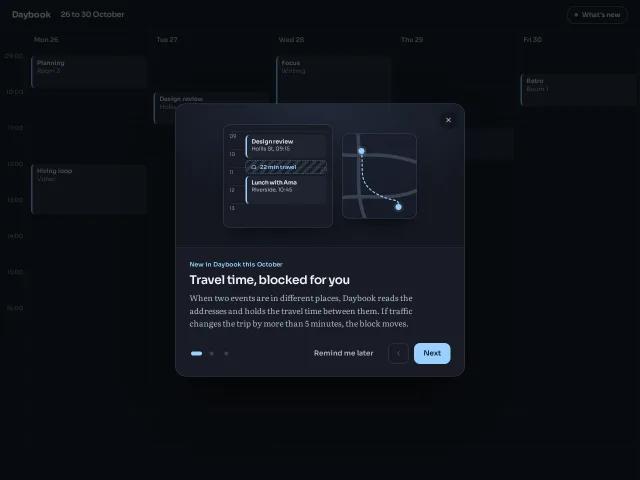
What's new slides modal
A 580px What's new modal with three slides of drawn product scenes, pill dots, previous and next, Remind me later, and arrow-key paging.
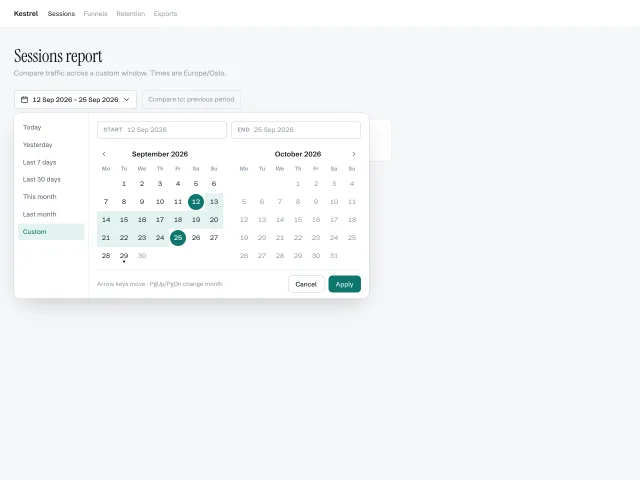
Date range picker
A two-month calendar popover with a presets column, start/end pills, hover-previewed ranges and full arrow-key navigation across month boundaries.
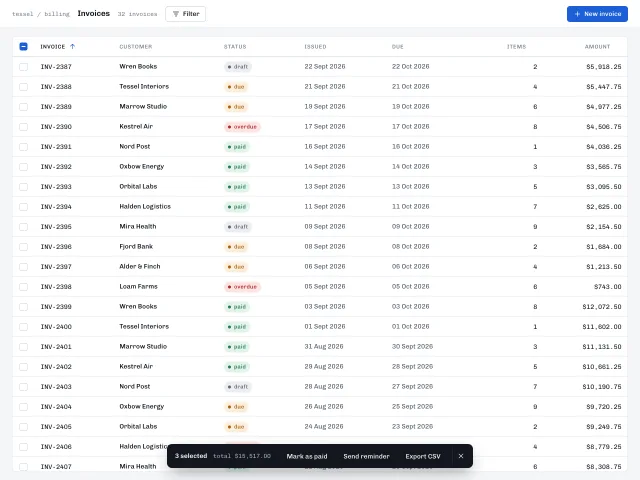
Dense data table
A 40px-row invoice table with a sticky header, tri-state select-all, shift-click ranges, sortable columns and a dark action bar that slides up when rows are selected.
Multi-step form stepper
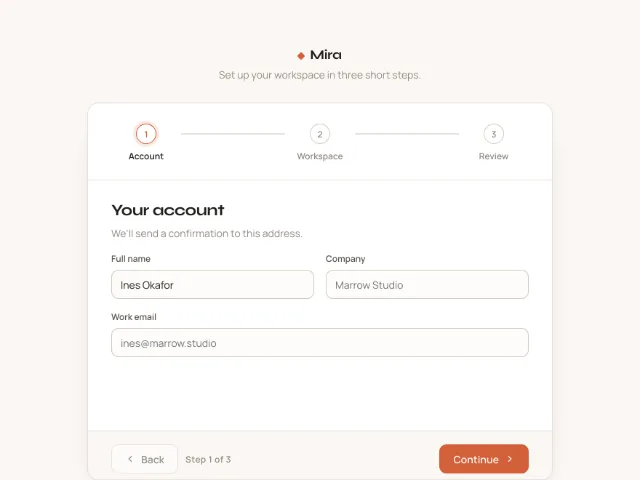
A three-step workspace setup with a horizontal stepper whose connectors fill on completion, direction-aware 40px slide transitions, validation on Continue and a review step with Edit links.
Notification center panel
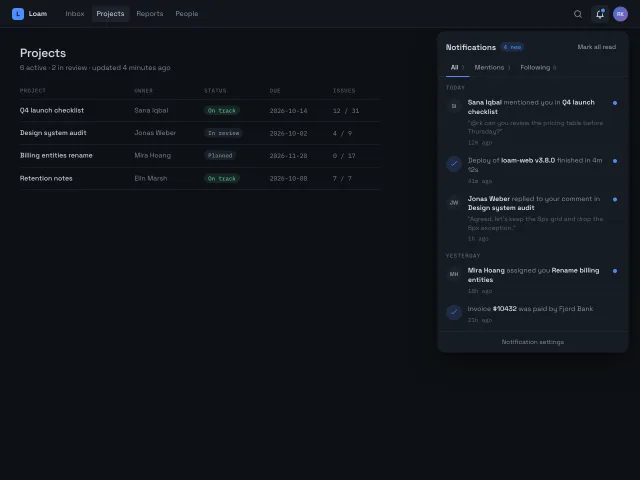
A bell with an unread dot opens a 380px top-right panel with All/Mentions/Following tabs, Today/Yesterday groups, unread dots that scale away on Mark all read, and an empty tab state.
Boarding pass with fold-out details
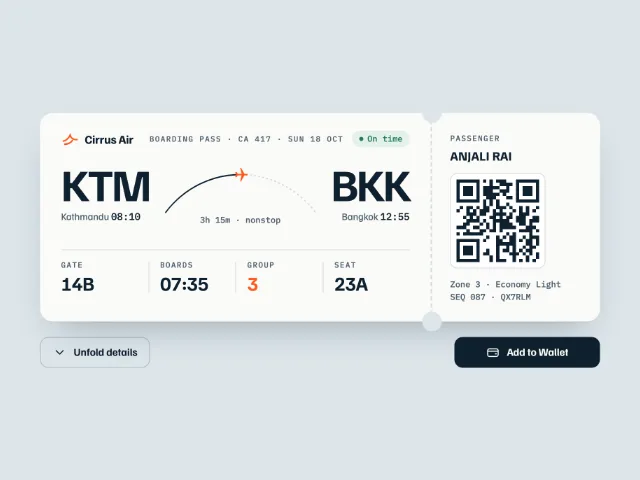
A horizontal airline boarding pass with notch cutouts, a plane gliding along the route arc, a QR stub, a details sheet that folds down, and an Add to Wallet button.