Nº 584 of 605
Send crypto with hold to send
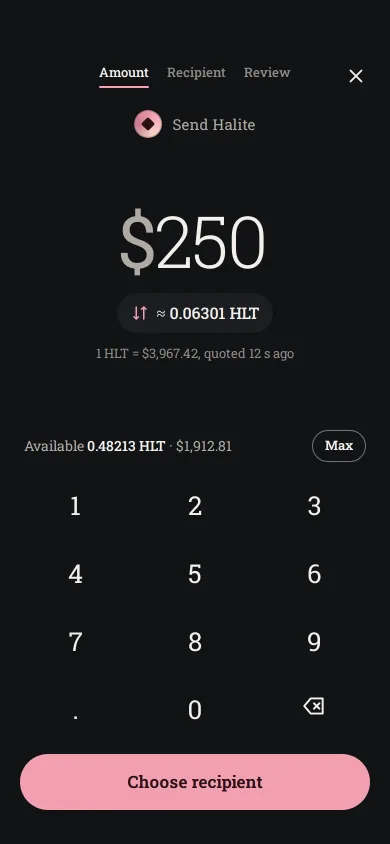
A three-step send flow on graphite: keypad with a dollar/coin switch, address with paste and QR, slow/normal/fast fees, and a review that sends on a 1.2s hold.
Preview
Use it
Free to use · credit appreciated1 Once, in your project · Node 22.20+
npx skills add SusanAcharya/Design-Lounge 2 Then ask
Using the Design Lounge skill, build "Send crypto with hold to send" (piece fintech-crypto-send) in my stack. Match its brief; restyle it onto my product's theme.
No skill? Paste the brief instead. It carries the numbers, tokens and behaviour.
<!-- Design Lounge Nº 584 · "Send crypto with hold to send" · www.designlounge.live -->

# Send crypto with hold to send

> **Build brief for a coding agent.** Rebuild this piece in the reader's stack. If they haven't said which stack, ask once, then default to semantic HTML + CSS + a little vanilla JS. Match the numbers below; don't "improve" them.

## What it is

The send flow of an invented wallet for an invented coin, Halite (HLT), in an iOS 26 language on a graphite ground. Three steps slide horizontally under one nav bar whose labels (Amount, Recipient, Review) carry a 2px salt-pink underline. The amount is a 72px Roboto Slab Light figure typed on a borderless keypad, with a pill that both shows the conversion and flips the entry between dollars and coins. Recipient takes a pasted, scanned or recent address and a fee choice. Review asks you to press and hold for 1.2 seconds while a pink fill wipes across the button; letting go early drains it. The detail worth copying is that hold: it makes an irreversible send feel deliberate without a second confirmation dialog.

## Reference behaviour

1. Initial state: step Amount. "$250" in 72px with a blinking 2px pink caret; the pill reads "≈ 0.06301 HLT"; below it "1 HLT = $3,967.42, quoted 12 s ago". Balance row "Available 0.48213 HLT · $1,912.81" with a Max chip. CTA "Choose recipient".
2. Keypad (1–9, decimal, 0, delete) edits the amount; desktop keys 0–9, `.` and Backspace work too. Dollars allow 2 decimals, coins 5; 7 integer digits at most; one decimal point. The font size shrinks with length (`min(72, floor(300 / chars × 1.45))` px).
3. The pill switches units: the figure converts (250 → 0.06301), the unit moves from a leading "$" to a trailing "HLT", the pill shows "≈ $250.00" and its arrows rotate 180° (380ms spring).
4. Max fills balance minus the selected network fee. Over the balance, the figure turns `--bad` and the CTA disables as "Not enough HLT"; empty reads "Enter an amount".
5. Choose recipient slides to step 2 (translateX −33.33%, 380ms iOS spring); a back chevron appears.
6. Recipient: an address field with Paste and a QR button, a validity line ("Valid Halite address, Mira Castell" in green, or "That is not a Halite address yet"), two recent contacts, and three fee radios: Slow, about 30 min, $0.44 (0.00011 HLT); Normal, about 10 min, $1.19 (0.0003 HLT, selected); Fast, under 2 min, $3.05 (0.00077 HLT). Review is disabled until the address matches `hlt1` + 30–40 lowercase letters and digits.
7. QR opens a full-screen viewfinder (240px square, pink corner brackets, a scan line sweeping top to bottom every 1.1s); after 1.4s it closes and fills Mira Castell's address.
8. Review: "0.06301 HLT" at 52px, "$250.00 at $3,967.42 per HLT", then From (Main wallet), To (name and middle-truncated address `hlt1qv7k2…a2lh4s`), Network fee, and Total 0.06331 HLT / $251.19.
9. Hold to send: pressing starts a linear 1200ms wipe of a pink layer, left to right, with dark text inside the pink; releasing, cancelling or losing the pointer before 1200ms drains it in 220ms. Space or Enter held on the focused button does the same.
10. Completing shows the sent screen: an 88px pink disc springs from scale .6 to 1, its check draws in (420ms, 300ms delay), "Sent 0.06301 HLT", "To Mira Castell. Confirms in about 10 min. Ref 7f3a…9c21", and Done, which resets to $250 on step Amount.

## Structure

```
390 × 844
┌──────────────────────────────────────┐
│ 54 safe area                         │
│ (‹)   Amount  Recipient  Review  (×) │ 44  current label underlined 2px
├──────────────────────────────────────┤
│ STEP 1 (padding 110 20 34)           │
│        (◆) Send Halite               │
│                                      │
│            $250|        72px Light   │  .amt flex 1, centred
│        [⇅ ≈ 0.06301 HLT]  40px pill  │
│      1 HLT = $3,967.42 …             │
│ Available 0.48213 HLT …      [Max]   │
│   1        2        3                │  keys 60px tall, gap 8
│   4        5        6                │

… 172 more lines. Copy or download for the full brief. Loading the source…Brief
212 linesBuild brief for a coding agent. Rebuild this piece in the reader’s stack. If they haven’t said which stack, ask once, then default to semantic HTML + CSS + a little vanilla JS. Match the numbers below; don’t “improve” them.
What it is
The send flow of an invented wallet for an invented coin, Halite (HLT), in an iOS 26 language on a graphite ground. Three steps slide horizontally under one nav bar whose labels (Amount, Recipient, Review) carry a 2px salt-pink underline. The amount is a 72px Roboto Slab Light figure typed on a borderless keypad, with a pill that both shows the conversion and flips the entry between dollars and coins. Recipient takes a pasted, scanned or recent address and a fee choice. Review asks you to press and hold for 1.2 seconds while a pink fill wipes across the button; letting go early drains it. The detail worth copying is that hold: it makes an irreversible send feel deliberate without a second confirmation dialog.
Reference behaviour
- Initial state: step Amount. “$250” in 72px with a blinking 2px pink caret; the pill reads ”≈ 0.06301 HLT”; below it “1 HLT = $3,967.42, quoted 12 s ago”. Balance row “Available 0.48213 HLT · $1,912.81” with a Max chip. CTA “Choose recipient”.
- Keypad (1–9, decimal, 0, delete) edits the amount; desktop keys 0–9,
.and Backspace work too. Dollars allow 2 decimals, coins 5; 7 integer digits at most; one decimal point. The font size shrinks with length (min(72, floor(300 / chars × 1.45))px). - The pill switches units: the figure converts (250 → 0.06301), the unit moves from a leading ”$” to a trailing “HLT”, the pill shows ”≈ $250.00” and its arrows rotate 180° (380ms spring).
- Max fills balance minus the selected network fee. Over the balance, the figure turns
--badand the CTA disables as “Not enough HLT”; empty reads “Enter an amount”. - Choose recipient slides to step 2 (translateX −33.33%, 380ms iOS spring); a back chevron appears.
- Recipient: an address field with Paste and a QR button, a validity line (“Valid Halite address, Mira Castell” in green, or “That is not a Halite address yet”), two recent contacts, and three fee radios: Slow, about 30 min, $0.44 (0.00011 HLT); Normal, about 10 min, $1.19 (0.0003 HLT, selected); Fast, under 2 min, $3.05 (0.00077 HLT). Review is disabled until the address matches
hlt1+ 30–40 lowercase letters and digits. - QR opens a full-screen viewfinder (240px square, pink corner brackets, a scan line sweeping top to bottom every 1.1s); after 1.4s it closes and fills Mira Castell’s address.
- Review: “0.06301 HLT” at 52px, “$250.00 at $3,967.42 per HLT”, then From (Main wallet), To (name and middle-truncated address
hlt1qv7k2…a2lh4s), Network fee, and Total 0.06331 HLT / $251.19. - Hold to send: pressing starts a linear 1200ms wipe of a pink layer, left to right, with dark text inside the pink; releasing, cancelling or losing the pointer before 1200ms drains it in 220ms. Space or Enter held on the focused button does the same.
- Completing shows the sent screen: an 88px pink disc springs from scale .6 to 1, its check draws in (420ms, 300ms delay), “Sent 0.06301 HLT”, “To Mira Castell. Confirms in about 10 min. Ref 7f3a…9c21”, and Done, which resets to $250 on step Amount.
Structure
390 × 844
┌──────────────────────────────────────┐
│ 54 safe area                         │
│ (‹)   Amount  Recipient  Review  (×) │ 44  current label underlined 2px
├──────────────────────────────────────┤
│ STEP 1 (padding 110 20 34)           │
│        (◆) Send Halite               │
│                                      │
│            $250|        72px Light   │  .amt flex 1, centred
│        [⇅ ≈ 0.06301 HLT]  40px pill  │
│      1 HLT = $3,967.42 …             │
│ Available 0.48213 HLT …      [Max]   │
│   1        2        3                │  keys 60px tall, gap 8
│   4        5        6                │
│   7        8        9                │
│   .        0        ⌫                │
│ [        Choose recipient         ]  │  56px pill
└──────────────────────────────────────┘
STEP 2: title 28 · ADDRESS field 60 [Paste][QR] · check line · recents 40 · NETWORK FEE 3 radio cards · spacer · [Review]
STEP 3: 52px amount · fiat line · <dl> card r20 (From, To, Network fee, Total) · spacer · [Hold to send] 64 · note
<header class="nav">absolute: back button (hidden on step 1 withvisibility),<ol>of step labels witharia-current="step", close button..view(overflow: hidden) holds<main class="steps">, a 300%-wide flex row of three<section class="step">s. Inactive steps areinertandvisibility: hiddenafter the slide.- Amount:
.big(aria-live="polite"),.swapbutton, balance row,.keysgrid of 12 buttons, CTA. - Recipient: labelled input inside
.addrwith two buttons,.check(aria-live),.recentbuttons,role="radiogroup"ofrole="radio"buttons. - Review:
.hero,<dl class="rev">of<div><dt><dd>rows,.holdbutton with two stacked label layers,.note. .scandialog and.donestatus overlay sit above everything.
Tokens
:root {
  /* graphite ground */
  --bg: #121315;
  --surf: #1B1D20;        /* cards, pills, field */
  --surf-2: #24272B;      /* pressed key, hold track, buttons in field */
  --line: #2C2F33;        /* row dividers */
  --edge: #6E737A;        /* field and radio borders (3.6:1 on --surf) */
  --text: #F3EFEA;
  --text-2: #AFAAA3;      /* 7.6:1 on --bg */
  --text-3: #8F8A84;      /* labels, rate line (5.2:1 on --bg) */

  /* one accent: salt pink */
  --accent: #F2A0B0;      /* CTA, caret, underline, selected radio, hold fill */
  --accent-ink: #2A0F16;  /* text on accent (9.6:1) */
  --accent-soft: #3A2329; /* selected fee card fill */

  /* status */
  --bad: #FF9C8A;         /* over balance */
  --ok: #9ED9B0;          /* valid address */

  /* type */
  --font: "Roboto Slab", Rockwell, serif;

  /* shape */
  --r: 16px;              /* field, fee cards */
  --r-key: 18px;
  --r-pill: 28px;         /* CTA (56 tall) */
  --hold-h: 64px;         /* hold button, radius 32 */

  /* motion */
  --t-fast: 160ms;
  --t-step: 380ms;
  --t-hold: 1200ms;
  --spring: cubic-bezier(.32, .72, 0, 1);
  --ease: cubic-bezier(.2, .7, .2, 1);
  --ease-out: cubic-bezier(.16, 1, .3, 1);
}
Typography
Roboto Slab only, tabular-nums on the body so typed digits never shift.
| Role | Size | Weight | Line-height | Tracking | Notes |
|---|---|---|---|---|---|
| Amount (entry) | 72px, shrinks | 300 | 1 | −0.03em | unit in 400, --text-2 |
| Amount (review) | 52px | 300 | 1 | −0.03em | |
| Step title | 28px | 600 | 1.35 | −0.02em | |
| Keypad digits | 26px | 400 | 1 | 0 | |
| CTA, hold | 17px | 600 | 1 | 0 | |
| Body, rows | 15–16px | 400 / 500 | 1.35 | 0 | |
| Step labels | 13px | 500 | 1.35 | 0 | |
| Field labels | 13px | 600 | 1.35 | +0.08em | UPPERCASE |
| Meta, small | 13px | 400 | 1.35 | 0 |
Motion
| Element | Trigger | Property | From → To | Duration | Easing / delay |
|---|---|---|---|---|---|
| Steps track | next / back | translateX | 0 / −33.33% / −66.67% | 380ms | --spring |
| Inactive step | after slide | visibility | visible → hidden | 0, delayed 380ms | — |
| Caret | always | opacity | 1 ↔ 0 | 1.1s steps(1), infinite | — |
| Swap arrows | unit switch | rotate | 0 ↔ 180° | 380ms | --spring |
| Key | press | background, scale | none → --surf-2, .94 | 160ms | --spring |
| Fee card | select | border, fill | --edge → --accent, --accent-soft | 160ms | --ease |
| Hold fill | press | clip-path inset right | 100% → 0 | 1200ms | linear (it is a timer) |
| Hold fill | release early | clip-path | back to 100% | 220ms | --ease |
| Sent disc | complete | scale | .6 → 1 | 520ms | --spring, 80ms |
| Check stroke | complete | stroke-dashoffset | 40 → 0 | 420ms | --ease-out, 300ms |
| Scan line | QR open | top | 16 → 222px, alternate | 1.1s infinite | --ease |
Reduced motion: caret and scan line stop, every transition 1ms except the hold fill, which keeps its 1200ms because it is the timer the user is watching.
States
- Amount empty / valid / over: CTA “Enter an amount” disabled / “Choose recipient” / “Not enough HLT” disabled with the figure in
--bad. - Address: empty (no line), invalid (
--text-2hint), valid (--okline naming the contact when known). Field border turns--accenton focus-within. - Fee radio: unchecked hollow 20px ring in
--edge; checked pink ring with a 10px pink dot, card border pink and fill--accent-soft. - Disabled CTA:
--surf-2fill,--text-2label. - Holding:
.onon the button; pink layer revealed left to right with--accent-inktext. - Sent:
body.sentshows the status overlay; focus moves to Done. - Focus-visible: 2px
--accentoutline, 2px offset.
Accessibility
- Step labels are an ordered list with
aria-current="step"; inactive steps areinertand hidden, so focus and reading order never leak into an off-screen step. - The amount is
aria-live="polite"; keypad buttons have labels (“Delete”, “Decimal point”). - The fee group is
role="radiogroup"with roving tabindex; arrow keys move and select. - Hold to send is a real button: pointer hold or a held Space/Enter. Its note (“Press and hold for 1.2 seconds. Sends cannot be reversed.”) is wired with
aria-describedby. The duplicate pink label layer isaria-hidden. - The sent overlay is
role="status"; the scanner is a labelled dialog. - Targets: keys 60px tall at one third width, CTA 56, hold 64, nav buttons 44, chips 32 inside 44 rows.
- Contrast: all text ≥ 5.2:1; the pink layer carries its own background so its text is measured on pink.
Responsive rules
- 390: as specified; nothing scrolls, the keypad and CTA stay on screen.
- 360: keys 56px tall; the amount keeps its length-based size; fee cards keep their two-line layout.
- Short phones (< 740 tall): keys drop to 52px and the rate line hides.
- Tablet: centre a 420px column; the steps track keeps the column’s width.
Acceptance checklist
Always
- The amount uses tabular figures and never shifts as digits are typed.
- The unit switch converts the typed value both ways and limits decimals per unit (2 vs 5).
- The CTA explains why it is disabled (empty or over balance).
- Address accepts paste, QR and recent contacts and validates before Review enables.
- Fee choice is a keyboard radiogroup and changes the total.
- Sending requires a 1.2s hold by pointer or held key; early release drains the fill.
- Off-screen steps are
inertand hidden; the page never scrolls sideways. - Reduced motion stops the caret and scan line but keeps the hold timer.
This demo
- Halite (HLT) at $3,967.42; balance 0.48213 HLT; starts at $250 ≈ 0.06301 HLT.
- Fees: Slow $0.44, Normal $1.19 (selected), Fast $3.05.
- Review total 0.06331 HLT / $251.19 to Mira Castell.
- Sent screen reads “Sent 0.06301 HLT” with “Confirms in about 10 min”.
Implementation notes
Two label layers make the hold readable at every instant. The top layer is the filled state with its own background, clipped from the right; animate the clip, not a width, so the text never reflows:
.hold { position: relative; overflow: hidden; height: 64px; border-radius: 32px; background: var(--surf-2); }
.hold span { position: absolute; inset: 0; display: flex; align-items: center; justify-content: center; gap: 10px; }
.hold .fillT { background: var(--accent); color: var(--accent-ink);
  clip-path: inset(0 100% 0 0); transition: clip-path 220ms var(--ease); }
.hold.on .fillT { clip-path: inset(0 0 0 0); transition: clip-path var(--t-hold) linear; }
Drive completion from a timer, not transitionend, and cancel on every way a press can end:
const start = () => { if (timer) return; hold.classList.add('on'); timer = setTimeout(finish, 1200); };
const stop = () => { if (!timer) return; clearTimeout(timer); timer = null; hold.classList.remove('on'); };
hold.addEventListener('pointerdown', e => { hold.setPointerCapture(e.pointerId); start(); });
['pointerup', 'pointercancel', 'lostpointercapture'].forEach(ev => hold.addEventListener(ev, stop));
hold.addEventListener('keydown', e => { if ((e.key === ' ' || e.key === 'Enter') && !e.repeat) { e.preventDefault(); start(); } });
hold.addEventListener('keyup', stop);
Hide steps after they slide out. A wide track with overflow: hidden still leaves off-screen text in the accessibility tree and in layout checks:
.step { visibility: hidden; transition: visibility 0s linear var(--t-step); }
.step.cur { visibility: visible; transition-delay: 0s; }
Common mistakes: a confirm dialog on top of the hold; converting through rounded display strings (keep the coin value as a number); letting contextmenu or text selection fire during a long press on touch.
Details
- Palette
- Type
- Roboto Slab
- Motion
- Rich motion
- Build
- Multi-step
- Tags
Similar
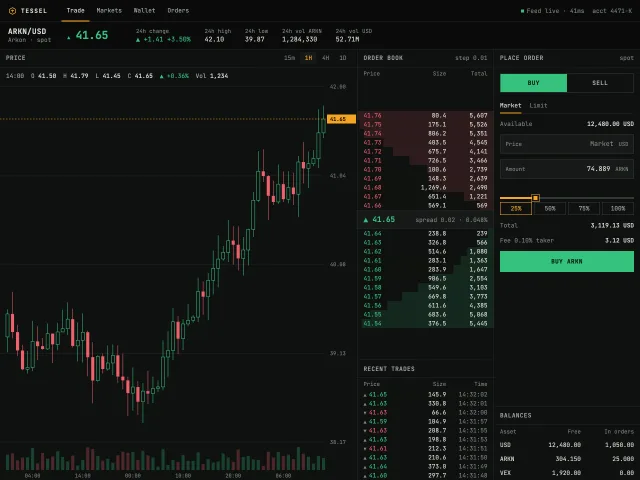
Terminal crypto trading screen
A dense near-black spot trading screen: pair header, SVG candles with a crosshair, a live order book that ticks every 800ms, trades, and a buy/sell panel.
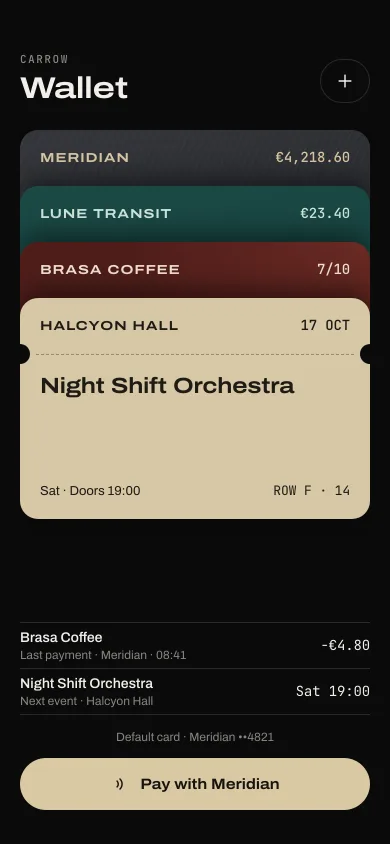
Wallet card stack
Four passes stacked with a 56px peek. Tap one to lift it out with balance, transactions or a code, then hold near the reader for a pulse and a tick.
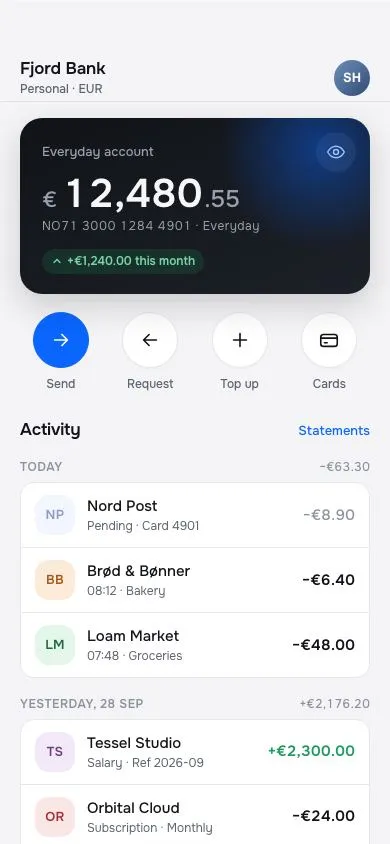
Fintech home
A banking home screen: dark balance card with a 40px tabular amount and a blur-to-hide toggle, four circular quick actions, day-grouped transactions with initial avatars, under a glass top bar.
Activity rings with weekly picker
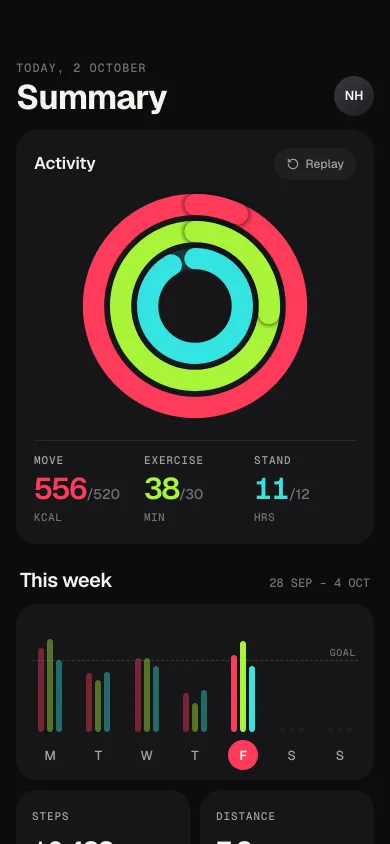
A dark iOS 26 health summary: three concentric rings sweep closed with an overflow lap, counters tick up, and a seven-day bar chart switches the day.
Phone QR ticket scanner
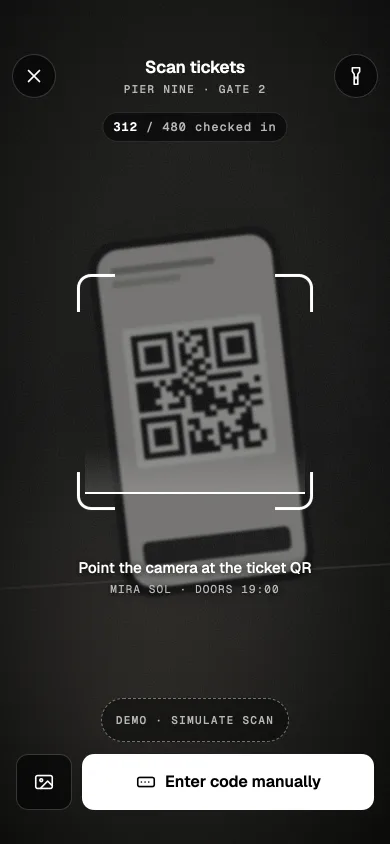
A door-staff ticket scanner: grainy camera scene, breathing reticle with a scan line, torch, manual code sheet, and a mint valid or red invalid result.
Phone video player
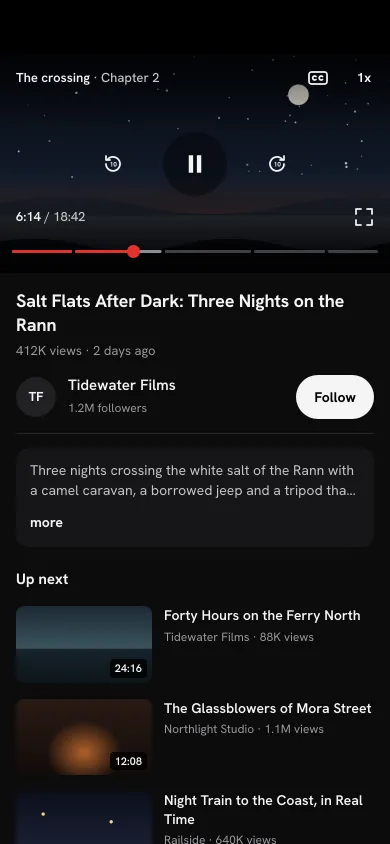
A 16:9 player with tap-to-show controls, double-tap ±10s ripples, a chaptered scrubber with a time bubble, speed chips, captions and a rotate-to-landscape full screen.