Nº 565 of 605
Mail folders sidebar
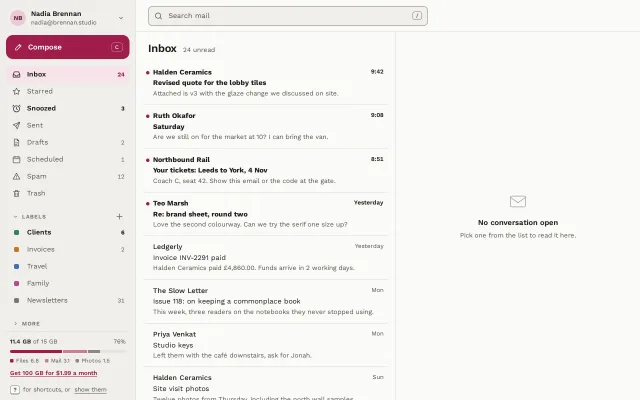
An email app sidebar: account row, raspberry Compose, folders with unread counts, collapsible labels with colour chips, a split storage meter and G-then-I shortcuts.
Preview
Use it
Free to use · credit appreciated1 Once, in your project · Node 22.20+
npx skills add SusanAcharya/Design-Lounge 2 Then ask
Using the Design Lounge skill, build "Mail folders sidebar" (piece sidebar-mail-folders) in my stack. Match its brief; restyle it onto my product's theme.
No skill? Paste the brief instead. It carries the numbers, tokens and behaviour.
<!-- Design Lounge Nº 565 · "Mail folders sidebar" · www.designlounge.live -->

# Mail folders sidebar

> **Build brief for a coding agent.** Rebuild this piece in the reader's stack. If they haven't said which stack, ask once, then default to semantic HTML + CSS + a little vanilla JS. Match the numbers below; don't "improve" them.

## What it is

The left sidebar of an email client, Kestrel, for one signed-in person. Top to bottom: an account row, a 48px raspberry Compose button with its `C` shortcut shown, eight system folders, a collapsible Labels section with colour chips and counts, a collapsed More section, a storage meter split into three parts, and a line that teaches `?` for shortcuts. The inbox list beside it is only a hint: a 520px two-line list and an empty reading pane. The detail worth copying is the count grammar. **Unread** counts are bold ink and make the folder name bold too; **total** counts (Drafts 2, Scheduled 1, Spam 12) stay regular grey. The two mean different things, so they never look the same.

## Reference behaviour

1. Initial state: Inbox is the current folder (raspberry tint `#F6E3EA`, raspberry text, count "24"). Snoozed and Clients are bold because they hold unread mail. Labels is open; More is collapsed.
2. Hover a folder: background `--hover`, text to `--ink`. No movement.
3. Click a folder or label: it becomes current (`aria-current="page"`), the list header changes to its name, and the list shows its conversations, or a one-line empty state ("Trash is empty", "12 messages in Spam. Deleted automatically after 30 days.").
4. Click the Labels or More heading: the chevron turns −90° and the group folds to zero height over 280ms (grid rows `1fr` → `0fr`). A folded group is `inert`, so its links leave the tab order.
5. Click Compose or press `C`: the list header switches to "New message" with a short drafting hint (in a full app this opens the composer).
6. Press `G` then `I`, `S` or `D` within 900ms to jump to Inbox, Starred or Drafts. Press `/` to focus search. Shortcuts are ignored while typing in a field or when a modifier is held.
7. Press `?` or click "show them": a 260px shortcuts card rises 6px into place next to the sidebar's bottom. `Esc` closes it.
8. Below 760px the sidebar becomes a drawer: a 40px menu button in the top bar slides it in from the left over 280ms with a 40% scrim; picking a folder, tapping the scrim or `Esc` closes it.

## Structure

```
1280 × 800
┌────────────── 272 ─────────┬──────────────────────────────────────────────┐
│ (NB) Nadia Brennan      ⌄  │ [ Search mail                       / ]  64  │
│ ┌ ✎ Compose ─────── [C] ┐  ├────────── 520 ──────────┬───────────────────┤
│ └───────────────────────┘  │ Inbox  24 unread        │                   │
│ ▓ Inbox               24   │ • Halden Ceramics  9:42 │                   │
│   Starred                  │   Revised quote…        │   ✉               │
│   Snoozed (bold)       3   │   Attached is v3…       │ No conversation   │
│   Sent · Drafts 2 · Sched 1│ • Ruth Okafor      9:08 │ open              │
│   Spam 12 · Trash          │   …                     │                   │
│ ⌄ LABELS              +    │                         │                   │
│   ■ Clients (bold)     6   │                         │                   │
│   ■ Invoices 2 · Travel …  │                         │                   │
│ › MORE                     │                         │                   │
│ ────────────────────────── │                         │                   │
│ 11.4 GB of 15 GB      76%  │                         │                   │

… 184 more lines. Copy or download for the full brief. Loading the source…Brief
224 linesBuild brief for a coding agent. Rebuild this piece in the reader’s stack. If they haven’t said which stack, ask once, then default to semantic HTML + CSS + a little vanilla JS. Match the numbers below; don’t “improve” them.
What it is
The left sidebar of an email client, Kestrel, for one signed-in person. Top to bottom: an account row, a 48px raspberry Compose button with its C shortcut shown, eight system folders, a collapsible Labels section with colour chips and counts, a collapsed More section, a storage meter split into three parts, and a line that teaches ? for shortcuts. The inbox list beside it is only a hint: a 520px two-line list and an empty reading pane. The detail worth copying is the count grammar. Unread counts are bold ink and make the folder name bold too; total counts (Drafts 2, Scheduled 1, Spam 12) stay regular grey. The two mean different things, so they never look the same.
Reference behaviour
- Initial state: Inbox is the current folder (raspberry tint
#F6E3EA, raspberry text, count “24”). Snoozed and Clients are bold because they hold unread mail. Labels is open; More is collapsed. - Hover a folder: background
--hover, text to--ink. No movement. - Click a folder or label: it becomes current (
aria-current="page"), the list header changes to its name, and the list shows its conversations, or a one-line empty state (“Trash is empty”, “12 messages in Spam. Deleted automatically after 30 days.”). - Click the Labels or More heading: the chevron turns −90° and the group folds to zero height over 280ms (grid rows
1fr→0fr). A folded group isinert, so its links leave the tab order. - Click Compose or press
C: the list header switches to “New message” with a short drafting hint (in a full app this opens the composer). - Press
GthenI,SorDwithin 900ms to jump to Inbox, Starred or Drafts. Press/to focus search. Shortcuts are ignored while typing in a field or when a modifier is held. - Press
?or click “show them”: a 260px shortcuts card rises 6px into place next to the sidebar’s bottom.Esccloses it. - Below 760px the sidebar becomes a drawer: a 40px menu button in the top bar slides it in from the left over 280ms with a 40% scrim; picking a folder, tapping the scrim or
Esccloses it.
Structure
1280 × 800
┌────────────── 272 ─────────┬──────────────────────────────────────────────┐
│ (NB) Nadia Brennan      ⌄  │ [ Search mail                       / ]  64  │
│ ┌ ✎ Compose ─────── [C] ┐  ├────────── 520 ──────────┬───────────────────┤
│ └───────────────────────┘  │ Inbox  24 unread        │                   │
│ ▓ Inbox               24   │ • Halden Ceramics  9:42 │                   │
│   Starred                  │   Revised quote…        │   ✉               │
│   Snoozed (bold)       3   │   Attached is v3…       │ No conversation   │
│   Sent · Drafts 2 · Sched 1│ • Ruth Okafor      9:08 │ open              │
│   Spam 12 · Trash          │   …                     │                   │
│ ⌄ LABELS              +    │                         │                   │
│   ■ Clients (bold)     6   │                         │                   │
│   ■ Invoices 2 · Travel …  │                         │                   │
│ › MORE                     │                         │                   │
│ ────────────────────────── │                         │                   │
│ 11.4 GB of 15 GB      76%  │                         │                   │
│ ▬▬▬▬▬▬▬▬▬▬▬▭▭              │                         │                   │
│ [?] for shortcuts…         │                         │                   │
└────────────────────────────┴─────────────────────────┴───────────────────┘
<aside class="side" aria-label="Mail folders">, a flex column, padding 12px 12px 10px..acct<button>: 32px initials disc, name 14/600, address 12px, chevron..compose<button>: 48px tall, 14px radius, pencil icon, label,<kbd>C</kbd>pushed right..scroll(flex 1,overflow-y: auto) holding<nav aria-label="Folders">with a<ul>of folder<button class="f">s, then two.secsections, each a.shheader (<button aria-expanded aria-controls>+ optional 28px add button) over a.foldwrapper..store: label row,role="meter"bar with three segments, legend, upsell link..keyshint with<kbd>?</kbd>and a toggle button for the shortcuts card.
.poprole="dialog"with a<dl>of shortcuts (fixed, beside the sidebar).<main>: 64px top bar (menu button for phone, search field), then.panes: the 520px.col(header + list) and the.readempty pane.
Tokens
:root {
  /* surfaces */
  --bg: #FAFAF7;          /* main and popover */
  --side: #F0EFEA;        /* sidebar, search field, row hover */
  --hover: #E5E4DD;       /* sidebar row hover, meter track */
  --sel: #F6E3EA;         /* current folder fill */
  --line: #DEDCD4;        /* hairlines */
  --line-2: #8C897F;      /* field and kbd borders, 3.3:1 on --side */

  /* text */
  --ink: #1D1C1A;         /* 15.6:1 on --side */
  --ink-2: #5A5852;       /* folder names, totals, 6.3:1 */
  --ink-3: #6E6B64;       /* section headings, 4.7:1 */

  /* accent */
  --accent: #9F1D4A;      /* Compose, current folder text, unread dot, meter segment 1 */
  --accent-ink: #FFF5F8;  /* text on accent, 8.4:1 */
  --accent-soft: #F6E3EA;

  /* label chips */
  --l1: #2F7D6D;          /* Clients */
  --l2: #C0782A;          /* Invoices */
  --l3: #3F6FB5;          /* Travel */
  --l4: #B04A8C;          /* Family */
  --l5: #7A7A70;          /* Newsletters */

  /* type */
  --font: "Work Sans", system-ui, sans-serif;

  /* layout */
  --w: 272px;             /* sidebar */
  --col: 520px;           /* hinted list */
  --row: 34px;            /* folder row */
  --r: 8px;
  --r-compose: 14px;

  /* depth */
  --shadow-pop: 0 12px 32px -8px rgba(29, 28, 26, .22), 0 0 0 1px rgba(29, 28, 26, .08);

  /* motion */
  --t-fast: 150ms;
  --t-mid: 280ms;
  --ease: cubic-bezier(.2, .7, .2, 1);
  --ease-out: cubic-bezier(.16, 1, .3, 1);
}
Typography
| Role | Family | Size | Weight | Line-height | Tracking | Case |
|---|---|---|---|---|---|---|
| Folder name | Work Sans | 14px | 400 | 34px row | 0 | sentence |
| Folder, unread | Work Sans | 14px | 600 | 34px row | 0 | sentence |
| Count, total | Work Sans | 12px | 400 | 1 | 0 | tabular |
| Count, unread | Work Sans | 12px | 700 | 1 | 0 | tabular |
| Compose label | Work Sans | 15px | 600 | 1 | 0 | sentence |
| Section heading | Work Sans | 11px | 600 | 1 | +0.1em | UPPERCASE |
| Account name | Work Sans | 14px | 600 | 1.3 | 0 | Title |
| Storage, legend | Work Sans | 11–12px | 400/600 | 1.3 | 0 | sentence |
| List header | Work Sans | 22px | 600 | 1.2 | −0.02em | sentence |
| List sender | Work Sans | 14px | 500 / 700 unread | 1.4 | 0 | Title |
Motion
| Element | Trigger | Property | From → To | Duration | Easing | Notes |
|---|---|---|---|---|---|---|
| Section fold | heading click | grid-template-rows | 1fr → 0fr | 280ms | --ease | inert set on close |
| Section chevron | heading click | transform | 0 → rotate(−90deg) | 280ms | --ease | |
| Compose | hover / active | background, scale | → #86163D, scale(.98) | 150ms | --ease | |
| Shortcuts card | ? / click | opacity, translateY | 0, 6px → 1, 0 | 150 / 280ms | --ease, --ease-out | |
| Drawer (≤760px) | menu click | transform | translateX(−100%) → 0 | 280ms | --ease-out | shadow only while open |
| Scrim | drawer | opacity | 0 → 1 | 280ms | --ease | rgba(29,28,26,.4) |
Reduced motion: every transition is 1ms. Folding, the card and the drawer still work, instantly.
States
- Folder hover:
--hoverfill,--inktext. - Current folder:
aria-current="page",--selfill,--accenttext and count, weight 600. - Unread: folder name 600, count 700
--ink; in the list, sender and subject 700 plus a 7px raspberry dot at the row’s left. - Total-only count: 400
--ink-2. Never show a zero; drop the count instead. - Section folded: chevron −90°, body
inert, height 0. - Empty folder: list shows a bold one-line title and a quiet second line, no illustration.
- Focus-visible: 2px
--accentoutline at 2px offset; on Compose the outline is--inkso it shows against the raspberry fill. - Storage near full (> 90%): first segment and label switch to a warning; this demo sits at 76%, so the upsell is a quiet link, not a banner.
Accessibility
- The aside is labelled “Mail folders”; folders sit in
<nav aria-label="Folders">. Folder rows are buttons in this demo because they swap the list in place; in a routed app use links witharia-current="page". - Counts are inside the button text, so “Inbox 24” is read as one name. If you want “24 unread” read aloud, add a visually hidden ” unread” after unread counts only.
- Section headers are buttons with
aria-expandedandaria-controls; a folded body getsinert. - The storage bar is
role="meter"witharia-valuenow="11.4",aria-valuemax="15"and a label that says it in words. - Shortcuts:
C,GthenI/S/D,/,?,Esc. They never fire inside inputs or with Cmd, Ctrl or Alt held, so browser and screen reader keys are untouched. The?hint is visible on screen, not only in a tooltip. - Drawer: the menu button has
aria-expandedandaria-controls="side"; opening moves focus to the current folder;Escor the scrim closes. - Contrast on
--side:--ink15.6:1,--ink-26.3:1,--ink-34.7:1;--accenton--sel6.9:1;--accent-inkon--accent8.4:1. The search field and kbd borders use--line-2at 3.3:1. - Hit targets: folder rows 34px with 8px radius on a 272px row; Compose 48px; menu button 40px.
Responsive rules
- ≥ 1280: sidebar 272px, list 520px, reading pane takes the rest.
- 1024–1279: list narrows to 400px; sidebar unchanged.
- 761–1023: same, the reading pane shrinks; the sidebar never collapses to a rail in this piece (mail folders need their counts).
- ≤ 760: sidebar becomes a 272px off-canvas drawer with a scrim; the top bar gains the menu button; the list fills the width; the reading pane is hidden; the search
/hint hides; the shortcuts card spans 12px from each edge; list subjects clamp to one line and snippets wrap to two (-webkit-line-clamp) instead of ellipsising past the edge. No sideways scroll at 390.
Acceptance checklist
Always
- Unread counts are bold and bold their folder name; total counts are regular grey.
- One filled primary in the sidebar: Compose, with its shortcut shown.
- Exactly one folder has
aria-current="page"and the list header matches it. - Label sections fold with
aria-expandedand the folded body isinert. - Storage is a meter with a text label, a split bar and a legend.
- Shortcuts are taught on screen (
?) and never fire while typing. - Below 760px the sidebar is a drawer with a scrim,
Escto close and focus moved in. - Focus is visible on every control, including on the raspberry Compose button.
This demo
- Sidebar 272px; folder rows 34px; Compose 48px tall, radius 14px,
#9F1D4A. - Folders in order: Inbox 24, Starred, Snoozed 3, Sent, Drafts 2, Scheduled 1, Spam 12, Trash.
- Labels Clients 6, Invoices 2, Travel, Family, Newsletters 31 with chips
#2F7D6D,#C0782A,#3F6FB5,#B04A8C,#7A7A70. - Storage reads “11.4 GB of 15 GB” and 76%, split Files 6.8, Mail 3.1, Photos 1.5.
-
GthenI,SorDwithin 900ms switches folder.
Implementation notes
Fold without measuring heights. Wrap each section body in a one-row grid and animate the row between 1fr and 0fr; the child needs overflow: hidden.
.fold { display: grid; grid-template-rows: 1fr;
        transition: grid-template-rows 280ms cubic-bezier(.2,.7,.2,1); }
.fold > ul { overflow: hidden; }
.fold.shut { grid-template-rows: 0fr; }
.sh button[aria-expanded="false"] .car { transform: rotate(-90deg); }
Two-key shortcuts with a short window. Remember when G was pressed and only accept the second key within 900ms:
let g = 0;
addEventListener('keydown', (e) => {
  if (/INPUT|TEXTAREA/.test(e.target.tagName) || e.metaKey || e.ctrlKey || e.altKey) return;
  const k = e.key.toLowerCase();
  if (g && Date.now() - g < 900) { g = 0; const to = { i: 'inbox', s: 'starred', d: 'drafts' }[k];
    if (to) { go(to); e.preventDefault(); } return; }
  if (k === 'g') g = Date.now(); else if (k === 'c') compose.click();
  else if (e.key === '?') toggleKeys(); else if (k === '/') { e.preventDefault(); search.focus(); }
});
Count grammar lives in a class, not in the number. Mark folders that hold unread mail with .unread; style weight from that, so a folder with “2” drafts never looks like it has two unread.
.f .n { margin-left: auto; font-size: 12px; color: var(--ink-2); font-variant-numeric: tabular-nums; }
.f.unread { color: var(--ink); font-weight: 600; }
.f.unread .n { font-weight: 700; color: var(--ink); }
The field edge belongs to the input. The visible field box (fill, 1px border, radius) is drawn on the <input> itself, absolutely filling its <label class="search">, with the icon and kbd layered above it (position: relative; z-index: 1; pointer-events: none). A border on the wrapper does not count as the control’s edge. Hide the closed drawer with visibility: hidden (transitioned with a delay equal to the slide, visibility 0s linear <dur>, and transition-delay: 0s when opening) so off-screen text is never rendered; add inert too if your stack supports it.
Common mistakes: putting the drawer’s box-shadow on the closed state (it leaks a grey edge onto the page at phone width); animating height from auto; letting G alone trigger navigation; colouring every count raspberry, which turns the sidebar into a wall of badges.
Details
- Palette
- Type
- Work Sans
- Motion
- Subtle motion
- Build
- One session
- Tags
Similar
Collapsing sidebar rail
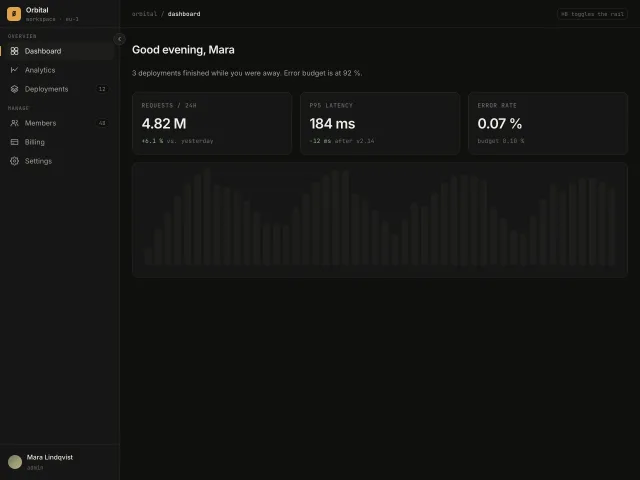
A 240px app sidebar that collapses to a 64px icon rail with hover tooltips, an accent active-route bar and a ⌘B shortcut.
Sidebar with workspace switcher
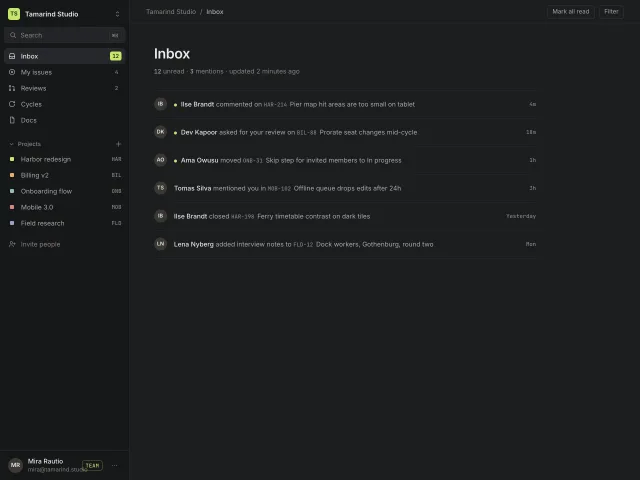
A 260px dark app sidebar: workspace switcher popover, ⌘K search, counted inbox items, a collapsing Projects group and a pinned user row with plan badge.
Floating island sidebar
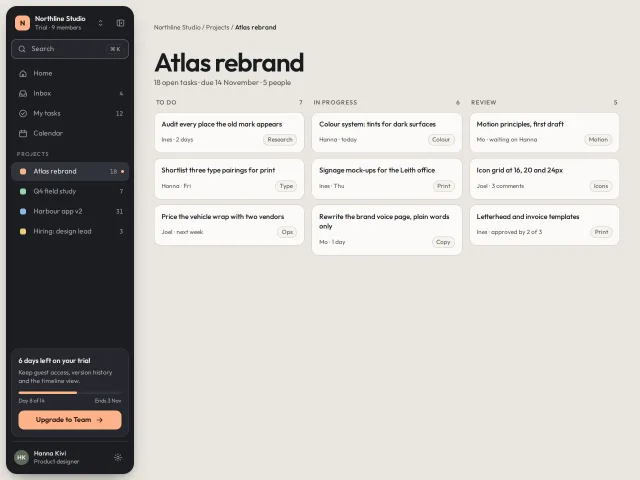
A detached dark sidebar island 12px off every window edge: workspace switcher, ⌘K search that filters projects, a pinned trial card, and a 72px icon rail with tooltips.
Chat history sidebar
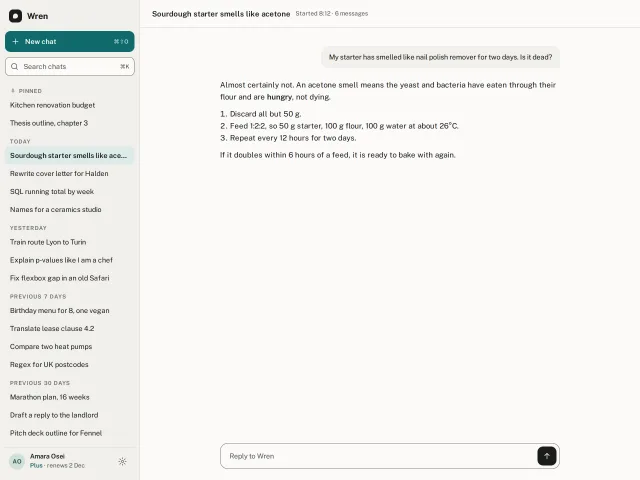
An AI chat sidebar: teal New chat, live search with highlighted matches, history grouped Pinned, Today, Yesterday, 7 and 30 days, hover pin, rename and delete with undo.
Sidebar with overlay and pin modes
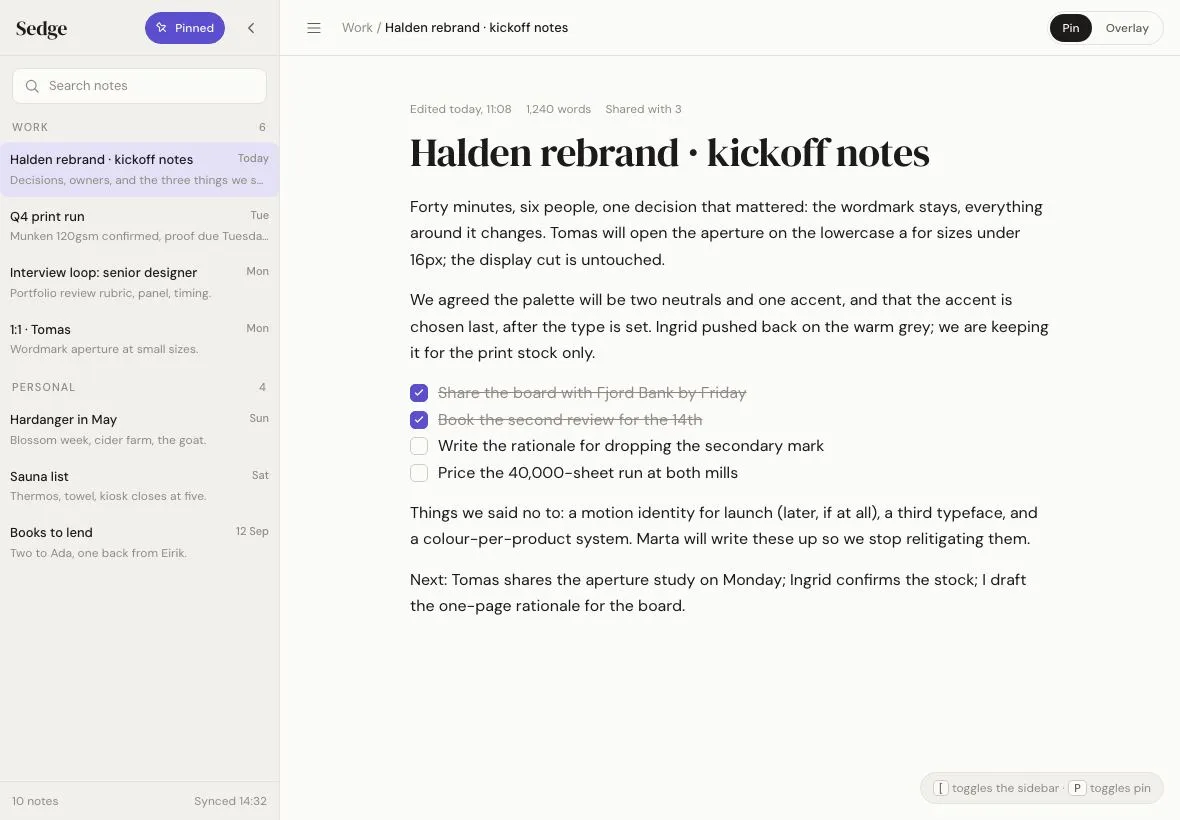
A 280px notes sidebar on a 1180×820 tablet that either overlays the page with a scrim and shadow or pins so the content reflows; a pin toggle switches modes with one 320ms transition.
Avatar stack with presence
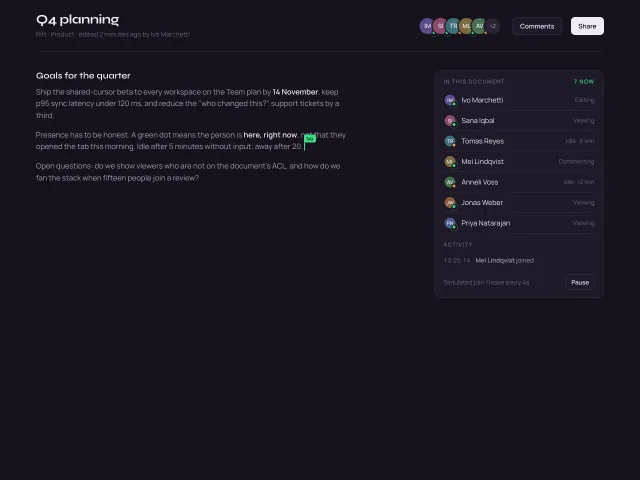
Overlapping initials avatars with a +N overflow chip, hover fans them apart, pulsing green presence dots, name/status tooltips, and a simulated join or leave every 4s.