Nº 554 of 605
Bento intro hero
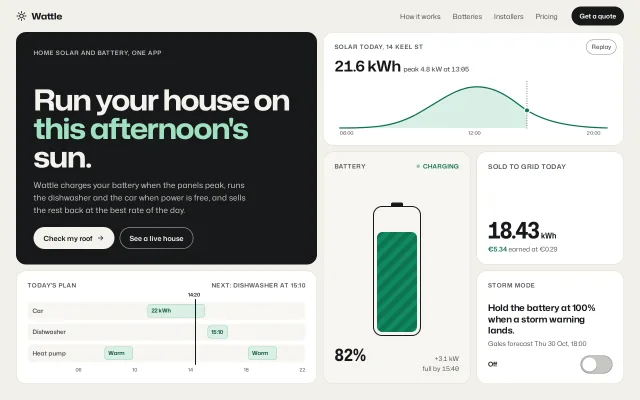
A home-solar hero that is itself a bento: a dark headline cell plus five live cells (a drawing solar curve, a charging battery, a ticking export counter, a day plan, a storm switch).
Preview
Use it
Free to use · credit appreciated1 Once, in your project · Node 22.20+
npx skills add SusanAcharya/Design-Lounge 2 Then ask
Using the Design Lounge skill, build "Bento intro hero" (piece hero-bento-intro) in my stack. Match its brief; restyle it onto my product's theme.
No skill? Paste the brief instead. It carries the numbers, tokens and behaviour.
<!-- Design Lounge Nº 554 · "Bento intro hero" · www.designlounge.live -->

# Bento intro hero

> **Build brief for a coding agent.** Rebuild this piece in the reader's stack. If they haven't said which stack, ask once, then default to semantic HTML + CSS + a little vanilla JS. Match the numbers below; don't "improve" them.

## What it is

The top of a site for Wattle, an invented app that runs a home solar and battery system. There is no separate hero band and feature grid: the hero is the bento. A dark 2×2 cell carries the headline and the two buttons; five white cells around it each show one working piece of the product, live: today's solar curve draws itself, the battery charges, the export counter ticks, the day plan shows a now-line, and a storm-mode switch actually changes the battery cell. Each cell proves one claim in the headline instead of describing it, which is the thing worth copying.

## Reference behaviour

1. Initial state at 1280×800: a 4-column, 3-row grid fills the space below a 64px nav. Placement (source order, `grid-auto-flow: dense`): headline 2×2 top left; solar chart 2×1 top right; battery 1×2 below the chart on the left; export counter 1×1 right of the battery; day plan 2×1 bottom left; storm switch 1×1 bottom right.
2. Solar chart: the curve draws from 06:00 to 20:00 over 1600ms (expo out, 200ms delay) using its measured path length; the area under it up to the now marker (14:20) fades in at 1100ms over 600ms. A "Replay" pill in the cell's top right restarts both.
3. Battery: a 96px-wide outlined cell, filled to 82% with diagonal green stripes that flow upward (28px tile, 1.2s linear loop). A pulsing "Charging" dot sits in the cell label. Reading "82%" and "+3.1 kW / full by 15:40".
4. Export counter: every 1.8s the kWh value adds 0.01 (18.42 → 18.43 …) and euros add €0.0029; a small "+0.01" floats up 16px and fades over 900ms.
5. Day plan: three lanes (Car, Dishwasher, Heat pump) on a 06–22h track with green blocks; a 2px ink now-line at 52% (14:20) with its time above. The cell label reads "Next: dishwasher at 15:10".
6. Storm switch: a 64×36 switch. Turning it on slides the knob 28px over 320ms (expo out), turns the track green, label becomes "On, holding 100%", the battery level rises to 97% over 320ms, a dashed orange target line appears at the top of the battery, and its note changes to "Grid top-up / full by 14:35". Turning it off restores everything.
7. Hover any button: the headline cell's light button turns mint `#9FE0BF`; dark buttons turn green. Ghost buttons darken their ring.
8. Reduced motion: the curve and area are drawn at once, stripes and dot stop, the counter does not tick, the switch knob jumps.

## Structure

```
1280 × 800   padding 0 32 32, gap 12, radius 20
┌──────────────────────────────────────────────────────────────────────┐
│ ☼ Wattle                 How it works  Batteries  Installers  Pricing [Get a quote] │ nav 64
├──────────────────────────────┬───────────────────────────────────────┤
│ HEADLINE  (2×2, ink)         │ SOLAR TODAY, 14 KEEL ST       [Replay] │
│                              │ 21.6 kWh  peak 4.8 kW at 13:05         │
│ Run your house on            │ ╭──╮ curve draws, now marker ┊         │
│ this afternoon's sun. 58px   ├───────────────────┬───────────────────┤
│ lede 16/1.55                 │ BATTERY  •Charging│ SOLD TO GRID TODAY│
│ [Check my roof →] [See a live house] │ ┌──┐       │ 18.43 kWh         │
├──────────────────────────────┤ │▓▓│ 96px       │ €5.34 earned      │
│ TODAY'S PLAN   Next: dishwasher│ │▓▓│           ├───────────────────┤
│ Car       ░░[22 kWh]░┃░░░░░   │ └──┘           │ STORM MODE        │
│ Dishwasher░░░░░░░░░░░┃[15:10]  │ 82%  +3.1 kW   │ Hold the battery… │
│ Heat pump ░[Warm]░░░░┃░[Warm]  │                │ Off          (○ ) │
└──────────────────────────────┴───────────────────┴───────────────────┘

… 150 more lines. Copy or download for the full brief. Loading the source…Brief
190 linesBuild brief for a coding agent. Rebuild this piece in the reader’s stack. If they haven’t said which stack, ask once, then default to semantic HTML + CSS + a little vanilla JS. Match the numbers below; don’t “improve” them.
What it is
The top of a site for Wattle, an invented app that runs a home solar and battery system. There is no separate hero band and feature grid: the hero is the bento. A dark 2×2 cell carries the headline and the two buttons; five white cells around it each show one working piece of the product, live: today’s solar curve draws itself, the battery charges, the export counter ticks, the day plan shows a now-line, and a storm-mode switch actually changes the battery cell. Each cell proves one claim in the headline instead of describing it, which is the thing worth copying.
Reference behaviour
- Initial state at 1280×800: a 4-column, 3-row grid fills the space below a 64px nav. Placement (source order,
grid-auto-flow: dense): headline 2×2 top left; solar chart 2×1 top right; battery 1×2 below the chart on the left; export counter 1×1 right of the battery; day plan 2×1 bottom left; storm switch 1×1 bottom right. - Solar chart: the curve draws from 06:00 to 20:00 over 1600ms (expo out, 200ms delay) using its measured path length; the area under it up to the now marker (14:20) fades in at 1100ms over 600ms. A “Replay” pill in the cell’s top right restarts both.
- Battery: a 96px-wide outlined cell, filled to 82% with diagonal green stripes that flow upward (28px tile, 1.2s linear loop). A pulsing “Charging” dot sits in the cell label. Reading “82%” and “+3.1 kW / full by 15:40”.
- Export counter: every 1.8s the kWh value adds 0.01 (18.42 → 18.43 …) and euros add €0.0029; a small “+0.01” floats up 16px and fades over 900ms.
- Day plan: three lanes (Car, Dishwasher, Heat pump) on a 06–22h track with green blocks; a 2px ink now-line at 52% (14:20) with its time above. The cell label reads “Next: dishwasher at 15:10”.
- Storm switch: a 64×36 switch. Turning it on slides the knob 28px over 320ms (expo out), turns the track green, label becomes “On, holding 100%”, the battery level rises to 97% over 320ms, a dashed orange target line appears at the top of the battery, and its note changes to “Grid top-up / full by 14:35”. Turning it off restores everything.
- Hover any button: the headline cell’s light button turns mint
#9FE0BF; dark buttons turn green. Ghost buttons darken their ring. - Reduced motion: the curve and area are drawn at once, stripes and dot stop, the counter does not tick, the switch knob jumps.
Structure
1280 × 800   padding 0 32 32, gap 12, radius 20
┌──────────────────────────────────────────────────────────────────────┐
│ ☼ Wattle                 How it works  Batteries  Installers  Pricing [Get a quote] │ nav 64
├──────────────────────────────┬───────────────────────────────────────┤
│ HEADLINE  (2×2, ink)         │ SOLAR TODAY, 14 KEEL ST       [Replay] │
│                              │ 21.6 kWh  peak 4.8 kW at 13:05         │
│ Run your house on            │ ╭──╮ curve draws, now marker ┊         │
│ this afternoon's sun. 58px   ├───────────────────┬───────────────────┤
│ lede 16/1.55                 │ BATTERY  •Charging│ SOLD TO GRID TODAY│
│ [Check my roof →] [See a live house] │ ┌──┐       │ 18.43 kWh         │
├──────────────────────────────┤ │▓▓│ 96px       │ €5.34 earned      │
│ TODAY'S PLAN   Next: dishwasher│ │▓▓│           ├───────────────────┤
│ Car       ░░[22 kWh]░┃░░░░░   │ └──┘           │ STORM MODE        │
│ Dishwasher░░░░░░░░░░░┃[15:10]  │ 82%  +3.1 kW   │ Hold the battery… │
│ Heat pump ░[Warm]░░░░┃░[Warm]  │                │ Off          (○ ) │
└──────────────────────────────┴───────────────────┴───────────────────┘
<nav aria-label="Primary">: logo link, four links, small ink button.<main class="bento" aria-label="Wattle overview">, a CSS grid; each cell is a<section class="c" aria-labelledby>with a.lablabel paragraph..head.w2.h2: label,h1, lede, two links styled as buttons..chart.w2: label, big number,button.replay, inline SVG (area path, curve path, now line, marker, three axis labels)..batt.h2: label with live dot,.batoutline holding.targetand.lvl, reading row..count: label,.num(aria-live="off"), earned line, floating.tick..sched.w2: label with “Next” note,.tlof three.lanes (label +.trkwith.blks),.nowline, hour row..tog: label, statement, forecast line,button[role=switch][aria-checked]with visible state text.
Tokens
:root {
  --bg: #f1f0ea;        /* page */
  --cell: #ffffff;      /* default cell */
  --cell-2: #f7f6f1;    /* battery cell, lanes */
  --line: #e0ded5;      /* cell borders */
  --ink: #17181a;       /* text, headline cell */
  --ink-2: #55575a;     /* labels, secondary */
  --ink-3: #6b6d70;     /* axis */
  --accent: #0d7350;    /* curve, battery, switch on, live dot */
  --accent-2: #d9efe4;  /* area fill, plan blocks */
  --mint: #9fe0bf;      /* highlight words on the dark cell */
  --warn: #b54a1b;      /* storm target line */
  --ring: #8a8c8f;      /* ghost button and switch rings (3.2:1) */
  --font: "Mona Sans", system-ui, sans-serif;   /* wdth 75..125, wght 300..800 */
  --fs-h1: 58px; --fs-stat: 46px; --fs-batt: 34px; --fs-big: 30px; --fs-toggle: 18px; --fs-lede: 16px;
  --fs-body: 14px; --fs-small: 13px; --fs-label: 12px; --fs-axis: 10px;
  --r: 20px; --gap: 12px; --pad-cell: 20px 22px; --pad-head: 32px 34px 30px;
  --ease: cubic-bezier(.2, .7, .2, 1);
  --expo: cubic-bezier(.16, 1, .3, 1);
  --t-micro: 160ms; --t-layout: 320ms; --t-draw: 1600ms;
}
Typography
| Role | Family | Size | Width | Weight | Line-height | Tracking | Case |
|---|---|---|---|---|---|---|---|
| h1 | Mona Sans | 58px (46 under 1100; clamp(36px,10.5vw,52px) phone) | 112% | 700 | 0.98 | -0.035em | sentence |
| Counter | Mona Sans | 46px + 16px unit | 90% | 700 | 1 | -0.03em | tabular |
| Battery % | Mona Sans | 34px | 90% | 700 | 1 | -0.02em | tabular |
| Chart total | Mona Sans | 30px + 13px note | 105% | 650 | 1.2 | -0.02em | tabular |
| Toggle statement | Mona Sans | 18px | 105% | 650 | 1.25 | -0.01em | sentence |
| Lede | Mona Sans | 16px | 100% | 400 | 1.55 | 0 | |
| Buttons, nav | Mona Sans | 14px | 100% | 600 / 400 | 1 | 0 | |
| Cell labels | Mona Sans | 12px | 100% | 600 | 1.4 | 0.06em | uppercase |
| Plan blocks, axis | Mona Sans | 11px / 10px | 100% | 600 / 500 | 1 | 0 |
One variable family: width 112% for the headline, 90% for numbers so they stay compact, 100% for reading text.
Motion
| Thing | Trigger | Property | From → to | Duration | Easing | Reduced motion |
|---|---|---|---|---|---|---|
| Solar curve | load, Replay | stroke-dashoffset | path length → 0 | 1600ms, 200ms delay | expo out | drawn |
| Area | load, Replay | opacity | 0 → 1 | 600ms, 1100ms delay | standard | shown |
| Battery stripes | always | background-position | 0 → −28px | 1.2s loop | linear (texture, not UI) | still |
| Live dot | always | opacity | 1 → .3 → 1 | 2s loop | standard | still |
| Counter tick | every 1.8s | text, “+0.01” translateY/opacity | 6px/0 → −10px/0 | 900ms | expo out | no ticking |
| Switch knob | click | translateX | 0 → 28px | 320ms | expo out | instant |
| Battery level | switch | height | 82% → 97% | 320ms | expo out | instant |
| Target line | switch | opacity | 0 → 1 | 320ms | standard | instant |
| Buttons | hover / active | background, scale | 1 → .97 | 160ms | standard | none |
States
- Switch off: track
#C7C8C3with a 1.5px solid#7D7F82border (4:1 on white; use a real border, not an inset shadow, so the edge is measurable); knob white at left; text “Off”. - Switch on: track and border
--accent, knob right, text “On, holding 100%”; battery 97%, dashed--warntarget line, note “Grid top-up / full by 14:35”. - Replay pill: 1px
--ringborder,--ink-2text; hover ink text and border. - Buttons: dark → green on hover; on the dark cell, light → mint; ghost rings
#8A8C8F(light cells) and#8B8C87(dark cell) darken or lighten to full ink on hover. - Focus-visible: 2px green outline, 3px offset, everywhere.
Accessibility
- Each cell is a
sectionlabelled by its.lab, so a screen reader can jump cell to cell;mainis labelled “Wattle overview”. - The switch is a real
buttonwithrole="switch"andaria-checked, labelled by the cell title and its state text. - The counter is
aria-live="off"so it does not announce every tick; the chart SVG isaria-hiddenbecause the total and peak are written above it. - Contrast: ink on white 17:1;
--ink-2on white 7.4:1; green#0D7350on white 6.1:1; block text#0A5039on#D9EFE47.6:1; mint on ink 11:1;#C9CAC4lede on ink 11:1. - Rings on unfilled controls are at least 3:1 against their cell.
- Tab order: logo, nav links, Get a quote, Check my roof, See a live house, Replay, storm switch.
Responsive rules
- ≥1280: 4 × 3 grid as drawn; rows are
minmax(0,1fr)so the whole bento fits under the nav in one screen. - 1024: same grid; headline 46px, counter 38px.
- 860–1024: same grid; text inside cells wraps, nothing changes span.
- <860 (phone at 390): one column,
grid-template-rows: none, cells in source order (headline, chart, battery, counter, plan, switch), min height 200px (counter auto); chart SVG 120px tall, battery area 200px, plan 140px with a narrower 84px lane label and block captions hidden (the “Next” line still names the time). Page scrolls; no sideways scroll.
Acceptance checklist
Always
- The hero is the grid: the headline is one cell of the bento, not a band above it.
- Every other cell shows working UI (drawing, ticking, toggling), not an icon with a sentence.
- Spans are set with
spanclasses and the grid usesgrid-auto-flow: dense, so no holes appear. - At 1280×800 the grid fits below the nav with no page scroll.
- At 390 wide the grid is one column in source order with no sideways scroll and no clipped text.
- The switch is
role="switch"witharia-checked, and its state is also shown as text. - Turning the switch on changes another cell (battery level and note).
- The curve uses its measured path length for the dash, and Replay restarts it.
- Reduced motion shows final states with no loops.
This demo
- Headline “Run your house on this afternoon’s sun.” with “this afternoon’s” in mint, 58px.
- Chart reads “21.6 kWh, peak 4.8 kW at 13:05”; now marker at 14:20.
- Battery 82% → 97% with storm mode; note “full by 15:40” → “full by 14:35”.
- Counter starts at 18.42 kWh / €5.34 and adds 0.01 every 1.8s.
Implementation notes
Grid and spans. Let auto-placement do the layout; only spans are declared:
.bento { display: grid; grid-template-columns: repeat(4, minmax(0,1fr));
         grid-template-rows: repeat(3, minmax(0,1fr)); grid-auto-flow: dense; gap: 12px; }
.w2 { grid-column: span 2; }  .h2 { grid-row: span 2; }
@media (max-width: 860px) {
  .bento { grid-template-columns: minmax(0,1fr); grid-template-rows: none; grid-auto-rows: auto; }
  .w2, .h2 { grid-column: auto; grid-row: auto; }
}
Self-drawing curve with a real length. Hard-coding 1000 leaves a gap or a pause at the end; measure it:
.curve { stroke-dasharray: var(--len); stroke-dashoffset: var(--len);
         animation: draw 1600ms cubic-bezier(.16,1,.3,1) .2s forwards; }
@keyframes draw { to { stroke-dashoffset: 0; } }curve.style.setProperty('--len', Math.ceil(curve.getTotalLength()));
replay.onclick = () => els.forEach((el) => { el.style.animation = 'none'; el.getBoundingClientRect(); el.style.animation = ''; });Plan lanes as a two-column grid so labels never collide with blocks, and the now-line is offset by the label column:
.lane { display: grid; grid-template-columns: var(--lw, 96px) 1fr; }
.trk  { position: relative; height: 100%; }   /* blocks: left/width in % of 06–22h */
.now  { left: calc(var(--lw) + (100% - var(--lw)) * .52); }
Common mistakes: fixed pixel row heights that overflow at 800px tall; leaving min-width: 0 off cells so a long label widens a column; making every cell a static “feature card”; using <i> for blocks without resetting font-style.
Details
- Palette
- Type
- Mona Sans
- Motion
- Subtle motion
- Build
- One session
- Tags
Studied
StripeLet one big moving thing carry the colour. Keep the words light and the cards real.
All sourcesSimilar
Split hero with UI card stack
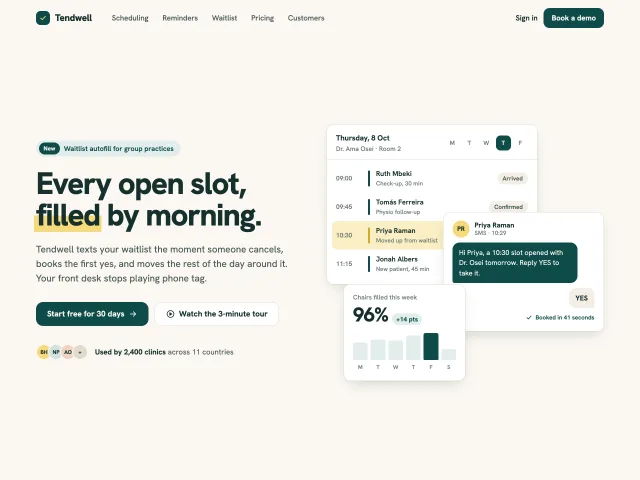
A soft SaaS hero: copy on the left, three overlapping product cards on the right that settle in with a stagger and drift up to 6px with the pointer.
Hero with a live browser card
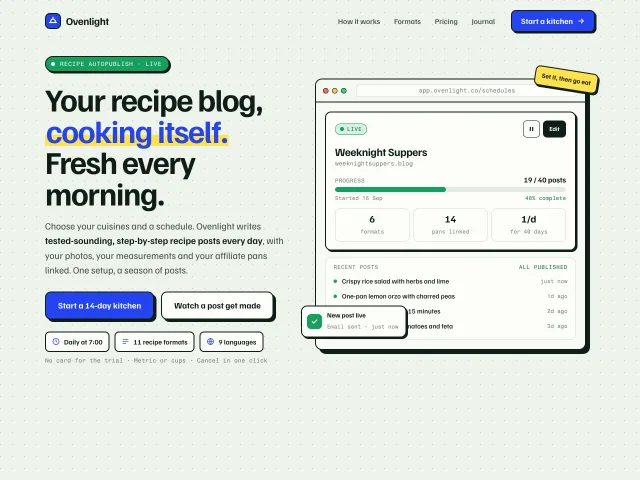
A SaaS hero: marker-highlighted headline, hard-shadow buttons, and a browser mockup whose schedule card ticks up, adds a post and pops a toast every 4.2s.

AI prompt cycle hero
A Hollis product hero whose question box types four real company prompts, then streams a sourced answer; chips, Enter and New question all drive the same cycle.
Swiss grid wordmark hero
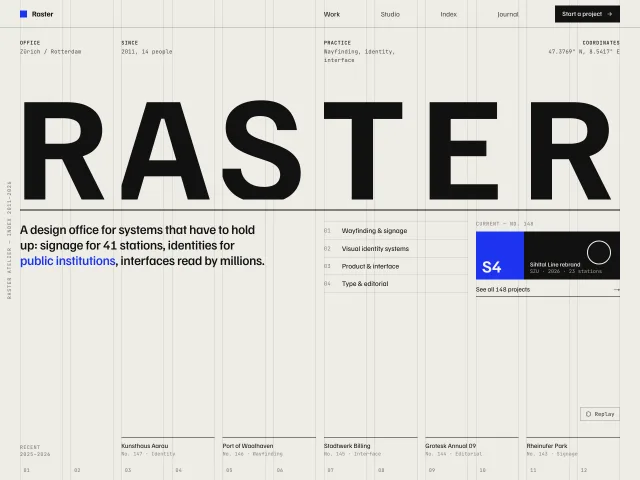
A design-office hero on a visible 12-column hairline grid: a 304px wordmark rises letter by letter into grid cells, and hovering any column tints it.
Testimonials wall grid
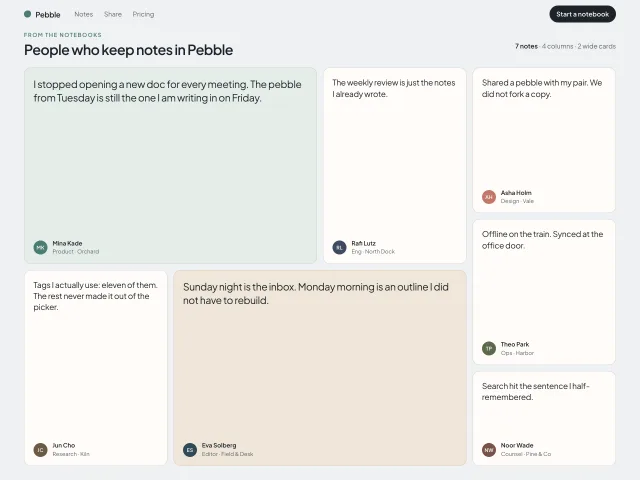
A four-column Pebble quote wall: seven short cards, two spanning two columns, initials discs, and a 4px hover lift that reveals tenure.
Live checkout bento
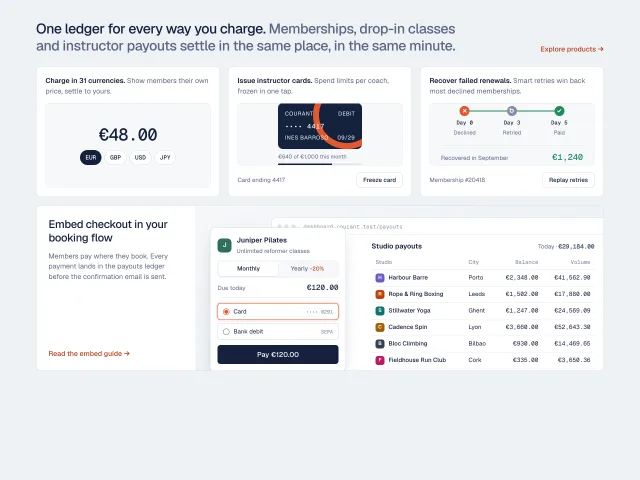
A product bento where every cell is working UI: a currency switcher, a freezable issued card, a retry timeline, and a checkout that posts its payment into a payouts ledger.