Nº 147 of 677
Stats ticker band
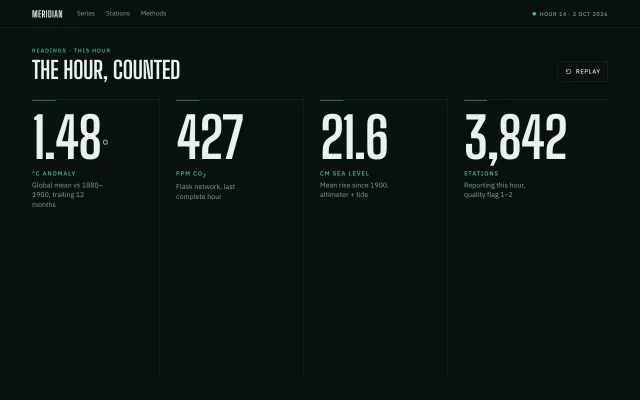
A four-column climate stats band whose 112px figures count up in 1200ms, each with a mint hairline, a unit and a one-line label, plus Replay.
Preview
Use it
Free to use · credit appreciated1 Once, in your project · Node 22.20+
npx skills add SusanAcharya/Design-Lounge 2 Then ask
Using the Design Lounge skill, build "Stats ticker band" (piece stats-ticker-band) in my stack. Match its brief; restyle it onto my product's theme.
No skill? Paste the brief instead. It carries the numbers, tokens and behaviour.
<!-- Design Lounge Nº 147 · "Stats ticker band" · www.designlounge.live -->

# Stats ticker band

> **Build brief for a coding agent.** Rebuild this piece in the reader's stack. If they haven't said which stack, ask once, then default to semantic HTML + CSS + a little vanilla JS. Match the numbers below; don't "improve" them.

## What it is

A full-bleed stats section for a climate data product called Meridian. Four readings sit in equal columns under a 48px condensed headline. Each figure is 112px Big Shoulders Display and counts from 0 to its target in 1200ms with a cubic ease-out, staggered 90ms. A 1px mint hairline grows to 48px on the same clock. Replay runs the count again. The feeling is a newsroom ticker: dense, dark, one mint accent, numbers doing the talking.

## Reference behaviour

1. Initial state: 56px nav with "MERIDIAN" wordmark, three text links (Series, Stations, Methods) and a live pill "Hour 14 · 2 Oct 2026" with a 7px mint dot. Section kicker "Readings · this hour", headline "The hour, counted", Replay button on the right. Four columns already show their final numbers after the first 1200ms run.
2. On first paint the script starts a run: each `.num` goes from 0 to `data-to` over 1200ms. Ease is `1 - (1-p)^3`. Columns do not wait on each other for the number (they share one clock) but the mint hairline uses `--d` of 0 / 90 / 180 / 270ms.
3. When the run finishes, Replay is enabled and `.stats` gets class `run`, which grows each `::before` hairline to 48px.
4. Click Replay: numbers snap to 0, `run` is removed (hairlines collapse), Replay disables, the count plays again.
5. Hover Replay: border and text become mint. Focus-visible: 2px mint outline, 3px offset, on Replay and nav links.
6. `prefers-reduced-motion: reduce`: first paint and Replay set the final numbers immediately; hairline transition is 1ms.
7. Screen-reader text inside each article announces the full reading (e.g. "1.48 degrees Celsius, global mean anomaly versus 1880 to 1900").
8. The degree suffix on the first figure is a 48px `<small>` in `--ink-2`. The fourth figure uses a thousands comma (`3,842`).

## Structure

```
1280 × 800
┌────────────────────────────────────────────────────────────────────────┐
│ MERIDIAN    Series  Stations  Methods              ● Hour 14 · 2 Oct   │ 56
├────────────────────────────────────────────────────────────────────────┤
│ READINGS · THIS HOUR                                    [ Replay ]     │
│ THE HOUR, COUNTED                                                      │
│                                                                        │
│  1.48°          427            21.6            3,842                   │ 112px
│  °C ANOMALY     PPM CO2        CM SEA LEVEL    STATIONS                │
│  Global mean…   Flask network  Mean rise…      Reporting this hour…    │
└────────────────────────────────────────────────────────────────────────┘
  64px pad. Four equal columns, 1px --line between them.
```

- `<nav>` 56px: brand link, `.links` of three `<a>`, `.live` status.
- `<section aria-label="Climate readings">`

… 115 more lines. Copy or download for the full brief. Loading the source…Brief
155 linesBuild brief for a coding agent. Rebuild this piece in the reader’s stack. If they haven’t said which stack, ask once, then default to semantic HTML + CSS + a little vanilla JS. Match the numbers below; don’t “improve” them.
What it is
A full-bleed stats section for a climate data product called Meridian. Four readings sit in equal columns under a 48px condensed headline. Each figure is 112px Big Shoulders Display and counts from 0 to its target in 1200ms with a cubic ease-out, staggered 90ms. A 1px mint hairline grows to 48px on the same clock. Replay runs the count again. The feeling is a newsroom ticker: dense, dark, one mint accent, numbers doing the talking.
Reference behaviour
- Initial state: 56px nav with “MERIDIAN” wordmark, three text links (Series, Stations, Methods) and a live pill “Hour 14 · 2 Oct 2026” with a 7px mint dot. Section kicker “Readings · this hour”, headline “The hour, counted”, Replay button on the right. Four columns already show their final numbers after the first 1200ms run.
- On first paint the script starts a run: each
.numgoes from 0 todata-toover 1200ms. Ease is1 - (1-p)^3. Columns do not wait on each other for the number (they share one clock) but the mint hairline uses--dof 0 / 90 / 180 / 270ms. - When the run finishes, Replay is enabled and
.statsgets classrun, which grows each::beforehairline to 48px. - Click Replay: numbers snap to 0,
runis removed (hairlines collapse), Replay disables, the count plays again. - Hover Replay: border and text become mint. Focus-visible: 2px mint outline, 3px offset, on Replay and nav links.
prefers-reduced-motion: reduce: first paint and Replay set the final numbers immediately; hairline transition is 1ms.- Screen-reader text inside each article announces the full reading (e.g. “1.48 degrees Celsius, global mean anomaly versus 1880 to 1900”).
- The degree suffix on the first figure is a 48px
<small>in--ink-2. The fourth figure uses a thousands comma (3,842).
Structure
1280 × 800
┌────────────────────────────────────────────────────────────────────────┐
│ MERIDIAN    Series  Stations  Methods              ● Hour 14 · 2 Oct   │ 56
├────────────────────────────────────────────────────────────────────────┤
│ READINGS · THIS HOUR                                    [ Replay ]     │
│ THE HOUR, COUNTED                                                      │
│                                                                        │
│  1.48°          427            21.6            3,842                   │ 112px
│  °C ANOMALY     PPM CO2        CM SEA LEVEL    STATIONS                │
│  Global mean…   Flask network  Mean rise…      Reporting this hour…    │
└────────────────────────────────────────────────────────────────────────┘
64px pad. Four equal columns, 1px --line between them.<nav>56px: brand link,.linksof three<a>,.livestatus.<section aria-label="Climate readings">.leadwith kicker,h1,#replaybutton (icon + label).#statsgrid of four<article class="stat">. Each:.sr(visually hidden),.numwithdata-to,data-dec, optionaldata-suf/data-sep,.unit,.label.
Tokens
:root {
  --bg: #08110e;
  --ink: #e6f3ec;
  --ink-2: #8aa396;
  --ink-3: #5a6e64;
  --line: #1c2a24;
  --mint: #3dcf9a;
  --mint-ink: #062016;
  --display: "Big Shoulders Display", Impact, sans-serif;
  --sans: "IBM Plex Sans", system-ui, sans-serif;
  --nav-h: 56px;
  --pad: 64px;
  --t-fast: 160ms;
  --t-count: 1200ms;
  --stagger: 90ms;
  --ease: cubic-bezier(.2, .7, .2, 1);
  --ease-out: cubic-bezier(.16, 1, .3, 1);
}
Typography
| Role | Family | Size | Weight | Line-height | Tracking | Case |
|---|---|---|---|---|---|---|
| Brand | display | 18 | 700 | 1 | 0.04em | uppercase |
| Nav links | sans | 13 | 400 | 1.45 | 0 | sentence |
| Live pill | sans | 11 | 500 | 1 | 0.1em | uppercase |
| Kicker | sans | 11 | 500 | 1 | 0.16em | uppercase, mint |
| Headline | display | 48 | 700 | 0.95 | -0.01em | uppercase |
| Replay | sans | 12 | 500 | 1 | 0.08em | uppercase |
| Figure | display | 112 | 700 | 0.85 | -0.03em | tabular-nums |
| Degree small | display | 48 | 700 | 1 | 0 | ink-2 |
| Unit | sans | 12 | 500 | 1 | 0.14em | uppercase, mint |
| Label | sans | 14 | 400 | 1.4 | 0 | ink-2, max 18ch |
Motion
| Item | Trigger | Property | From → to | Duration | Easing | Notes |
|---|---|---|---|---|---|---|
| Figures | first paint / Replay | text content | 0 → target | 1200ms | cubic out via JS 1-(1-p)^3 | Shared clock |
| Hairline | class run | width | 0 → 48px | 1200ms | --ease-out | Delay 0/90/180/270ms |
| Replay disable | during run | disabled | false → true | — | — | Re-enable on finish |
| Reduced | any | — | jump to end | 1ms | — | Hairline still appears |
States
- Replay hover: border and colour
--mint. - Replay disabled: opacity 0.4, cursor default, ignores clicks (
if (play) return). - Replay / links focus-visible: 2px mint outline, 3px offset.
- Nav link hover: colour
--ink. - Live dot: static mint fill, no pulse.
Accessibility
- Section labelled “Climate readings”.
- Each article has visually hidden prose of the full reading; visible figures are decorative to that text.
- Replay is a
<button type="button">with visible text. - Keyboard: tab through brand, three links, Replay. No custom keys.
- Contrast:
--inkon--bgwell above 4.5:1;--ink-2labels also pass on this background. - Hit target: Replay 40px tall.
Responsive rules
- ≥1280: four columns, 64px pad, 112px figures.
- 1024:
--pad: 32px, figures 72px, headline 36px, column gutters 16px. - 768: nav links hide; stats become 2×2; figures 64px; drop the inter-column right border.
- <640: keep 2×2; pad can stay 32px.
Acceptance checklist
- Nav is 56px, wordmark 18/700 uppercase Big Shoulders, live pill on the right.
- Headline is 48/700 uppercase; kicker is 11px mint tracked 0.16em.
- Four columns: 1.48°, 427, 21.6, 3,842 with the units and labels specified.
- First paint counts 0 → target in 1200ms with cubic ease-out.
- Hairlines grow to 48px mint after the run, staggered 90ms.
- Replay resets to 0 and plays again; disabled while playing.
- Degree suffix is a 48px
<small>in--ink-2. - Fourth figure uses a thousands comma.
- Reduced motion skips the count and still shows final numbers and hairlines.
- Focus rings are 2px mint on Replay and nav links.
- At 768px the grid is 2×2 and nav links are hidden.
Implementation notes
Count with one requestAnimationFrame loop, not four timers:
function frame(now) {
  if (!start) start = now;
  const p = Math.min(1, (now - start) / 1200);
  const e = 1 - Math.pow(1 - p, 3);
  nums.forEach((el) => {
    const to = +el.dataset.to;
    fmt(el, p >= 1 ? to : to * e);
  });
  if (p < 1) requestAnimationFrame(frame);
}
Format from data attributes. data-dec is fraction digits; data-sep switches on toLocaleString('en-US') for the station count; data-suf="°" wraps the suffix in <small>.
Do not ease the numbers with CSS transition on a custom property — Safari will skip mid-frame updates. Write the text each frame.
Common mistakes: starting the count from the already-visible final number (clear to 0 first); using ease instead of the cubic out; forgetting to re-enable Replay; putting a degree character in the counted string so toFixed breaks.
Details
- Palette
- Type
- Big Shoulders Display · IBM Plex Sans
- Motion
- Rich motion
- Stack
- Plain HTML, CSS and vanilla JS. No framework or packages, so nothing to clash with your versions.
- Build
- One session
- Tags
Studied
The F-ListMake the reveal the message. Bars lift off the text, and badges explain the list.
All sourcesOn the shelves
Similar
Odometer counter
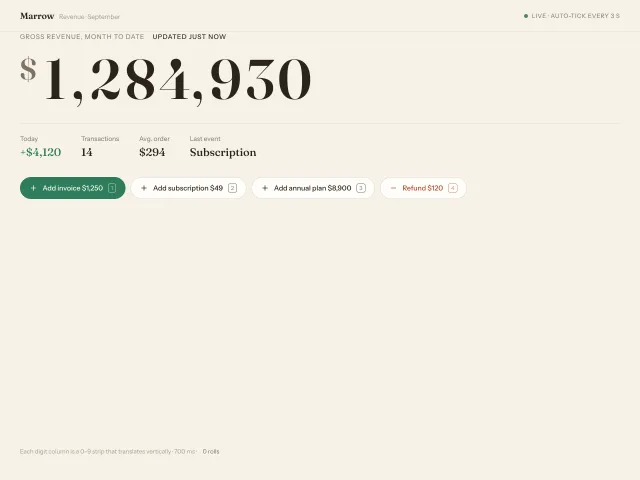
A 112px revenue figure whose digits roll vertically on 0–9 strips (700ms expo-out, 24ms cascade from the right), with comma grouping, four add/refund buttons and a 3s auto-tick.
Stats count-up band
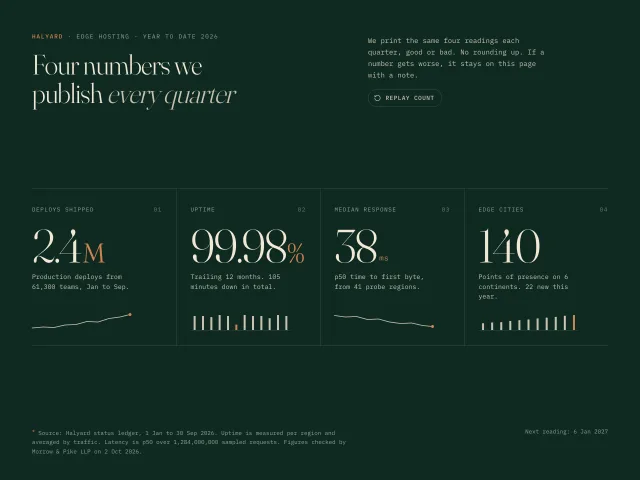
A Halyard stats band on deep green: four serif figures count up once in 1.2s when seen, each with a mono label, a drawn sparkline or bars, and a source line.
Flashlight reveal hero
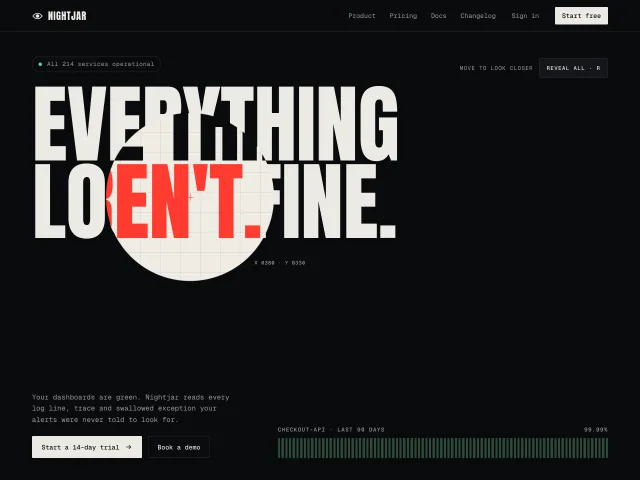
A dark observability hero where the cursor is a hard-edged torch that cuts a light disc through the calm headline to expose a second, true one underneath.
Island morph navbar
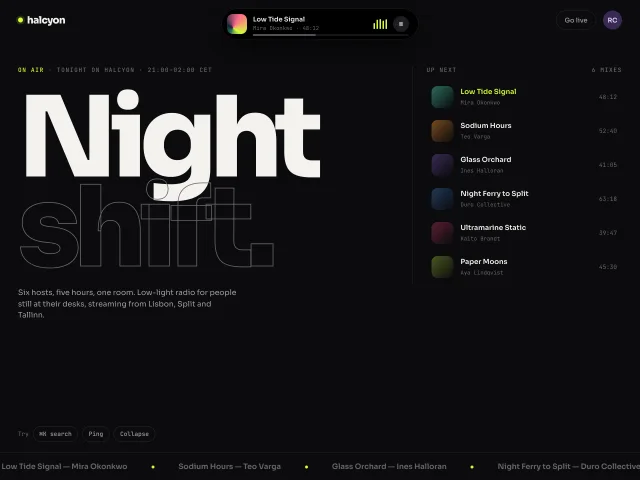
A centred black island in the header morphs 184×44 to 392, 480 or 540px for now-playing, a co-host ping and search, on a 520ms spring.
Case file horizontal scroll
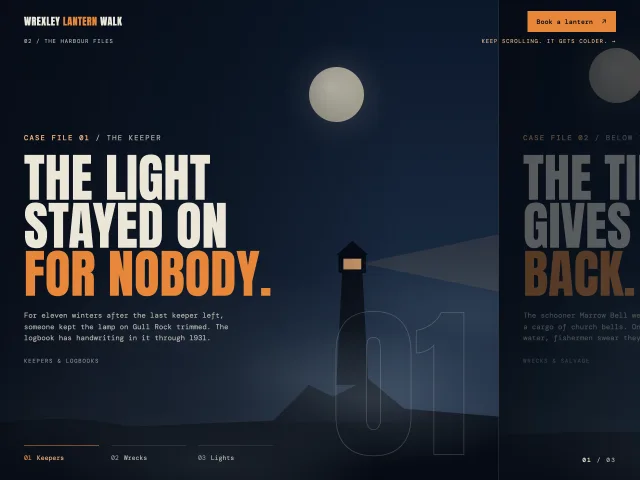
A pinned section where scrolling down slides three foggy night 'case file' panels sideways, with chapter tabs that fill and a 01 / 03 counter.
Dot-matrix blob field hero
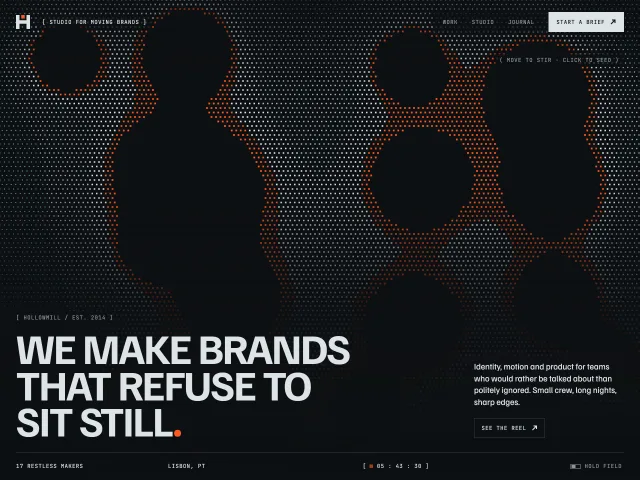
A dark studio hero over a canvas dot matrix where drifting metaball blobs carve black shapes with signal-orange rims. The pointer stirs them, and clicks seed new ones.