Nº 549 of 605
Retro desktop portfolio
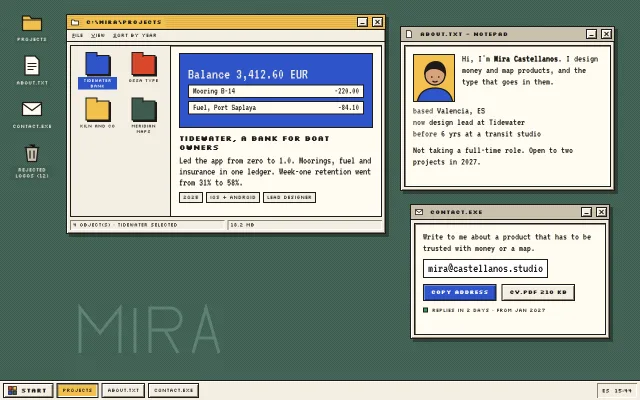
A designer portfolio as an invented late-90s desktop: draggable bevelled windows for projects, about and contact, icons, a taskbar with clock and a start menu.
Preview
Use it
Free to use · credit appreciated1 Once, in your project · Node 22.20+
npx skills add SusanAcharya/Design-Lounge 2 Then ask
Using the Design Lounge skill, build "Retro desktop portfolio" (piece retro-os-desktop-portfolio) in my stack. Match its brief; restyle it onto my product's theme.
No skill? Paste the brief instead. It carries the numbers, tokens and behaviour.
<!-- Design Lounge Nº 549 · "Retro desktop portfolio" · www.designlounge.live -->

# Retro desktop portfolio

> **Build brief for a coding agent.** Rebuild this piece in the reader's stack. If they haven't said which stack, ask once, then default to semantic HTML + CSS + a little vanilla JS. Match the numbers below; don't "improve" them.

## What it is

The portfolio of "Mira Castellanos", an invented product designer, presented as her own desktop on an invented operating system, "MIRA/OS 2000". A dithered sage desktop holds four icons and three overlapping windows (projects, about.txt, contact.exe); a cream taskbar carries a Start button, one tab per open window and a clock. The chrome is original: cream windows with 2px ink borders and two-tone bevels, butter title bars with pinstripes when active and putty grey when not, square minimise and close keys. Windows drag by their title bars, come to the front when touched, minimise to the taskbar and close. The detail worth copying: on a phone the same markup drops the desktop metaphor entirely and stacks the windows as full-width cards, so the portfolio stays readable instead of shrinking a fake screen.

## Reference behaviour

1. Initial state at 1280 × 800: desktop fills the viewport above a 40px taskbar. Projects window active (left 132, top 28, 640 × 440, butter title), about.txt behind it at right (800, 52, 430 × 330), contact.exe lower right (820, 408, 400 × 270). Desktop icons in a column at left 18, top 18. A large "MIRA" outline is drawn into the wallpaper bottom left.
2. Windows open with `scale(.92), opacity 0 → 1` over 260ms expo-out on load.
3. Press on any window: it comes to the front (z-index increments), its title bar turns butter with pinstripes, the others turn putty, and its taskbar tab looks pressed.
4. Drag a title bar: the window follows the pointer (pointer capture), clamped so 80px of it stays on the desktop and its title never goes above the top. Buttons in the title bar do not start a drag.
5. Minimise (`_`): the window hides, its tab stays (unpressed). Click the tab to restore and focus it. Clicking the active window's tab minimises it.
6. Close (`x`): the window hides and its tab disappears. Reopen it from a desktop icon or the Start menu.
7. Desktop icons: single click selects (label turns cobalt); double click or Enter opens the window. "Rejected logos (12)" opens about.txt.
8. Projects window: four folder files in a 2 × 2 grid (Tidewater bank, Ossa type, Kiln and Co, Meridian maps). Click one: it selects (cobalt label), and the detail pane swaps its preview, title, description and three tags; the status bar reads "4 object(s) · <name> selected".
9. Start: opens a 250px menu above the button with a cobalt side strip reading "MIRA/OS 2000" and items Projects, About me, Contact, Tidy windows. Tidy windows reopens all three at their start positions. Escape or a click outside closes the menu and returns focus to Start.
10. Contact: "Copy address" changes its label to "Copied to clipboard". The clock in the tray shows HH:MM and refreshes every 15s.

## Structure

```
1280 × 800
+--------------------------------------------------------------------------------+
| [Projects]  +=[C:\MIRA\PROJECTS]=============[_][x]+    +-[about.txt - Notepad]-[_][x]+ |
| [about.txt] | File View Sort by year                |    | [face] Hi, I'm Mira ...     | |
| [contact]   | +----------+-------------------------+|    | based / now / before        | |
| [Rejected]  | | [F] [F]  | preview 150px            ||    | Not taking a full-time...  | |
|             | | [F] [F]  | TIDEWATER, A BANK FOR... ||    +----------------------------+ |
|             | |          | description, 3 tags      ||    +-[contact.exe]-------[_][x]+  |
|             | +----------+-------------------------+|    | Write to me about ...      |  |
|             | [4 object(s) · ... selected][18.2 MB] |    | [mira@castellanos.studio]  |  |
|             +---------------------------------------+    | [Copy address] [CV.pdf]    |  |
|        M I R A  (wallpaper outline)                      | (o) Replies in 2 days ...  |  |
|                                                          +----------------------------+  |
+--------------------------------------------------------------------------------+

… 170 more lines. Copy or download for the full brief. Loading the source…Brief
210 linesBuild brief for a coding agent. Rebuild this piece in the reader’s stack. If they haven’t said which stack, ask once, then default to semantic HTML + CSS + a little vanilla JS. Match the numbers below; don’t “improve” them.
What it is
The portfolio of “Mira Castellanos”, an invented product designer, presented as her own desktop on an invented operating system, “MIRA/OS 2000”. A dithered sage desktop holds four icons and three overlapping windows (projects, about.txt, contact.exe); a cream taskbar carries a Start button, one tab per open window and a clock. The chrome is original: cream windows with 2px ink borders and two-tone bevels, butter title bars with pinstripes when active and putty grey when not, square minimise and close keys. Windows drag by their title bars, come to the front when touched, minimise to the taskbar and close. The detail worth copying: on a phone the same markup drops the desktop metaphor entirely and stacks the windows as full-width cards, so the portfolio stays readable instead of shrinking a fake screen.
Reference behaviour
- Initial state at 1280 × 800: desktop fills the viewport above a 40px taskbar. Projects window active (left 132, top 28, 640 × 440, butter title), about.txt behind it at right (800, 52, 430 × 330), contact.exe lower right (820, 408, 400 × 270). Desktop icons in a column at left 18, top 18. A large “MIRA” outline is drawn into the wallpaper bottom left.
- Windows open with
scale(.92), opacity 0 → 1over 260ms expo-out on load. - Press on any window: it comes to the front (z-index increments), its title bar turns butter with pinstripes, the others turn putty, and its taskbar tab looks pressed.
- Drag a title bar: the window follows the pointer (pointer capture), clamped so 80px of it stays on the desktop and its title never goes above the top. Buttons in the title bar do not start a drag.
- Minimise (
_): the window hides, its tab stays (unpressed). Click the tab to restore and focus it. Clicking the active window’s tab minimises it. - Close (
x): the window hides and its tab disappears. Reopen it from a desktop icon or the Start menu. - Desktop icons: single click selects (label turns cobalt); double click or Enter opens the window. “Rejected logos (12)” opens about.txt.
- Projects window: four folder files in a 2 × 2 grid (Tidewater bank, Ossa type, Kiln and Co, Meridian maps). Click one: it selects (cobalt label), and the detail pane swaps its preview, title, description and three tags; the status bar reads “4 object(s) ·
selected”. - Start: opens a 250px menu above the button with a cobalt side strip reading “MIRA/OS 2000” and items Projects, About me, Contact, Tidy windows. Tidy windows reopens all three at their start positions. Escape or a click outside closes the menu and returns focus to Start.
- Contact: “Copy address” changes its label to “Copied to clipboard”. The clock in the tray shows HH:MM and refreshes every 15s.
Structure
1280 × 800
+--------------------------------------------------------------------------------+
| [Projects]  +=[C:\MIRA\PROJECTS]=============[_][x]+    +-[about.txt - Notepad]-[_][x]+ |
| [about.txt] | File View Sort by year                |    | [face] Hi, I'm Mira ...     | |
| [contact]   | +----------+-------------------------+|    | based / now / before        | |
| [Rejected]  | | [F] [F]  | preview 150px            ||    | Not taking a full-time...  | |
|             | | [F] [F]  | TIDEWATER, A BANK FOR... ||    +----------------------------+ |
|             | |          | description, 3 tags      ||    +-[contact.exe]-------[_][x]+  |
|             | +----------+-------------------------+|    | Write to me about ...      |  |
|             | [4 object(s) · ... selected][18.2 MB] |    | [mira@castellanos.studio]  |  |
|             +---------------------------------------+    | [Copy address] [CV.pdf]    |  |
|        M I R A  (wallpaper outline)                      | (o) Replies in 2 days ...  |  |
|                                                          +----------------------------+  |
+--------------------------------------------------------------------------------+
| [# Start] [Projects] [about.txt] [contact.exe]                         [ES 20:57] | 40
+--------------------------------------------------------------------------------+
window = 2px ink border + bevel; title bar 30px; menu row; inset body (6px margin, inset bevel); status row.desk: absolute,inset: 0 0 40px, sage with a 4px conic-gradient checker dither. Containssvg.wall,<ul class="icons">of<button class="ic">, and three<section class="win">..win: flex column..tb(title bar: 16px icon,<h1>/<h2 class="ti">, spacer, two.wbbuttons),.menu(decorative,aria-hidden),.body(inset panel), optional.status.- Projects body: grid
200px minmax(0,1fr):<ul class="files" role="listbox">of<button class="f" role="option">folders, and.detail(aria-live="polite") with.shot,<h2>,<p>,.metatags. .smstart menu (sibling of the desktop,hiddenby default) withrole="menu"items;<footer class="bar">with.start(aria-expanded,aria-controls),.tasks,.tray.
Tokens
:root {
  /* colour */
  --desk: #3e5c4f;     /* desktop */
  --desk-2: #46685a;   /* dither cells */
  --wall: #5d8273;     /* wallpaper outline */
  --cream: #f4efe2;    /* window chrome, taskbar, buttons */
  --paper: #fffbf1;    /* window body */
  --ink: #1e1b18;      /* borders, text */
  --ink-2: #4f4a42;    /* key labels in about.txt */
  --mute: #c9c1ae;     /* inactive title bar, pressed Start */
  --butter: #f2c14e;   /* active title bar, pressed task */
  --cobalt: #2e54c9;   /* selection, primary button, start strip */
  --tomato: #d9482b;   /* accent in previews and Start logo */
  --hi: #ffffff;       /* bevel light */
  --lo: #8a8270;       /* bevel shade */

  /* type */
  --pix: "Silkscreen", monospace;       /* chrome labels */
  --term: "VT323", ui-monospace, monospace; /* reading text */
  --fs-body: 20px; --lh-body: 1.15;
  --fs-title: 11px; --fs-label: 10px; --fs-icon: 10px; --fs-file: 9px;
  --fs-h2: 15px; --fs-menu: 22px; --fs-mail: 26px;

  /* chrome */
  --border: 2px solid var(--ink);
  --bevel: inset 2px 2px 0 var(--hi), inset -2px -2px 0 var(--lo);
  --bevel-in: inset 2px 2px 0 var(--lo), inset -2px -2px 0 var(--hi);
  --drop: 6px 6px 0 rgba(20, 24, 20, .45);
  --title-h: 30px; --bar-h: 40px; --key: 22px 20px; --btn-h: 34px;
  --stripes: repeating-linear-gradient(180deg, transparent 0 3px, rgba(30, 27, 24, .16) 3px 4px);
  --dither: conic-gradient(var(--desk-2) 25%, transparent 0 50%, var(--desk-2) 0 75%, transparent 0) 0 0 / 4px 4px;
  --radius: 0;

  /* motion */
  --t-open: 260ms;
  --clock-tick: 15000ms;
  --pop: cubic-bezier(.16, 1, .3, 1);
}
Typography
| Role | Family | Size / line | Weight | Notes |
|---|---|---|---|---|
| Window titles | Silkscreen | 11 / 1 | 700 | 0.04em, on a solid backplate over the stripes |
| Detail heading | Silkscreen | 15 / 1.2 | 700 | |
| Icons, tags, status, buttons, menu row | Silkscreen | 9–12 / 1–1.6 | 400–700 | |
| Body text, about, contact | VT323 | 20 / 1.15 (detail 21 / 1.05) | 400 | -webkit-font-smoothing: none |
| Start menu items | VT323 | 22 / 1 | 400 | |
| VT323 | 26 | 400 | white field, 2px border | |
| Preview balance | VT323 | 30 / 1 | 400 | cream on cobalt |
Motion
| Thing | Trigger | Property | From → to | Duration / easing | Reduced motion |
|---|---|---|---|---|---|
| Window open | load, reopen | transform, opacity | scale(.92), 0 → 1, 1 | 260ms --pop | none |
| Drag | pointer on title bar | left, top | follows pointer | live | same |
| Text caret | always | opacity | 1 ↔ 0 | 1s steps(1) | static |
| Key press | :active | bevel flips to inset | instant | same |
Everything else is instant, as on the machines it recalls: focus, minimise and close have no animation.
States
- Active window: butter title bar with 1px ink pinstripes every 4px, title on a butter backplate; taskbar tab pressed (inset bevel, butter fill).
- Inactive window: putty
--mutetitle bar, no stripes. - Minimised: hidden, tab present and raised. Closed: hidden, no tab.
- Title keys and buttons: raised bevel;
:activeinset bevel (buttons also shift 1px). - Primary button (Copy address): cobalt fill, white text, blue bevel (
#6F8BE0light,#1B3584dark). After click: “Copied to clipboard”. - Desktop icon selected / hovered: label on cobalt, white text. File selected: same treatment.
- Start open: Start pressed (inset, putty); menu visible; items highlight cobalt on hover and focus.
- Focus-visible: 2px dotted ink outline at 2px offset on every control.
Accessibility
- Each window is a
<section aria-labelledby>its title; the projects title is the page<h1>, the others<h2>. - Title-bar keys have
aria-labels (“Minimise Projects”, “Close Contact”). Drag is a pointer enhancement only; everything it offers (reaching a window) is also reachable by Tab and by the taskbar. - Desktop icons are
<button>s: Enter opens (double click for pointer). The decorative menu row isaria-hidden. - Files are
role="listbox"/role="option"witharia-selected; the detail pane isaria-live="polite"so the new project is announced. - Start is a button with
aria-expandedandaria-controls; the menu isrole="menu"withmenuitems; opening moves focus to the first item; Escape closes and returns focus. - Contrast: cream on desktop 6.4:1 (icon labels sit on a solid
--deskbackplate so the dither never touches text); ink on butter 10.2:1, on putty 9.6:1, on paper 16.6:1; white on cobalt 6.5:1. The wallpaper “MIRA” is a decorative SVG with no text. - Hit targets: title keys 22 × 20 at desktop size; on phones the taskbar buttons are 30px tall inside a 40px bar.
Responsive rules
- ≥ 1280: as drawn; windows keep their pixel positions.
- 1024–1279: windows may overlap more; Tidy windows restores the start positions.
- 761–1023: same desktop; drag still clamps to the visible area.
- ≤ 760: the desktop becomes a scrolling column with 12px padding and 14px gaps; icons and wallpaper hide; every window becomes
position: relative, full width, auto height, no open animation, no drag (title bar cursor default); the projects grid becomes one column with the four files in a row of four above the detail; the taskbar isposition: fixedat the bottom with Start and the clock only (tasks hidden), and the start menu is fixed above it. At 390 nothing scrolls sideways.
Acceptance checklist
Always
- Window chrome is original: 2px ink border, two-tone 2px bevel, square keys; no copied system title bars, logos or icons.
- Pressing a window brings it to the front and is the only active window; the taskbar mirrors open, active and minimised states.
- Dragging by the title bar uses pointer capture, ignores the title-bar buttons, and clamps to keep 80px on screen.
- Minimise keeps a taskbar tab; close removes it; both are reversible from icons or Start.
- Start menu opens and closes with click, outside click and Escape, with focus managed.
- Text never sits directly on the dithered desktop; labels use a solid backplate.
- Body text uses a readable terminal face at 20px or larger; the pixel face is only for chrome at 9–15px.
- At 760px and below windows stack as full-width cards, drag is off, and nothing scrolls sideways at 390.
- Reduced motion removes the open animation and caret blink.
This demo
- Titles read
C:\MIRA\PROJECTS,about.txt - Notepad,contact.exe; the start strip readsMIRA/OS 2000. - Projects are Tidewater (2025, iOS + Android, Lead designer, retention 31% → 58%), Ossa type, Kiln and Co, Meridian maps.
- Contact shows
mira@castellanos.studio, “Copy address”, “CV.pdf 210 KB”, “Replies in 2 days · from Jan 2027”. - Taskbar tray shows “ES” and the time as HH:MM.
Implementation notes
Bring to front and drag. Keep one counter for z-index; clamp the drag against the desktop’s own rect, not the window.
let z = 10;
function focusWin(w) { w.hidden = false; w.style.zIndex = ++z;
  wins.forEach(x => x.classList.toggle('active', x === w)); renderTasks(); }
tb.addEventListener('pointerdown', e => {
  if (e.target.closest('button') || innerWidth <= 760) return;
  const d = desk.getBoundingClientRect(), sx = e.clientX - w.offsetLeft, sy = e.clientY - w.offsetTop;
  tb.setPointerCapture(e.pointerId);
  const mv = ev => { w.style.left = Math.max(-w.offsetWidth + 80, Math.min(d.width - 80, ev.clientX - sx)) + 'px';
                     w.style.top  = Math.max(0, Math.min(d.height - 30, ev.clientY - sy)) + 'px'; };
  const up = () => { tb.removeEventListener('pointermove', mv); tb.removeEventListener('pointerup', up); };
  tb.addEventListener('pointermove', mv); tb.addEventListener('pointerup', up);
});
Bevels and dither in CSS only:
.win { border: 2px solid var(--ink); background: var(--cream);
       box-shadow: inset 2px 2px 0 #fff, inset -2px -2px 0 var(--lo), 6px 6px 0 rgba(20,24,20,.45); }
.body { box-shadow: inset 2px 2px 0 var(--lo), inset -2px -2px 0 #fff; }
.win.active .tb { background: var(--butter)
  repeating-linear-gradient(180deg, transparent 0 3px, rgba(30,27,24,.16) 3px 4px); }
.desk { background: var(--desk)
  conic-gradient(var(--desk-2) 25%, transparent 0 50%, var(--desk-2) 0 75%, transparent 0) 0 0 / 4px 4px; }
Phone: drop the metaphor. One media query turns absolute windows into flow cards; inline left/top from dragging must be overridden with !important or a dragged window keeps its offset on rotate.
@media (max-width: 760px) {
  .desk { position: relative; inset: auto; display: flex; flex-direction: column; gap: 14px; padding: 12px 12px 64px; }
  .win { position: relative !important; left: auto !important; top: auto !important;
         width: auto !important; height: auto !important; z-index: auto !important; }
}
Common mistakes: putting labels straight on the dither (contrast flickers cell to cell); starting a drag from the close key (check closest('button')); -webkit-font-smoothing: none on a non-pixel face (it only suits VT323 and Silkscreen); copying a real OS’s start button, colours or window keys instead of inventing them.
Details
- Palette
- Type
- Silkscreen · VT323
- Motion
- Subtle motion
- Build
- Multi-step
- Tags
Similar
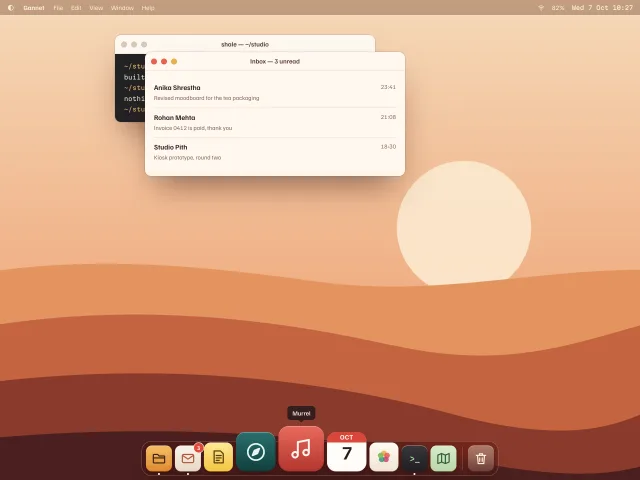
Magnifying desktop dock
A desktop-OS dock whose icons swell by pointer distance on a cosine curve, with tooltips, a two-hop launch bounce, running dots and arrow-key navigation.
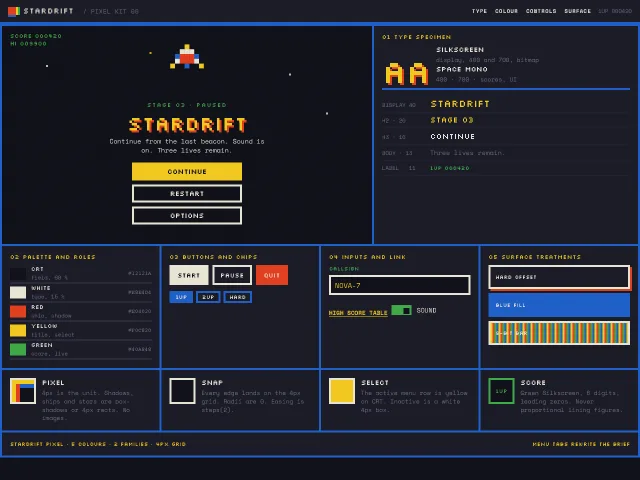
Pixel arcade design language kit
An 8-bit pause-menu kit: 4px grid, Silkscreen display, Space Mono scores, hard NES-like colours, CSS box-shadow sprites, and a Stardrift start screen.
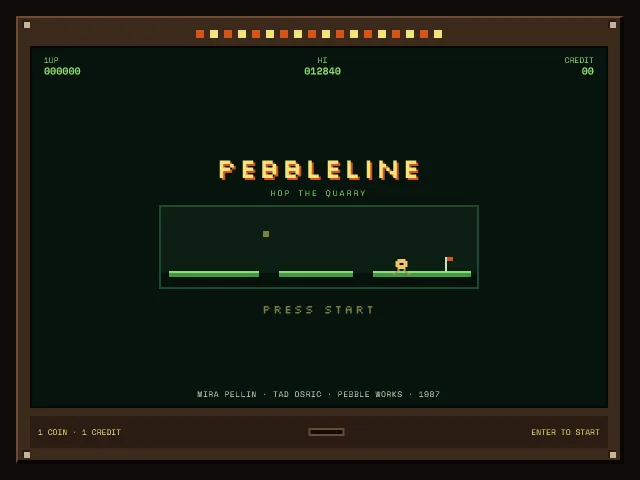
Pebbleline attract screen
A Pebbleline coin-op attract screen: bezel, looping ledge demo, blinking Press start, high score, and a credit that opens Stage 1.
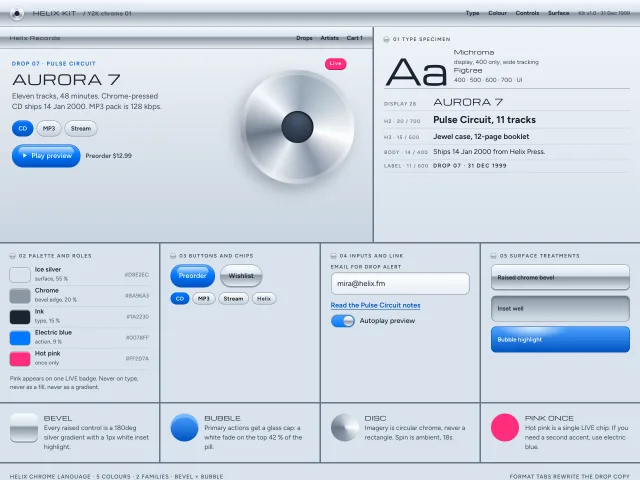
Y2K chrome design language kit
A millennium chrome kit: ice-silver bevels, bubble highlights, Michroma display, electric blue actions, and hot pink used once on a 2000s music drop.
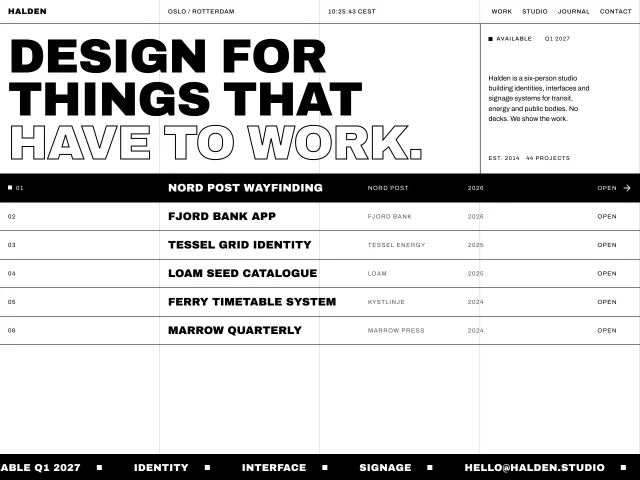
Brutalist studio home
Black-on-white studio homepage: 1px column grid, 96px uppercase Archivo Black statement, project rows that invert on hover and a 36-second marquee footer.
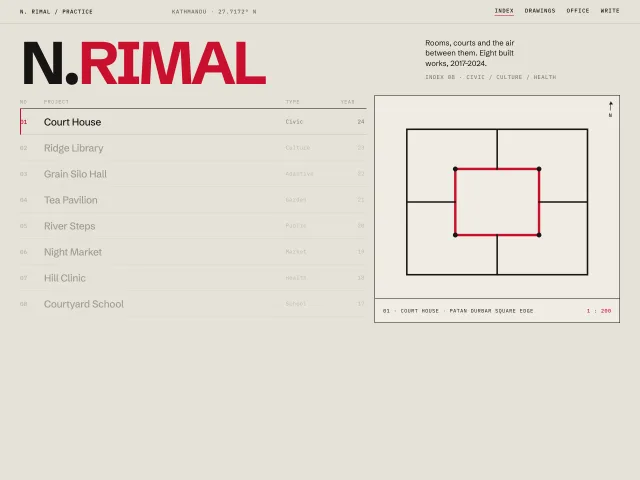
Architect index with plan drawings
A Swiss architect index: 120px wordmark, an 8-row 12-column project list, and a sticky right panel that crossfades a geometric plan on hover.