Nº 566 of 605
Floating island sidebar
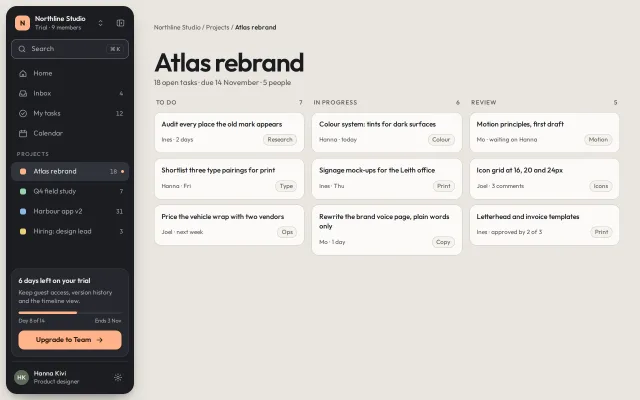
A detached dark sidebar island 12px off every window edge: workspace switcher, ⌘K search that filters projects, a pinned trial card, and a 72px icon rail with tooltips.
Preview
Use it
Free to use · credit appreciated1 Once, in your project · Node 22.20+
npx skills add SusanAcharya/Design-Lounge 2 Then ask
Using the Design Lounge skill, build "Floating island sidebar" (piece sidebar-floating-island) in my stack. Match its brief; restyle it onto my product's theme.
No skill? Paste the brief instead. It carries the numbers, tokens and behaviour.
<!-- Design Lounge Nº 566 · "Floating island sidebar" · www.designlounge.live -->

# Floating island sidebar

> **Build brief for a coding agent.** Rebuild this piece in the reader's stack. If they haven't said which stack, ask once, then default to semantic HTML + CSS + a little vanilla JS. Match the numbers below; don't "improve" them.

## What it is

The navigation for a project tool, shown for the workspace Northline Studio. The sidebar is not docked: it is a dark rounded island (22px radius) standing 12px off the top, left and bottom of the window on a warm stone canvas, with a soft drop shadow, so the page reads as a desk with a tool laid on it. Inside: a workspace switcher, a search field with a ⌘K hint that filters the project list live, four main links, a Projects group with colour squares and counts, a trial card pinned to the bottom with one peach Upgrade button, and the user row. A toggle (or `[`) shrinks the island from 256px to a 72px icon rail; labels become dark tooltips and the trial card becomes a single peach icon button. The island keeps its margins in both states.

## Reference behaviour

1. Initial state: island open at 256px, "Atlas rebrand" is the current project (lighter row fill and a 6px peach dot at the right). The page shows a 52px "Atlas rebrand" title and a three-column task board.
2. Hover any row: fill `--isl-2`, text to `--ink`.
3. Type in Search: the Projects list filters on every keystroke (case-insensitive substring). If nothing matches, "No projects match" appears in place of the list. Main links are not filtered.
4. ⌘K / Ctrl+K focuses Search. If the island is a rail, it first expands, then focuses after 200ms. `Esc` blurs the field.
5. Click the workspace switcher: a menu drops 6px into place under the header with three workspaces and "Create workspace". ArrowUp and ArrowDown move through it. Choosing one swaps the logo letter, its colour, the name and the plan line, then returns focus to the switcher. Clicking outside or `Esc` closes it.
6. Click the panel toggle or press `[` (outside text fields): the island width animates 256 → 72px over 340ms. Labels, counts and the section heading fade and slide 6px left over 160ms, starting at once. The header stacks the logo above the toggle; Search becomes a 52px icon button; the trial card becomes a 52 × 44px peach button with an up arrow.
7. In rail state, hovering or focusing an icon shows a tooltip 18px to the right of the island (dark `#1B1C1F` pill, 12px/500 text), sliding 4px in over 160ms. The current project keeps its peach dot, moved to the icon's top right.
8. Clicking the rail's Search icon expands the island and focuses the field.
9. Below 760px there is no rail. The island becomes a drawer, still floating 10px from the edges, opened by a 40px menu button in the page header; it slides in over 340ms with a 35% scrim and focuses Search. The scrim or `Esc` closes it.

## Structure

```
1280 × 800, body padding 12, gap 12
┌──────────────┐ ┌─────────────────────────────────────────────────────┐
│ [N] Northline ⇅ ▣│  Northline Studio / Projects / Atlas rebrand        │
│ (⌕ Search  ⌘K)│ │                                                     │
│ ⌂ Home        │ │  Atlas rebrand   (52px/600)                          │
│ ▭ Inbox     4 │ │  18 open tasks · due 14 November · 5 people          │
│ ✓ My tasks 12 │ │  TO DO 7       IN PROGRESS 6      REVIEW 5           │
│ ▦ Calendar    │ │  ┌card┐        ┌card┐             ┌card┐             │
│ PROJECTS      │ │  ┌card┐        ┌card┐             ┌card┐             │
│ ▓■ Atlas 18 • │ │  ┌card┐        ┌card┐             ┌card┐             │
│  ■ Q4 field  7│ │                                                     │
│  ■ Harbour  31│ │                                                     │
│  ■ Hiring    3│ │                                                     │
│               │ │                                                     │
│┌ 6 days left ┐│ │                                                     │

… 181 more lines. Copy or download for the full brief. Loading the source…Brief
221 linesBuild brief for a coding agent. Rebuild this piece in the reader’s stack. If they haven’t said which stack, ask once, then default to semantic HTML + CSS + a little vanilla JS. Match the numbers below; don’t “improve” them.
What it is
The navigation for a project tool, shown for the workspace Northline Studio. The sidebar is not docked: it is a dark rounded island (22px radius) standing 12px off the top, left and bottom of the window on a warm stone canvas, with a soft drop shadow, so the page reads as a desk with a tool laid on it. Inside: a workspace switcher, a search field with a ⌘K hint that filters the project list live, four main links, a Projects group with colour squares and counts, a trial card pinned to the bottom with one peach Upgrade button, and the user row. A toggle (or [) shrinks the island from 256px to a 72px icon rail; labels become dark tooltips and the trial card becomes a single peach icon button. The island keeps its margins in both states.
Reference behaviour
- Initial state: island open at 256px, “Atlas rebrand” is the current project (lighter row fill and a 6px peach dot at the right). The page shows a 52px “Atlas rebrand” title and a three-column task board.
- Hover any row: fill
--isl-2, text to--ink. - Type in Search: the Projects list filters on every keystroke (case-insensitive substring). If nothing matches, “No projects match” appears in place of the list. Main links are not filtered.
- ⌘K / Ctrl+K focuses Search. If the island is a rail, it first expands, then focuses after 200ms.
Escblurs the field. - Click the workspace switcher: a menu drops 6px into place under the header with three workspaces and “Create workspace”. ArrowUp and ArrowDown move through it. Choosing one swaps the logo letter, its colour, the name and the plan line, then returns focus to the switcher. Clicking outside or
Esccloses it. - Click the panel toggle or press
[(outside text fields): the island width animates 256 → 72px over 340ms. Labels, counts and the section heading fade and slide 6px left over 160ms, starting at once. The header stacks the logo above the toggle; Search becomes a 52px icon button; the trial card becomes a 52 × 44px peach button with an up arrow. - In rail state, hovering or focusing an icon shows a tooltip 18px to the right of the island (dark
#1B1C1Fpill, 12px/500 text), sliding 4px in over 160ms. The current project keeps its peach dot, moved to the icon’s top right. - Clicking the rail’s Search icon expands the island and focuses the field.
- Below 760px there is no rail. The island becomes a drawer, still floating 10px from the edges, opened by a 40px menu button in the page header; it slides in over 340ms with a 35% scrim and focuses Search. The scrim or
Esccloses it.
Structure
1280 × 800, body padding 12, gap 12
┌──────────────┐ ┌─────────────────────────────────────────────────────┐
│ [N] Northline ⇅ ▣│  Northline Studio / Projects / Atlas rebrand        │
│ (⌕ Search  ⌘K)│ │                                                     │
│ ⌂ Home        │ │  Atlas rebrand   (52px/600)                          │
│ ▭ Inbox     4 │ │  18 open tasks · due 14 November · 5 people          │
│ ✓ My tasks 12 │ │  TO DO 7       IN PROGRESS 6      REVIEW 5           │
│ ▦ Calendar    │ │  ┌card┐        ┌card┐             ┌card┐             │
│ PROJECTS      │ │  ┌card┐        ┌card┐             ┌card┐             │
│ ▓■ Atlas 18 • │ │  ┌card┐        ┌card┐             ┌card┐             │
│  ■ Q4 field  7│ │                                                     │
│  ■ Harbour  31│ │                                                     │
│  ■ Hiring    3│ │                                                     │
│               │ │                                                     │
│┌ 6 days left ┐│ │                                                     │
││ ▬▬▬▬▬▭▭ 8/14 ││ │                                                     │
││[Upgrade →]  ││ │                                                     │
│└─────────────┘│ │                                                     │
│ (HK) Hanna  ⚙ │ │                                                     │
└──────────────┘ └─────────────────────────────────────────────────────┘
  island 256 ↔ 72, radius 22, padding 10
<aside class="island" aria-label="Workspace navigation">, flex column,position: relative(nooverflow: hidden, so tooltips and the menu can escape)..head(48px): workspace<button aria-haspopup="menu" aria-expanded aria-controls>with a 30px logo square, name and plan; then the 34px panel toggle<button aria-expanded aria-controls="island">..menurole="menu"ofrole="menuitem"buttons, absolutely placed attop: 58px.<label class="search">(40px, radius 12) with icon,<input aria-label="Search projects">and a<kbd>⌘ K</kbd>.<nav class="nav" aria-label="Primary">: a<ul>of four links, an<h6>“Projects”, a<ul id="projects">of four links, and a hidden “No projects match” line. Each link has an icon or 12px colour square,.lbl, optional.ncount and a.tip..uptrial card: title, sentence,role="progressbar"bar, a day line, the.ctabutton and the rail-only.minibutton..meuser row with a settings button.
<main>: breadcrumb row (with the phone-only menu button),<h1>, subline,.boardgrid of three columns of task cards.
Tokens
:root {
  /* canvas and page */
  --canvas: #E9E6DF;      /* window ground the island floats on */
  --paper: #F5F3EE;       /* chips, tooltip text */
  --card: #FBFAF7;        /* task cards */
  --c-line: #D6D1C6;      /* card borders */
  --c-ink: #1B1C1F;       /* page text, tooltip fill */
  --c-ink-2: #5B5A55;     /* page secondary, 5.6:1 on --canvas */

  /* island */
  --island: #1C1D21;
  --isl-2: #26282D;       /* hover, search field, trial card */
  --isl-3: #30333A;       /* current row, progress track */
  --isl-line: #383B42;    /* card borders */
  --isl-edge: #6B6F78;    /* search input border, 3.3:1 on --island */
  --ink: #F1EFEA;         /* island text, 15.4:1 */
  --ink-2: #A9ABB1;       /* secondary, counts, 7.6:1 */
  --ink-3: #8E9097;       /* section heading, 5.5:1 */
  --peach: #FFB38A;       /* the one accent: logo, current dot, progress, Upgrade */
  --peach-ink: #2A1407;   /* text on peach, 11.6:1 */

  /* type */
  --font: "Outfit", system-ui, sans-serif;

  /* layout */
  --gap: 12px;            /* island to window edges and to main */
  --w-open: 256px;
  --w-rail: 72px;
  --r-island: 22px;
  --r: 10px;              /* rows */
  --row: 38px;

  /* depth */
  --shadow-island: inset 0 1px 0 rgba(255, 255, 255, .04),
                   0 18px 40px -18px rgba(27, 28, 31, .55),
                   0 4px 10px -4px rgba(27, 28, 31, .25);

  /* motion */
  --t-fast: 160ms;
  --t-layout: 340ms;
  --ease: cubic-bezier(.2, .7, .2, 1);
  --ease-out: cubic-bezier(.16, 1, .3, 1);
}
Typography
| Role | Family | Size | Weight | Line-height | Tracking | Case |
|---|---|---|---|---|---|---|
| Nav row | Outfit | 14px | 400 | 38px row | 0 | sentence |
| Workspace name | Outfit | 14px | 600 | 1.3 | 0 | Title |
| Plan line, counts | Outfit | 12px | 400 | 1.3 | 0 | tabular |
| Section heading | Outfit | 11px | 500 | 1 | +0.12em | UPPERCASE |
| Trial title | Outfit | 14px | 600 | 1.3 | 0 | sentence |
| Trial body | Outfit | 12.5px | 400 | 1.4 | 0 | sentence |
| Upgrade button | Outfit | 14px | 600 | 1 | 0 | Title |
| Tooltip | Outfit | 12px | 500 | 1 | 0 | sentence |
| Page title | Outfit | clamp(34px, 4.2vw, 52px) | 600 | 1 | −0.035em | Title |
Motion
| Element | Trigger | Property | From → To | Duration | Easing | Notes |
|---|---|---|---|---|---|---|
| Island | toggle / [ | width | 256px ↔ 72px | 340ms | --ease | main reflows by flex |
.lbl, heading | toggle | opacity, translateX | 1, 0 → 0, −6px | 160ms | --ease | same start as width |
| Toggle icon | toggle | transform | none → scaleX(−1) | 340ms | --ease | |
| Tooltip | hover / focus in rail | opacity, translateX | 0, −4px → 1, 0 | 160ms | --ease | |
| Workspace menu | click | opacity, transform | 0, translateY(−6px) scale(.98) → 1, none | 160ms | --ease-out | origin top |
| Upgrade button | active | transform | scale(.97) | 160ms | --ease | hover brightness(1.05) |
| Drawer (≤760px) | menu button | transform | translateX(calc(−100% − 64px)) → none | 340ms | --ease-out | scrim fades with it |
Reduced motion: all transitions 1ms; every state is still reachable.
States
- Row hover:
--isl-2fill,--inktext. - Current project:
aria-current="page",--isl-3fill,--inktext, 6px peach dot 10px from the right edge (count shifts 12px left to make room). In rail state the dot sits at the icon’s top right (right: 6px; top: 8px). - Search, no matches: project rows hidden, “No projects match” in
--ink-3. - Workspace menu open: switcher
aria-expanded="true"; item hover and focus use--isl-3. - Rail: labels and counts gone, the heading fades but keeps its 28px height so icons do not jump; counts are
display: none. - Focus-visible: 2px
--peachoutline at 2px offset; on the peach Upgrade button the outline is--ink. - Trial ending: at 2 days or fewer, swap the card title to “Trial ends in 2 days” and keep the same single button; never add a second primary.
Accessibility
- The island is
<aside aria-label="Workspace navigation">containing<nav aria-label="Primary">. - Panel toggle:
aria-expandedandaria-controls="island"; itsaria-labelflips between “Collapse sidebar” and “Expand sidebar”. The tooltip names the[shortcut. - Labels stay in the DOM at opacity 0 in rail state so links keep their names; tooltips repeat them visually only.
- Workspace switcher:
aria-haspopup="menu",aria-expanded,aria-controls; menu items arerole="menuitem"; ArrowUp and ArrowDown cycle,Esccloses, focus returns to the switcher after a choice. - Search input has
aria-label="Search projects". ⌘K and Ctrl+K are handled withpreventDefault.[is ignored inside text fields and with modifiers. - The trial bar is
role="progressbar"witharia-valuenow="8",aria-valuemax="14"and the label “Trial, day 8 of 14”; the rail button’s label is “Upgrade to Team, 6 days left”. - Contrast on
--island:--ink15.4:1,--ink-27.6:1,--ink-35.5:1;--peach-inkon--peach11.6:1;--c-ink-2on--canvas5.6:1. The search field border--isl-linesits on a--isl-2fill that already separates it from the island. - Hit targets: rows 38px, toggle 34px, rail Upgrade 52 × 44px, phone menu button 40px.
Responsive rules
- ≥ 1280: island 256px open, 72px rail; the board has three columns.
- 1001–1279: same island; default to the rail if the content column would drop under 800px.
- 761–1000: board shows two columns; the island still collapses.
- ≤ 760: body padding 0 and the page scrolls; the island is a fixed drawer at
left/top/bottom: 10px, always 256px wide, hidden attranslateX(calc(-100% - 64px))so its shadow does not peek in; the panel toggle hides; the board stacks all three columns. Nothing scrolls sideways at 390.
Acceptance checklist
Always
- The sidebar floats: equal margins (12px) from the window’s top, left and bottom, a 22px radius and a soft shadow, in both open and rail states.
- Open and rail widths are fixed values and the main column reflows by flex, never by a margin.
- Labels fade on a shorter clock than the width so nothing wraps mid-transition.
- Rail tooltips appear on hover and on keyboard focus, outside the island.
- ⌘K / Ctrl+K focuses search, expanding the rail first if needed.
- Search filters the projects list live with an empty state.
- The workspace switcher is a keyboard-operable menu that returns focus.
- One peach primary (Upgrade), pinned to the island’s bottom above the user row.
- Below 760px the island is a floating drawer with a scrim and no rail.
This demo
- Island
#1C1D21on canvas#E9E6DF; widths 256px and 72px; width transition 340ms. - Projects: Atlas rebrand 18, Q4 field study 7, Harbour app v2 31, Hiring: design lead 3, with squares
#FFB38A,#9BD3AE,#8FB8E8,#E8D27A. - Trial card reads “6 days left on your trial”, “Day 8 of 14”, “Ends 3 Nov”, progress 57%.
-
[toggles the rail; the tooltip says “Collapse [” or “Expand [”.
Implementation notes
Float the island with padding on the body, not margins on the island. A flex body with padding and gap keeps the three outer margins and the gutter to main identical without arithmetic:
body   { display: flex; gap: 12px; padding: 12px; height: 100%; overflow: hidden; }
.island { width: var(--w-open); flex: none; border-radius: 22px;
          box-shadow: var(--shadow-island); transition: width 340ms var(--ease); }
.island.rail { width: var(--w-rail); }
main   { flex: 1; min-width: 0; }
Rail rows must centre, not just hide text. Opacity alone leaves counts and gaps taking width, so rows poke out of a 72px island. Remove them from layout in rail state:
.rail .lbl  { opacity: 0; transform: translateX(-6px); width: 0; pointer-events: none; }
.rail .nav .n { display: none; }
.rail .nav a  { padding: 0; gap: 0; justify-content: center; }
.rail :is(a, button):is(:hover, :focus-visible) > .tip { opacity: 1; transform: translate(0, -50%); }
Filter on input, show an empty line.
q.addEventListener('input', () => {
  const v = q.value.trim().toLowerCase(); let n = 0;
  items.forEach(li => { const hit = li.textContent.toLowerCase().includes(v); li.hidden = !hit; if (hit) n++; });
  none.hidden = n > 0;
});
The field edge belongs to the input. The visible field box (fill, 1px border, radius) is drawn on the <input> itself, absolutely filling its <label class="search">, with the icon and kbd layered above it (position: relative; z-index: 1; pointer-events: none). A border on the wrapper does not count as the control’s edge. Hide the closed drawer with visibility: hidden (transitioned with a delay equal to the slide, visibility 0s linear <dur>, and transition-delay: 0s when opening) so off-screen text is never rendered; add inert too if your stack supports it.
Common mistakes: overflow: hidden on the island (clips tooltips and the menu); scrolling the nav in rail state (clips tooltips too, so only allow overflow-y: auto when open); hiding the drawer at translateX(-100%), which leaves the shadow and the 10px offset visible at the screen edge; letting [ fire while someone types a project name.
Details
- Palette
- Type
- Outfit
- Motion
- Subtle motion
- Build
- One session
- Tags
Similar
Collapsing sidebar rail
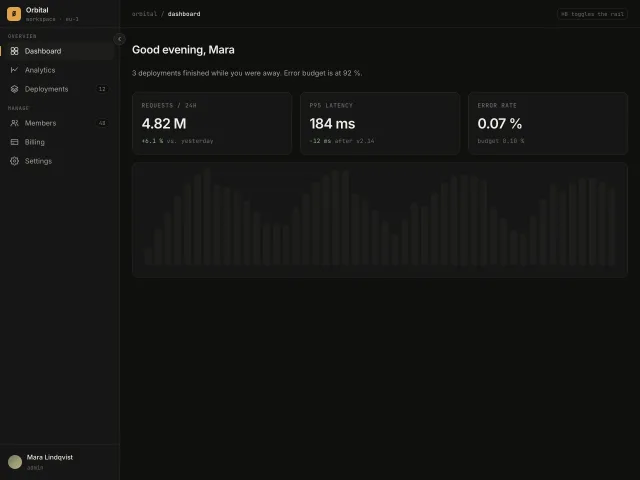
A 240px app sidebar that collapses to a 64px icon rail with hover tooltips, an accent active-route bar and a ⌘B shortcut.
Sidebar with workspace switcher
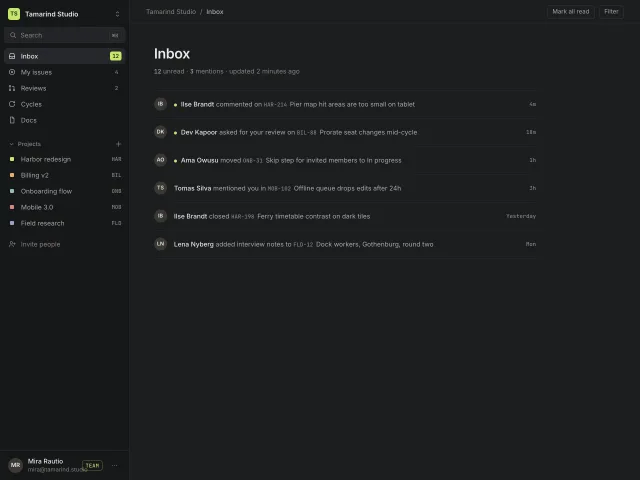
A 260px dark app sidebar: workspace switcher popover, ⌘K search, counted inbox items, a collapsing Projects group and a pinned user row with plan badge.
Chat history sidebar
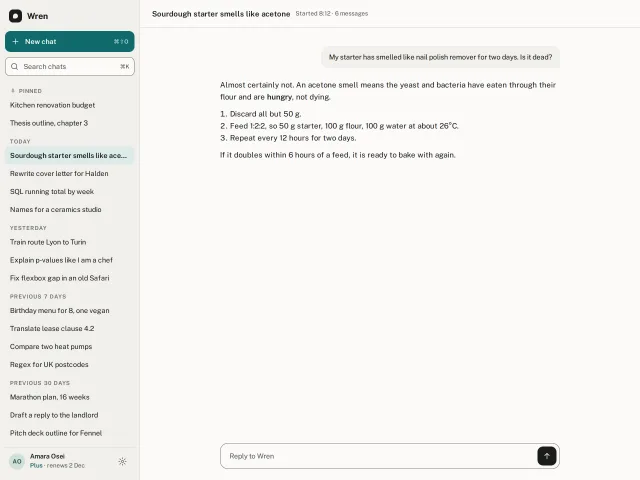
An AI chat sidebar: teal New chat, live search with highlighted matches, history grouped Pinned, Today, Yesterday, 7 and 30 days, hover pin, rename and delete with undo.
Command palette
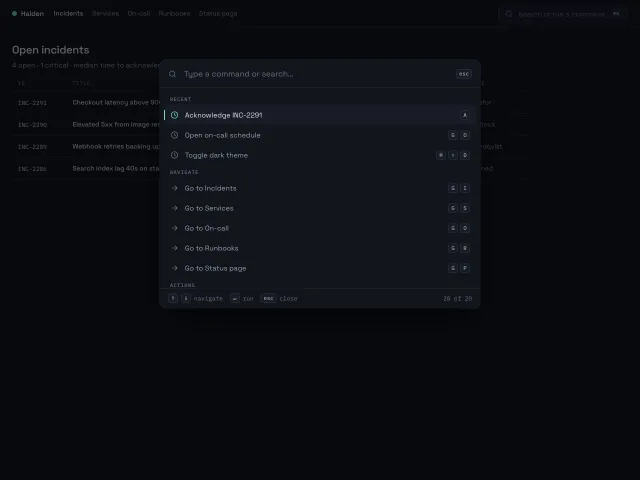
A ⌘K command palette that opens with a 200ms scale-and-fade, fuzzy-filters 20 grouped commands, and is fully driven from the keyboard with shortcut hints on the right.
Mail folders sidebar
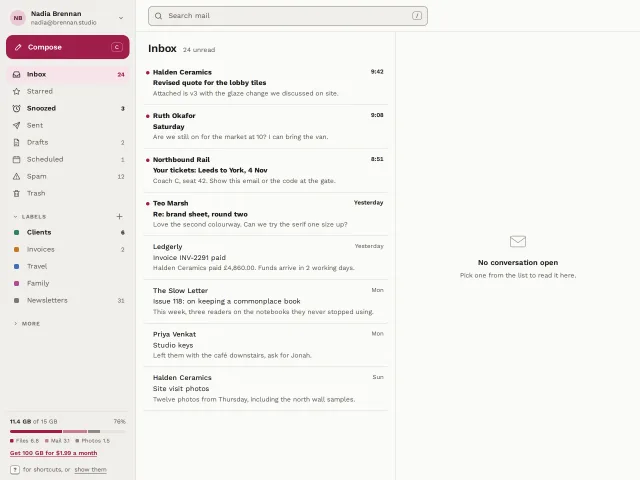
An email app sidebar: account row, raspberry Compose, folders with unread counts, collapsible labels with colour chips, a split storage meter and G-then-I shortcuts.
Avatar stack with presence
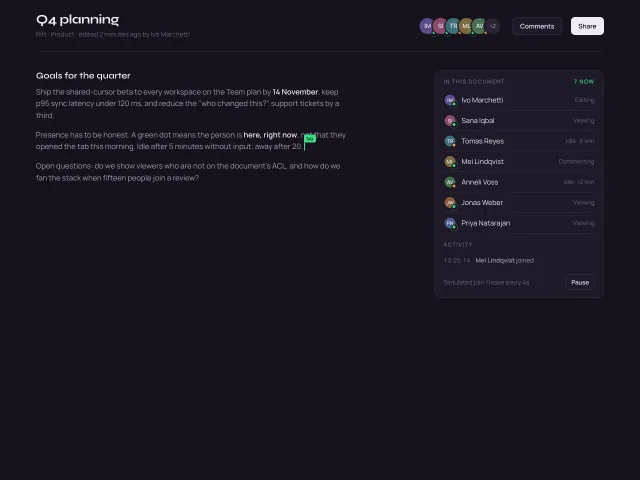
Overlapping initials avatars with a +N overflow chip, hover fans them apart, pulsing green presence dots, name/status tooltips, and a simulated join or leave every 4s.