Nº 298 of 677
Live heart-rate tile
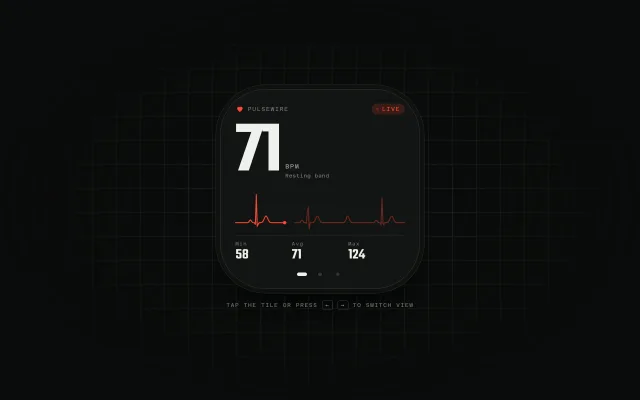
A dark watch-face tile with a sweeping ECG trace, a BPM that ticks every third beat, and a tap that cycles live, resting and zone views.
Preview
Use it
Free to use · credit appreciated1 Once, in your project · Node 22.20+
npx skills add SusanAcharya/Design-Lounge 2 Then ask
Using the Design Lounge skill, build "Live heart-rate tile" (piece widget-heart-rate) in my stack. Match its brief; restyle it onto my product's theme.
No skill? Paste the brief instead. It carries the numbers, tokens and behaviour.
<!-- Design Lounge Nº 298 · "Live heart-rate tile" · www.designlounge.live -->

# Live heart-rate tile

> **Build brief for a coding agent.** Rebuild this piece in the reader's stack. If they haven't said which stack, ask once, then default to semantic HTML + CSS + a little vanilla JS. Match the numbers below; don't "improve" them.

## What it is

A square, watch-face style health tile for a fictional tracker called Pulsewire. It sits on a home screen, a watch, or a dashboard rail and answers one question: what is my heart doing right now. The live view shows a huge condensed BPM, an ECG trace drawn by a sweeping write-head (like a bedside monitor, not a scrolling ticker), and min/avg/max. Tapping the tile cycles to a 7-day resting view and a zones-today view. The detail worth copying is the sweep: new signal is written left to right over the old one, with a 10-sample gap ahead of the head and the old trace dimmed to 38%, so it reads as a real instrument.

## Reference behaviour

1. Initial state: Live view. BPM reads 72, the ECG trace is already two-thirds drawn (head at sample 118 of 180), the old trace to the right of the gap is dim.
2. The write-head advances continuously: one full width every 3200ms. Each sample is computed from a synthetic PQRST waveform at the current BPM.
3. On every R peak the small heart glyph in the top-left scales 1 → 1.35 → 1 over 300ms.
4. Every third beat, BPM random-walks by −2…+2 inside 64–84 and the number replays a 260ms settle animation (6% drop + fade from 0.35).
5. Click or tap anywhere on the tile face, or press Enter/Space while it is focused: advance to the next view (Live → Resting → Zones → Live).
6. ArrowRight / ArrowLeft while the face is focused: next / previous view.
7. The three pager dots at the bottom jump straight to a view. The current dot stretches from 6px to 18px wide and turns `--ink`.
8. View change: the outgoing view fades and slides 4% left, the incoming one fades in from 4% right, 320ms.
9. Leaving Live pauses the sweep (no rAF while hidden). Returning resumes from where it stopped. Hidden tabs also pause.
10. Resting view: 54 BPM, "−3 BPM vs last week", seven day bars S–S, today (Saturday) in signal red.
11. Zones view: "77 min in zone", five rows Z5 → Z1 with minute counts 2/9/26/18/22 and bars scaled to the largest (26m = 100%), plus a footer line "Now 72 BPM · Z1 starts at 95" that follows the live number.
12. A polite live region announces "Live view", "Resting view" or "Zones view" on change.

## Structure

```
1280 × 800, near-black with 48px hairline grid, vignette
                ┌──────────── 400 × 400, radius 23% ───────────┐
                │ ♥ PULSEWIRE                        ● LIVE    │  top row, 2.9cqw mono caps
                │                                              │
                │ 72                  BPM                      │  37cqw condensed numeral
                │                     Resting band             │
                │ ─╯╰──╮╭─────── ●   ─╯╰──────╯╰───            │  trace, 23cqw tall
                │ ──────────────────────────────────────────   │  1px rule
                │ Min 58        Avg 71        Max 124          │  stats, 3 cols
                │                 ▬  •  •                      │  pager, bottom 3.6cqw
                └──────────────────────────────────────────────┘
                 8px outer bezel ring (box-shadow), 1px rule

… 169 more lines. Copy or download for the full brief. Loading the source…Brief
209 linesBuild brief for a coding agent. Rebuild this piece in the reader’s stack. If they haven’t said which stack, ask once, then default to semantic HTML + CSS + a little vanilla JS. Match the numbers below; don’t “improve” them.
What it is
A square, watch-face style health tile for a fictional tracker called Pulsewire. It sits on a home screen, a watch, or a dashboard rail and answers one question: what is my heart doing right now. The live view shows a huge condensed BPM, an ECG trace drawn by a sweeping write-head (like a bedside monitor, not a scrolling ticker), and min/avg/max. Tapping the tile cycles to a 7-day resting view and a zones-today view. The detail worth copying is the sweep: new signal is written left to right over the old one, with a 10-sample gap ahead of the head and the old trace dimmed to 38%, so it reads as a real instrument.
Reference behaviour
- Initial state: Live view. BPM reads 72, the ECG trace is already two-thirds drawn (head at sample 118 of 180), the old trace to the right of the gap is dim.
- The write-head advances continuously: one full width every 3200ms. Each sample is computed from a synthetic PQRST waveform at the current BPM.
- On every R peak the small heart glyph in the top-left scales 1 → 1.35 → 1 over 300ms.
- Every third beat, BPM random-walks by −2…+2 inside 64–84 and the number replays a 260ms settle animation (6% drop + fade from 0.35).
- Click or tap anywhere on the tile face, or press Enter/Space while it is focused: advance to the next view (Live → Resting → Zones → Live).
- ArrowRight / ArrowLeft while the face is focused: next / previous view.
- The three pager dots at the bottom jump straight to a view. The current dot stretches from 6px to 18px wide and turns
--ink. - View change: the outgoing view fades and slides 4% left, the incoming one fades in from 4% right, 320ms.
- Leaving Live pauses the sweep (no rAF while hidden). Returning resumes from where it stopped. Hidden tabs also pause.
- Resting view: 54 BPM, “−3 BPM vs last week”, seven day bars S–S, today (Saturday) in signal red.
- Zones view: “77 min in zone”, five rows Z5 → Z1 with minute counts 2/9/26/18/22 and bars scaled to the largest (26m = 100%), plus a footer line “Now 72 BPM · Z1 starts at 95” that follows the live number.
- A polite live region announces “Live view”, “Resting view” or “Zones view” on change.
Structure
1280 × 800, near-black with 48px hairline grid, vignette
                ┌──────────── 400 × 400, radius 23% ───────────┐
                │ ♥ PULSEWIRE                        ● LIVE    │  top row, 2.9cqw mono caps
                │                                              │
                │ 72                  BPM                      │  37cqw condensed numeral
                │                     Resting band             │
                │ ─╯╰──╮╭─────── ●   ─╯╰──────╯╰───            │  trace, 23cqw tall
                │ ──────────────────────────────────────────   │  1px rule
                │ Min 58        Avg 71        Max 124          │  stats, 3 cols
                │                 ▬  •  •                      │  pager, bottom 3.6cqw
                └──────────────────────────────────────────────┘
                 8px outer bezel ring (box-shadow), 1px rule
TAP THE TILE OR PRESS ← → TO SWITCH VIEW (11px caps, 22px below)main.stagecentres asection.tile(labelled “Pulsewire heart-rate widget”) and ap.hint..tileiscontainer-type: inline-size; every size inside is incqw, so the tile scales as one object.button.facecovers the whole tile (position:absolute; inset:0). It holds threespan.viewpanels stacked in one grid cell. Use spans inside the button (buttons only allow phrasing content).nav.pager(labelled “Widget views”) is a sibling of the face, positioned over it withz-index:2, holding threebutton.dot.- The trace is an inline
svg(viewBox 0 0 300 80,preserveAspectRatio="none") with a dashed baseline at y=58, twopolylines (new, old) and a 3pxcirclehead.
Tokens
:root {
  --bg: #0a0c0b;          /* stage */
  --tile: #121513;        /* tile surface */
  --tile-2: #181c19;
  --line: #232924;        /* grid, rules */
  --line-2: #2f3631;      /* tile border, idle bars, idle dots */
  --ink: #eef2ec;         /* numerals */
  --ink-2: #a3aca2;       /* secondary text */
  --ink-3: #717a70;       /* labels */
  --signal: #ff4632;      /* the one accent: trace, heart, live pill, today bar */
  --signal-soft: rgba(255, 70, 50, .16);
  --z1: #3a423b; --z2: #5d675d; --z3: #a3aca2; --z4: #ff9a80; --z5: #ff4632;
  --display: "Teko", "Arial Narrow", sans-serif;
  --mono: "Azeret Mono", ui-monospace, monospace;
  --tile-size: min(400px, calc(100vw - 48px));
  --tile-radius: 23%;
  --ease: cubic-bezier(.2, .7, .2, 1);
  --ease-out: cubic-bezier(.16, 1, .3, 1);
  --t-micro: 160ms;
  --t-view: 320ms;
  --sweep: 3200ms;        /* one trace width */
}
Type scale (container units, tile = 100cqw): 37cqw live numeral, 30cqw resting numeral, 15cqw zones total, 7.4cqw stat values, 3.1cqw unit, 2.9cqw top row, 2.5–2.8cqw labels. Spacing is in cqw too: padding 7cqw top, 7.5cqw sides, 13cqw bottom (room for the pager).
Typography
| Role | Family | Size | Weight | Line-height | Tracking | Case |
|---|---|---|---|---|---|---|
| Live BPM | Teko | 37cqw (148px at 400) | 600 | .78 | −0.025em | tabular nums |
| Resting BPM | Teko | 30cqw | 600 | .78 | −0.025em | — |
| Zones total | Teko | 15cqw | 600 | .9 | 0 | — |
| Stat value | Teko | 7.4cqw | 600 | 1 | 0 | — |
| Top row | Azeret Mono | 2.9cqw | 400 | 1 | 0.14em | uppercase |
| Unit “BPM” | Azeret Mono | 3.1cqw | 400 | 1 | 0.12em | uppercase |
| Labels / rows | Azeret Mono | 2.5–2.8cqw | 400/500 | 1.2 | 0.06–0.14em | mixed |
| Hint | Azeret Mono | 11px | 400 | 2 | 0.14em | uppercase |
Numbers are the condensed face. Everything else is mono. Do not set labels in the condensed face.
Motion
| Thing | Trigger | Property | From → to | Duration | Easing | Reduced motion |
|---|---|---|---|---|---|---|
| ECG write-head | rAF while Live visible | samples written into a 180-slot ring buffer | head 0 → 179, wraps | 3200ms per width | linear in time (it’s a signal) | static full trace, no head motion |
| Heart glyph | each R peak | transform scale | 1 → 1.35 → 1 | 300ms | expo out | none |
| BPM tick | every 3rd beat | translateY, opacity | −6%, .35 → 0, 1 | 260ms | expo out | number swaps instantly |
| Live pill dot | always | opacity | 1 ↔ .25 | 1.6s, steps(2) | stepped | none |
| View change | tap / arrows / dot | opacity, translateX | 0, +4% → 1, 0; outgoing → −4% | 320ms | opacity standard, transform expo out | instant swap |
| Pager dot | view change | width, background | 1.8cqw → 5cqw | 320ms | expo out | instant |
The sweep is the only continuous movement on the page. It is calm: one pass per 3.2s, a 2px line.
States
- Face hover: cursor pointer, no visual change (the whole tile is the hit area; adding a hover tint makes the instrument look like a button).
- Face focus-visible: 2px
--signaloutline, 6px offset, following the 23% radius. - Dot resting: 1.8cqw circle,
--line-2. Hover:--ink-3. Current: 5cqw pill,--ink,aria-current="true". Focus-visible: 2px--signaloutline on the 9×7cqw hit box. - Live: red “LIVE” pill with a stepped blinking dot.
- Resting: today’s bar is
--signal, the label under it turns--ink. - Zones: bars use
--z1…--z5, grey to red, so only the hard zones carry the accent. - Paused (hidden tab or other view): the buffer keeps its last state; nothing redraws.
Accessibility
- The face is a real
button. Itsaria-labelis rebuilt on every view change and BPM change: “Heart rate 72 BPM, live. Activate to show resting.” Do not put the BPM in a live region; it would chatter every 2.5s. - Polite live region announces only the view name.
- The trace svg is
role="img"with “Electrocardiogram trace, steady rhythm”. The heart glyph isaria-hidden. - Keyboard: Tab reaches the face, then the three dots. Enter/Space on face = next view. ArrowLeft/ArrowRight on face = previous/next. Enter on a dot = that view.
- Hidden views get
aria-hidden="true". - Contrast:
#eef2econ#121513≈ 16:1;#a3aca2≈ 8:1;#717a70labels ≈ 4.3:1 at caps tracking, used only for labels, never body copy. - Hit targets: face is the full tile; dots are 9cqw × 7cqw (36 × 28px at 400).
Responsive rules
- ≥1280: tile 400px, centred, hint below.
- 1024 / 768: unchanged, the tile is fixed size.
- <640: tile becomes
calc(100vw − 48px); all internals scale throughcqw. At 375 wide the tile is 327px and the numeral is ~121px. - Hint text centres and wraps with 16px side padding.
- Never let the tile stretch to a rectangle:
aspect-ratio: 1always. - On a real watch, drop the bezel ring and hint; the face fills the screen.
Acceptance checklist
Always
- The tile is square, radius 23%, and every inner size is in container units.
- The trace is drawn by a write-head that overwrites old samples, with a visible gap ahead of the head and the old trace at reduced opacity.
- The whole face is one button; the pager is a separate nav with one button per view.
- Tap / Enter / Space advances the view; ArrowLeft/ArrowRight go back/forward.
- The current view’s dot is wider and has
aria-current="true". - Only one accent colour; zone bars ramp from neutral to accent.
- Animation stops when the live view is hidden or the document is hidden.
- Reduced motion: static trace, no beat pulse, no slide; values still update.
- Focus ring visible on face and dots.
This demo
- Brand label “Pulsewire”, live pill “LIVE”.
- BPM starts at 72 and stays inside 64–84.
- Sweep is 3200ms per width over 180 samples with a 10-sample gap.
- Stats read Min 58, Avg 71, Max 124.
- Resting view: 54 BPM, “−3 BPM vs last week”, Saturday bar red.
- Zones: 77 min total, 2 / 9 / 26 / 18 / 22 minutes for Z5 → Z1.
Implementation notes
The PQRST waveform. Five gaussians on a 0–1 beat phase is enough to read as an ECG. Phase advances by (sweep / N) / (60000 / bpm) per sample.
const g = (p, c, w, a) => a * Math.exp(-((p - c) ** 2) / (2 * w * w));
const ecg = p => g(p,.12,.022,.10)   // P
              + g(p,.232,.007,-.10)  // Q
              + g(p,.255,.009,1)     // R
              + g(p,.28,.009,-.26)   // S
              + g(p,.47,.038,.24);   // T
function step() {
  const prev = phase;
  phase += (SWEEP / N) / (60000 / bpm);
  if (prev < .255 && phase >= .255) onBeat(); // R peak
  if (phase >= 1) phase -= 1;
  buf[head] = ecg(phase);
  head = (head + 1) % N;
}
The sweep render. Two polylines from one ring buffer: indices 0…head-1 are new, head+GAP…N-1 are old. Use vector-effect: non-scaling-stroke because the svg is stretched with preserveAspectRatio="none".
function draw() {
  const pt = i => `${i/(N-1)*300},${58 - buf[i]*50}`;
  const a = [], b = [];
  for (let i = 0; i < head; i++) a.push(pt(i));
  for (let i = head + GAP; i < N; i++) b.push(pt(i));
  pNew.setAttribute('points', a.join(' '));
  pOld.setAttribute('points', b.join(' '));
}
Drive it with rAF and an accumulator (acc += dt / SWEEP * N; while (acc >= 1) step()), clamping dt to 64ms so a background tab doesn’t dump a burst of samples on return.
Container units. Put container-type: inline-size on the tile and size everything in cqw. A fixed 148px numeral breaks the moment the tile is placed in a 2×2 grid.
Common mistakes:
- Scrolling the whole trace left (ticker style). That reads as a stock chart, not a monitor.
- Animating the BPM every frame or every beat. Every third beat is calm enough.
- Nesting the pager buttons inside the face button (invalid, and the dots become unreachable).
- Using
easeor a spring on the trace; it is a signal, keep it linear in time. - Putting the BPM in
aria-live. - Red everywhere. Red is the trace, the heart, the live pill, and one bar.
Details
- Palette
- Type
- Teko · Azeret Mono
- Motion
- Rich motion
- Stack
- Plain HTML, CSS and vanilla JS. No framework or packages, so nothing to clash with your versions.
- Build
- One session
- Tags
On the shelves
Similar
Sleep score with scrubbable hypnogram
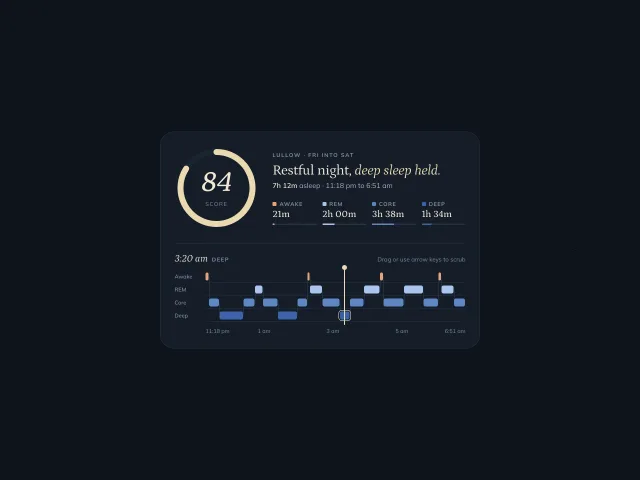
A night-blue sleep card: a moon-cream score ring that fills to 84, four stage totals, and a stepped hypnogram you drag or arrow through to read the time and stage.
Sticker activity rings
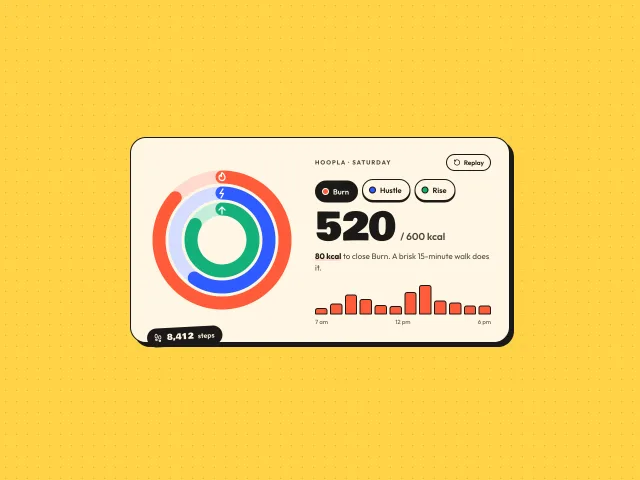
Three chunky concentric rings, Burn, Hustle and Rise, that spring-fill on load on a cream sticker card; tap a ring or pill for its detail and hourly bars.
Paper hydration tumbler
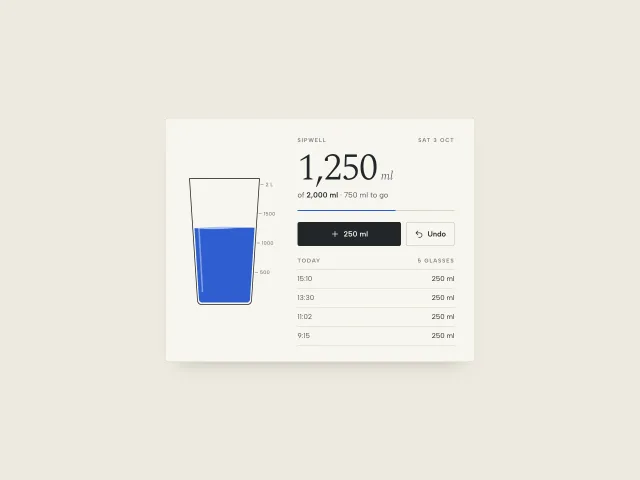
A paper-minimal water widget: an outlined tumbler whose liquid sloshes and rises on +250 ml, a 2 L goal, a dated log and a one-step undo.
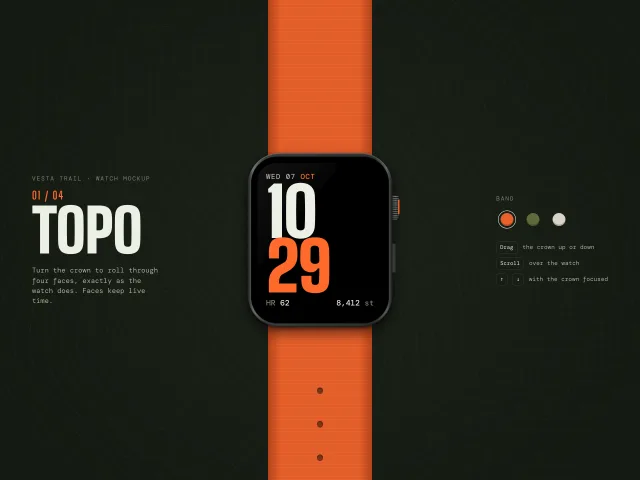
Watch crown mockup
A CSS smartwatch with strap, crown and side button; turn the crown (drag, scroll, arrows) to roll through four live faces with snap and rubber-banding.
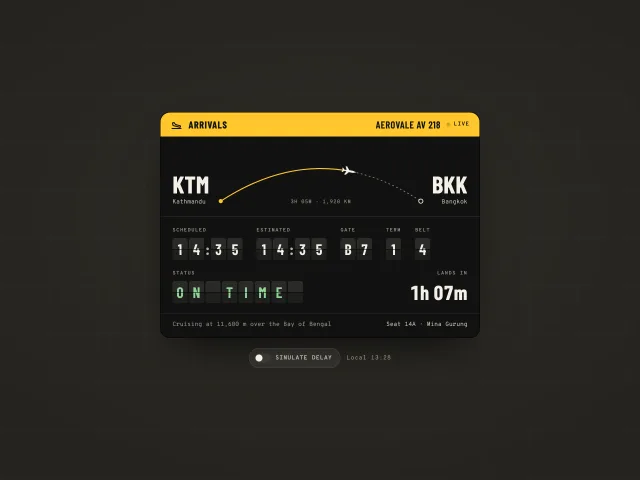
Flight arrival split-flap widget
An airport-signage flight widget: a plane rides a route arc, times and gate flip on split-flap cells, and a delay toggle re-flips the board.
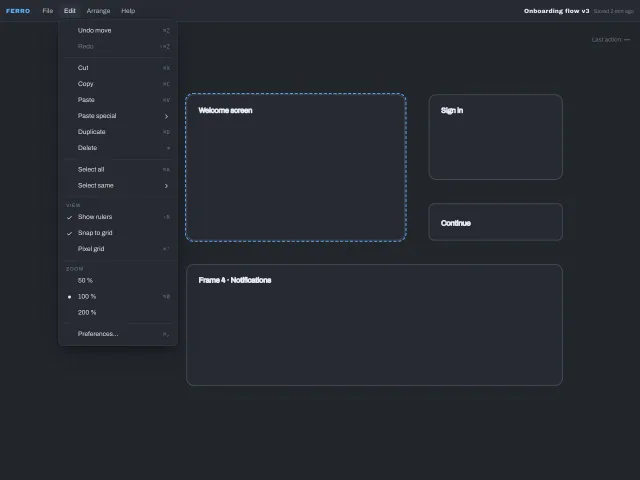
Nested dropdown menu
An application menubar with click-to-open menus, hover submenus guarded by a safe-triangle delay, check and radio items, a shortcuts column and complete keyboard support including typeahead.