Nº 600 of 605
Dashboard with assistant insights
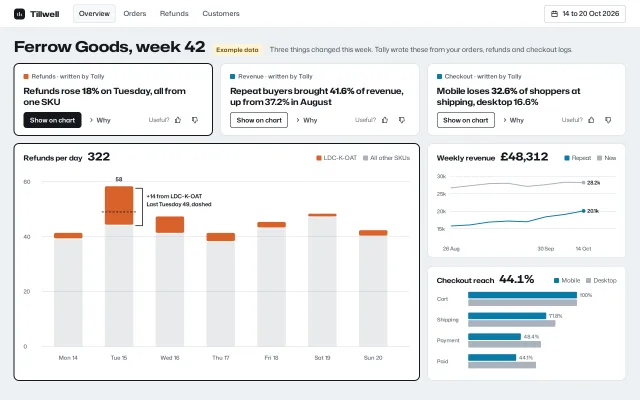
A weekly shop dashboard where an assistant writes three insight cards above the charts; each card lights its chart, explains why, and takes feedback.
Preview
Use it
Free to use · credit appreciated1 Once, in your project · Node 22.20+
npx skills add SusanAcharya/Design-Lounge 2 Then ask
Using the Design Lounge skill, build "Dashboard with assistant insights" (piece dashboard-ai-insights) in my stack. Match its brief; restyle it onto my product's theme.
No skill? Paste the brief instead. It carries the numbers, tokens and behaviour.
<!-- Design Lounge Nº 600 · "Dashboard with assistant insights" · www.designlounge.live -->

# Dashboard with assistant insights

> **Build brief for a coding agent.** Rebuild this piece in the reader's stack. If they haven't said which stack, ask once, then default to semantic HTML + CSS + a little vanilla JS. Match the numbers below; don't "improve" them.

## What it is

The overview screen of Tillwell, a shop analytics tool, showing one week for an invented homewares shop, Ferrow Goods. Above the charts sit three insight cards written by the built-in assistant, Tally. Each headline holds one number in heavy weight ("Refunds rose **18%** on Tuesday, all from one SKU"). Each card has a "Show on chart" button that lights the chart it refers to: a 2px ink ring on the panel, every other mark drops to 28% opacity, and an annotation fades in at the exact bar or point. A "Why" disclosure shows the evidence, and a thumbs pair takes feedback. The detail worth copying: the card does not restate the chart. It points at a region of the chart, and the chart shows it. A yellow "Example data" tag sits next to the title.

## Reference behaviour

1. Initial state: card 1 (Refunds) is linked. Its "Show on chart" button is pressed (ink fill), the card has a 2px ink ring, and the Refunds panel is lit: grey "All other SKUs" bars are at 28% opacity, orange LDC-K-OAT segments stay full, and the Tuesday annotation is visible ("58" above the bar, a dashed line at last Tuesday's 49, a bracket and the label "+14 from LDC-K-OAT").
2. Click "Show on chart" on another card: the previous link clears, the new card and its panel light. Clicking the pressed button again clears all highlights and every mark returns to full opacity. Marks fade over 320ms.
3. Revenue link: the New line dims, the Repeat line stays, and a dashed vertical line labelled "Reminder on" appears between the 23 Sep and 30 Sep weeks.
4. Checkout link: Desktop bars dim, Mobile bars stay, and a bracket from Shipping (71.8%) to Payment (48.4%) appears with "−32.6%".
5. "Why" is a native `<details>`. Opening it rotates the chevron 90° and drops a panel over the content below (absolutely positioned, flush to the card's sides, 1px border, no top border, shadow below), fading and sliding 4px in over 200ms. The panel holds one or two sentences of evidence with counts.
6. The thumbs pair is a group "Was this useful?". Pressing one fills it ink with a white icon, unpresses the other, changes the label from "Useful?" to "Thanks", and announces "Thanks, Tally will use this next week". Pressing it again clears it.
7. Hovering any bar or point shows a native tooltip with day, series and value; the hovered mark goes to 80% opacity.
8. Below 900px wide, everything is one column; clicking "Show on chart" also scrolls the panel into view (instantly under reduced motion). The refunds chart keeps a 640px minimum width and scrolls sideways inside its panel.

## Structure

```
1280 × 800
┌──────────────────────────────────────────────────────────────────────────┐
│ ▮ Tillwell  [Overview] Orders Refunds Customers        [▦ 14 to 20 Oct] │ 56
├──────────────────────────────────────────────────────────────────────────┤
│ Ferrow Goods, week 42  [Example data]  Three things changed this week…   │ 30px h1
│ ┌─────────────────────┐ ┌─────────────────────┐ ┌─────────────────────┐  │
│ │■ Refunds · Tally    │ │■ Revenue · Tally    │ │■ Checkout · Tally   │  │ ~144
│ │Refunds rose 18% …   │ │Repeat buyers 41.6%… │ │Mobile loses 32.6% … │  │
│ │[Show on chart] ›Why │ │[Show] ›Why   [+][-]  │ │[Show] ›Why   [+][-]  │  │
│ └─────────────────────┘ └─────────────────────┘ └─────────────────────┘  │
│ ┌───────────────────────────────────────────┐ ┌─────────────────────┐    │
│ │ Refunds per day 322        ■LDC ■Other    │ │ Weekly revenue      │    │
│ │  stacked bars × 7 days, 0–60 scale        │ │ 2 lines × 8 weeks   │    │
│ │                                           │ ├─────────────────────┤    │
│ │                                           │ │ Checkout reach      │    │
│ │                                           │ │ paired bars × 4     │    │

… 160 more lines. Copy or download for the full brief. Loading the source…Brief
200 linesBuild brief for a coding agent. Rebuild this piece in the reader’s stack. If they haven’t said which stack, ask once, then default to semantic HTML + CSS + a little vanilla JS. Match the numbers below; don’t “improve” them.
What it is
The overview screen of Tillwell, a shop analytics tool, showing one week for an invented homewares shop, Ferrow Goods. Above the charts sit three insight cards written by the built-in assistant, Tally. Each headline holds one number in heavy weight (“Refunds rose 18% on Tuesday, all from one SKU”). Each card has a “Show on chart” button that lights the chart it refers to: a 2px ink ring on the panel, every other mark drops to 28% opacity, and an annotation fades in at the exact bar or point. A “Why” disclosure shows the evidence, and a thumbs pair takes feedback. The detail worth copying: the card does not restate the chart. It points at a region of the chart, and the chart shows it. A yellow “Example data” tag sits next to the title.
Reference behaviour
- Initial state: card 1 (Refunds) is linked. Its “Show on chart” button is pressed (ink fill), the card has a 2px ink ring, and the Refunds panel is lit: grey “All other SKUs” bars are at 28% opacity, orange LDC-K-OAT segments stay full, and the Tuesday annotation is visible (“58” above the bar, a dashed line at last Tuesday’s 49, a bracket and the label “+14 from LDC-K-OAT”).
- Click “Show on chart” on another card: the previous link clears, the new card and its panel light. Clicking the pressed button again clears all highlights and every mark returns to full opacity. Marks fade over 320ms.
- Revenue link: the New line dims, the Repeat line stays, and a dashed vertical line labelled “Reminder on” appears between the 23 Sep and 30 Sep weeks.
- Checkout link: Desktop bars dim, Mobile bars stay, and a bracket from Shipping (71.8%) to Payment (48.4%) appears with “−32.6%”.
- “Why” is a native
<details>. Opening it rotates the chevron 90° and drops a panel over the content below (absolutely positioned, flush to the card’s sides, 1px border, no top border, shadow below), fading and sliding 4px in over 200ms. The panel holds one or two sentences of evidence with counts. - The thumbs pair is a group “Was this useful?”. Pressing one fills it ink with a white icon, unpresses the other, changes the label from “Useful?” to “Thanks”, and announces “Thanks, Tally will use this next week”. Pressing it again clears it.
- Hovering any bar or point shows a native tooltip with day, series and value; the hovered mark goes to 80% opacity.
- Below 900px wide, everything is one column; clicking “Show on chart” also scrolls the panel into view (instantly under reduced motion). The refunds chart keeps a 640px minimum width and scrolls sideways inside its panel.
Structure
1280 × 800
┌──────────────────────────────────────────────────────────────────────────┐
│ ▮ Tillwell  [Overview] Orders Refunds Customers        [▦ 14 to 20 Oct] │ 56
├──────────────────────────────────────────────────────────────────────────┤
│ Ferrow Goods, week 42  [Example data]  Three things changed this week…   │ 30px h1
│ ┌─────────────────────┐ ┌─────────────────────┐ ┌─────────────────────┐  │
│ │■ Refunds · Tally    │ │■ Revenue · Tally    │ │■ Checkout · Tally   │  │ ~144
│ │Refunds rose 18% …   │ │Repeat buyers 41.6%… │ │Mobile loses 32.6% … │  │
│ │[Show on chart] ›Why │ │[Show] ›Why   [+][-]  │ │[Show] ›Why   [+][-]  │  │
│ └─────────────────────┘ └─────────────────────┘ └─────────────────────┘  │
│ ┌───────────────────────────────────────────┐ ┌─────────────────────┐    │
│ │ Refunds per day 322        ■LDC ■Other    │ │ Weekly revenue      │    │
│ │  stacked bars × 7 days, 0–60 scale        │ │ 2 lines × 8 weeks   │    │
│ │                                           │ ├─────────────────────┤    │
│ │                                           │ │ Checkout reach      │    │
│ │                                           │ │ paired bars × 4     │    │
│ └───────────────────────────────────────────┘ └─────────────────────┘    │
└──────────────────────────────────────────────────────────────────────────┘
 padding 20/28 · 3-column grid, 16px gaps · refunds spans 2 columns and 2 rows
<header class="top">: brand mark (22px ink square, bar-chart glyph),<nav aria-label="Reports">witharia-currenton Overview, a date-range<button>with a 1px border.<main>:.head(h1, Example data tag, one-line lead),<section aria-label="Insights">with three<article class="ins" data-to="panel-id">, then<section aria-label="Charts">with three<figure class="panel">.- Each card: source line with a 10px swatch in the series colour of the chart it links,
h2headline,.actsrow:<button class="show" aria-pressed aria-controls>,<details><summary>Why</summary>,.fbfeedback group pushed right withmargin-left:auto. - Each panel: header (h3, headline value in Hubot Sans 22px, legend), then an inline SVG with
role="img"and a fullaria-labelsentence. Marks carry classm, the linked series alsof, annotations sit in<g class="ann">.
Tokens
:root {
  /* surfaces */
  --bg: #edf0f3;          /* page */
  --surface: #ffffff;     /* cards, panels, top bar */
  --surface-2: #f6f8fa;   /* hover fill, current tab */
  --line: #d8dee5;        /* card borders, grid lines */
  --line-2: #c3ccd5;      /* date button border, Why panel border */
  /* ink */
  --ink: #14181d;         /* text, pressed fill, link ring, annotations */
  --ink-2: #46505b;       /* secondary text */
  --ink-3: #5d6873;       /* axis labels, meta (5.6:1 on white) */
  /* data: validated pair, plus a context grey */
  --c1: #0a7ba6;          /* mobile, repeat buyers */
  --c2: #d9622b;          /* LDC-K-OAT */
  --rest: #a9b2bc;        /* everything else; always direct-labelled */
  --dim: .28;             /* opacity of unlinked marks */
  /* example tag */
  --note: #fff4d6; --note-ink: #6b4a00;
  /* type */
  --display: "Hubot Sans", system-ui, sans-serif;
  --text: "Mona Sans", system-ui, sans-serif;
  --fs-h1: 30px; --fs-insight: 17px; --fs-value: 22px; --fs-h3: 14px; --fs-body: 14px; --fs-small: 13px; --fs-meta: 12px; --fs-axis: 11px;
  /* space and shape */
  --pad: 28px; --gap: 16px; --card-pad: 16px 18px 14px;
  --r: 10px; --r-sm: 6px;
  --ring: 0 0 0 1px var(--ink);           /* plus 1px ink border = 2px ring */
  --sh-why: 0 14px 24px -12px rgba(20,24,29,.25);
  /* motion */
  --ease: cubic-bezier(.2,.7,.2,1);
  --t: 200ms; --t-lay: 320ms;
}
Typography
| Role | Family | Size | Weight | Width | Line-height | Case |
|---|---|---|---|---|---|---|
| Page title | Hubot Sans | 30px | 700 | 118% | 1.1 | sentence |
| Insight headline | Hubot Sans | 17px | 650 | 104% | 1.3 | sentence |
| Headline number | Hubot Sans | 17px | 800 | 104% | 1.3 | numerals |
| Panel title | Hubot Sans | 14px | 650 | 108% | 1.3 | sentence |
| Panel value | Hubot Sans | 22px | 700 | 112% | 1 | tabular |
| Brand | Hubot Sans | 16px | 700 | 112% | 1 | sentence |
| Body, nav, buttons | Mona Sans | 14px / 13px | 500–600 | 100% | 1.45 | sentence |
| Source line, legend | Mona Sans | 12px | 600 / 400 | 100% | 1.45 | sentence |
| Axis labels | Mona Sans | 11px | 500 | 100% | 1 | sentence |
Motion
| Element | Trigger | Property | From → To | Duration | Easing |
|---|---|---|---|---|---|
| Unlinked marks | Show on chart | opacity | 1 → .28 | 320ms | --ease |
.ann group | Show on chart | opacity | 0 → 1 | 320ms | --ease |
| Card, panel | link on / off | border, box-shadow | --line → --ink + 1px ring | 200ms | --ease |
| Why chevron | details toggle | rotate | 0 → 90° | 200ms | --ease |
| Why panel | details open | opacity, translateY | 0, −4px → 1, 0 | 200ms | --ease |
| Show button | pressed | background, colour | white → ink, ink → white | 200ms | --ease |
| Panel scroll | link on, width < 900px | scrollIntoView | smooth | browser | — |
Reduced motion: transitions and the Why animation drop to 1ms; scroll is instant.
States
- Show on chart, rest: white fill, 1px ink border, 32px tall. Hover:
--surface-2. Pressed: ink fill, white text. - Card linked: border
--inkplus0 0 0 1pxink shadow. Same on the panel. - Panel lit: marks without
.fat opacity .28;.annat 1. No linked panel: every mark at 1, annotations hidden. - Why open: chevron rotated, evidence panel visible over the content below.
- Feedback pressed: 32px square, ink fill, white icon; label reads “Thanks”.
- Focus-visible: 2px ink outline, 2px offset, on every button, summary and link.
- Hover a mark: opacity .8 and a native tooltip.
Accessibility
- “Show on chart” is a toggle button with
aria-pressedandaria-controlsnaming the panel’s id. A polite live region says “Highlighted on Refunds per day”. - “Why” uses native
<details>/<summary>, so Enter and Space work without script. - Feedback buttons sit in
role="group"witharia-label="Was this useful?", each witharia-labelandaria-pressed. - Every chart SVG is
role="img"with anaria-labelsentence that states the numbers the insight relies on. - Identity is never colour alone: each two-series chart has a legend and direct end labels; the linked series also keeps full opacity while others dim.
- Contrast:
--ink-3on white 5.6:1;--note-inkon--note7.4:1;--c1and--c2are at least 3:1 on white as marks. - Tab order: tabs, date range, then per card Show, Why, Useful, Not useful, left to right.
Responsive rules
- ≥ 1280: as specified.
- 1024–1279: same grid; insight headlines may wrap to three lines.
- 900–1023: same grid, refunds panel stays two columns wide.
- < 900 (390 phones): one column; cards, then Refunds, Revenue, Checkout. The top bar keeps Overview and Orders and shows the date button as an icon. The refunds chart keeps a 640px minimum width and scrolls inside its panel (
overflow-x:auto); the page itself never scrolls sideways. Title 24px.
Acceptance checklist
Always
- Exactly three insight cards sit above the charts, each with one bold number in its headline.
- Each card’s “Show on chart” toggles
aria-pressed, rings its card and its panel, and dims all other marks to 28% over 320ms. - Only one card is linked at a time; pressing the linked button again clears everything.
- The annotation for the linked insight appears on the exact bar, point or step it names.
- “Why” is a native disclosure; closed content is
display:none. - Feedback is a two-button group with exclusive
aria-pressedand a visible “Thanks”. - An “Example data” tag sits beside the page title.
- No horizontal page scroll at 390; the wide chart scrolls inside its own panel.
- Reduced motion removes transitions and smooth scroll.
This demo
- Headlines: “Refunds rose 18% on Tuesday, all from one SKU”, “Repeat buyers brought 41.6% of revenue, up from 37.2% in August”, “Mobile loses 32.6% of shoppers at shipping, desktop 16.6%”.
- Refunds per day totals 322; Tuesday is 44 + 14 = 58 against 49 the Tuesday before.
- Weekly revenue reads £48,312; repeat ends at 20.1k, new at 28.2k.
- Checkout reach mobile 100, 71.8, 48.4, 44.1; desktop 100, 80.2, 66.9, 62.3.
Implementation notes
- One linked insight, driven by data attributes. Each card names its panel; one function clears every link and sets the new one, so cards never disagree with panels.
function link(card, on) {
  cards.forEach(c => {
    const me = c === card && on;
    c.classList.toggle('on', me);
    c.querySelector('.show').setAttribute('aria-pressed', me);
    document.getElementById(c.dataset.to)?.classList.toggle('lit', me);
  });
}- Dim in CSS, not by recolouring. Give every mark
.m, the series the insight is about.f, and annotations.ann. The lit panel does the rest; nothing is repainted, so colour still follows the entity.
.ch .m   { transition: opacity 320ms var(--ease); }
.lit .ch .m:not(.f) { opacity: .28; }
.ch .ann { opacity: 0; transition: opacity 320ms var(--ease); }
.lit .ch .ann { opacity: 1; }- The Why panel overlays, it does not reflow. Position the details content against the card so opening it does not push the charts down, and hide it when closed, or some engines keep a 24px-wide ghost box that a layout checker reads as a collapsed column.
.ins { position: relative; }
.why { position: absolute; left: -1px; right: -1px; top: calc(100% - 6px); z-index: 4;
  background: #fff; border: 1px solid var(--line-2); border-top: 0;
  border-radius: 0 0 10px 10px; padding: 4px 18px 14px; }
details:not([open]) .why { display: none; }
Common mistakes: writing the insight as a paragraph that repeats the chart; colouring the insight text in the series colour (text stays ink, the 10px swatch carries the link); and a dual-axis chart for revenue and share. Show the share in words and the money on one axis.
Details
- Palette
- Type
- Hubot Sans · Mona Sans
- Motion
- Subtle motion
- Build
- One session
- Tags
Similar
Analytics dashboard overview
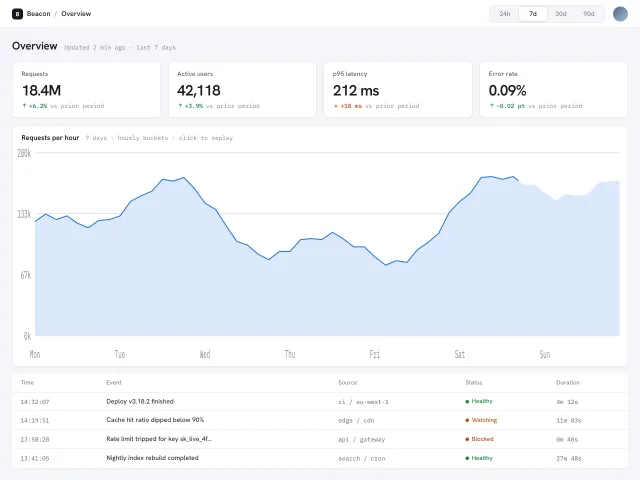
Light analytics overview: four KPI tiles, a single-series area chart drawn as inline SVG with an animated stroke, a crosshair tooltip, a recent-events table and a sliding date-range segmented control.
Swiss grid pricing
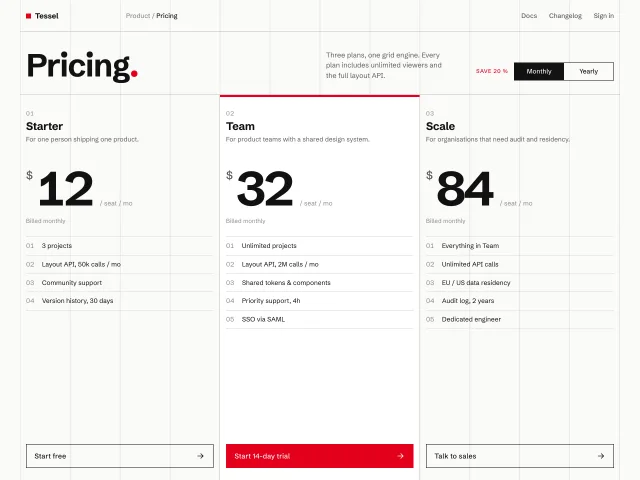
Pricing page on a visible 12-column hairline grid: three tiers in strict 4-column blocks, numbered features, red accent, and a monthly/yearly switch that tweens the prices.
Architect index with plan drawings
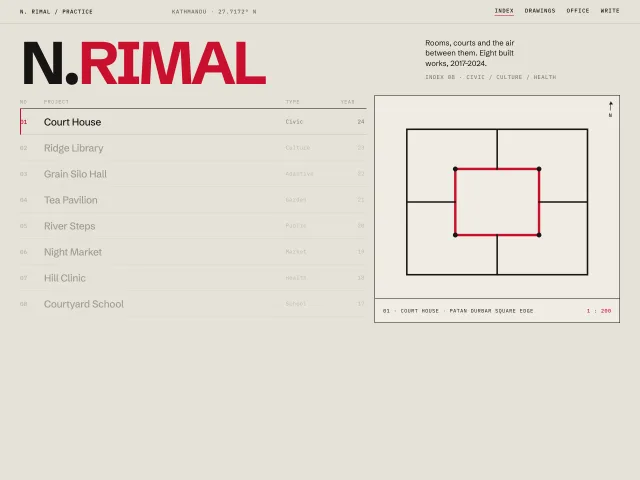
A Swiss architect index: 120px wordmark, an 8-row 12-column project list, and a sticky right panel that crossfades a geometric plan on hover.
AI chat workspace
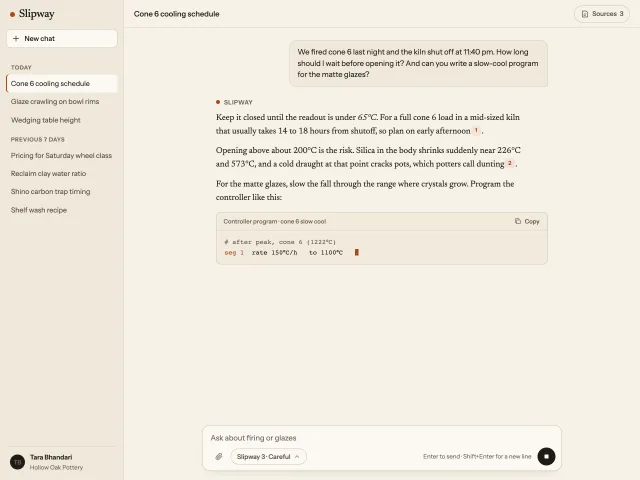
A warm paper AI assistant: history sidebar, a serif answer that streams in with a Stop button, numbered citations that open a sources panel, and a composer.
App icon spec sheet
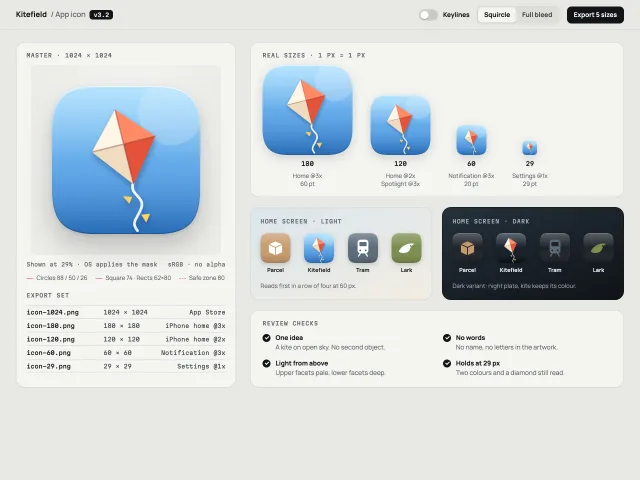
One app icon as a review page: a 1024 master with a keyline overlay and mask toggle, real-pixel sizes, light and dark home screens, and the export set.
Architecture studio index
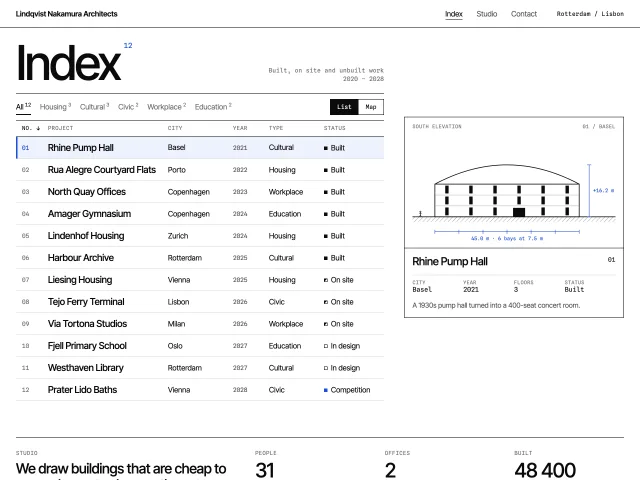
A Swiss studio index: sortable, filterable project table whose selected row drives a true-scale SVG elevation that slides to follow it, plus a map view.