Nº 557 of 605
Before and after restoration slider
One large before/after photo comparison with a draggable, keyboard-driven divider, beside three proof chips that switch each fix off and on.
Preview
Use it
Free to use · credit appreciated1 Once, in your project · Node 22.20+
npx skills add SusanAcharya/Design-Lounge 2 Then ask
Using the Design Lounge skill, build "Before and after restoration slider" (piece features-before-after-slider) in my stack. Match its brief; restyle it onto my product's theme.
No skill? Paste the brief instead. It carries the numbers, tokens and behaviour.
<!-- Design Lounge Nº 557 · "Before and after restoration slider" · www.designlounge.live -->

# Before and after restoration slider

> **Build brief for a coding agent.** Rebuild this piece in the reader's stack. If they haven't said which stack, ask once, then default to semantic HTML + CSS + a little vanilla JS. Match the numbers below; don't "improve" them.

## What it is

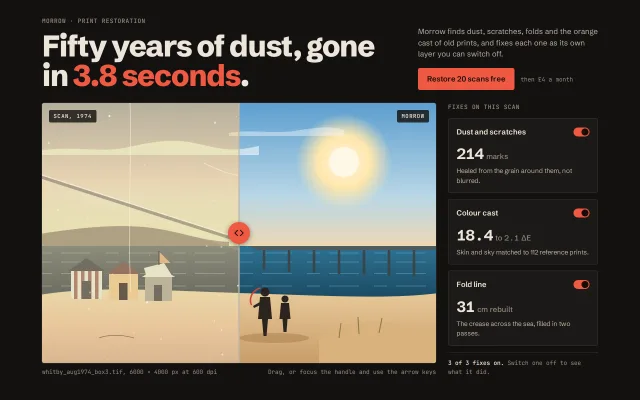
The features section of "Morrow", an invented service that restores scanned family prints. One large comparison (788 × 520 at 1280) shows a drawn 1974 seaside photograph: the left side is the scan with an orange cast, dust, two long scratches, a diagonal fold and film grain; the right side is the restored image. A safelight-red round handle drags the divider. Beside it, three proof chips (dust, colour cast, fold) carry a measured number each and double as switches: turning one off puts that defect back on the restored side, so the chips prove what each fix did. The mood is a darkroom: warm near-black, one red.

## Reference behaviour

1. Initial state: divider at 50%. After 400ms the divider sweeps once 50% → 30% → 64% → 50% over 1600ms (expo-out) to show it moves. No other motion runs.
2. Pointer: pressing anywhere on the comparison jumps the divider to the pointer and captures it; moving drags it; release ends. The knob scales to 1.08 while dragging and on hover. Vertical page scroll on touch still works (`touch-action: pan-y`).
3. Keyboard: the knob is a focusable `role="slider"`. Left/Down −2, Right/Up +2, with Shift ±10, Home 0, End 100. `aria-valuenow` and `aria-valuetext` ("38 percent original scan") follow.
4. Any drag or key cancels the intro sweep immediately.
5. Chips start pressed (fix on). Clicking "Colour cast" puts the warm cast filter back on the restored side; "Dust and scratches" shows the specks and scratches there; "Fold line" shows the crease. An off chip's number turns `--ink-3` and is struck through; its switch slides left and greys.
6. The line under the chips reports "3 of 3 fixes on. Switch one off to see what it did." or "1 of 3 fixes on. The right side now shows the scan without those fixes."
7. Corner tags read "Scan, 1974" (left) and "Morrow" (right). A mono caption under the image gives the file name and size, and the hint "Drag, or focus the handle and use the arrow keys".

## Structure

```
1280 × 800
┌─────────────────────────────── wrap 1200 max, padding 36 / 44 ──────────────────────────────┐
│ MORROW · PRINT RESTORATION (mono 12)                                                          │
│ Fifty years of dust, gone          │ Morrow finds dust, scratches…  (360px col)               │
│ in 3.8 seconds.  (60px, 800)       │ [Restore 20 scans free]  then £4 a month                 │
│                                                                                               │
│ ┌──────────────── compare 1fr × 520 ──────────────┬─┐  ┌──── aside 300 ─────┐                │
│ │[SCAN, 1974]         ┃            [MORROW]       │ │  │ FIXES ON THIS SCAN │                │
│ │  warm, dusty,       ┃   clean,                  │ │  │ Dust and scratches │ 214 marks      │
│ │  creased, grain    (◂▸) restored               │ │  │ Colour cast        │ 18.4 to 2.1 ΔE │
│ │                     ┃                           │ │  │ Fold line          │ 31 cm rebuilt  │
│ └─────────────────────┃───────────────────────────┘ │  │ 3 of 3 fixes on.   │                │
│ file caption (mono)                    hint (mono)    └────────────────────┘                │
└───────────────────────────────────────────────────────────────────────────────────────────────┘
 stage grid: 1fr 300px, gap 24 · knob 44 round · divider 2px
```

… 177 more lines. Copy or download for the full brief. Loading the source…Brief
217 linesBuild brief for a coding agent. Rebuild this piece in the reader’s stack. If they haven’t said which stack, ask once, then default to semantic HTML + CSS + a little vanilla JS. Match the numbers below; don’t “improve” them.
What it is
The features section of “Morrow”, an invented service that restores scanned family prints. One large comparison (788 × 520 at 1280) shows a drawn 1974 seaside photograph: the left side is the scan with an orange cast, dust, two long scratches, a diagonal fold and film grain; the right side is the restored image. A safelight-red round handle drags the divider. Beside it, three proof chips (dust, colour cast, fold) carry a measured number each and double as switches: turning one off puts that defect back on the restored side, so the chips prove what each fix did. The mood is a darkroom: warm near-black, one red.
Reference behaviour
- Initial state: divider at 50%. After 400ms the divider sweeps once 50% → 30% → 64% → 50% over 1600ms (expo-out) to show it moves. No other motion runs.
- Pointer: pressing anywhere on the comparison jumps the divider to the pointer and captures it; moving drags it; release ends. The knob scales to 1.08 while dragging and on hover. Vertical page scroll on touch still works (
touch-action: pan-y). - Keyboard: the knob is a focusable
role="slider". Left/Down −2, Right/Up +2, with Shift ±10, Home 0, End 100.aria-valuenowandaria-valuetext(“38 percent original scan”) follow. - Any drag or key cancels the intro sweep immediately.
- Chips start pressed (fix on). Clicking “Colour cast” puts the warm cast filter back on the restored side; “Dust and scratches” shows the specks and scratches there; “Fold line” shows the crease. An off chip’s number turns
--ink-3and is struck through; its switch slides left and greys. - The line under the chips reports “3 of 3 fixes on. Switch one off to see what it did.” or “1 of 3 fixes on. The right side now shows the scan without those fixes.”
- Corner tags read “Scan, 1974” (left) and “Morrow” (right). A mono caption under the image gives the file name and size, and the hint “Drag, or focus the handle and use the arrow keys”.
Structure
1280 × 800
┌─────────────────────────────── wrap 1200 max, padding 36 / 44 ──────────────────────────────┐
│ MORROW · PRINT RESTORATION (mono 12)                                                          │
│ Fifty years of dust, gone          │ Morrow finds dust, scratches…  (360px col)               │
│ in 3.8 seconds.  (60px, 800)       │ [Restore 20 scans free]  then £4 a month                 │
│                                                                                               │
│ ┌──────────────── compare 1fr × 520 ──────────────┬─┐  ┌──── aside 300 ─────┐                │
│ │[SCAN, 1974]         ┃            [MORROW]       │ │  │ FIXES ON THIS SCAN │                │
│ │  warm, dusty,       ┃   clean,                  │ │  │ Dust and scratches │ 214 marks      │
│ │  creased, grain    (◂▸) restored               │ │  │ Colour cast        │ 18.4 to 2.1 ΔE │
│ │                     ┃                           │ │  │ Fold line          │ 31 cm rebuilt  │
│ └─────────────────────┃───────────────────────────┘ │  │ 3 of 3 fixes on.   │                │
│ file caption (mono)                    hint (mono)    └────────────────────┘                │
└───────────────────────────────────────────────────────────────────────────────────────────────┘
stage grid: 1fr 300px, gap 24 · knob 44 round · divider 2px<header>: two-column grid (1fr 360px, gap 40, bottom-aligned): kicker<p>,<h1>, intro<p>and the primary<button>.<section class="stage" aria-label="Before and after comparison">:.compare:position: relative; overflow: hidden. Two absolutely stacked.layers, each holding the same scene through<svg><use href="#scene"/></svg>. The before layer is on top and clipped. Defect overlays are separate SVGs (#dust,#crease) and a grain SVG with anfeTurbulencefilter..handlepositioned atleft: var(--x), a 2px line via::beforeand the.knobslider.<aside aria-label="Fixes applied to this scan">with an<h2>, three<button class="chip" aria-pressed>and a live status<p>.
Tokens
:root {
  /* colour: darkroom near-black, safelight red */
  --bg: #131110;          /* page */
  --panel: #1C1917;       /* chips */
  --panel-2: #24201D;     /* chip hover */
  --line: #34302B;        /* hairlines, chip border, frame outline */
  --line-2: #5A534B;      /* chip hover border, switch off */
  --ink: #EDE6DA;         /* headline, chip titles, divider line */
  --ink-2: #B9B0A2;       /* body */
  --ink-3: #958B7D;       /* mono meta, off numbers */
  --accent: #EF5A43;      /* knob, primary, switches on, headline figure */
  --accent-hover: #FF6E57;
  --accent-ink: #1A0B07;  /* text and icons on accent */
  --tag-bg: rgba(19, 17, 16, .82);

  /* type */
  --sans: "Schibsted Grotesk", system-ui, sans-serif;
  --mono: "JetBrains Mono", ui-monospace, monospace;
  --fs-display: clamp(36px, 5vw, 60px);
  --fs-num: 30px;
  --fs-body: 15px;
  --fs-small: 13px;
  --fs-mono: 12px;

  /* layout */
  --compare-h: 520px;
  --aside-w: 300px;
  --knob: 44px;
  --r: 4px;

  /* motion */
  --t: 160ms;
  --ease: cubic-bezier(.2, .7, .2, 1);
  --expo: cubic-bezier(.16, 1, .3, 1);
  --hint: 1600ms;
  --hint-delay: 400ms;

  /* restoration filters */
  --before-filter: sepia(.8) saturate(1.5) contrast(.7) brightness(1.04) hue-rotate(-6deg);
  --cast-filter: sepia(.7) saturate(1.4) contrast(.76) brightness(1.04) hue-rotate(-6deg);
}
Typography
| Role | Family | Size | Weight | Line-height | Tracking | Case |
|---|---|---|---|---|---|---|
| Headline | Schibsted Grotesk | clamp(36px, 5vw, 60px) | 800 | 0.98 | -0.035em | sentence |
| Intro | Schibsted Grotesk | 15px | 400 | 1.5 | 0 | sentence |
| Primary button | Schibsted Grotesk | 15px | 600 | 1 | 0 | sentence |
| Chip title | Schibsted Grotesk | 15px | 600 | 1.5 | 0 | sentence |
| Chip number | Schibsted Grotesk | 30px | 700 | 1.1 | -0.03em | tabular numerals |
| Chip unit | Schibsted Grotesk | 15px | 500 | 1 | 0 | lowercase |
| Chip body | Schibsted Grotesk | 13px | 400 | 1.5 | 0 | sentence |
| Kicker, aside heading, tags | JetBrains Mono | 11–12px | 500 | 1 | +0.06–0.08em | UPPERCASE |
| Caption, status, price note | JetBrains Mono | 12px | 400 | 1.4–1.5 | 0 | sentence |
Motion
| Element | Trigger | Property | From → To | Duration | Easing | Reduced motion |
|---|---|---|---|---|---|---|
.compare divider | load, once | --x (registered <percentage>) | 50% → 30% → 64% → 50% | 1600ms, 400ms delay | --expo | no sweep |
.knob | hover, drag | scale | 1 → 1.08 | 160ms | --ease | 1ms |
| defect overlays | chip toggle | opacity | 0 ↔ 1 | 240ms | --ease | 1ms |
| chip switch thumb | chip toggle | translateX | 0 ↔ 14px | 160ms | --ease | 1ms |
| chip | hover | background, border-color | panel → panel-2 | 160ms | --ease | 1ms |
The divider itself never eases while dragging: it follows the pointer 1:1.
States
- Divider:
--xfrom 0% (all restored) to 100% (all scan). - Knob hover / dragging: scale 1.08. Focus-visible: 2px
--inkoutline, 3px offset (the knob is red, so the ring is light). - Chip pressed (fix on): switch track
--accent, thumb--accent-inkat right, number in--ink. - Chip off: switch track
#5A534B, thumb--inkat left, number--ink-3with a 1px strike. - Chip hover:
--panel-2fill,--line-2border. - Primary hover:
#FF6E57. - All three off: the right side is identical to the left except grain; the status says so.
Accessibility
- The knob is
role="slider",tabindex="0",aria-label="Before and after divider",aria-valuemin="0",aria-valuemax="100", livearia-valuenowandaria-valuetext. - The before layer and all SVG art are
aria-hidden; the restored layer’s SVG is decorative too. The section’s meaning lives in the chips and their numbers. - Chips are
<button aria-pressed>; their visible switch is decorative (aria-hidden). - The status line under the chips is
aria-live="polite". - Focus order: primary button, knob, three chips.
- Contrast:
--ink-2on--bg8.9:1;--ink-3on--bg5.6:1 and on--panel5.1:1;--accent-inkon--accent6.0:1; tags--inkon 82% near-black over any part of the picture stay above 9:1. - The knob is 44px; the whole comparison is a pointer target.
Responsive rules
- ≥ 1280: as specified; stage
1fr 300px. - 1024–1279: same grid; the comparison narrows, height stays 520px.
- 768–1023: the aside drops under the comparison as a three-column row of chips; heading and status span all three.
- < 760: one column, wrap padding 28px 16px; the comparison loses its fixed height and uses
aspect-ratio: 4 / 3.4; chips stack; the price note sits on its own line under the button; the caption stacks. At 390 wide nothing scrolls sideways and the knob stays 44px.
Acceptance checklist
Always
- One comparison only, at least 60% of the stage width on desktop.
- Before side is clipped with
clip-path: inset(0 calc(100% - var(--x)) 0 0), never by resizing an image. - Pointer press jumps the divider to the pointer and drags with pointer capture; vertical touch scroll still works.
- Knob is a 44px focusable slider: arrows ±2, Shift+arrows ±10, Home and End, with
aria-valuenowandaria-valuetextupdated. - Intro sweep runs once, is cancelled by the first interaction, and is absent with reduced motion.
- Each proof chip is a toggle that changes the restored side, with
aria-pressed. - The status line is a polite live region and states how many fixes are on.
- At 390 wide: single column,
aspect-ratiocomparison, no sideways scroll. - Body text ≥ 4.5:1; tags over the picture sit on an 82% dark plate.
This demo
- Headline “Fifty years of dust, gone in 3.8 seconds.” with the figure in
#EF5A43. - Chips read 214 marks, 18.4 to 2.1 ΔE, 31 cm rebuilt.
- Corner tags “Scan, 1974” and “Morrow”; caption “whitby_aug1974_box3.tif, 6000 × 4000 px at 600 dpi”.
- Primary button “Restore 20 scans free” with the note “then £4 a month”.
Implementation notes
One scene, drawn once, used twice. Define the picture as an SVG <symbol> and <use> it in both layers, so the halves line up to the pixel. Filters on the outer <svg> make the old print.
<div class="compare" style="--x:50%">
  <div class="layer after"><svg class="pic"><use href="#scene"/></svg></div>
  <div class="layer before" aria-hidden="true">
    <svg class="pic"><use href="#scene"/></svg>
    <svg class="def"><use href="#dust"/></svg>
    <svg class="grain"><rect width="100%" height="100%" filter="url(#noise)"/></svg>
  </div>
  <div class="handle"><div class="knob" role="slider" tabindex="0">…</div></div>
</div>
.before { clip-path: inset(0 calc(100% - var(--x)) 0 0); }
.before .pic { filter: var(--before-filter); }
.handle { position: absolute; inset: 0 auto 0 var(--x); width: 0; pointer-events: none; }
.knob { pointer-events: auto; }Animate the divider with a registered property. Without @property a custom property cannot interpolate and the sweep jumps.
@property --x { syntax: '<percentage>'; inherits: true; initial-value: 50%; }
.compare.hint { animation: hint 1600ms var(--expo) 400ms 1; }
@keyframes hint { 0% { --x: 50% } 35% { --x: 30% } 70% { --x: 64% } 100% { --x: 50% } }
Remove .hint on the first pointerdown or key, because a running animation overrides the inline --x you are setting.
Pointer and keys share one setter.
function set(v) {
  x = Math.max(0, Math.min(100, v));
  cmp.classList.remove('hint');
  cmp.style.setProperty('--x', x + '%');
  knob.setAttribute('aria-valuenow', Math.round(x));
}
cmp.addEventListener('pointerdown', e => { cmp.setPointerCapture(e.pointerId); drag = true; move(e); });
cmp.addEventListener('pointermove', e => drag && move(e));
const move = e => { const r = cmp.getBoundingClientRect(); set((e.clientX - r.left) / r.width * 100); };
Common mistakes: putting touch-action: none on the frame so phones cannot scroll past it; letting the browser select text while dragging (user-select: none); a grey-on-grey before side that reads as broken rather than old (keep it warm and dusty); labelling the knob only with an icon and no aria-label.
Details
- Palette
- Type
- Schibsted Grotesk · JetBrains Mono
- Motion
- Subtle motion
- Build
- One session
- Tags
Studied
Haunted Boulder CityPin the screen and let scroll turn the pages. Only the line you are on gets to shout.
All sourcesSimilar
Three passes, one frame
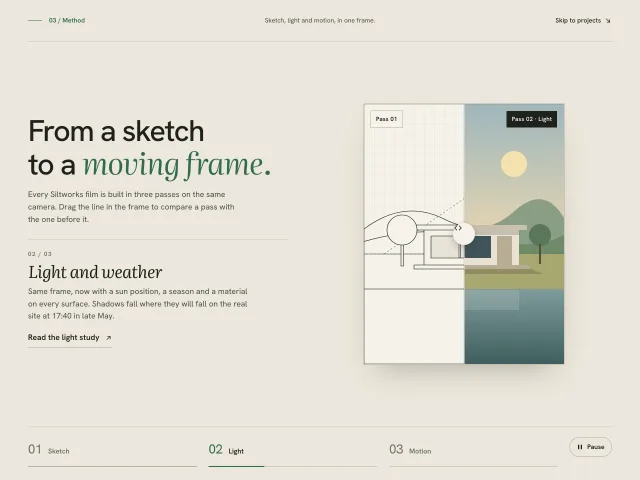
A method section: one portrait frame shown as sketch, light and motion passes, with timed tabs and a drag line that compares each pass with the one before.
Editorial name rotator hero
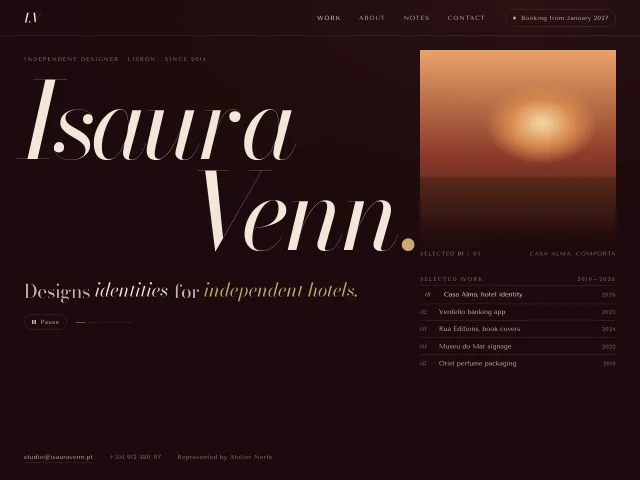
A wine-dark portfolio hero: 212px italic 'Isaura Venn.' beside a cycling plate, while two slot-machine words in the deck rotate on a 2.6s clock.
Tabbed feature preview
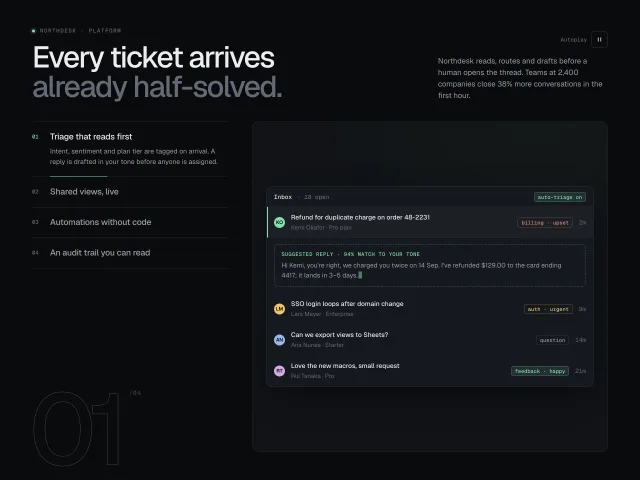
Four vertical feature tabs with 6s autoplay progress hairlines; the preview pane crossfades between CSS-built product UIs, with a giant outlined step numeral.
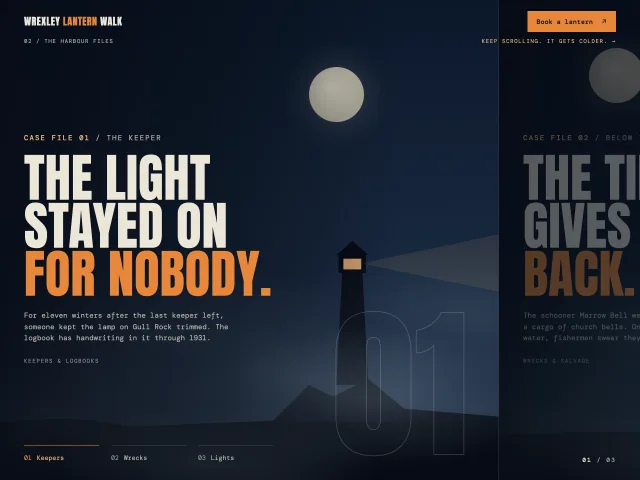
Case file horizontal scroll
A pinned section where scrolling down slides three foggy night 'case file' panels sideways, with chapter tabs that fill and a 01 / 03 counter.
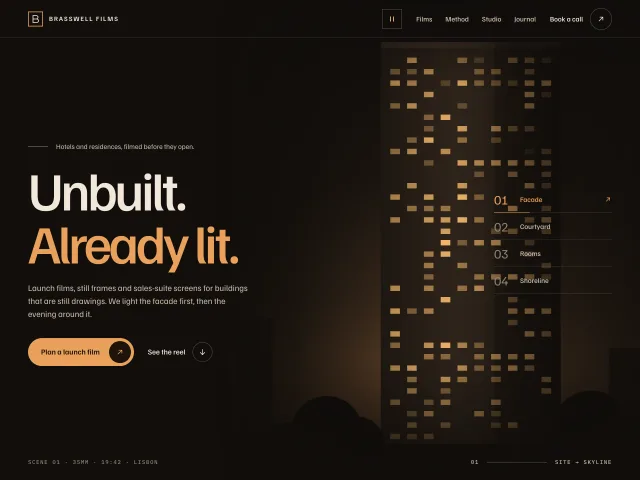
Chaptered cinema hero
A dark film-studio hero: fixed headline on the left, four night scenes crossfading on the right, and a numbered chapter index whose hairline fills as each scene plays.
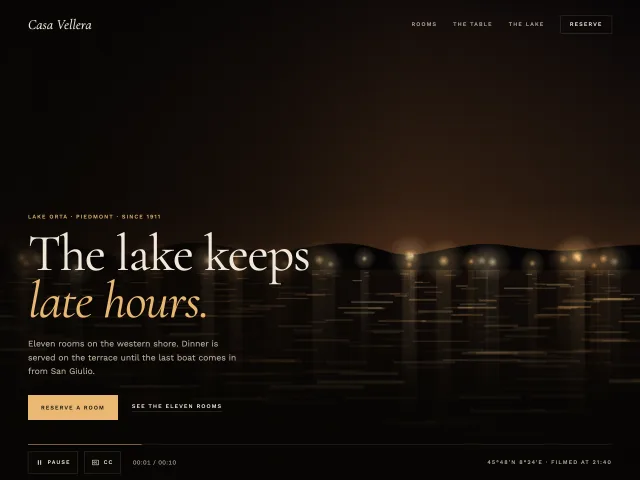
Cinematic video loop hero
A full-bleed night-lake film loop behind a luxe hotel hero, with grain, a visible Pause control, captions, a poster still, and rules for shipping a real video.