Nº 602 of 605
Store locator with synced map
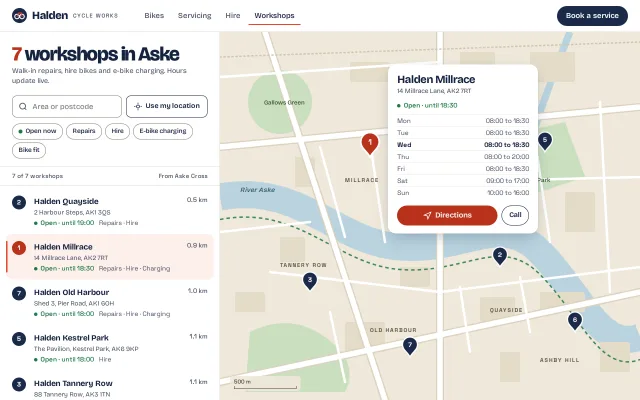
A 440px searchable, filterable workshop list beside a hand-drawn SVG city map whose pins sync with the list, live opening hours and a drawn bike route.
Preview
Use it
Free to use · credit appreciated1 Once, in your project · Node 22.20+
npx skills add SusanAcharya/Design-Lounge 2 Then ask
Using the Design Lounge skill, build "Store locator with synced map" (piece store-locator-map) in my stack. Match its brief; restyle it onto my product's theme.
No skill? Paste the brief instead. It carries the numbers, tokens and behaviour.
<!-- Design Lounge Nº 602 · "Store locator with synced map" · www.designlounge.live -->

# Store locator with synced map

> **Build brief for a coding agent.** Rebuild this piece in the reader's stack. If they haven't said which stack, ask once, then default to semantic HTML + CSS + a little vanilla JS. Match the numbers below; don't "improve" them.

## What it is

The "Workshops" page of Halden Cycle Works, an invented chain of seven bike workshops in the invented city of Aske. A 440px left panel holds a search field, a "Use my location" button, five filter chips and a list of stores sorted by distance; the right side is a city map drawn in SVG in the brand's own colours (cream land, pale blue river, sage parks, white roads, a dashed green towpath), not a tile map. Pins and list rows are one selection: hovering either highlights the other, choosing either opens an anchored card with the week's hours. The detail worth copying is that every status line ("Open · until 18:30", "Closes soon · at 18:30", "Closed · opens tomorrow 08:00") is computed live from the visitor's clock and the store's weekly hours, and "Directions" draws the bike route on the same map before handing off to a maps app.

## Reference behaviour

1. Initial state: header with wordmark, four nav links (Workshops is current) and one filled "Book a service" pill. The panel heading reads "7 workshops in Aske" with the count in tomato. The list shows all seven stores sorted by distance from "Aske Cross" (the city centre). Store 1, Halden Millrace, is selected: its row has a tomato-tint background and a 3px tomato bar on the left, its pin is tomato and scaled 1.22, and a 300px card sits to the right of the pin.
2. Each row shows a numbered navy disc (matching the pin number), "Halden <name>" (16/700), distance in km (Space Grotesk, right aligned), address, a status line with a coloured 7px dot, and the services separated by " · ".
3. Status is computed on render from `new Date()`: inside today's hours and more than 60 minutes before close → green "Open · until HH:MM"; within 60 minutes of close → amber "Closes soon · at HH:MM"; before today's opening → grey "Closed · opens HH:MM"; after close or closed today → grey "Closed · opens tomorrow HH:MM" or "Closed · opens Thu HH:MM" (first future day with hours).
4. Typing in the search field filters live by name and address (including postcode, case-insensitive). The heading count and "N of 7 workshops" meta line update; the meta line is a polite live region.
5. Filter chips toggle with `aria-pressed`: Open now (green dot), Repairs, Hire, E-bike charging, Bike fit. Filters combine with AND. Pressed chips fill navy with white text. Pins that do not match drop to 28% opacity rather than disappearing, so the map keeps its geography.
6. If nothing matches, the list shows an empty state: "No workshops match" (16/700) and one line of advice. The detail card hides if the selected store is filtered out.
7. Hover a row: row background `#F6F3EC`, its disc and its pin turn tomato. Hover a pin: the same two things happen to its row. No movement on hover.
8. Click a row or a pin (or Enter/Space on a focused pin): that store becomes selected, its pin is raised to the top of the SVG stack and scales 1.22 from its tip over 160ms, its row scrolls into view (`block: nearest`, only when chosen from the map), and the card moves to it over 320ms.
9. The card shows the name (22/800), address, status line, a seven-row hours table Mon to Sun with today's row bold in full ink, a tomato "Directions" pill and an outlined "Call" pill.
10. Card placement: 18px to the right of the pin; if it would cross the map's right edge minus 16px, 18px to the left of the pin instead. Vertically centred on the pin, clamped 16px inside the map.
11. "Use my location": the button shows a spinning crosshair for 700ms (`aria-busy="true"`), then a blue "you" dot with a 2.4s pulsing halo appears at Aske Bridge, the list re-sorts by distance from it, and the meta line reads "From you, Aske Bridge".
12. "Directions": a dotted blue route (L-shaped, along the street grid) draws from the origin to the pin over 700ms, and a line under the buttons reads "4 min by bike · 0.9 km on cycle lanes" (Manhattan distance, 15 km/h).
13. Below 860px: nav links hide, the panel is full width, and a List / Map segmented control appears under the search row. List is the default; Map hides the list, chips and lede and shows the map with the card docked 12px from the bottom, showing only today's hours row.

## Structure

```
1280 × 800
┌──────────────────────────────────────────────────────────────────────────────┐
│ (o) Halden CYCLE WORKS   Bikes Servicing Hire [Workshops]      (Book a service)│ 64
├───────────────────────────────┬──────────────────────────────────────────────┤
│ 7 workshops in Aske   40/800  │  cream land · river · parks · blocks · roads │
│ lede 14px                     │                    ┌────────────────────┐    │
│ [ Q Area or postcode ][◎ Use] │          (1)───────│ Halden Millrace    │    │
│ (●Open now)(Repairs)(Hire)    │                    │ status · hours x7  │    │
│ (E-bike charging)(Bike fit)   │   ~~~~ River Aske ~~~~  [Directions][Call] │  │
├───────────────────────────────┤      (3)           └────────────────────┘    │
│ 7 of 7 workshops  From Aske X │                (2)                     (5)   │

… 196 more lines. Copy or download for the full brief. Loading the source…Brief
236 linesBuild brief for a coding agent. Rebuild this piece in the reader’s stack. If they haven’t said which stack, ask once, then default to semantic HTML + CSS + a little vanilla JS. Match the numbers below; don’t “improve” them.
What it is
The “Workshops” page of Halden Cycle Works, an invented chain of seven bike workshops in the invented city of Aske. A 440px left panel holds a search field, a “Use my location” button, five filter chips and a list of stores sorted by distance; the right side is a city map drawn in SVG in the brand’s own colours (cream land, pale blue river, sage parks, white roads, a dashed green towpath), not a tile map. Pins and list rows are one selection: hovering either highlights the other, choosing either opens an anchored card with the week’s hours. The detail worth copying is that every status line (“Open · until 18:30”, “Closes soon · at 18:30”, “Closed · opens tomorrow 08:00”) is computed live from the visitor’s clock and the store’s weekly hours, and “Directions” draws the bike route on the same map before handing off to a maps app.
Reference behaviour
- Initial state: header with wordmark, four nav links (Workshops is current) and one filled “Book a service” pill. The panel heading reads “7 workshops in Aske” with the count in tomato. The list shows all seven stores sorted by distance from “Aske Cross” (the city centre). Store 1, Halden Millrace, is selected: its row has a tomato-tint background and a 3px tomato bar on the left, its pin is tomato and scaled 1.22, and a 300px card sits to the right of the pin.
- Each row shows a numbered navy disc (matching the pin number), “Halden
” (16/700), distance in km (Space Grotesk, right aligned), address, a status line with a coloured 7px dot, and the services separated by ” · ”. - Status is computed on render from
new Date(): inside today’s hours and more than 60 minutes before close → green “Open · until HH:MM”; within 60 minutes of close → amber “Closes soon · at HH:MM”; before today’s opening → grey “Closed · opens HH:MM”; after close or closed today → grey “Closed · opens tomorrow HH:MM” or “Closed · opens Thu HH:MM” (first future day with hours). - Typing in the search field filters live by name and address (including postcode, case-insensitive). The heading count and “N of 7 workshops” meta line update; the meta line is a polite live region.
- Filter chips toggle with
aria-pressed: Open now (green dot), Repairs, Hire, E-bike charging, Bike fit. Filters combine with AND. Pressed chips fill navy with white text. Pins that do not match drop to 28% opacity rather than disappearing, so the map keeps its geography. - If nothing matches, the list shows an empty state: “No workshops match” (16/700) and one line of advice. The detail card hides if the selected store is filtered out.
- Hover a row: row background
#F6F3EC, its disc and its pin turn tomato. Hover a pin: the same two things happen to its row. No movement on hover. - Click a row or a pin (or Enter/Space on a focused pin): that store becomes selected, its pin is raised to the top of the SVG stack and scales 1.22 from its tip over 160ms, its row scrolls into view (
block: nearest, only when chosen from the map), and the card moves to it over 320ms. - The card shows the name (22/800), address, status line, a seven-row hours table Mon to Sun with today’s row bold in full ink, a tomato “Directions” pill and an outlined “Call” pill.
- Card placement: 18px to the right of the pin; if it would cross the map’s right edge minus 16px, 18px to the left of the pin instead. Vertically centred on the pin, clamped 16px inside the map.
- “Use my location”: the button shows a spinning crosshair for 700ms (
aria-busy="true"), then a blue “you” dot with a 2.4s pulsing halo appears at Aske Bridge, the list re-sorts by distance from it, and the meta line reads “From you, Aske Bridge”. - “Directions”: a dotted blue route (L-shaped, along the street grid) draws from the origin to the pin over 700ms, and a line under the buttons reads “4 min by bike · 0.9 km on cycle lanes” (Manhattan distance, 15 km/h).
- Below 860px: nav links hide, the panel is full width, and a List / Map segmented control appears under the search row. List is the default; Map hides the list, chips and lede and shows the map with the card docked 12px from the bottom, showing only today’s hours row.
Structure
1280 × 800
┌──────────────────────────────────────────────────────────────────────────────┐
│ (o) Halden CYCLE WORKS   Bikes Servicing Hire [Workshops]      (Book a service)│ 64
├───────────────────────────────┬──────────────────────────────────────────────┤
│ 7 workshops in Aske   40/800  │  cream land · river · parks · blocks · roads │
│ lede 14px                     │                    ┌────────────────────┐    │
│ [ Q Area or postcode ][◎ Use] │          (1)───────│ Halden Millrace    │    │
│ (●Open now)(Repairs)(Hire)    │                    │ status · hours x7  │    │
│ (E-bike charging)(Bike fit)   │   ~~~~ River Aske ~~~~  [Directions][Call] │  │
├───────────────────────────────┤      (3)           └────────────────────┘    │
│ 7 of 7 workshops  From Aske X │                (2)                     (5)   │
├───────────────────────────────┤        (7)                    (6)            │
│ (2) Halden Quayside   0.5 km  │                                              │
│ ▌(1) Halden Millrace  0.9 km  │                                              │
│ (7) Halden Old Harbour 1.0 km │ [500 m ▁▁▁▁]                                 │
│ … scrolls                     │                                              │
└───────────────────────────────┴──────────────────────────────────────────────┘
  440px                           840 × 736 SVG viewBox, preserveAspectRatio slice
<header class="top">: wordmark link,<nav aria-label="Main">witharia-current="page"on Workshops, one<button>primary..wrapis a CSS grid440px 1fr, filling the height under the header.<section class="side" aria-labelledby>:h1, ledep,div role="search"with a labelledinput type="search"and the locationbutton,div role="group" aria-label="Filter"of chip buttons, the hidden-on-desktop segmented control, a meta row, andul.list(the only scrolling region).- Each list item is a
<button class="store" aria-current>grid: 32px disc column, name, km, then address and status spanning two columns. <section class="mapwrap" aria-label="Map of workshops">holds the<svg>and an absolutely positioned<article class="card">.- SVG layer order: land rect, river and canal strokes, park shapes, building blocks, towpath, road casings, roads, labels, route path, “you” group, pins group last.
- Each pin: outer
<g role="button" tabindex="0" aria-label="Millrace workshop" transform="translate(x y)">and an inner<g class="pi">that scales, so the CSS transform never overrides the translate.
Tokens
:root {
  /* surfaces */
  --bg: #fbfaf6;          /* page */
  --panel: #ffffff;       /* header, list panel, card */
  --line: #e4dfd3;        /* hairlines */
  --line2: #8a8577;       /* input and chip borders, 3.6:1 on white */
  --row-hover: #f6f3ec;
  --row-selected: #fdf0ec;
  /* ink */
  --ink: #16233f;
  --ink2: #4a5267;        /* secondary, 7.9:1 on white */
  /* brand */
  --navy: #1b2a4a;        /* primary button, pins, pressed chips */
  --tomato: #e5482d;      /* focus ring, selection bar, nav underline */
  --tomato-dk: #b8321b;   /* selected pin, Directions fill, count, 5.6:1 with white */
  --on-navy: #ffffff;
  /* status */
  --open: #1e7a46;        /* 5.3:1 on white */
  --soon: #8a5300;        /* 6.1:1 on white */
  --shut: #5f6470;
  --you: #2563c9;         /* location dot and route */
  /* map */
  --land: #efe8da;
  --block: #e5dcc8;
  --water: #b9d3df;
  --park: #cadfbf;
  --road: #ffffff;
  --casing: #dcd2bf;
  --towpath: #3d8a5e;
  --map-label: #5a5243;   /* district labels, 5.6:1 on land */
  --water-label: #2c5163;
  --park-label: #35552f;
  /* type */
  --display: "Bricolage Grotesque", system-ui, sans-serif;
  --data: "Space Grotesk", ui-monospace, sans-serif;
  --fs-h1: 40px; --fs-card: 22px; --fs-name: 16px; --fs-body: 15px; --fs-meta: 13px; --fs-label: 11px;
  /* space and shape */
  --panel-w: 440px; --header-h: 64px; --card-w: 300px;
  --s1: 4px; --s2: 8px; --s3: 12px; --s4: 16px; --s6: 24px;
  --r: 10px; --r-row: 12px; --r-card: 16px; --r-pill: 999px;
  --control-h: 44px; --chip-h: 32px; --button-h: 40px;
  --shadow: 0 1px 2px rgba(22,35,63,.08), 0 12px 32px -8px rgba(22,35,63,.28);
  /* motion */
  --t: 160ms; --t-l: 320ms; --t-route: 700ms; --t-pulse: 2400ms;
  --ease: cubic-bezier(.2,.7,.2,1);
  --expo: cubic-bezier(.16,1,.3,1);
}
Typography
| Role | Family | Size | Weight | Line-height | Tracking | Case |
|---|---|---|---|---|---|---|
| Panel heading | Bricolage Grotesque, opsz 96 | 40px | 800 | 1.0 | −0.04em | sentence |
| Wordmark | Bricolage Grotesque | 22px | 800 | 1 | −0.03em | title |
| Wordmark tag | Space Grotesk | 11px | 500 | 1 | +0.14em | UPPERCASE |
| Card name | Bricolage Grotesque | 22px | 800 | 1.1 | −0.03em | title |
| Row name | Bricolage Grotesque | 16px | 700 | 1.45 | −0.01em | title |
| Body, lede, address | Bricolage Grotesque | 13 to 15px | 400 | 1.45 | 0 | sentence |
| Status, distance, hours | Space Grotesk | 13px | 500 (status word 600) | 1.45 | 0 | sentence, tabular |
| Meta row | Space Grotesk | 12px | 500 | 1 | +0.02em | sentence |
| District labels (SVG) | Space Grotesk | 11px | 600 | 1 | +0.18em | UPPERCASE |
| River label (SVG) | Bricolage Grotesque italic | 13px | 500 | 1 | +0.04em | title |
Motion
| Element | Trigger | Property | From → To | Duration | Easing | Reduced motion |
|---|---|---|---|---|---|---|
Selected pin .pi | select | transform scale, origin at the tip | 1 → 1.22 | 160ms | --ease | instant |
| Card | select | left, top | old → new pin | 320ms | --expo | instant |
| Card | hide | opacity, visibility | 1 → 0 | 160ms | --ease | instant |
| Location icon | aria-busy | rotate | 0 → 360°, repeat | 800ms | linear (a spinner) | static |
| You halo | location set | scale, opacity | 0.4, .35 → 1.6, 0 | 2400ms, infinite | --ease | no halo animation |
| Route | Directions | stroke-dashoffset, opacity | 300, 0 → 0, 1 | 700ms | --expo | drawn at once |
Hover colour changes are instant. Reduced motion: animation: none and transition-duration: 1ms everywhere; every state still lands.
States
- Row hover / pin hover: row
--row-hover, disc and pin--tomato-dk. Linked both ways. - Selected: row
--row-selectedplus 3px tomato bar inset 14px top and bottom,aria-current="true"; pin tomato, scaled, last in the SVG. - Filtered out: pin
opacity: .28, row removed from the list. - Chip pressed: navy fill, white text; the Open now dot turns
#7ee2a6. - Location loading:
aria-busy="true", spinning icon, 700ms. - Empty: “No workshops match” plus advice, in the list area.
- Focus-visible: 2px tomato outline, 2px offset on links, buttons and chips; search input gets a navy border and a 3px
rgba(27,42,74,.15)ring; pins get a 4px tomato stroke on the teardrop. - Open / closes soon / closed: green, amber, grey text and dot; never colour alone, the word is always there.
Accessibility
- One
h1; the card name is anh2. The search isrole="search"with anaria-labelon the input. - Pins are
role="button",tabindex="0", named ”workshop”, and respond to Enter and Space. Tab order: header, search, location, chips, list rows, then pins in number order, then the card’s links. - List rows are real buttons with
aria-currentmirroring the selection. The meta line and the card arearia-live="polite"so a change of results or selection is announced. - The hours table has
aria-label="Opening hours"; today’s row is bold, not only coloured. - Contrast: every text colour is ≥ 4.5:1 on its ground, including SVG labels on land, water and park fills. Input and chip borders are
#8A8577(3.6:1 on white). - Targets: search and location 44px, chips 32px tall with 12px side padding on web (raise to 44px if the product needs touch on desktop), segmented control 38px buttons inside a 44px pill.
Responsive rules
- ≥ 1280: as specified; the map takes everything right of 440px.
- 1024 to 1279: same layout; the map crops (SVG
slice) rather than squashing. - 861 to 1023: panel stays 440px; card flips to the left of pins near the right edge more often.
- ≤ 860: one column. Nav links and wordmark tag hide. List / Map segmented control appears. Map view docks the card at the bottom (12px insets, full width) and shows only today’s hours row; the scale bar hides.
- ≤ 400: “Use my location” collapses to a 44px icon button with the same accessible name.
Acceptance checklist
Always
- Panel is 440px; the list is the only scrolling region; the page never scrolls sideways at 390px.
- Hovering a row highlights its pin, and hovering a pin highlights its row.
- Selecting from either side updates both, scrolls the row into view and moves the card over 320ms.
- Status text is computed from the current day and time, with the 60-minute “closes soon” window and the next opening day.
- Search and every chip filter live and combine with AND; the count and meta line update.
- Filtered pins dim to 28% instead of vanishing; the empty state appears when nothing matches.
- Pins are keyboard focusable buttons with a visible focus stroke.
- The card never leaves the map (16px clamp, flips left near the right edge).
- Below 860px a List / Map toggle replaces the split; the map is
display: nonein list view. - Reduced motion keeps every state with no animation.
This demo
- Seven stores: Millrace, Quayside, Tannery Row, Northgate, Kestrel Park, Ashby Hill, Old Harbour, numbered 1 to 7.
- Heading “7 workshops in Aske” with the number in
#B8321B. - “Use my location” waits 700ms, then shows the blue dot at Aske Bridge and reads “From you, Aske Bridge”.
- Directions draws a dotted
#2563C9route and writes “N min by bike · X km on cycle lanes”.
Implementation notes
Live status from weekly hours. Store hours as a Sunday-first array of "HH:MM-HH:MM" or null, and derive every label from one function:
const mins = t => { const [h, m] = t.split(':'); return +h * 60 + +m; };
function status(store, now = new Date()) {
  const d = now.getDay(), m = now.getHours() * 60 + now.getMinutes(), h = store.hours[d];
  if (h) {
    const o = mins(h.slice(0, 5)), c = mins(h.slice(6));
    if (m >= o && m < c) return c - m <= 60
      ? { k: 'soon', text: 'Closes soon', when: 'at ' + h.slice(6), open: true }
      : { k: 'open', text: 'Open', when: 'until ' + h.slice(6), open: true };
    if (m < o) return { k: 'shut', text: 'Closed', when: 'opens ' + h.slice(0, 5) };
  }
  for (let i = 1; i < 8; i++) {
    const x = store.hours[(d + i) % 7];
    if (x) return { k: 'shut', text: 'Closed', when: 'opens ' + (i === 1 ? 'tomorrow' : DAYS[(d + i) % 7]) + ' ' + x.slice(0, 5) };
  }
}
In production use the store’s own time zone (Intl.DateTimeFormat with timeZone) rather than the visitor’s, and re-render every minute.
Scale the pin without losing its position. A CSS transform on an SVG element replaces its transform attribute, so a selected pin would jump to 0,0. Put the translate on an outer group and scale an inner one from the tip:
.pi { transform-origin: 0 0; transition: transform 160ms cubic-bezier(.2,.7,.2,1); }
.pin.sel .pi { transform: scale(1.22); }
.pin.dim { opacity: .28; }
Anchor the card to a pin in a slice-scaled SVG. Don’t convert viewBox units by hand; read the pin’s rendered box:
function place(pin) {
  const r = map.getBoundingClientRect(), p = pin.getBoundingClientRect(), w = 300, h = card.offsetHeight;
  let x = p.right + 18; if (x + w > r.right - 16) x = p.left - 18 - w;
  const y = Math.max(r.top + 16, Math.min(p.top + p.height / 2 - h / 2, r.bottom - h - 16));
  card.style.left = x - r.left + 'px'; card.style.top = y - r.top + 'px';
}
Re-run it on resize. Common mistakes: rendering pins as HTML over the SVG with percentage positions (they drift when slice crops); removing filtered pins from the map (the visitor loses their bearings); requesting geolocation on page load instead of on the button; and pointing Directions at a maps URL with the street address instead of the store’s latitude and longitude.
Details
- Palette
- Type
- Bricolage Grotesque · Space Grotesk
- Motion
- Subtle motion
- Build
- Multi-step
- Tags
Studied
Don't Board MeA service with a next step. The headline can shout. The booking stays plain.
All sourcesSimilar
Split map contact form
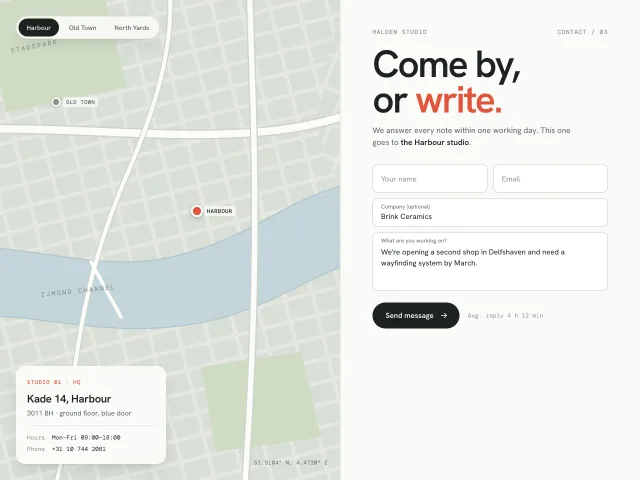
A two-column contact block: a stylised SVG city map whose studio switcher pans to each pin, beside a floating-label form with simulated send.
Map with price pins and listing sheet
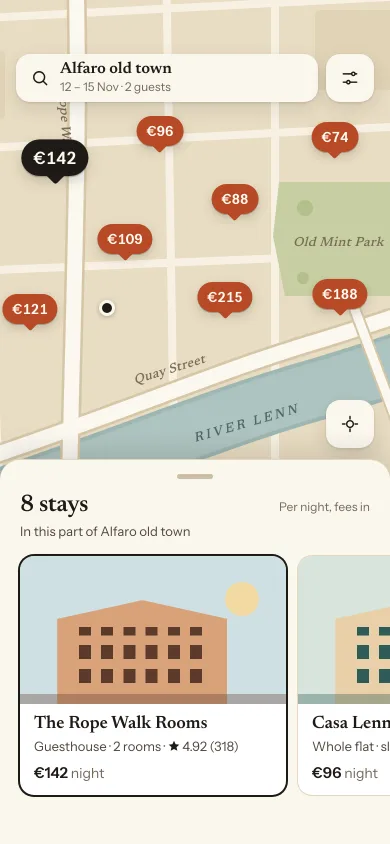
A stays map drawn in SVG with terracotta price pins, a three-detent sheet (count, card carousel, list), pin-to-card sync, Search this area after a pan, and locate-me.
Search results with filters
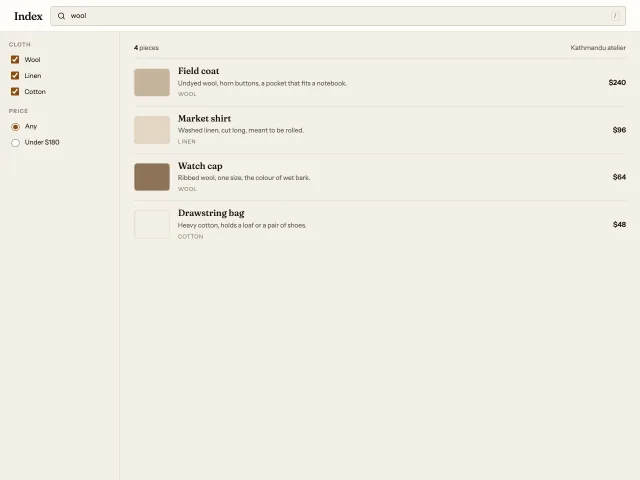
A catalogue search with a 240px filter column, live text match, cloth and price filters, and an empty state when nothing qualifies.
Job board search
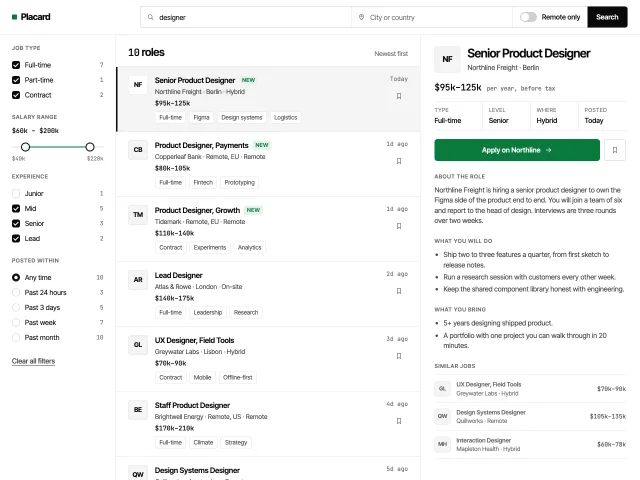
A three-column job board. Search, live filters with a dual salary slider, a result list with save, and a detail pane with apply and similar jobs.
Billing plan summary
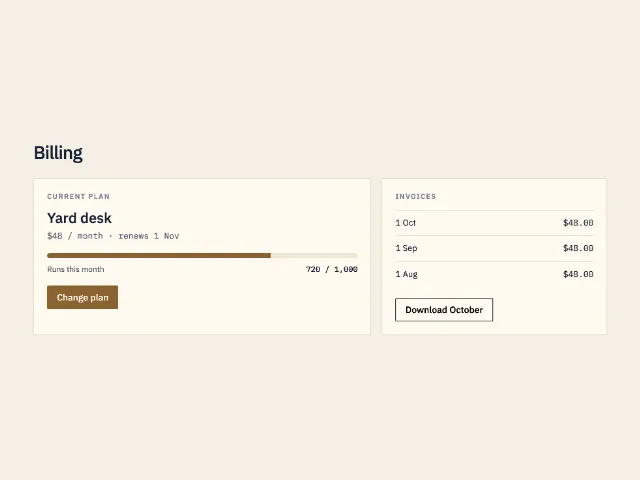
The billing screen: current plan, a 72 percent usage bar, three invoices, and one primary action to change plan.
People by role
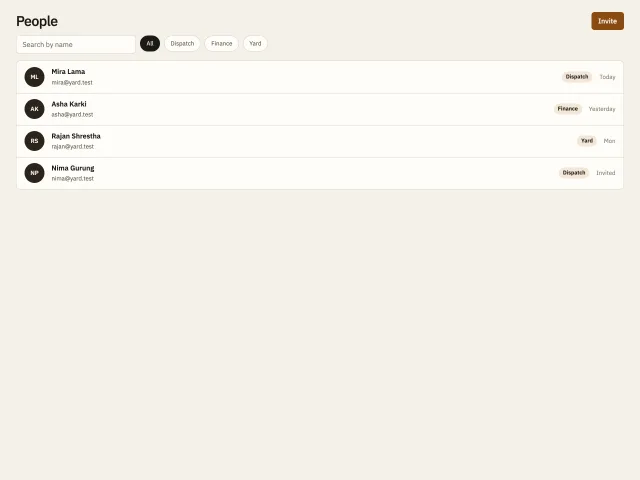
A staff directory with name search, role pills, initials, and an empty line when the filter matches no one.