Nº 105 of 520
Cyber HUD design language kit
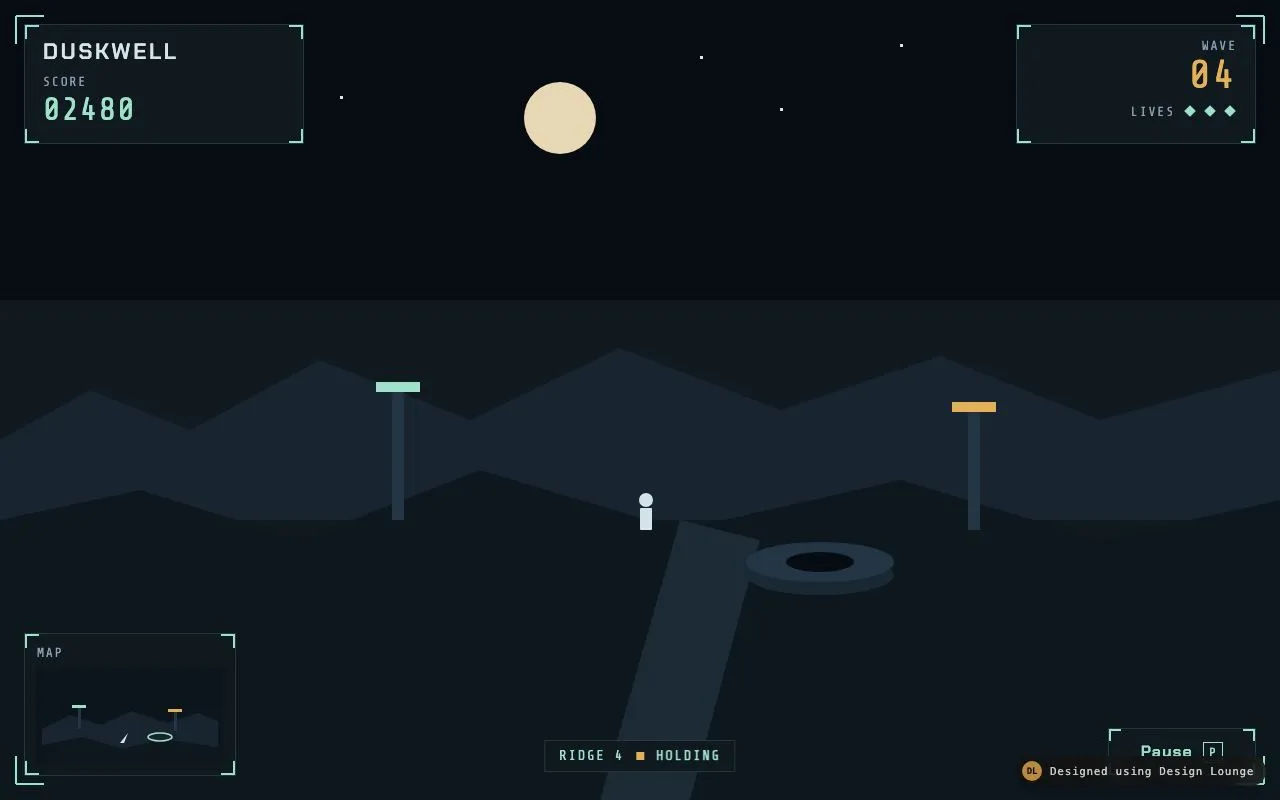
A near-black ops HUD kit: cut corners, scanlines, signal teal on void, Chakra Petch titles, Share Tech Mono readouts, and a Sector 7-K nav console.
Preview
Use it
Free to use · credit appreciated1 Once, in your project
npx skills add SusanAcharya/Design-Lounge 2 Then ask
Using the Design Lounge skill, build "Cyber HUD design language kit" (piece cyber-hud-style) in my stack. Match its brief; restyle it onto my product's theme.
No skill? Paste the brief instead. It carries the numbers, tokens and behaviour.
<!-- Design Lounge Nº 105 · "Cyber HUD design language kit" · www.designlounge.live -->

# Cyber HUD design language kit

> **Build brief for a coding agent.** Rebuild this piece in the reader's stack. If they haven't said which stack, ask once, then default to semantic HTML + CSS + a little vanilla JS. Match the numbers below; don't "improve" them.

## What it is

A kit sheet for "Orbit Watch", a fictional navigation/ops console, that teaches a HUD dialect: near-black void, 2px teal-dim grid, 8–10px clipped corners (never a radius), a page-wide 3px scanline overlay, and signal teal `#2EE6C8` as the only live colour. The first row is a Sector 7-K console fragment: L-bracket frame, a sweeping scan band, a 210px radar with three blips, and Nav / Comms / Ops tabs that rewrite the briefing. Below: type specimen, five chips, cut-corner buttons, chips, a callsign field, a scan switch, three surface plates, four grammar cards. The detail worth copying: **teal is live, dim teal is structure, amber is late**. Nothing else glows. No purple, no cyan-magenta gradients.

## Reference behaviour

1. Initial state: 48px panel header, 18px diamond mark (a 1px teal square rotated 45deg), "Orbit Watch / HUD kit 03", four anchors, an 8px teal pulse, "UPLINK 04:12:08". Sheet on a 2px `--line` grid. First 800px shows the 436px hero + specimen.
2. A repeating 2px/1px scanline overlay covers the whole page (`mix-blend-mode: multiply`, `pointer-events: none`, `z-index: 9`). Inside the HUD, a 40%-tall teal band travels top → bottom over 8s, linear, infinite.
3. Hover a cut-corner button: fill becomes teal, text becomes void. Primary is already filled; hover inverts to readout `#C8EDE6` on void.
4. Click Nav / Comms / Ops. `aria-selected` moves. `#panel-copy` swaps: Nav (three contacts, Relay 6 late 4.2s); Comms (open channel, lattice-7, 2 packets); Ops (61 % power, coolant loop B, thrusters armed).
5. Click Relay chips: `aria-pressed` toggles teal fill + `--teal-soft` background.
6. Focus the callsign input: 1px teal border plus a 1px teal inset. No glow.
7. Click Scan sweep: `aria-checked` flips; when off, `.scan { animation-play-state: paused }`. Knob slides 22px and glows 6px teal.
8. Header link hover: teal text + 1px teal underline.
9. Reduced motion: all animations `none`, transitions 1ms. Scan switch still pauses/resumes (there is nothing to pause).

## Structure

```
1280 × 800 first frame
┌──────────────────────────────────────────────────────────────────────────────┐
│ ◆ Orbit Watch / HUD kit 03     TYPE COLOUR CONTROLS SURFACE  ● UPLINK 04:12 │ 48
├───────────────────────────────────────────────┬──────────────────────────────┤
│ ┌ L-brackets ────────────────────────────────┐│ 01 TYPE SPECIMEN             │
│ │ SECTOR 7-K · NAV / OPS      (radar 210)    ││ Aa (88px teal Chakra)        │
│ │ ORBIT WATCH (42px)                         ││ Display 42 / H2 22 / Body 13 │
│ │ [Nav] [Comms] [Ops]                        ││                              │
│ │ 3 contacts · 61% power · 4.2s lag          ││ cols 8–12 · 436h             │
│ └ cols 1–7 · 436h ──────────────────────────┘│                              │
├───────────┬───────────┬───────────┬──────────────────────────────────────────┤
│02 PALETTE │03 BUTTONS │04 INPUTS  │05 SURFACE                                │
│ 5 chips   │ Lock/Ping │ callsign  │ Cut-corner / Teal fill / Warn hairline   │
│           │ 3 relays  │ link + sw │                                          │
├───────────┴───────────┴───────────┴──────────────────────────────────────────┤

… 138 more lines. Copy or download for the full brief. Loading the source…Brief
178 linesBuild brief for a coding agent. Rebuild this piece in the reader’s stack. If they haven’t said which stack, ask once, then default to semantic HTML + CSS + a little vanilla JS. Match the numbers below; don’t “improve” them.
What it is
A kit sheet for “Orbit Watch”, a fictional navigation/ops console, that teaches a HUD dialect: near-black void, 2px teal-dim grid, 8–10px clipped corners (never a radius), a page-wide 3px scanline overlay, and signal teal #2EE6C8 as the only live colour. The first row is a Sector 7-K console fragment: L-bracket frame, a sweeping scan band, a 210px radar with three blips, and Nav / Comms / Ops tabs that rewrite the briefing. Below: type specimen, five chips, cut-corner buttons, chips, a callsign field, a scan switch, three surface plates, four grammar cards. The detail worth copying: teal is live, dim teal is structure, amber is late. Nothing else glows. No purple, no cyan-magenta gradients.
Reference behaviour
- Initial state: 48px panel header, 18px diamond mark (a 1px teal square rotated 45deg), “Orbit Watch / HUD kit 03”, four anchors, an 8px teal pulse, “UPLINK 04:12:08”. Sheet on a 2px
--linegrid. First 800px shows the 436px hero + specimen. - A repeating 2px/1px scanline overlay covers the whole page (
mix-blend-mode: multiply,pointer-events: none,z-index: 9). Inside the HUD, a 40%-tall teal band travels top → bottom over 8s, linear, infinite. - Hover a cut-corner button: fill becomes teal, text becomes void. Primary is already filled; hover inverts to readout
#C8EDE6on void. - Click Nav / Comms / Ops.
aria-selectedmoves.#panel-copyswaps: Nav (three contacts, Relay 6 late 4.2s); Comms (open channel, lattice-7, 2 packets); Ops (61 % power, coolant loop B, thrusters armed). - Click Relay chips:
aria-pressedtoggles teal fill +--teal-softbackground. - Focus the callsign input: 1px teal border plus a 1px teal inset. No glow.
- Click Scan sweep:
aria-checkedflips; when off,.scan { animation-play-state: paused }. Knob slides 22px and glows 6px teal. - Header link hover: teal text + 1px teal underline.
- Reduced motion: all animations
none, transitions 1ms. Scan switch still pauses/resumes (there is nothing to pause).
Structure
1280 × 800 first frame
┌──────────────────────────────────────────────────────────────────────────────┐
│ ◆ Orbit Watch / HUD kit 03     TYPE COLOUR CONTROLS SURFACE  ● UPLINK 04:12 │ 48
├───────────────────────────────────────────────┬──────────────────────────────┤
│ ┌ L-brackets ────────────────────────────────┐│ 01 TYPE SPECIMEN             │
│ │ SECTOR 7-K · NAV / OPS      (radar 210)    ││ Aa (88px teal Chakra)        │
│ │ ORBIT WATCH (42px)                         ││ Display 42 / H2 22 / Body 13 │
│ │ [Nav] [Comms] [Ops]                        ││                              │
│ │ 3 contacts · 61% power · 4.2s lag          ││ cols 8–12 · 436h             │
│ └ cols 1–7 · 436h ──────────────────────────┘│                              │
├───────────┬───────────┬───────────┬──────────────────────────────────────────┤
│02 PALETTE │03 BUTTONS │04 INPUTS  │05 SURFACE                                │
│ 5 chips   │ Lock/Ping │ callsign  │ Cut-corner / Teal fill / Warn hairline   │
│           │ 3 relays  │ link + sw │                                          │
├───────────┴───────────┴───────────┴──────────────────────────────────────────┤
│ Cut · Scan · Bracket · Signal                                                │
└──────────────────────────────────────────────────────────────────────────────┘- Header clip-path cuts the bottom-left 12px. Pulse is decorative (
aria-hidden). .heropadding 0. Inner.hudisinset: 12pxwith the same 10px clip as controls.- Radar is a 210px circle, conic 90deg teal wash, two dashed inner rings, three 6px blips.
- Grid gap is 2px
--line(#1A3A38), not a drop shadow.
Tokens
:root {
  --void: #070b0c;          /* field, 70 % */
  --panel: #0e171a;         /* cells, 15 % */
  --panel-2: #122024;       /* inner rules */
  --line: #1a3a38;          /* grid + hairlines */
  --teal: #2ee6c8;          /* live signal, 10 % */
  --teal-dim: #1a6b62;      /* structure, corners */
  --teal-soft: rgba(46,230,200,.12);
  --ink: #c8ede6;           /* readout body */
  --ink-2: #7aa8a0;
  --ink-3: #4a6e68;
  --warn: #e8b84a;          /* late only */
  --cut: 10px;
  --display: "Chakra Petch", Impact, sans-serif;
  --mono: "Share Tech Mono", ui-monospace, monospace;
  --fs-display: 42px; --fs-aa: 88px; --fs-h2: 22px; --fs-body: 13px; --fs-label: 11px;
  --ctl: 40px; --pad: 16px;
  --t-micro: 120ms; --t-scan: 8s; --t-switch: 200ms;
  --ease: cubic-bezier(.2, .7, .2, 1);
}
Typography
| Role | Family | Size | Weight | Line-height | Tracking | Case |
|---|---|---|---|---|---|---|
| Hero headline | Chakra Petch | 42px | 700 | .9 | +0.04em | UPPERCASE |
| Specimen glyph | Chakra Petch | 88px | 700 | .75 | −0.04em | “Aa”, teal |
| H2 | Chakra Petch | 22px | 700 | 1 | +0.06em | UPPERCASE |
| Button / tab | Chakra Petch | 12–13px | 600 | 1 | +0.08–0.12em | UPPERCASE |
| Section label | Chakra Petch | 11px | 600 | 1 | +0.18em | UPPERCASE, teal |
| Body / input | Share Tech Mono | 13–14px | 400 | 1.45 | 0 | as written |
| Meta / chips | Share Tech Mono | 10–11px | 400 | 1 | +0.08–0.14em | UPPERCASE |
Chakra Petch is the only display face. Share Tech Mono is every number, every label, every input. Do not use a grotesk.
Motion
| Element | Trigger | Property | From → To | Duration | Easing |
|---|---|---|---|---|---|
| page scanlines | always | none (static overlay) | — | — | — |
.scan band | load | top | −40% → 100% | 8s linear infinite | linear |
.pulse | load | opacity | 1 → .2 | 1.6s steps(2) infinite | steps |
.btn | hover | background, color | transparent/teal → teal/void | 120ms | --ease |
| switch knob | toggle | translateX, background | 0 / dim → 22px / teal + 6px glow | 200ms | --ease |
| scan band | switch off | animation-play-state | running → paused | instant | — |
Reduced motion: animation: none on scan and pulse. The overlay scanlines remain (they do not move).
States
- Button rest: 40px, 1px teal border, transparent fill, teal uppercase Chakra. Clip 8px. Hover: teal fill, void text. Primary rest: already filled. Disabled:
--ink-3border and text, no fill. - Tab selected:
--teal-softfill, teal text, 1px teal inset bottom. Unselected:--ink-2. - Chip pressed: teal border, teal text,
--teal-softfill. - Input: void fill,
--lineborder, 6px clip. Focus: teal border + 1px teal inset. - Switch on: teal border,
--teal-softtrack, teal knob with 6px glow. - Warn plate:
#E8B84Ahairline and text. Do not fill amber. - Focus-visible: 1px solid teal, offset 3px.
Accessibility
- Header nav labelled “Kit sections”. Hero labelled “Composition: nav ops console”. Console modes are a
tablist. - Radar, blips, scan band, pulse, diamond mark:
aria-hidden="true". - Switch
role="switch"witharia-label="Scan sweep". Chips usearia-pressed. - Contrast: readout
#C8EDE6on void 13.8:1;--ink-2on void 6.4:1; void on teal 10.9:1; teal on void 11.2:1 (titles). Amber on void 9.4:1, used only on the warn plate at 11px+. - Hit targets: buttons 40px (header is dense; the full label of the switch is clickable). Tabs ≥ 32×64.
Responsive rules
- ≥ 1280: as drawn.
- 700–1100: hero and specimen span 12 and become auto height; radar drops out of absolute and centres; header nav hides; component cells span 6.
- < 700: every cell spans 12; headline 32px.
- Applying the language: no
border-radiusanywhere. Cut withclip-path: polygon(8px 0, 100% 0, 100% calc(100% - 8px), calc(100% - 8px) 100%, 0 100%, 0 8px). Do not add a second glow colour.
Acceptance checklist
- Background is
#070B0C; cells#0E171A; grid gap#1A3A38at 2px. - Signal colour is
#2EE6C8only. Amber#E8B84Aappears on the warn plate, not on buttons. - Zero
border-radiuson controls; 8–10px clipped corners instead. - A page-wide repeating scanline overlay sits at
z-index: 9withpointer-events: none. - Hero headline is Chakra Petch 700, 42px, uppercase, tracking +0.04em.
- Body, inputs and chips are Share Tech Mono 13–14px.
- Nav / Comms / Ops tabs rewrite
#panel-copyand setaria-selected. - Scan switch pauses the HUD scan band via
animation-play-state. - Radar is 210px, three 6px teal blips, no images.
- Focus-visible is 1px teal, 3px offset.
- Reduced motion kills the scan band and pulse; the static overlay remains.
- Only Chakra Petch and Share Tech Mono are loaded.
Implementation notes
Cut corners, not radii. Reuse one clip on panels, buttons, inputs, switch:
.cut {
  clip-path: polygon(8px 0, 100% 0, 100% calc(100% - 8px), calc(100% - 8px) 100%, 0 100%, 0 8px);
}
.btn {
  height: 40px; border: 1px solid var(--teal); background: transparent; color: var(--teal);
  font: 600 13px var(--display); letter-spacing: .08em; text-transform: uppercase;
  clip-path: polygon(8px 0, 100% 0, 100% calc(100% - 8px), calc(100% - 8px) 100%, 0 100%, 0 8px);
}
.btn:hover { background: var(--teal); color: var(--void); }
Scanlines are two layers. The page overlay is static. The HUD band moves:
body::before {
  content: ""; pointer-events: none; position: fixed; inset: 0; z-index: 9;
  background: repeating-linear-gradient(180deg, transparent 0 2px, rgba(0,0,0,.18) 2px 3px);
  mix-blend-mode: multiply;
}
.scan {
  position: absolute; left: 0; right: 0; height: 40%;
  background: linear-gradient(180deg, transparent, rgba(46,230,200,.08), transparent);
  animation: scan 8s linear infinite;
}
L-brackets on the HUD use two 16px corner borders (::before top-left, ::after bottom-right), not a full teal box. Common mistakes: rounding the buttons “to match iOS”; adding a purple nebula behind the radar; using teal at full opacity as a large fill (it blinds; keep large fills at --teal-soft 12 %); animating the page overlay (it strobes in a gallery).
Details
- Palette
- Type
- Chakra Petch · Share Tech Mono
- Motion
- Subtle motion
- Build
- One session
- Tags
On the shelves