Nº 575 of 605
Sci-fi loadout screen
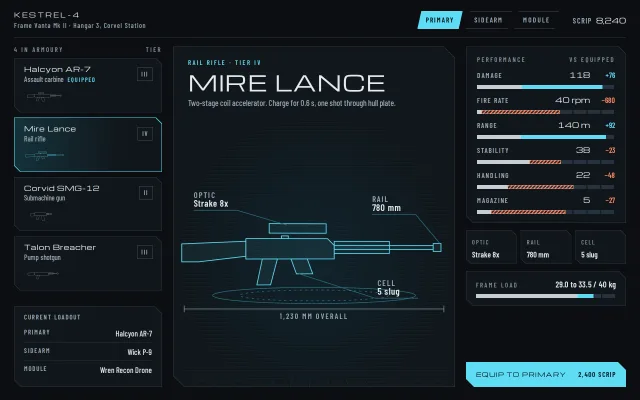
A sci-fi armoury: cut-corner panels, a weapon and module list, a hologram drawn in SVG that redraws on swap, and stat bars that show gains and losses.
Preview
Use it
Free to use · credit appreciated1 Once, in your project · Node 22.20+
npx skills add SusanAcharya/Design-Lounge 2 Then ask
Using the Design Lounge skill, build "Sci-fi loadout screen" (piece game-scifi-loadout) in my stack. Match its brief; restyle it onto my product's theme.
No skill? Paste the brief instead. It carries the numbers, tokens and behaviour.
<!-- Design Lounge Nº 575 · "Sci-fi loadout screen" · www.designlounge.live -->

# Sci-fi loadout screen

> **Build brief for a coding agent.** Rebuild this piece in the reader's stack. If they haven't said which stack, ask once, then default to semantic HTML + CSS + a little vanilla JS. Match the numbers below; don't "improve" them.

## What it is

The pre-mission loadout screen of a sci-fi shooter. The player picks a slot (Primary, Sidearm, Module), browses what is in the armoury, and sees each piece of gear as a cyan wireframe hologram on a turntable, with leader-line callouts and an overall-length dimension line like a technical drawing. Every stat is a segmented bar that compares the previewed item with the equipped one: the shared part is pale, the gain is solid cyan, the loss is hatched coral. Panels have 14px cut corners and a 1px edge. The neon is held to one cyan, used for the hologram, the selection and the single primary button; everything else is graphite. The detail worth copying: the hologram is generated from six numbers per weapon (body, barrel, stock, magazine, optic), so a new gun is one line of data, not a new drawing.

## Reference behaviour

1. Initial state: Primary tab selected. Halcyon AR-7 is equipped; Mire Lance (rail rifle, tier IV) is previewed, so every stat row already shows a delta (Damage 118, +76; Fire rate 40 rpm, −680).
2. Click a gear card in the left list: it becomes the preview (`aria-pressed="true"`, cyan 1px edge, a dark teal wash fading left to right). The hologram parts redraw from 0 over 700ms while the whole drawing flickers twice over 380ms; bars slide to their new widths over 420ms; the title, class line and description swap.
3. Click a slot tab: the list rebuilds with that slot's gear and the preview jumps to the item already equipped in that slot (no deltas, button disabled and reading "Equipped").
4. Stat rows: value with unit, delta on the right (cyan when better, coral when worse, grey 0 when equal). For Cooldown, lower is better, so a drop reads cyan and its bar segment is hatched cyan.
5. Attachment tiles under the stats show the item's three parts (Optic / Rail / Cell, or Sight / Barrel / Mag). The same three appear as callouts on the hologram.
6. Frame load reads "29.0 to 33.5 / 40 kg" when the preview changes the weight, with a bar that shows the shared load pale and the change as a segment; it reads one number when nothing changes.
7. The primary button reads "Equip to primary" with the scrip cost (2,400 scrip) or "Owned". Clicking it equips, updates the Current loadout card (bottom left) and the Equipped tag in the list, and disables itself.
8. The hologram rocks between −10° and +10° on Y over 9s, alternate, forever. It is the only loop on the screen.

## Structure

```
1280 × 800, padding 22 28 26
┌──────────────────────────────────────────────────────────────────────────┐
│ KESTREL-4                             [PRIMARY][SIDEARM][MODULE] SCRIP 8,240│
│ Frame Vanta Mk II · Hangar 3                                              │
├─ 1px rule ───────────────────────────────────────────────────────────────┤
│ 4 IN ARMOURY  TIER │ ┌ stage (cut 22) ─────────────────┐ │ ┌ PERFORMANCE ┐│
│ ┌ card ────── III ┐│ │ RAIL RIFLE · TIER IV             │ │ │ DAMAGE 118 +76│
│ │ name / class    ││ │ MIRE LANCE  (44px wide caps)     │ │ │ ▬▬▬▬████▯▯    ││
│ │ thumbnail 34px  ││ │ description                      │ │ │ × 6 rows      ││
│ └─────────────────┘│ │   OPTIC ─╮          ╭─ RAIL      │ │ └───────────────┘│
│  × 4, gap 10       │ │      ▭▭▭▭▭▭▭▭▭▭▭▭▭▭▭▭▭▭▭▭        │ │ [OPTIC][RAIL][CELL]│
│                    │ │      turntable ellipses ╰─ CELL  │ │ ┌ FRAME LOAD ──┐│
│ ┌ CURRENT LOADOUT ┐│ │   |──── 930 MM OVERALL ────|     │ │ └──────────────┘│
│ │ primary  sidearm ││ │ perspective grid floor           │ │                 │
│ └─────────────────┘│ └──────────────────────────────────┘ │ [EQUIP TO PRIMARY]│
└──────────────────────────────────────────────────────────────────────────┘

… 147 more lines. Copy or download for the full brief. Loading the source…Brief
187 linesBuild brief for a coding agent. Rebuild this piece in the reader’s stack. If they haven’t said which stack, ask once, then default to semantic HTML + CSS + a little vanilla JS. Match the numbers below; don’t “improve” them.
What it is
The pre-mission loadout screen of a sci-fi shooter. The player picks a slot (Primary, Sidearm, Module), browses what is in the armoury, and sees each piece of gear as a cyan wireframe hologram on a turntable, with leader-line callouts and an overall-length dimension line like a technical drawing. Every stat is a segmented bar that compares the previewed item with the equipped one: the shared part is pale, the gain is solid cyan, the loss is hatched coral. Panels have 14px cut corners and a 1px edge. The neon is held to one cyan, used for the hologram, the selection and the single primary button; everything else is graphite. The detail worth copying: the hologram is generated from six numbers per weapon (body, barrel, stock, magazine, optic), so a new gun is one line of data, not a new drawing.
Reference behaviour
- Initial state: Primary tab selected. Halcyon AR-7 is equipped; Mire Lance (rail rifle, tier IV) is previewed, so every stat row already shows a delta (Damage 118, +76; Fire rate 40 rpm, −680).
- Click a gear card in the left list: it becomes the preview (
aria-pressed="true", cyan 1px edge, a dark teal wash fading left to right). The hologram parts redraw from 0 over 700ms while the whole drawing flickers twice over 380ms; bars slide to their new widths over 420ms; the title, class line and description swap. - Click a slot tab: the list rebuilds with that slot’s gear and the preview jumps to the item already equipped in that slot (no deltas, button disabled and reading “Equipped”).
- Stat rows: value with unit, delta on the right (cyan when better, coral when worse, grey 0 when equal). For Cooldown, lower is better, so a drop reads cyan and its bar segment is hatched cyan.
- Attachment tiles under the stats show the item’s three parts (Optic / Rail / Cell, or Sight / Barrel / Mag). The same three appear as callouts on the hologram.
- Frame load reads “29.0 to 33.5 / 40 kg” when the preview changes the weight, with a bar that shows the shared load pale and the change as a segment; it reads one number when nothing changes.
- The primary button reads “Equip to primary” with the scrip cost (2,400 scrip) or “Owned”. Clicking it equips, updates the Current loadout card (bottom left) and the Equipped tag in the list, and disables itself.
- The hologram rocks between −10° and +10° on Y over 9s, alternate, forever. It is the only loop on the screen.
Structure
1280 × 800, padding 22 28 26
┌──────────────────────────────────────────────────────────────────────────┐
│ KESTREL-4                             [PRIMARY][SIDEARM][MODULE] SCRIP 8,240│
│ Frame Vanta Mk II · Hangar 3                                              │
├─ 1px rule ───────────────────────────────────────────────────────────────┤
│ 4 IN ARMOURY  TIER │ ┌ stage (cut 22) ─────────────────┐ │ ┌ PERFORMANCE ┐│
│ ┌ card ────── III ┐│ │ RAIL RIFLE · TIER IV             │ │ │ DAMAGE 118 +76│
│ │ name / class    ││ │ MIRE LANCE  (44px wide caps)     │ │ │ ▬▬▬▬████▯▯    ││
│ │ thumbnail 34px  ││ │ description                      │ │ │ × 6 rows      ││
│ └─────────────────┘│ │   OPTIC ─╮          ╭─ RAIL      │ │ └───────────────┘│
│  × 4, gap 10       │ │      ▭▭▭▭▭▭▭▭▭▭▭▭▭▭▭▭▭▭▭▭        │ │ [OPTIC][RAIL][CELL]│
│                    │ │      turntable ellipses ╰─ CELL  │ │ ┌ FRAME LOAD ──┐│
│ ┌ CURRENT LOADOUT ┐│ │   |──── 930 MM OVERALL ────|     │ │ └──────────────┘│
│ │ primary  sidearm ││ │ perspective grid floor           │ │                 │
│ └─────────────────┘│ └──────────────────────────────────┘ │ [EQUIP TO PRIMARY]│
└──────────────────────────────────────────────────────────────────────────┘
columns 296 | minmax(0,1fr) | 320, gap 18 22; second row fills the height.app: CSS grid, two rows (auto,minmax(0,1fr)),height:100%.<header>: callsign block,role="tablist"of three parallelogram tabs (clip-pathwith 8px slant), scrip readout.- List:
<section aria-label="Available gear">with a label row, cards as<button class="item ang" aria-pressed>(name, class, tier box, a 34px tall SVG thumbnail of the same paths), and a Current loadout card pinned to the bottom withmargin-top:auto. - Stage:
<section class="stage ang">holding a perspective grid.floor, the title block (aria-live="polite"), one<svg viewBox="14 24 392 182">with the rocking<g class="rig">, two turntable ellipses, callouts and the dimension line, and a scanline overlay. - Side: stats panel, 3 attachment tiles, frame load panel, and the equip
<button>pinned to the bottom.
Tokens
:root {
  --bg: #0b0e11;        /* page */
  --panel: #11161b;     /* panel fill */
  --panel-2: #161d24;   /* card hover, disabled button */
  --line: #26323c;      /* panel edge, bar track segments */
  --line-2: #3a4955;    /* tab and tier box borders */
  --ink: #e4ebf0;       /* primary text, shared bar */
  --ink-2: #9aa9b5;     /* secondary text */
  --ink-3: #7d8d99;     /* labels, zero delta */
  --holo: #5fdcf5;      /* hologram, selection, gain, primary button */
  --holo-dim: #2b6f80;  /* turntable and leader lines */
  --loss: #ff8a66;      /* worse delta */
  --on-holo: #04161b;   /* text on cyan */
  --wide: "Michroma", sans-serif;
  --cond: "Barlow Condensed", sans-serif;
  --cut: 14px;          /* panel corner cut; cards 12px, tiles 10px, stage 22px, button 16px */
  --bar-h: 8px;
  --t-micro: 160ms;
  --t-bar: 420ms;
  --t-draw: 700ms;
  --t-flick: 380ms;
  --t-rock: 9s;
  --ease: cubic-bezier(.2,.7,.2,1);
  --ease-out: cubic-bezier(.16,1,.3,1);
}
Typography
| Role | Family | Size | Weight | Line-height | Tracking | Case |
|---|---|---|---|---|---|---|
| Item title | Michroma | clamp(26px, 3.4vw, 44px) | 400 | 1.05 | .02em | upper |
| Callsign | Michroma | 13px | 400 | 1 | .24em | upper |
| Card name, stat value, button | Michroma | 12 to 15px | 400 | 1 to 1.2 | .04 to .1em | as written / upper |
| Class line, description | Barlow Condensed | 15 to 17px | 500 | 1.35 | 0 | sentence |
| Labels, tabs, stat names | Barlow Condensed | 12 to 14px | 600 | 1 | .14 to .22em | upper |
| Deltas | Barlow Condensed | 15px | 600 | 1 | 0 | signed numerals (true minus sign) |
| Callout label / value | Barlow Condensed | 12px / 14px in SVG units | 600 | 1 | .14em / .04em | upper / as written |
Michroma is very wide: never set body copy in it, and keep names under about 18 characters at 44px.
Motion
| Element | Trigger | Property | From → To | Duration | Easing |
|---|---|---|---|---|---|
| Hologram parts | item swap | stroke-dashoffset (pathLength 1), fill, opacity | 1, none, .4 → 0, 7%, 1 | 700ms | --ease-out |
| Hologram | item swap | opacity | .2 → 1 → .5 → 1 | 380ms | steps(2) |
| Rig | always | rotateY with perspective 600px | −10° ↔ 10° | 9s alternate | --ease |
| Stat bar segments | item swap | width, left | old → new | 420ms | --ease-out |
| Tabs, cards, button | hover | colour, background | instant feel | 160ms | --ease |
Reduced motion: no draw, no flicker, no rocking; bars jump to their widths. Every value still updates.
States
- Card hover: inner fill
--panel-2. - Card pressed (previewed): edge
--holo, inner wash#15323bto--panelat 75%, thumbnail stroke--holo. - Equipped tag: 12px caps
--holoafter the class line. - Tab selected: cyan fill,
--on-holotext; others 1px--line-2outline,--ink-2text. - Bar gain: solid
--holo. Bar loss: 135° hatch of--losswith a 1px--lossedge. Better but lower: cyan hatch. - Equip disabled:
--panel-2fill, 1px--line-2inset ring,--ink-2text, label “Equipped”, cost “In slot”. - Focus-visible: 2px
--holooutline, 3px offset, on tabs, cards and the button.
Accessibility
- Slot tabs are
role="tab"witharia-selectedandaria-controlson the list. - Cards are buttons with
aria-pressed; the title block isaria-live="polite"so the new item name is read. - Each bar is
role="img"with a label such as “Damage 118, up 76”, so the delta is not colour alone; the delta text also carries a sign. - The hologram SVG is
aria-hidden; its callout facts are repeated in the attachment tiles. - Contrast on
--panel:--ink15.1:1,--ink-27.6:1,--ink-35.3:1,--holo11.3:1,--loss7.9:1;--on-holoon--holo11.5:1.
Responsive rules
- ≥ 1280: three columns as drawn, nothing scrolls.
- 1100 and below: two columns (280px list, stage); stats, tiles and button take a full-width row below; the stage keeps at least 420px height and the page scrolls.
- 760 and below: one column in the order header, stage (min 440px, hologram at 90% width from 38% down), list, stats. Tabs stretch to equal thirds. The hologram never crosses the stage edge.
- Text in the SVG scales with the drawing; set callouts to 14 / 16px units on phones so they stay legible.
Acceptance checklist
Always
- Panels use a polygon
clip-pathwith cut corners and a 1px edge drawn by an inset pseudo-element, notborder. - Every stat compares preview with equipped: shared segment, gain or loss segment, signed delta text.
- Better-is-lower stats (cooldown) colour by benefit, not by sign.
- The hologram redraws by stroke (pathLength 1) on every swap and rocks on a 9s alternate loop.
- Three callouts with leader lines and a dimension line label the hologram; the same facts sit in the tiles.
- Switching slot shows that slot’s equipped item with no deltas and a disabled button.
- One cyan-filled primary button; it equips and updates the loadout summary.
- Reduced motion removes draw, flicker and rocking.
- At 390 wide the layout stacks with no sideways scroll.
This demo
- First frame previews Mire Lance against an equipped Halcyon AR-7: Damage 118 (+76), Fire rate 40 rpm (−680), 930 mm overall.
- Armoury holds 4 primaries, 2 sidearms, 2 modules; scrip 8,240; frame load 29.0 to 33.5 / 40 kg.
- Fonts are Michroma and Barlow Condensed only.
Implementation notes
Cut corners with an edge. clip-path clips borders away, so paint the edge as the element background and the fill as an inset pseudo-element that inherits the same polygon:
.ang{position:relative;background:var(--line);
  clip-path:polygon(0 0,calc(100% - var(--cut)) 0,100% var(--cut),100% 100%,var(--cut) 100%,0 calc(100% - var(--cut)))}
.ang::before{content:"";position:absolute;inset:1px;background:var(--panel);clip-path:inherit;z-index:0}
.ang>*{position:relative;z-index:1}
Use an opaque wash on the pressed card; a translucent one lets the cyan edge colour flood the whole card.
Hologram from data. Build paths from a handful of numbers and draw them with pathLength="1", so one dash rule works for every path length:
const bx = 110, rx = bx + s.bw, b = rx + 10;
p.push(`M${bx} 82h${s.bw}l10 10v20H${bx}z`);           // receiver
p.push(`M${b} 92h${s.ba}v6h-${s.ba}z`);                 // barrel
if (s.st) p.push(`M${bx} 86L${bx - s.st} 90v26h24L${bx} 108z`); // stock
if (s.mg) p.push(`M${bx + 66} 112h24l8 ${s.mg}h-24z`); // magazine.part{fill:rgba(95,220,245,.07);stroke:var(--holo);stroke-width:1.2;stroke-dasharray:1}
.draw .part{animation:draw 700ms var(--ease-out) both}
@keyframes draw{from{stroke-dashoffset:1;fill:transparent;opacity:.4}}Restart it by removing the class, reading getBoundingClientRect(), and adding it back.
Bars that compare. Two absolutely positioned segments: the shared part min(new, old) wide, then the difference starting where it ends. Set widths in the next animation frame so the transition runs from the old width.
Common mistakes: animating the title into place on every swap (only the hologram should move); colouring every delta by sign; letting the hologram scale past the stage on phones.
Details
- Palette
- Type
- Michroma · Barlow Condensed
- Motion
- Rich motion
- Build
- Multi-step
- Tags
Similar
Fantasy RPG inventory
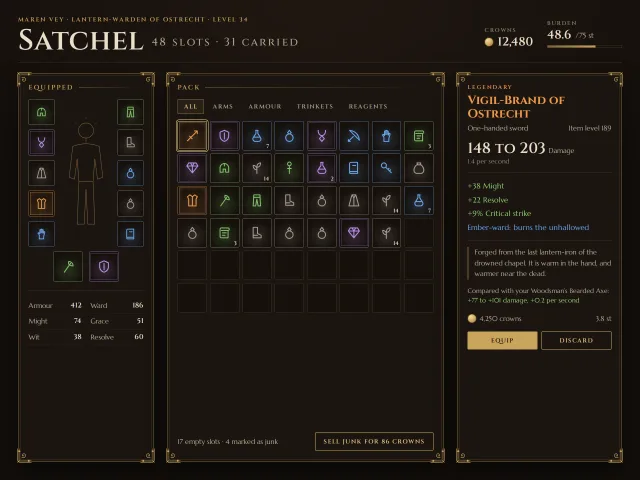
An ornate RPG satchel: an 8 by 6 slot grid with rarity frames, an equipped paper doll, and a pinned item card with stats, lore and a compare line.
Motorsport race results
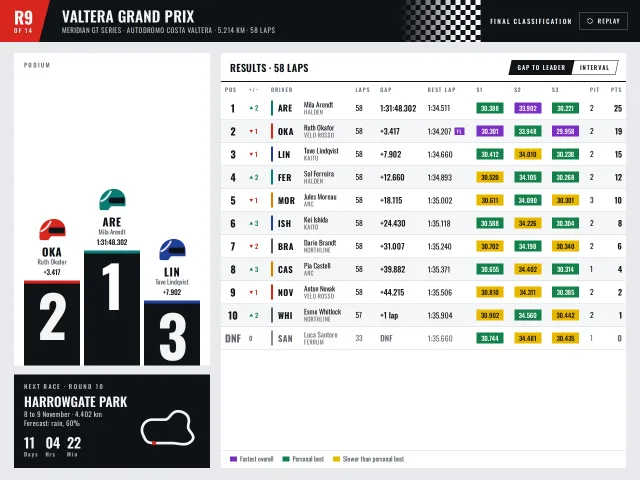
A broadcast-style results screen: a rising podium with giant numerals, a lap table with purple, green and yellow sectors, gap or interval, and a next race card.
Event ticket checkout
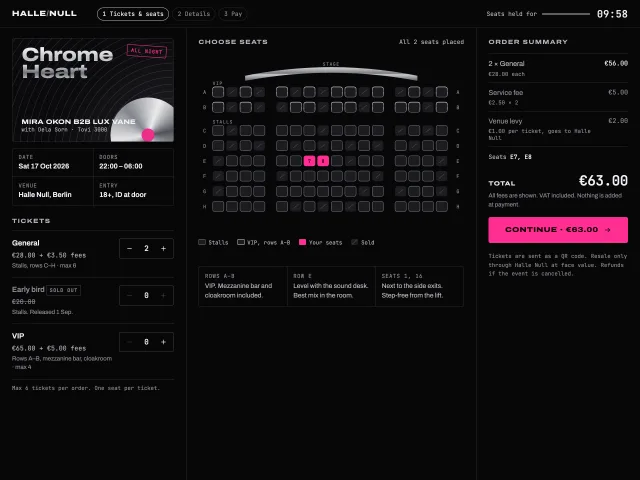
Club night tickets: types with steppers, an SVG seat map for rows A–H, an itemised fee summary, and a 10:00 hold that really releases seats at zero.
File upload manager
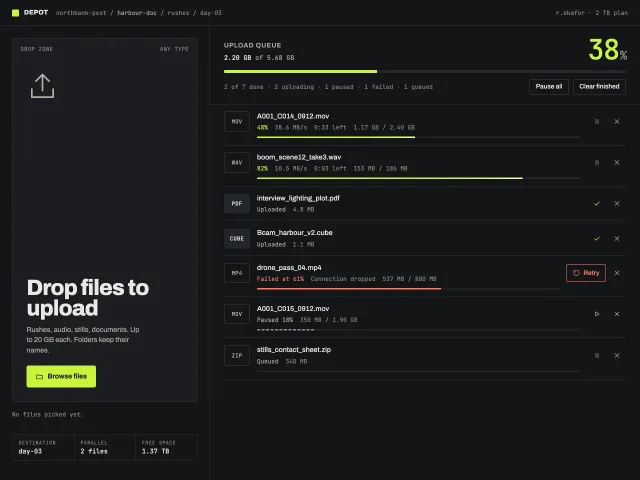
A dark upload screen: a tall dropzone that inverts on drag, a real file picker, and a queue with live speed, time left, pause, cancel, and retry.
Duskwell mission HUD
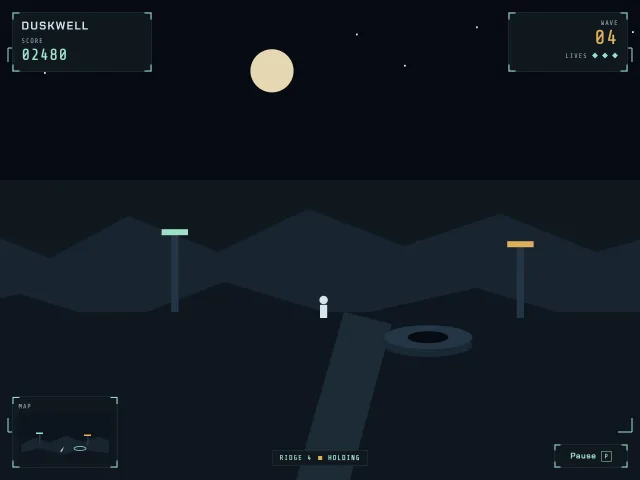
Duskwell chrome over a still night ridge: score, lives, wave, a minimap, and a pause menu that opens on P.
Roadmap swimlanes
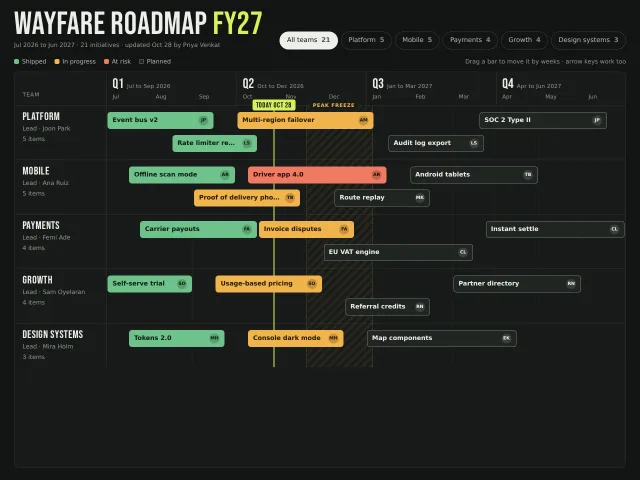
A dark product roadmap: four quarters across, team swimlanes down, status-coloured bars you drag along time by weeks, a today line, a freeze band and a team filter.