Nº 054 of 677
PWA connectivity banner
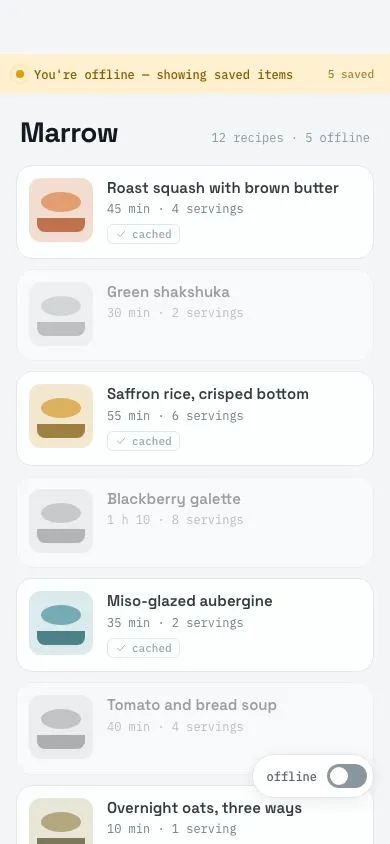
A 40px offline banner with a pulsing dot slides under the status bar, cached rows get a tag while uncached rows grey out; reconnecting flips it green and retracts it after 2s.
Preview
Use it
Free to use · credit appreciated1 Once, in your project · Node 22.20+
npx skills add SusanAcharya/Design-Lounge 2 Then ask
Using the Design Lounge skill, build "PWA connectivity banner" (piece pwa-connectivity-banner) in my stack. Match its brief; restyle it onto my product's theme.
No skill? Paste the brief instead. It carries the numbers, tokens and behaviour.
<!-- Design Lounge Nº 054 · "PWA connectivity banner" · www.designlounge.live -->

# PWA connectivity banner

> **Build brief for a coding agent.** Rebuild this piece in the reader's stack. If they haven't said which stack, ask once, then default to semantic HTML + CSS + a little vanilla JS. Match the numbers below; don't "improve" them.

## What it is

An **offline / back-online banner** for "Marrow", a recipe PWA. When connectivity drops, a 40px amber strip slides down directly beneath the status bar reading "You're offline — showing saved items" with a pulsing dot and a right-aligned "5 saved" count, all on one line (`white-space:nowrap`, message ellipsises before the count would); the list pushes down by the same 40px. Recipes cached by the service worker keep their colour at 85% and grow a small mono "cached" tag; uncached ones drop to 40% opacity and grayscale. A corner switch simulates connectivity. On reconnect the same strip turns green "Back online · synced", holds 2s, then retracts while the list slides back up. The detail worth copying is that the banner is in the layout, not over it: content moves with it, so nothing is hidden.

## Reference behaviour

1. Initial state (hero): `body.offline`, banner shown in the amber offline style, list of seven recipe cards with four cached (tagged) and three greyed. The switch reads "offline" and is unchecked.
2. The dot (8px, `#E39A00`) has a 2px ring that scales from .5 to 1.4 and fades over 1.6s, looping.
3. Tap the switch (44px pill, bottom-right, 46px from the bottom): `aria-checked` flips to true, label reads "online". `body.offline` is removed and `body.reconnect` added. Banner text becomes "Back online", right label "synced"; background `#DCF3E3`, text `#1C6B3C`, dot `#25A35A` with no ring. Colour change takes 160ms.
4. Cached tags fade out (160ms); greyed rows return to full colour over 320ms.
5. After 2000ms the banner translates to −100% and fades over 320ms `cubic-bezier(.4,0,1,1)`; `main` padding-top returns from 94px to 54px on the same clock with `cubic-bezier(.16,1,.3,1)`.
6. Tap the switch again: `body.offline` returns; banner slides in from −100% over 320ms `cubic-bezier(.16,1,.3,1)`; `main` padding-top grows to 94px; tags fade in after the banner lands (delay 320ms); uncached rows grey out over 320ms.
7. Toggling online while the banner is already hidden does nothing visible (guard).

## Structure

```
390 × 844
┌────────────────────────────────────┐
│ (54px clearance)                   │
│ ● You're offline — showing saved… 5 saved │  banner 40px, top 54
│ Marrow            12 recipes · 5 offline       │  h1 28px
│ ┌─────┐ Roast squash with brown…  │
│ │thumb│ 45 min · 4 servings       │  cached card, 88px min
│ └─────┘ [✓ cached]                │
│ ┌─────┐ Green shakshuka           │
│ │ ░░░ │ 30 min · 2 servings       │  uncached: 40% + grayscale
│ └─────┘                           │
│ ┌─────┐ Saffron rice, crisped…    │
│ ...                                │
│                        ┌─────────┐ │
│                        │offline ○│ │  switch, right 16, bottom 46
│                        └─────────┘ │
│ (34px clearance)                   │

… 186 more lines. Copy or download for the full brief. Loading the source…Brief
226 linesBuild brief for a coding agent. Rebuild this piece in the reader’s stack. If they haven’t said which stack, ask once, then default to semantic HTML + CSS + a little vanilla JS. Match the numbers below; don’t “improve” them.
What it is
An offline / back-online banner for “Marrow”, a recipe PWA. When connectivity drops, a 40px amber strip slides down directly beneath the status bar reading “You’re offline — showing saved items” with a pulsing dot and a right-aligned “5 saved” count, all on one line (white-space:nowrap, message ellipsises before the count would); the list pushes down by the same 40px. Recipes cached by the service worker keep their colour at 85% and grow a small mono “cached” tag; uncached ones drop to 40% opacity and grayscale. A corner switch simulates connectivity. On reconnect the same strip turns green “Back online · synced”, holds 2s, then retracts while the list slides back up. The detail worth copying is that the banner is in the layout, not over it: content moves with it, so nothing is hidden.
Reference behaviour
- Initial state (hero):
body.offline, banner shown in the amber offline style, list of seven recipe cards with four cached (tagged) and three greyed. The switch reads “offline” and is unchecked. - The dot (8px,
#E39A00) has a 2px ring that scales from .5 to 1.4 and fades over 1.6s, looping. - Tap the switch (44px pill, bottom-right, 46px from the bottom):
aria-checkedflips to true, label reads “online”.body.offlineis removed andbody.reconnectadded. Banner text becomes “Back online”, right label “synced”; background#DCF3E3, text#1C6B3C, dot#25A35Awith no ring. Colour change takes 160ms. - Cached tags fade out (160ms); greyed rows return to full colour over 320ms.
- After 2000ms the banner translates to −100% and fades over 320ms
cubic-bezier(.4,0,1,1);mainpadding-top returns from 94px to 54px on the same clock withcubic-bezier(.16,1,.3,1). - Tap the switch again:
body.offlinereturns; banner slides in from −100% over 320mscubic-bezier(.16,1,.3,1);mainpadding-top grows to 94px; tags fade in after the banner lands (delay 320ms); uncached rows grey out over 320ms. - Toggling online while the banner is already hidden does nothing visible (guard).
Structure
390 × 844
┌────────────────────────────────────┐
│ (54px clearance)                   │
│ ● You're offline — showing saved… 5 saved │  banner 40px, top 54
│ Marrow            12 recipes · 5 offline       │  h1 28px
│ ┌─────┐ Roast squash with brown…  │
│ │thumb│ 45 min · 4 servings       │  cached card, 88px min
│ └─────┘ [✓ cached]                │
│ ┌─────┐ Green shakshuka           │
│ │ ░░░ │ 30 min · 2 servings       │  uncached: 40% + grayscale
│ └─────┘                           │
│ ┌─────┐ Saffron rice, crisped…    │
│ ...                                │
│                        ┌─────────┐ │
│                        │offline ○│ │  switch, right 16, bottom 46
│                        └─────────┘ │
│ (34px clearance)                   │
└────────────────────────────────────┘.banner—position:absolute; top:54px; height:40px,role="status" aria-live="polite". Children:.dot,#msg,.r#ago.<main>— scroll container,padding-top54px or 94px depending on state.<header>with<h1>and mono count.<ul class="list">of<li class="item [cached]">:.thumb(CSS illustration via three custom properties--t1/--t2/--t3),<b>title,<small>mono meta,.tag.
<button class="toggle" role="switch" aria-checked>— label span +.swtrack with::afterknob.
Sample content (title · meta · cached? · thumb colours --t1/--t2/--t3):
| Recipe | Meta | Cached | Thumb |
|---|---|---|---|
| Roast squash with brown butter | 45 min · 4 servings | yes | #F2D9C9 / #E28C5A / #B85A30 |
| Green shakshuka | 30 min · 2 servings | no | #DFE9D3 / #8FB06B / #557A3B |
| Saffron rice, crisped bottom | 55 min · 6 servings | yes | #F5E4C8 / #D9A441 / #8F6A20 |
| Blackberry galette | 1 h 10 · 8 servings | no | #E2DCF0 / #8F7CC4 / #5A4A8C |
| Miso-glazed aubergine | 35 min · 2 servings | yes | #D8E8EA / #5F9EA8 / #2F6B76 |
| Tomato and bread soup | 40 min · 4 servings | no | #F0DADA / #C95E5E / #8A3232 |
| Overnight oats, three ways | 10 min · 1 serving | yes | #E8E3D3 / #A89A6A / #6D6040 |
Header: “Marrow” / “12 recipes · 5 offline”. Banner strings: offline “You’re offline — showing saved items” + “5 saved”; online “Back online” + “synced”. The thumb is --t1 fill, a --t2 ellipse (::before, inset 12px sides, 20px tall at top 14px) and a --t3 bar (::after, 14px tall, bottom 10px, rounded 8px at the bottom).
Tokens
:root {
  /* cool light neutrals */
  --bg: #f3f5f7;
  --card: #ffffff;
  --line: #dfe4e9;
  --ink: #15191d;
  --ink-2: #5b6670;
  --ink-3: #8b959e;

  /* connectivity states */
  --offline: #8a5a00;       /* banner text */
  --offline-bg: #fff1cf;
  --offline-dot: #e39a00;
  --online: #1c6b3c;
  --online-bg: #dcf3e3;
  --online-dot: #25a35a;    /* also switch track when on */

  --accent: #d4553b;        /* focus ring only */

  /* type */
  --font: "Space Grotesk", system-ui, sans-serif;
  --mono: "IBM Plex Mono", ui-monospace, monospace;
  --fs-h1: 28px; --fs-title: 15px; --fs-banner: 12px; --fs-meta: 12px; --fs-tag: 11px;

  /* layout */
  --banner-h: 40px;
  --top-clear: 54px;
  --r-card: 16px;
  --r-thumb: 12px;
  --r-tag: 6px;
  --thumb: 64px;
  --list-gap: 10px;

  /* dimming */
  --dim-cached: .85;
  --dim-uncached: .4;

  /* elevation */
  --shadow-toggle: 0 4px 16px rgba(21,25,29,.08);

  /* motion */
  --t-micro: 160ms;
  --t-banner: 320ms;
  --t-hold: 2000ms;
  --t-pulse: 1600ms;
  --ease-std: cubic-bezier(.2, .7, .2, 1);
  --ease-out: cubic-bezier(.16, 1, .3, 1);
  --ease-in: cubic-bezier(.4, 0, 1, 1);
}
Typography
| Role | Family | Size | Weight | Line-height | Tracking | Case |
|---|---|---|---|---|---|---|
| Page title | Space Grotesk | 28px | 700 | 1.1 | −0.02em | sentence |
| Recipe title | Space Grotesk | 15px | 600 | 1.3 | 0 | sentence |
| Banner text | IBM Plex Mono | 12px | 500 | 1 | 0 | sentence, nowrap |
| Banner right | IBM Plex Mono | 11px | 500 | 1 | 0 | lowercase, 75% opacity |
| Header count | IBM Plex Mono | 12px | 400 | 1.4 | 0 | lowercase |
| Recipe meta | IBM Plex Mono | 12px | 400 | 1.4 | 0 | lowercase |
| Tag | IBM Plex Mono | 11px | 500 | 1.4 | 0 | lowercase |
| Switch label | IBM Plex Mono | 12px | 500 | 1 | 0 | lowercase |
Motion
| Element | Trigger | Property | From → To | Duration | Easing | Delay |
|---|---|---|---|---|---|---|
.banner | go offline | translateY, opacity | −100%, 0 → 0, 1 | 320ms | --ease-out | 0 |
.banner | retract | translateY, opacity | 0, 1 → −100%, 0 | 320ms | --ease-in | 2000ms after reconnect (JS) |
.banner | reconnect | background, color | amber → green | 160ms | linear | 0 |
main | offline / retract | padding-top | 54px ↔ 94px | 320ms | --ease-out | 0 |
.dot::after | while offline | scale, opacity | .5, .9 → 1.4, 0 | 1600ms loop | --ease-std | 0 |
.item:not(.cached) | offline | opacity, filter | 1, none → .4, grayscale(1) | 320ms | --ease-std | 0 |
.item.cached | offline | opacity | 1 → .85 | 320ms | --ease-std | 0 |
.tag | offline | opacity, translateY | 0, 4px → 1, 0 | 160ms | --ease-std | 320ms |
.sw::after | toggle | left | 3px ↔ 19px | 160ms | --ease-std | 0 |
Reduced motion: transitions 1ms, the pulse ring is removed (animation:none), the static dot remains.
States
- Offline:
body.offline, banner.on.off, switcharia-checked="false"labelled “offline”, track--ink-3. - Reconnecting (2s window):
body.reconnect, banner.on.backgreen; list already restored; padding stays 94px. - Online: no body class; banner hidden; padding 54px; switch
aria-checked="true", track--online-dot. - Cached item offline: opacity .85 + tag with check icon.
- Uncached item offline: opacity .4,
grayscale(1), tag stays hidden (its dashed border is only for the online “not saved” style if you choose to show it). - Switch focus-visible: 3px
--accentoutline, 2px offset.
Accessibility
- Banner is
role="status" aria-live="polite"; its text changes (“You’re offline — showing saved items” → “Back online”) are announced without stealing focus. - Switch is
<button role="switch" aria-checked aria-label="Simulate connectivity">; Space/Enter toggle. - In production, drive the same
setOnline()fromnavigator.onLineplusonline/offlinewindow events; keep the switch for demos and QA only. - Cached state is conveyed by the tag text, not only by opacity; the tag includes a check icon and the word “cached”.
- Contrast:
--offlineon--offline-bg6.3:1;--onlineon--online-bg6.9:1;--ink-2on white 5.9:1. Dimmed rows are intentionally below AA — they are disabled content. - Hit target: switch 44px tall; cards ≥ 88px.
Responsive rules
- 390 wide: as specified.
- 360 wide: the message ellipsises (
#msg { overflow:hidden; text-overflow:ellipsis; min-width:0 }) and the right count stays visible (flex:none). - ≥ 600 wide: cap the list at 560px centred; banner stays full-bleed; switch keeps its viewport corner.
- With a real status bar (
env(safe-area-inset-top)), settop: env(safe-area-inset-top, 54px)on the banner and the same base formainpadding.
Acceptance checklist
- Banner is 40px tall at
top:54px, full width,#FFF1CFwith#8A5A0012px mono text on a single line while offline. - Banner enters over 320ms
cubic-bezier(.16,1,.3,1)and retracts over 320mscubic-bezier(.4,0,1,1). -
mainpadding-top moves 54px ↔ 94px in sync so no card is hidden under the banner. - The offline dot pulses a 2px ring from scale .5 to 1.4 every 1.6s; the online dot does not pulse.
- Cached rows show a “cached” tag with a check icon 320ms after the banner lands; uncached rows sit at 40% opacity in grayscale.
- Reconnecting turns the banner
#DCF3E3/#1C6B3Creading “Back online” and retracts it exactly 2s later. - Toggling to online when the banner is already hidden does nothing.
- Switch has
role="switch"and itsaria-checkedand label (“online”/“offline”) track the state. - Banner is a polite live region.
- Focus ring visible on the switch.
- Nothing fixed sits within the top 54px; the switch is 46px from the bottom.
- Reduced motion removes the pulse and collapses transitions.
Implementation notes
Banner in the layout, not over it. Animate the banner’s transform and the scroll container’s padding together:
.banner { position:absolute; top:54px; left:0; right:0; height:40px;
  transform:translateY(-100%); opacity:0;
  transition: transform 320ms var(--ease-in), opacity 320ms var(--ease-in), background 160ms, color 160ms; }
.banner.on { transform:none; opacity:1;
  transition: transform 320ms var(--ease-out), opacity 320ms var(--ease-out), background 160ms, color 160ms; }
main { padding-top:54px; transition: padding-top 320ms var(--ease-out); }
body.offline main, body.reconnect main { padding-top:94px; }
Pulse without extra DOM — a pseudo-element ring on the dot, only while offline:
.off .dot::after { content:""; position:absolute; inset:-4px; border-radius:50%;
  border:2px solid var(--offline-dot); animation: pulse 1.6s var(--ease-std) infinite; }
@keyframes pulse { 0% { transform:scale(.5); opacity:.9 } 100% { transform:scale(1.4); opacity:0 } }
Reconnect sequence — swap style immediately, retract on a single timer that any new toggle cancels:
function setOnline(on) {
  clearTimeout(hide);
  if (!on) { body.classList.add('offline'); body.classList.remove('reconnect'); banner.className = 'banner on off'; return; }
  if (!body.classList.contains('offline')) return;           // already online: nothing to show
  body.classList.replace('offline', 'reconnect'); banner.className = 'banner on back';
  hide = setTimeout(() => { banner.className = 'banner back'; body.classList.remove('reconnect'); }, 2000);
}
Common mistakes: overlaying the banner on the content (covers the first card); dimming cached rows as much as uncached ones (the point is contrast between the two); re-showing the banner on every online event even when nothing was offline.
Details
- Palette
- Type
- Space Grotesk · IBM Plex Mono
- Motion
- Subtle motion
- Stack
- Plain HTML, CSS and vanilla JS. No framework or packages, so nothing to clash with your versions.
- Build
- Quick build
- Tags
On the shelves
Similar
PWA install sheet
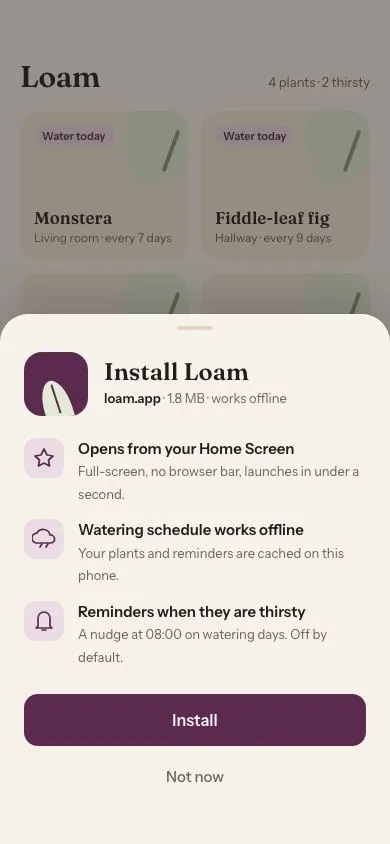
A bottom sheet that springs up to pitch installing a PWA, with an icon, three benefits, Install and Not now. Then it shows an inline progress bar and an 'Added to Home Screen' chip.
PWA app shell hydration
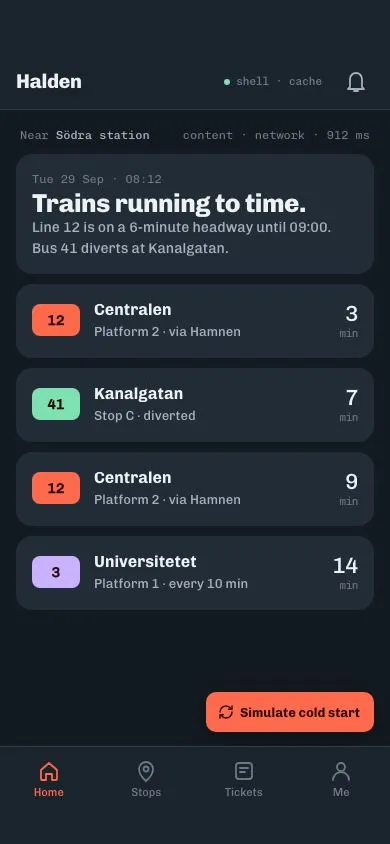
A cache-first app shell: fixed top bar and bottom nav render instantly, content cards show shimmering skeletons, then hydrate in with a 70ms stagger; a button replays the cold start.
PWA update toast
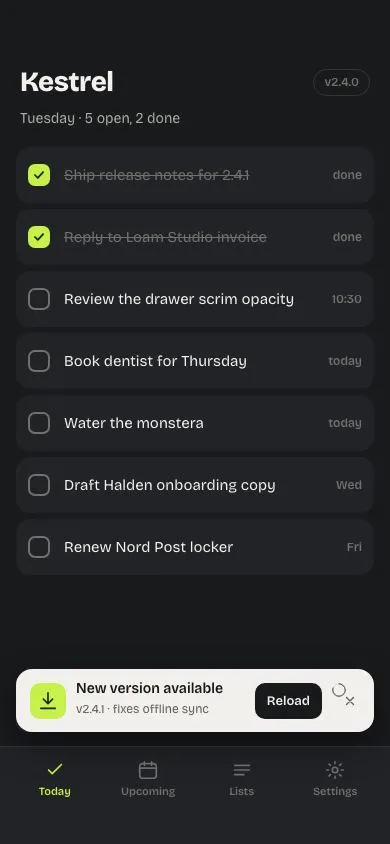
A 'New version available' toast rises above the bottom nav with a Reload action and a 10s countdown ring; Reload sweeps a lime panel over the screen showing v2.4.1, then reveals the updated app.
PWA outbox sync
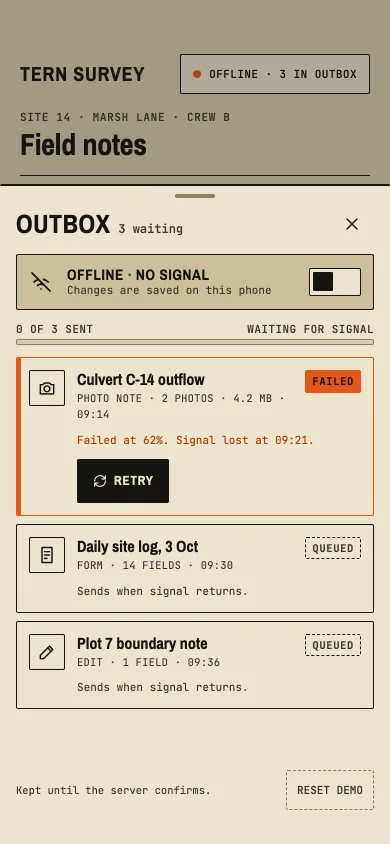
An offline outbox sheet for a field-notes app: queued, sending, failed with retry, conflict with keep mine or theirs, and sent, sending one by one when signal returns.
Empty state with line illustration
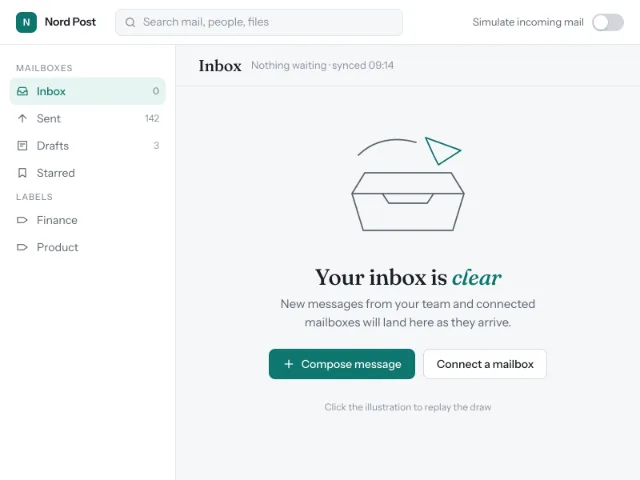
An inbox empty state whose line-drawn SVG draws itself over 1.2s, with a heading, one line of guidance, two actions and a transition into a populated list.
Inline form validation
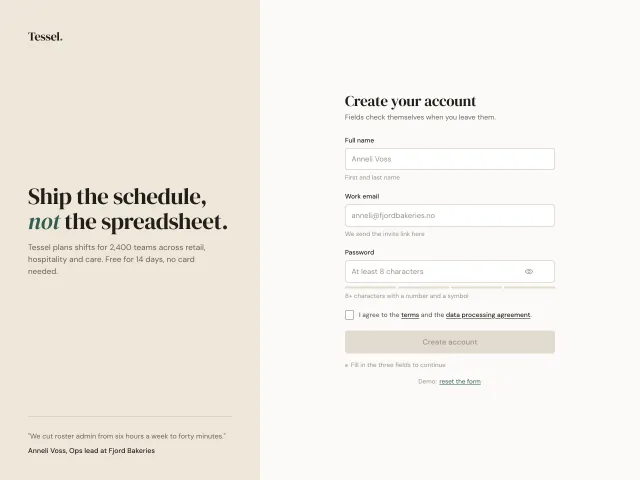
A signup form that validates each field on blur with a 6px shake for errors, a stroke-drawn tick for success, a 4-segment password meter and a submit gated until everything passes.