Nº 628 of 629
Drag to crop a profile photo
A circular crop for a pottery studio's member app: drag with momentum, pinch or wheel zoom around the pointer, rubber-band edges and live avatar previews.
Preview
Use it
Free to use · credit appreciated1 Once, in your project · Node 22.20+
npx skills add SusanAcharya/Design-Lounge 2 Then ask
Using the Design Lounge skill, build "Drag to crop a profile photo" (piece drag-avatar-crop) in my stack. Match its brief; restyle it onto my product's theme.
No skill? Paste the brief instead. It carries the numbers, tokens and behaviour.
<!-- Design Lounge Nº 628 · "Drag to crop a profile photo" · www.designlounge.live -->

# Drag to crop a profile photo

> **Build brief for a coding agent.** Rebuild this piece in the reader's stack. If they haven't said which stack, ask once, then default to semantic HTML + CSS + a little vanilla JS. Match the numbers below; don't "improve" them.

## What it is

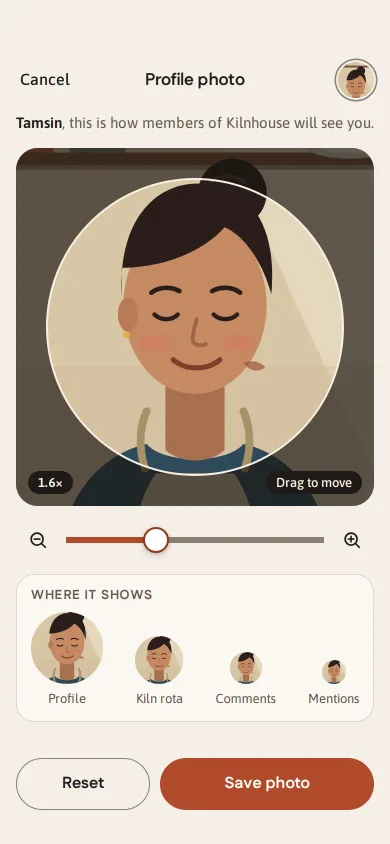
The "Profile photo" step in Kilnhouse, an invented members' app for a community pottery studio. Tamsin has just picked a portrait (in the demo it is drawn in inline SVG, a potter in an apron in front of a shelf of pots) and must place it inside a circle. The photo sits on a dark stage behind a 296px circular window; she drags it with her finger, pinches or scrolls to zoom around the point she is touching, and a fling coasts and then bounces off the edge. Edges stretch like rubber while dragging and spring back on release, so at rest the circle is never empty. Under the stage a zoom slider, then four live avatars at 72, 48, 32 and 24px show exactly where the crop will appear. Worth copying: one physics loop that does both momentum and spring-back, the rubber-band formula, and previews that are the same SVG with a different `viewBox`, so they cost nothing.

## Reference behaviour

1. First frame, 390 × 844 (the Lounge draws the status bar): 58px top padding. A 44px bar: "Cancel" left, "Profile photo" centred, the current 36px avatar right (a looser old crop, with a 2px cream gap and a 1.5px `#8c7e72` ring).
2. Line under it, 15px centred: "**Tamsin**, this is how members of Kilnhouse will see you."
3. The stage: a square the column's width (358px at 390), radius 22, `#1f1a17`. The photo is placed at scale `296 / 380` with the face centre (300, 420 in photo units) on the circle centre, which reads as 1.6× on the zoom scale. Outside the circle a 66% dark veil; the circle has a 2px `#f7efe3` ring. Bottom-left pill "1.6×", bottom-right pill "Drag to move" (fades after the first interaction).
4. Zoom row: 44px zoom-out button, the slider, 44px zoom-in button. Slider runs from 1.0× (the photo just covers the circle) to 4.0×, on a log scale so each step feels the same.
5. "Where it shows" card: avatars 72 "Profile", 48 "Kiln rota", 32 "Comments", 24 "Mentions", bottom-aligned, each updating on every frame of a drag.
6. Bottom (pinned by `margin-top: auto`): "Reset" (outlined) and "Save photo" (terracotta), 52px tall, 1 : 1.6 widths, 10px gap.
7. Drag: pointer down captures the pointer; the photo follows 1:1 while every crop edge stays covered. Past an edge, the overshoot is rubber-banded: `b(o) = (1 − 1 / (|o| · 0.55 / 120 + 1)) · 120`, so 100px of finger past the edge shows about 38px of empty stage. While dragging, rule-of-thirds lines appear inside the circle (220ms fade).
8. Release: velocity from the last 6 pointer samples (only if the last sample is under 60ms old) becomes a fling. Inside the bounds the photo coasts with friction (velocity × e^(−4.2t)); once it is outside, a spring (k 220, c 30) pulls it back to the edge. The circle is never empty once motion stops.
9. Pinch (two pointers): scale = start scale × finger distance / start distance, anchored at the midpoint, which also pans. Below 1.0× or above 4.0× the scale is rubber-banded (band 25% of the minimum scale) and springs back (k 260, c 32) on release.
10. Wheel or trackpad: scale × `exp(−deltaY × 0.0016)` around the pointer, hard-limited to 0.9× to 4.3× while scrolling; 140ms after the last wheel event it settles to the limits.
11. Slider, the ± buttons and keys zoom around the circle centre and clamp the pan straight away, so the circle stays full. Buttons step ×1.25 / ×0.8; keys ×1.15.
12. Keyboard on the focused stage: arrows move the photo 10px (Shift 40px) in the arrow's direction, `+`/`=` zoom in, `-` zoom out, `0` resets. Repeated presses accumulate onto the running target, then spring there (k 220, c 30).
13. Reset springs back to the starting crop and announces "Crop reset to the centre of your face."
14. Save: button reads "Saving" and is disabled for 650ms, then turns `#2f5d45` with a self-drawing check and "Saved"; the header avatar takes the new crop and the line under the header becomes "Saved. Members see it on your next post." After 2.6s both return to normal.
15. Reduced motion: no springs, coasts or fades; release snaps straight to the clamped crop, Reset jumps.

## Structure

```
390 × 844, column max 430 centred
┌──────────────────────────────────────┐ 58 top pad
│ Cancel      Profile photo       (av) │ bar 44, grid 72 / 1fr / 72
│ Tamsin, this is how members of …     │ 15px, 10 / 14 margins
│ ┌──────────────────────────────────┐ │
│ │░░░░░░░░ ╭──────────────╮ ░░░░░░░░│ │ stage 358², r22, #1f1a17
│ │░░░░░░░ │  photo, crop  │ ░░░░░░░░│ │ circle r148 (D 296) at centre
│ │░░░░░░░░ ╰──────────────╯ ░░░░░░░░│ │ veil rgba(24,19,16,.66)
│ │ [1.6×]               [Drag to move]│ │ pills 12px from edges

… 186 more lines. Copy or download for the full brief. Loading the source…Brief
226 linesBuild brief for a coding agent. Rebuild this piece in the reader’s stack. If they haven’t said which stack, ask once, then default to semantic HTML + CSS + a little vanilla JS. Match the numbers below; don’t “improve” them.
What it is
The “Profile photo” step in Kilnhouse, an invented members’ app for a community pottery studio. Tamsin has just picked a portrait (in the demo it is drawn in inline SVG, a potter in an apron in front of a shelf of pots) and must place it inside a circle. The photo sits on a dark stage behind a 296px circular window; she drags it with her finger, pinches or scrolls to zoom around the point she is touching, and a fling coasts and then bounces off the edge. Edges stretch like rubber while dragging and spring back on release, so at rest the circle is never empty. Under the stage a zoom slider, then four live avatars at 72, 48, 32 and 24px show exactly where the crop will appear. Worth copying: one physics loop that does both momentum and spring-back, the rubber-band formula, and previews that are the same SVG with a different viewBox, so they cost nothing.
Reference behaviour
- First frame, 390 × 844 (the Lounge draws the status bar): 58px top padding. A 44px bar: “Cancel” left, “Profile photo” centred, the current 36px avatar right (a looser old crop, with a 2px cream gap and a 1.5px
#8c7e72ring). - Line under it, 15px centred: “Tamsin, this is how members of Kilnhouse will see you.”
- The stage: a square the column’s width (358px at 390), radius 22,
#1f1a17. The photo is placed at scale296 / 380with the face centre (300, 420 in photo units) on the circle centre, which reads as 1.6× on the zoom scale. Outside the circle a 66% dark veil; the circle has a 2px#f7efe3ring. Bottom-left pill “1.6×”, bottom-right pill “Drag to move” (fades after the first interaction). - Zoom row: 44px zoom-out button, the slider, 44px zoom-in button. Slider runs from 1.0× (the photo just covers the circle) to 4.0×, on a log scale so each step feels the same.
- “Where it shows” card: avatars 72 “Profile”, 48 “Kiln rota”, 32 “Comments”, 24 “Mentions”, bottom-aligned, each updating on every frame of a drag.
- Bottom (pinned by
margin-top: auto): “Reset” (outlined) and “Save photo” (terracotta), 52px tall, 1 : 1.6 widths, 10px gap. - Drag: pointer down captures the pointer; the photo follows 1:1 while every crop edge stays covered. Past an edge, the overshoot is rubber-banded:
b(o) = (1 − 1 / (|o| · 0.55 / 120 + 1)) · 120, so 100px of finger past the edge shows about 38px of empty stage. While dragging, rule-of-thirds lines appear inside the circle (220ms fade). - Release: velocity from the last 6 pointer samples (only if the last sample is under 60ms old) becomes a fling. Inside the bounds the photo coasts with friction (velocity × e^(−4.2t)); once it is outside, a spring (k 220, c 30) pulls it back to the edge. The circle is never empty once motion stops.
- Pinch (two pointers): scale = start scale × finger distance / start distance, anchored at the midpoint, which also pans. Below 1.0× or above 4.0× the scale is rubber-banded (band 25% of the minimum scale) and springs back (k 260, c 32) on release.
- Wheel or trackpad: scale ×
exp(−deltaY × 0.0016)around the pointer, hard-limited to 0.9× to 4.3× while scrolling; 140ms after the last wheel event it settles to the limits. - Slider, the ± buttons and keys zoom around the circle centre and clamp the pan straight away, so the circle stays full. Buttons step ×1.25 / ×0.8; keys ×1.15.
- Keyboard on the focused stage: arrows move the photo 10px (Shift 40px) in the arrow’s direction,
+/=zoom in,-zoom out,0resets. Repeated presses accumulate onto the running target, then spring there (k 220, c 30). - Reset springs back to the starting crop and announces “Crop reset to the centre of your face.”
- Save: button reads “Saving” and is disabled for 650ms, then turns
#2f5d45with a self-drawing check and “Saved”; the header avatar takes the new crop and the line under the header becomes “Saved. Members see it on your next post.” After 2.6s both return to normal. - Reduced motion: no springs, coasts or fades; release snaps straight to the clamped crop, Reset jumps.
Structure
390 × 844, column max 430 centred
┌──────────────────────────────────────┐ 58 top pad
│ Cancel      Profile photo       (av) │ bar 44, grid 72 / 1fr / 72
│ Tamsin, this is how members of …     │ 15px, 10 / 14 margins
│ ┌──────────────────────────────────┐ │
│ │░░░░░░░░ ╭──────────────╮ ░░░░░░░░│ │ stage 358², r22, #1f1a17
│ │░░░░░░░ │  photo, crop  │ ░░░░░░░░│ │ circle r148 (D 296) at centre
│ │░░░░░░░░ ╰──────────────╯ ░░░░░░░░│ │ veil rgba(24,19,16,.66)
│ │ [1.6×]               [Drag to move]│ │ pills 12px from edges
│ └──────────────────────────────────┘ │
│ (−)  ━━━━━━━━●─────────────  (+)     │ 44 / 1fr / 44, gap 6, mt 12
│ ┌ WHERE IT SHOWS ──────────────────┐ │ card r18, mt 12
│ │ (72)     (48)     (32)    (24)   │ │
│ │ Profile  Kiln rota Comments Ment.│ │
│ └──────────────────────────────────┘ │
│        (flex space)                  │
│ [  Reset  ] [     Save photo      ]  │ 52 tall, 1fr 1.6fr, gap 10
└──────────────────────────────────────┘ 34 bottom padheaderholds abutton“Cancel”, anh1, and anaria-hiddenavatarsvg.- The lede
pisrole="status"so the saved message is announced. - The stage is a
div tabindex="0" role="group" aria-roledescription="photo crop area" aria-label="Crop your photo"witharia-describedbypointing to ahiddenparagraph of instructions. Inside: onesvg viewBox="0 0 358 358"with<g id="img" transform="translate() scale()"><use href="#photo"/></g>, an even-odd veil path, a thirds grid clipped to the circle, and the ring. - The photo is one
<symbol id="photo" viewBox="0 0 600 760">in a zero-size SVG; every preview is<svg viewBox="…crop…"><use href="#photo" width="600" height="760"/></svg>withborder-radius: 50%. - Slider is a native
input type="range"0 to 100 witharia-valuetext“2.4 times”; zoom buttons arebuttonwitharia-label. - A visually hidden
p aria-live="polite"for zoom and reset messages.
Tokens
:root {
  /* colour */
  --cream: #f4efe8;      /* screen */
  --card: #fbf8f3;       /* previews card */
  --ink: #231d19;        /* text, icons */
  --ink-2: #66594f;      /* secondary text, 5.9:1 on cream */
  --edge: #8c7e72;       /* Reset border, slider rail, avatar ring, 3.4:1 */
  --line: #e2d8cc;       /* card border */
  --stage: #1f1a17;      /* crop stage, pills */
  --veil: rgba(24,19,16,.66);   /* outside the circle */
  --ring: #f7efe3;       /* circle ring, pill text, thirds at 55% */
  --clay: #b04a2b;       /* Save, slider fill, focus ring; white on it 5.4:1 */
  --clay-deep: #8f3a20;  /* Save hover, thumb border */
  --saved: #2f5d45;      /* Save in its done state */

  /* type */
  --display: "Fustat", system-ui, sans-serif;
  --sans: "Asap", system-ui, sans-serif;
  --fs-title: 17px; --fs-btn: 16px; --fs-body: 15px; --fs-small: 13px;

  /* geometry */
  --stage-r: 22px; --crop-d: 296px; --crop-r: 148px; --stage-box: 358px;  /* SVG units */
  --btn-h: 52px; --hit: 44px; --r-card: 18px; --thumb: 26px; --rail: 6px;
  --space: 6px 10px 12px 14px 16px;
  --pad: 58px 16px 34px;

  /* behaviour */
  --zoom-min: 1;  --zoom-max: 4;         /* × the scale that just covers the circle */
  --band-pan: 120px; --band-zoom: .25;    /* rubber-band dimension */
  --friction: 4.2;                        /* per second */
  --spring-pan: 220 30; --spring-zoom: 260 32;  /* stiffness, damping */
  --wheel-k: .0016; --wheel-settle: 140ms;
  --key-pan: 10px; --key-pan-shift: 40px; --key-zoom: 1.15; --btn-zoom: 1.25;

  /* motion */
  --out: cubic-bezier(.16,1,.3,1);
  --ease: cubic-bezier(.2,.7,.2,1);
  --grid-fade: 220ms; --hint-fade: 300ms; --press: 140ms; --check: 360ms;
  --saving: 650ms; --saved-hold: 2600ms;
}
Typography
| Role | Family | Size | Weight | Line height | Tracking | Case |
|---|---|---|---|---|---|---|
| Screen title | Fustat | 17px | 700 | 1 | −0.01em | sentence |
| Buttons | Fustat | 16px | 700 | 1 | 0 | sentence |
| Section label “Where it shows” | Fustat | 13px | 700 | 1 | 0.06em | uppercase |
| Cancel | Asap | 16px | 500 | 1.45 | 0 | sentence |
| Lede | Asap | 15px | 400 (name 600) | 1.45 | 0 | sentence |
| Zoom pill | Asap | 13px | 600 | 1 | 0.01em | tabular “1.6×” |
| Hint pill, preview captions | Asap | 13px | 500 / 400 | 1 | 0 | sentence |
Motion
| Thing | Trigger | Property | From → to | Timing | Reduced motion |
|---|---|---|---|---|---|
| Drag | pointer move | photo translate | 1:1, rubber band past edges | none | same |
| Fling | release with speed | translate | coast, friction 4.2/s | until < 6px/s | none, snap to clamp |
| Spring back | release past edge | translate | → nearest edge | k 220, c 30 | instant |
| Zoom back | release past 1× or 4× | scale around centre | → limit | k 260, c 32 | instant |
| Keys, ± buttons, Reset | key or click | translate, scale | → target | k 220/260, c 30/32 | instant |
| Thirds grid | drag or zoom | opacity | 0 → 1 → 0 | 220ms —ease | none |
| Hint pill | first interaction | opacity | 1 → 0 | 300ms —ease | instant |
| Previews | every frame | viewBox | follows crop | none | same |
| Button press | active | scale | 1 → 0.97 | 140ms —ease | none |
| Saved | after 650ms | background, check stroke | clay → green, dashoffset 24 → 0 | 200ms, 360ms —out | instant |
Integrate at 4 sub-steps per frame, dt capped at 32ms, so springs stay stable on slow frames.
States
- Rest: photo inside bounds, thirds hidden, “Drag to move” pill visible until first use.
- Dragging: cursor
grabbing, thirds visible, edges stretch. - Pinching or wheeling: thirds visible (
.zoom), scale may overshoot slightly. - Settling: no input, physics loop running; any new pointer down cancels it on the spot and keeps the current position.
- Focus-visible: 3px
#b04a2boutline, 3px offset, on the stage (radius 22), buttons and the slider thumb. - Saving: Save disabled, label “Saving”. Saved:
#2f5d45, check + “Saved”, header avatar swapped, lede replaced. - Reset hover: none needed on touch; press scales to 0.97.
Accessibility
- Stage:
role="group",aria-roledescription="photo crop area", name “Crop your photo”, description “Drag to move the photo. Pinch, scroll or use the slider to zoom. Arrow keys move, plus and minus zoom, 0 resets.” - Every gesture has a keyboard path: arrows (Shift for 4×) pan,
+/-zoom,0resets; the slider and the ± buttons are also reachable by Tab. Tab order: Cancel, stage, zoom out, slider, zoom in, Reset, Save. - Slider
aria-valuetextis “2.4 times”, kept in sync by gestures; the polite live region says “Zoom 2.4 times.” 400ms after a change settles, and the reset message. - Previews and the header avatar are
aria-hidden; the lede (role="status") announces “Saved. Members see it on your next post.” touch-action: noneanduser-select: noneon the stage; the page never scrolls while you drag or pinch, and the wheel listener is non-passive so it canpreventDefault.- Contrast: ink on cream 14:1, secondary 5.9:1, white on clay 5.4:1, ring text on stage 14:1; Reset border and slider rail 3.4:1 against cream.
- Hit targets: zoom buttons 44 × 44, Cancel 44 tall, Reset and Save 52 tall, slider thumb 26px inside a 30px box in a 44px row.
Responsive rules
- 360 wide: stage 328px; the crop maths are in SVG units (358) and pointer positions are scaled by
358 / stage width, so nothing else changes. - Heights under 760px: the lede hides so the buttons stay on screen.
- Tablet or desktop: the column caps at 430px and centres; the wheel and trackpad path takes over from pinch.
- Square or portrait photos both work: the minimum scale is
max(D / width, D / height).
Acceptance checklist
Always
- Dragging uses pointer capture and
touch-action: none; the page does not scroll during a drag or pinch. - Overshoot past any edge is rubber-banded with
(1 − 1/(o·0.55/d + 1))·d, and release springs back so the circle is never empty at rest. - A fast release coasts with friction and bounces back at an edge, from the same loop.
- Pinch and wheel zoom keep the point under the fingers or pointer fixed.
- Zoom is limited to 1× (photo just covers the circle) to 4×, with an elastic overshoot when pinching.
- The slider is log-scaled and stays in sync with every other zoom path.
- Previews at four sizes update on every frame from the same image.
- Arrows, Shift+arrows,
+,-and0work on the focused stage, with a visible focus ring. - Every form control has a 3:1 edge or fill; all text is at least 4.5:1.
- Reduced motion keeps every state and drops springs and coasting.
This demo
- Copy “Profile photo”, “Tamsin, this is how members of Kilnhouse will see you.”, “Where it shows”, “Kiln rota”, “Save photo”, “Saved”.
- Stage
#1f1a17with a 296px circle and#f7efe3ring; Save#b04a2bturning#2f5d45. - Starts at 1.6× on the face; previews at 72, 48, 32, 24px.
- Fustat for titles and buttons, Asap for body.
Implementation notes
Bounds and rubber band. Keep the photo’s top-left in stage units. The bounds are where an image edge meets the circle’s bounding square; drag tracks a raw position and displays a softened one:
const C = 179, R = 148, W = 600, H = 760;
const lim = s => ({ x0: C + R - W * s, x1: C - R, y0: C + R - H * s, y1: C - R });
const band = (o, d) => (1 - 1 / (Math.abs(o) * .55 / d + 1)) * d * Math.sign(o);
const soft = (v, a, b, d) => v < a ? a + band(v - a, d) : v > b ? b + band(v - b, d) : v;
// pointermove
raw.x += p.x - last.x; raw.y += p.y - last.y;
const L = lim(st.s);
st.x = soft(raw.x, L.x0, L.x1, 120); st.y = soft(raw.y, L.y0, L.y1, 120);
One loop for coast and spring. Inside the bounds apply friction only; outside, a damped spring toward the nearest edge. A fling that crosses an edge turns into a bounce with no special case:
for (let i = 0; i < 4; i++) {          // 4 sub-steps, dt = frame / 4
  const L = lim(st.s), tx = clamp(st.x, L.x0, L.x1);
  vx += (tx !== st.x ? 220 * (tx - st.x) - 30 * vx : -4.2 * vx) * dt;
  st.x += vx * dt;                     // same for y
}
Zoom around a point, and free previews. Scaling about a point moves the origin by the same ratio; the crop rectangle in photo units is the previews’ viewBox:
function zoomAt(ns, px, py) { const k = ns / st.s; st.x = px - (px - st.x) * k; st.y = py - (py - st.y) * k; st.s = ns; }
const vb = [(C - R - st.x) / st.s, (C - R - st.y) / st.s, 2 * R / st.s, 2 * R / st.s].join(' ');
previews.forEach(svg => svg.setAttribute('viewBox', vb));
Common mistakes:
- Clamping hard during the drag; the edge then feels like a wall instead of rubber, and users think the app froze.
- Zooming around the circle centre for pinch and wheel; the point under the fingers must stay put.
- Keyboard steps that read the animated position; build each step on the pending target or quick presses cancel each other.
- Re-rendering a raster crop for each preview; one
<use>and aviewBoxper size is free and always in sync. - A passive wheel listener: the page scrolls while you zoom.
Details
- Palette
- Type
- Fustat · Asap
- Motion
- Rich motion
- Build
- Multi-step
- Tags
Similar
Slide to pay back a friend
A gold handle you drag along an ink track to repay a friend: letters dim as it passes, it resists near the end, snaps through at 90% and becomes a receipt.
Liquid squish toggles
Switches whose knob is a soft droplet: it squashes on press, stretches as it travels, pours water into the track behind it and wobbles on arrival.
Hold-to-record voice note
A chat composer mic you hold to record: it swells, a live waveform grows, slide left to bin the note or up to lock, release to send a scrubbable bubble.
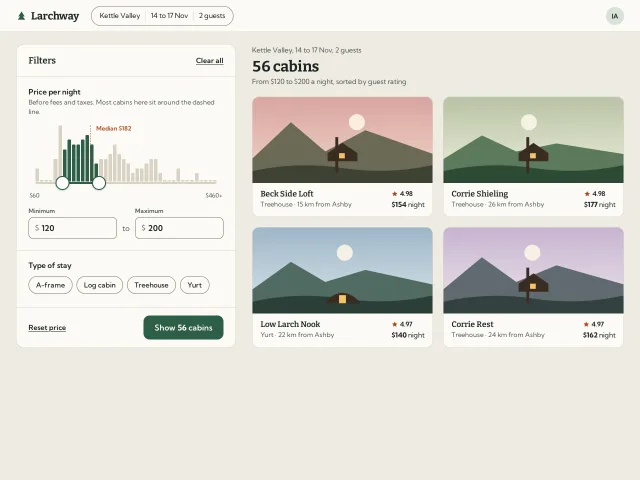
Price range over a histogram
A two-thumb nightly price filter sitting on a histogram of cabin prices: bars fill as the range covers them, the count updates live and the thumbs squash when they meet.
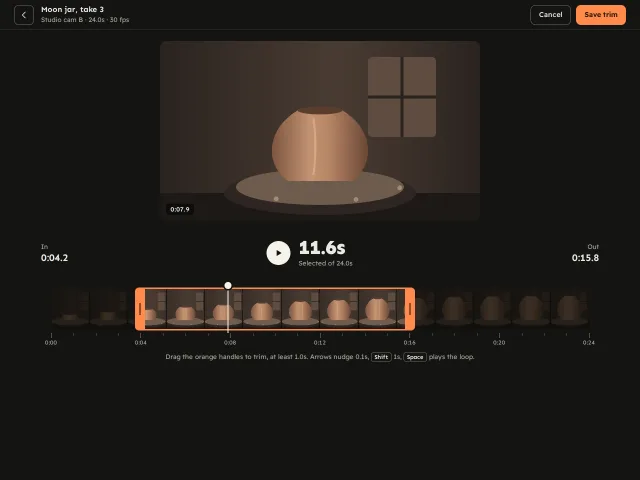
Clip trimmer with a filmstrip
Trim a pottery clip on a drawn filmstrip: kiln-orange handles that rubber-band at a 1.0s minimum, a draggable playhead, a dimmed outside and a loop preview.
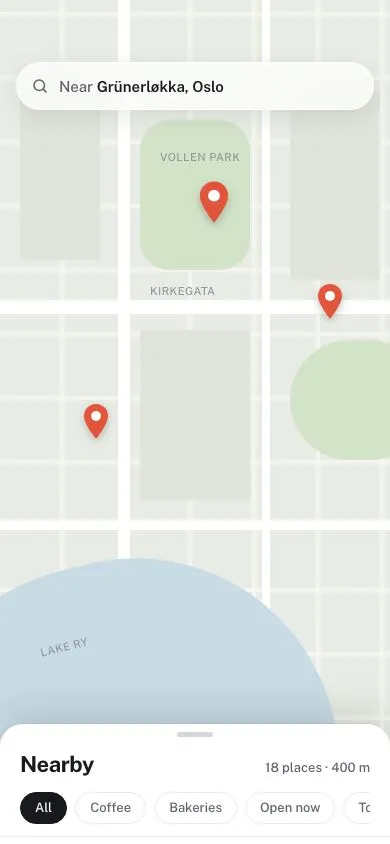
Bottom sheet with three detents
A draggable places sheet over a CSS-drawn map that snaps to 120px, 430px and full-height detents with spring easing, a progress-linked scrim and velocity flicks.