Nº 623 of 629
Clip trimmer with a filmstrip
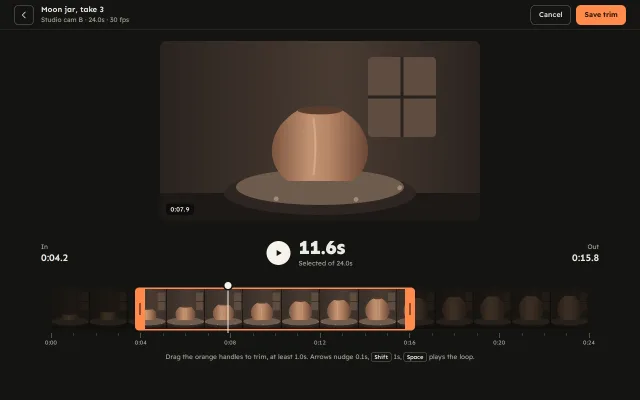
Trim a pottery clip on a drawn filmstrip: kiln-orange handles that rubber-band at a 1.0s minimum, a draggable playhead, a dimmed outside and a loop preview.
Preview
Use it
Free to use · credit appreciated1 Once, in your project · Node 22.20+
npx skills add SusanAcharya/Design-Lounge 2 Then ask
Using the Design Lounge skill, build "Clip trimmer with a filmstrip" (piece slider-clip-trim) in my stack. Match its brief; restyle it onto my product's theme.
No skill? Paste the brief instead. It carries the numbers, tokens and behaviour.
<!-- Design Lounge Nº 623 · "Clip trimmer with a filmstrip" · www.designlounge.live -->

# Clip trimmer with a filmstrip

> **Build brief for a coding agent.** Rebuild this piece in the reader's stack. If they haven't said which stack, ask once, then default to semantic HTML + CSS + a little vanilla JS. Match the numbers below; don't "improve" them.

## What it is

The trim screen of "Offcut", an invented clip editor a ceramics studio (Kilnroom) uses before posting. The clip is "Moon jar, take 3", 24.0s of a jar rising on a wheel. A filmstrip of fourteen drawn frames runs under the preview; two kiln-orange handles cut the clip, everything outside them dims, and a white playhead scrubs inside. Grab a handle and the preview jumps to that handle's frame so you can find the exact moment. Push two handles closer than 1.0s and the handle keeps creeping a few pixels past the stop with rising resistance, the duration turns orange and reads "Shortest a clip can be", and on release it springs back. Worth copying: the rubber-band stop, the scrub-on-grab preview, and a full keyboard path on all three sliders.

## Reference behaviour

1. First frame at 1280 × 800, dark: a 60px top bar with a 40px back button, "Moon jar, take 3 / Studio cam B · 24.0s · 30 fps", and "Cancel" plus a kiln-orange "Save trim".
2. Preview: 640px wide, 16:9, radius 12, centred, 22px below the bar. It draws the scene at the playhead time (0:07.9 at load) with a timecode chip bottom-left.
3. Readout row (3 columns): "In 0:04.2" at left, a 48px cream play button plus "11.6s" (Sen 40px/800) over "Selected of 24.0s" in the middle, "Out 0:15.8" right-aligned.
4. Trimmer, 26px below: an 80px filmstrip of 14 frames inset 20px each side (room for the handles), the dim shade outside the window at 74% black, a window with 3px orange top and bottom edges, a 20px orange handle on each side (outside the window, outer corners radius 8, two-line grip), and a 2px cream playhead with a 14px knob that rises 14px above the strip.
5. A ruler: a tick every second, a taller tick and label every 4s ("0:00" to "0:24"), then the hint "Drag the orange handles to trim, at least 1.0s. Arrows nudge 0.1s, Shift 1s, Space plays the loop."
6. Drag a handle: pointer capture on the trimmer, the grab offset is kept (no jump), the handle grows to scaleY 1.06, a cream time label appears 22px above it, and the preview shows that handle's frame. Values snap to 0.1s. In, Out and the duration update on every move. The playhead is pushed along if the window passes it.
7. Minimum: the start can go no later than end − 1.0s and the end no earlier than start + 1.0s. Pushing past the stop moves the handle `12 · tanh(overshoot / 48)` px further (never more than 12px); the duration and its note turn orange and the note reads "Shortest a clip can be" for 900ms after the last push. Release springs the handle back to the stop (k 520, c 18, a visible wobble). The same rubber band applies at 0:00 and 0:24.
8. Press the strip anywhere off a handle: the playhead jumps there (clamped to the window) and follows the pointer.
9. Release a handle: the preview returns to the playhead and a polite live region says "Clip 11.6 seconds, from 4.2 to 15.8".
10. Loop preview: the play button (or Space anywhere except on a button) plays from the playhead to Out in real time, then wraps to In and keeps going. The icon becomes pause, an orange "Looping" tag shows on the preview, and `aria-pressed` is true. The wheel's three dots turn at 2 revolutions per second.
11. Keyboard on each handle: Left/Down −0.1s, Right/Up +0.1s, Shift ×10 (1.0s), PageUp/PageDown ±1.0s, Home/End to that handle's limits. A key that would cross the 1.0s minimum stops at it and the handle bumps 5px toward the other and back (260ms). The preview shows the handle's frame on each key.
12. Keyboard on the playhead: the same keys, clamped to In and Out.
13. "Save trim" announces "Trim saved. Clip 11.6 seconds, from 4.2 to 15.8."

## Structure

```
1280 × 800
┌─────────────────────────────────────────────────────────────────────────┐
│ (‹) Moon jar, take 3                               [Cancel] [Save trim] │ 60
│     Studio cam B · 24.0s · 30 fps                                       │
├─────────────────────────────────────────────────────────────────────────┤
│                  ┌─────────────────────────────────┐                    │
│                  │  preview 640 × 360, r12         │  [Looping]          │
│                  │        jar on the wheel         │                    │
│                  │ [0:07.9]                        │                    │
│                  └─────────────────────────────────┘                    │
│ In                     (▶) 11.6s                                    Out │

… 183 more lines. Copy or download for the full brief. Loading the source…Brief
223 linesBuild brief for a coding agent. Rebuild this piece in the reader’s stack. If they haven’t said which stack, ask once, then default to semantic HTML + CSS + a little vanilla JS. Match the numbers below; don’t “improve” them.
What it is
The trim screen of “Offcut”, an invented clip editor a ceramics studio (Kilnroom) uses before posting. The clip is “Moon jar, take 3”, 24.0s of a jar rising on a wheel. A filmstrip of fourteen drawn frames runs under the preview; two kiln-orange handles cut the clip, everything outside them dims, and a white playhead scrubs inside. Grab a handle and the preview jumps to that handle’s frame so you can find the exact moment. Push two handles closer than 1.0s and the handle keeps creeping a few pixels past the stop with rising resistance, the duration turns orange and reads “Shortest a clip can be”, and on release it springs back. Worth copying: the rubber-band stop, the scrub-on-grab preview, and a full keyboard path on all three sliders.
Reference behaviour
- First frame at 1280 × 800, dark: a 60px top bar with a 40px back button, “Moon jar, take 3 / Studio cam B · 24.0s · 30 fps”, and “Cancel” plus a kiln-orange “Save trim”.
- Preview: 640px wide, 16:9, radius 12, centred, 22px below the bar. It draws the scene at the playhead time (0:07.9 at load) with a timecode chip bottom-left.
- Readout row (3 columns): “In 0:04.2” at left, a 48px cream play button plus “11.6s” (Sen 40px/800) over “Selected of 24.0s” in the middle, “Out 0:15.8” right-aligned.
- Trimmer, 26px below: an 80px filmstrip of 14 frames inset 20px each side (room for the handles), the dim shade outside the window at 74% black, a window with 3px orange top and bottom edges, a 20px orange handle on each side (outside the window, outer corners radius 8, two-line grip), and a 2px cream playhead with a 14px knob that rises 14px above the strip.
- A ruler: a tick every second, a taller tick and label every 4s (“0:00” to “0:24”), then the hint “Drag the orange handles to trim, at least 1.0s. Arrows nudge 0.1s, Shift 1s, Space plays the loop.”
- Drag a handle: pointer capture on the trimmer, the grab offset is kept (no jump), the handle grows to scaleY 1.06, a cream time label appears 22px above it, and the preview shows that handle’s frame. Values snap to 0.1s. In, Out and the duration update on every move. The playhead is pushed along if the window passes it.
- Minimum: the start can go no later than end − 1.0s and the end no earlier than start + 1.0s. Pushing past the stop moves the handle
12 · tanh(overshoot / 48)px further (never more than 12px); the duration and its note turn orange and the note reads “Shortest a clip can be” for 900ms after the last push. Release springs the handle back to the stop (k 520, c 18, a visible wobble). The same rubber band applies at 0:00 and 0:24. - Press the strip anywhere off a handle: the playhead jumps there (clamped to the window) and follows the pointer.
- Release a handle: the preview returns to the playhead and a polite live region says “Clip 11.6 seconds, from 4.2 to 15.8”.
- Loop preview: the play button (or Space anywhere except on a button) plays from the playhead to Out in real time, then wraps to In and keeps going. The icon becomes pause, an orange “Looping” tag shows on the preview, and
aria-pressedis true. The wheel’s three dots turn at 2 revolutions per second. - Keyboard on each handle: Left/Down −0.1s, Right/Up +0.1s, Shift ×10 (1.0s), PageUp/PageDown ±1.0s, Home/End to that handle’s limits. A key that would cross the 1.0s minimum stops at it and the handle bumps 5px toward the other and back (260ms). The preview shows the handle’s frame on each key.
- Keyboard on the playhead: the same keys, clamped to In and Out.
- “Save trim” announces “Trim saved. Clip 11.6 seconds, from 4.2 to 15.8.”
Structure
1280 × 800
┌─────────────────────────────────────────────────────────────────────────┐
│ (‹) Moon jar, take 3                               [Cancel] [Save trim] │ 60
│     Studio cam B · 24.0s · 30 fps                                       │
├─────────────────────────────────────────────────────────────────────────┤
│                  ┌─────────────────────────────────┐                    │
│                  │  preview 640 × 360, r12         │  [Looping]          │
│                  │        jar on the wheel         │                    │
│                  │ [0:07.9]                        │                    │
│                  └─────────────────────────────────┘                    │
│ In                     (▶) 11.6s                                    Out │
│ 0:04.2                     Selected of 24.0s                     0:15.8 │
│                            ○ playhead knob                              │
│   ▕▔▔▔▔▔▔ ▐█▔▔▔▔▔▔▔▔▔▔▔▔▔▔▔▔▔▔█▌ ▔▔▔▔▔▔▔▔▔▔▔▔▔▔▔▔▔▔▕   80              │
│   ▕ dim   ▐█  14 frames, bright  █▌  dim             ▕                  │
│   ▕▁▁▁▁▁▁ ▐█▁▁▁▁▁▁▁▁▁▁▁▁▁▁▁▁▁▁▁▁█▌ ▁▁▁▁▁▁▁▁▁▁▁▁▁▁▁▁▁▁▕                  │
│   0:00     0:04     0:08     0:12     0:16     0:20     0:24  ruler 28   │
│        Drag the orange handles to trim, at least 1.0s. …               │
└─────────────────────────────────────────────────────────────────────────┘
stage max-width 1180, padding 22 32 24; trimmer padding 0 20pxheaderwith a backbutton(aria-label “Back to Kilnroom posts”), a title block, and twobuttons.main.stage:.monholds ansvg role="img"preview (viewBox 160 × 90), the timecode chip and the Looping tag..bar: twopreadouts and a.midwith the playbutton aria-pressedand the durationp..trim(padding 0 20px,touch-action: none) >.lane(position relative): thearia-hidden.stripof 14 inline SVG frames, two.shadespans, the.winspan, twospan role="slider"handles, the playheadspan role="slider", and twoaria-hiddentime labels..ruler(aria-hidden), the hintpthat every slider references witharia-describedby, and one visually hiddenaria-live="polite"paragraph.
Tokens
:root {
  /* colour */
  --bg: #141412;          /* page */
  --surface: #1d1d1a;     /* reserved panel tone */
  --line: #34332e;        /* top bar rule */
  --edge: #6d6a62;        /* outline buttons, kbd, 3.4:1 on bg */
  --text: #eceae3;        /* primary text, 15.5:1 */
  --text-2: #a8a59b;      /* labels and hint, 7.6:1 */
  --kiln: #ff8a4c;        /* handles, window edges, Save, limit state */
  --kiln-ink: #2a1206;    /* text and grips on kiln, 8.2:1 */
  --head: #f6f3ea;        /* playhead, play button, time labels, focus ring */
  --shade: rgba(12,12,10,.74);  /* outside the trim */
  --tick: #5b5953; --tick-big: #8a877e;
  /* drawing */
  --wall: #2b2420 #4a3c33; --clay: #7d5640 #c49473 #b68565 #6a4836; --wheel: #6e5b4c; --wheel-rim: #2e2622;

  /* type */
  --display: "Sen", system-ui, sans-serif;
  --sans: "Readex Pro", system-ui, sans-serif;
  --fs-len: 40px; --fs-point: 20px; --fs-title: 16px; --fs-body: 15px; --fs-btn: 14px; --fs-small: 13px; --fs-micro: 12px;

  /* geometry */
  --top-h: 60px; --stage-max: 1180px; --preview-w: 640px; --r-preview: 12px;
  --strip-h: 80px; --frames: 14; --r-strip: 8px; --lane-pad: 20px;
  --handle-w: 20px; --handle-hit: 44px; --edge-w: 3px; --grip: 4px 24px;
  --playhead-w: 2px; --knob: 14px; --knob-rise: 14px;
  --play: 48px; --btn-h: 40px; --r-btn: 10px;

  /* behaviour */
  --duration: 24s; --min-clip: 1s; --step: .1s; --step-big: 1s;
  --default-in: 4.2s; --default-out: 15.8s; --default-playhead: 7.9s;
  --rubber-max: 12px; --rubber-scale: 48px; --limit-hold: 900ms;

  /* motion */
  --ease: cubic-bezier(.2,.7,.2,1);
  --out: cubic-bezier(.16,1,.3,1);
  --spring-back: 520 18;   /* stiffness, damping */
  --bump: 260ms; --press: 200ms; --label: 140ms; --tag: 160ms;
}
Typography
| Role | Family | Size | Weight | Notes |
|---|---|---|---|---|
| Duration | Sen | 40px (34px under 700px) | 800 | −0.02em, tabular, line-height 1 |
| In / Out values | Sen | 20px | 700 | tabular |
| Title | Sen | 16px | 700 | line-height 1.2 |
| Timecode chip, labels, kbd | Sen | 12–13px | 600 | tabular, +0.02em on the chip |
| Ruler labels | Sen | 12px | 500 | --text-2 |
| Buttons | Readex Pro | 14px | 500, Save 600 | |
| Labels, hint, meta | Readex Pro | 13px | 400 | --text-2 |
| Looping tag | Readex Pro | 12px | 600 | --kiln-ink on kiln |
Motion
| Thing | Trigger | Property | From → to | Timing | Reduced motion |
|---|---|---|---|---|---|
| Handle drag | pointer move | left | follows pointer, 0.1s snap | none | same |
| Rubber band | past a stop | extra px | 0 → 12 · tanh(o/48) | follows pointer | same while dragging |
| Spring back | release past a stop | extra px | → 0 | k 520, c 18, 4 substeps | instant |
| Key bump | key hits the 1.0s stop | translateX | 0 → ±5px → 0 | 260ms --out (WAAPI) | none |
| Handle press | pointer down | scaleY | 1 → 1.06 | 200ms --out | instant |
| Time label | press or keyboard focus | opacity | 0 → 1 | 140ms --ease | instant |
| Limit colour | stop reached | colour, note text | text → kiln | 160ms, holds 900ms | instant |
| Loop | play pressed | playhead time | real time, wraps Out → In | rAF, dt capped 50ms | same (it is content) |
| Looping tag | play | opacity | 0 → 1 | 160ms --ease | instant |
| Play press | :active | scale | 1 → 0.92 | 200ms --out | instant |
States
- Handle rest: kiln fill, dark grip. Pressed: scaleY 1.06, label visible, preview shows its frame.
- At the minimum: duration and note in kiln, “Shortest a clip can be”.
- Focus-visible: 2.5px cream ring on handles (offset 2px) and on buttons; a kiln ring on the playhead. Suppressed while a pointer is pressing.
- Playing: pause icon,
aria-pressed="true", label “Pause loop”, Looping tag. - Outside the trim: frames under a 74% shade; the shade has the strip’s outer radius on its far side.
- Hover on handles: fill lightens to
#ff9b63; handles and playhead showcursor: ew-resize.
Accessibility
- Three
role="slider"elements, alltabindex="0"and described by the hint: “Trim start”, “Trim end”, “Playhead”. - Dynamic bounds: start
0toend − 1.0; endstart + 1.0to24; playheadstarttoend.aria-valuetextreads “Starts at 4.2 seconds, clip 11.6 seconds”, “Ends at 15.8 seconds, clip 11.6 seconds”, “7.9 seconds”. - Keys: arrows ±0.1s, Shift+arrows and PageUp/PageDown ±1.0s, Home/End to the limits. Space toggles the loop unless focus is on a button.
- The filmstrip, ruler and time labels are
aria-hidden; the previewsvgisrole="img". Duration changes are announced politely after a 350ms pause and on release. touch-action: noneanduser-select: noneon the trimmer; handles have a 44px wide hit area (6px above and below, 12px each side via::after), the playhead a 30px wide one.- Contrast: text 15.5:1, secondary 7.6:1, kiln-ink on kiln 8.2:1, outline buttons 3.4:1 against the page.
Responsive rules
- ≥ 1280: as drawn; the stage caps at 1180px.
- 1024: the preview stays 640px; the strip narrows, frames stay 14.
- < 700: 16px padding; the play button and duration move to a centred row above In and Out; the meta line and Cancel hide; the duration is 34px; odd ruler labels (0:04, 0:12, 0:20) hide.
- At 390 the strip is about 322px wide (23px frames, cropped by
xMidYMid slice). - Handle and label positions are percentages of the lane plus a px offset, so nothing is re-measured on resize; pointer math reads the strip’s rect on every move.
Acceptance checklist
Always
- Two trim handles and a playhead, each a
role="slider"with dynamic min/max and readable value text. - Outside the trim is dimmed; the window edges and handles move together with the value.
- Handles keep the grab offset and snap to 0.1s; In, Out and duration update on every move.
- Handles stop at a 1.0s minimum, travel at most 12px further with resistance, and spring back on release.
- The limit state is shown in the duration readout, not only by the handle.
- Grabbing a handle previews that handle’s frame; release returns to the playhead.
- The playhead is clamped inside the trim and pushed along by the handles.
- Loop preview plays In to Out repeatedly, with a pressed state and a visible tag.
- Arrows, Shift+arrows, PageUp/PageDown, Home, End on all three sliders; Space plays.
- Reduced motion removes the spring, bump and transitions but keeps every state.
This demo
- “Moon jar, take 3”, 24.0s, In 0:04.2, Out 0:15.8, playhead 0:07.9, “11.6s”, “Selected of 24.0s”.
- 14 drawn frames of a jar rising on a wheel; no external images.
- Kiln
#ff8a4chandles on#141412; Sen for numbers and the title, Readex Pro for the rest.
Implementation notes
Rubber band against a stop. Clamp the value, then turn what is left of the pointer into a capped px offset:
const rb = o => 12 * Math.tanh(o / 48);
function setEdge(k, t, pxPerSec) {
  const lo = k === 'in' ? 0 : v.in + 1, hi = k === 'in' ? v.out - 1 : 24;
  const c = Math.round(clamp(t, lo, hi) * 10) / 10;
  v[k] = c; v.ph = clamp(v.ph, v.in, v.out);
  return (t - c) * pxPerSec;              // px past the stop, signed
}
// pointermove: off[k] = rb(setEdge(k, pointerTime - grab, px));
Spring back on release. A tiny integrator with four substeps per frame keeps it stable at any frame rate:
const tick = now => {
  const dt = Math.min(.032, (now - last) / 1000) / 4; last = now;
  for (let j = 0; j < 4; j++) { vel += (-520 * off[k] - 18 * vel) * dt; off[k] += vel * dt; }
  if (Math.abs(off[k]) < .2 && Math.abs(vel) < 3) { off[k] = 0; draw(); return; }
  draw(); raf = requestAnimationFrame(tick);
};
Position in percent plus px. Keep every overlay inside one positioned lane the exact width of the strip, so a time maps to a percentage and the rubber offset adds on top:
const pos = (t, o = 0) => `calc(${t / 24 * 100}% + ${o.toFixed(1)}px)`;
hin.style.left = pos(v.in, off.in);          // .hd.in has margin-left: -20px, so it sits outside
shadeLeft.style.width = pos(v.in, off.in);
win.style.left = pos(v.in, off.in);
win.style.right = `calc(${(1 - v.out / 24) * 100}% - ${off.out}px)`;
Common mistakes:
- Positioning overlays against a padded container, so 0% and 100% do not match the strip ends.
- Snapping the handle to the pointer on press; store
grab = pointerTime − valueand subtract it. - Letting the playhead sit outside the trimmed range after a handle passes it.
- Drawing the frames as a CSS background on one element; separate frames (one SVG each) are what make it read as film. If you draw them with gradients, give each SVG its own gradient ids.
Details
- Palette
- Type
- Sen · Readex Pro
- Motion
- Rich motion
- Build
- Multi-step
- Tags
Similar
Scrub a firing curve
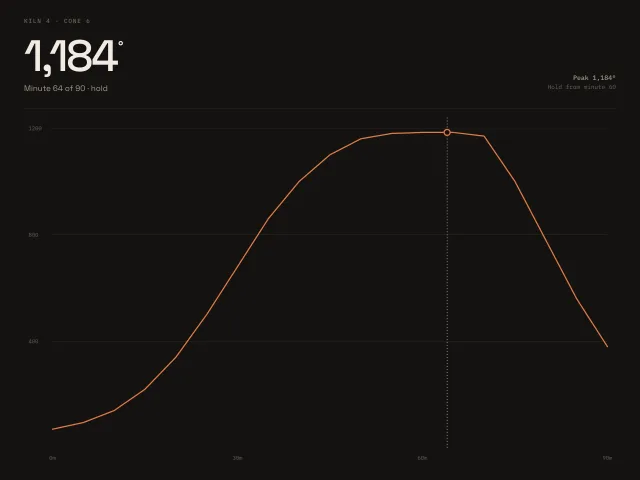
A 90 minute kiln curve. Drag or press an arrow key. The big number is the degree at that minute.
Weather with an hourly scrubber
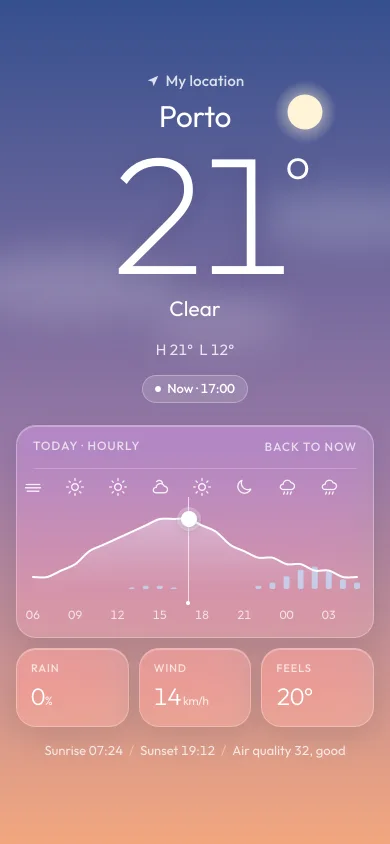
An iOS 26 weather screen where dragging along a 24-hour temperature curve retints the sky, moves the sun or moon and updates temperature and conditions.
Price range over a histogram
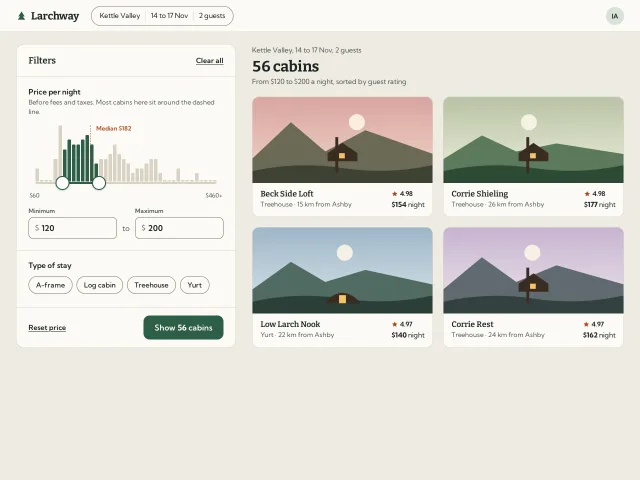
A two-thumb nightly price filter sitting on a histogram of cabin prices: bars fill as the range covers them, the count updates live and the thumbs squash when they meet.
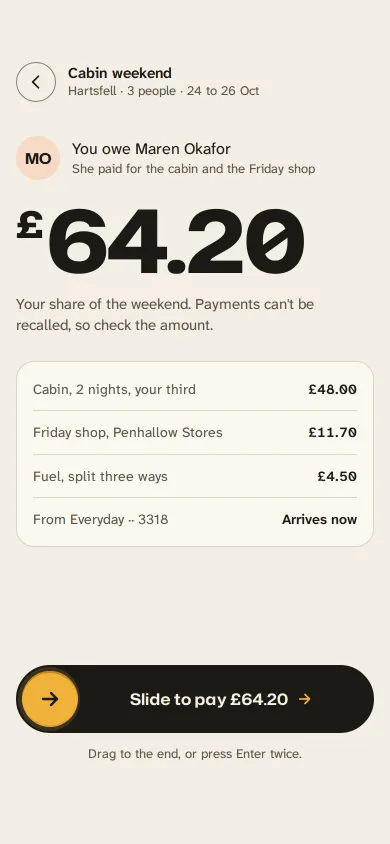
Slide to pay back a friend
A gold handle you drag along an ink track to repay a friend: letters dim as it passes, it resists near the end, snaps through at 90% and becomes a receipt.
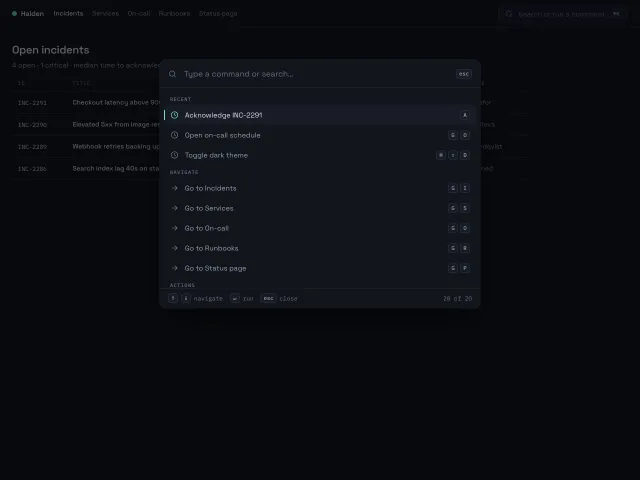
Command palette
A ⌘K command palette that opens with a 200ms scale-and-fade, fuzzy-filters 20 grouped commands, and is fully driven from the keyboard with shortcut hints on the right.
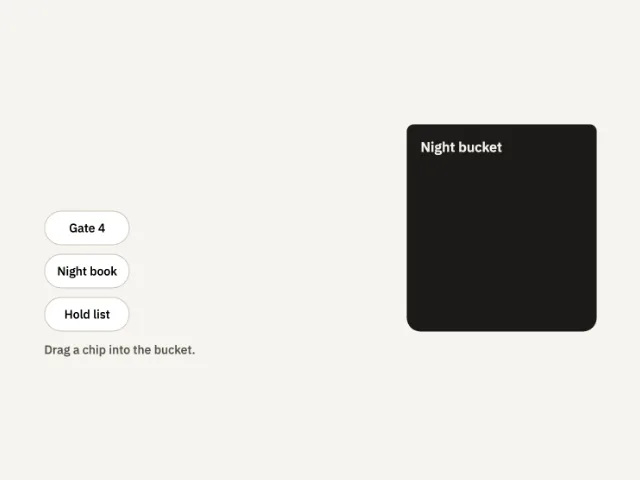
Chip bucket
Three chips sit beside a night bucket. Drag one in and it stays. Miss, and it returns.