Nº 622 of 629
Price range over a histogram
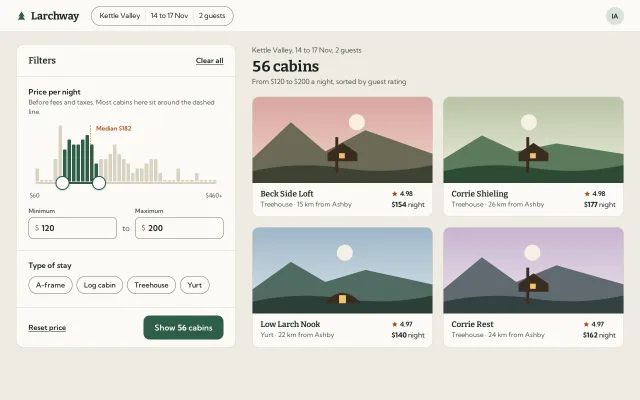
A two-thumb nightly price filter sitting on a histogram of cabin prices: bars fill as the range covers them, the count updates live and the thumbs squash when they meet.
Preview
Use it
Free to use · credit appreciated1 Once, in your project · Node 22.20+
npx skills add SusanAcharya/Design-Lounge 2 Then ask
Using the Design Lounge skill, build "Price range over a histogram" (piece slider-range-histogram) in my stack. Match its brief; restyle it onto my product's theme.
No skill? Paste the brief instead. It carries the numbers, tokens and behaviour.
<!-- Design Lounge Nº 622 · "Price range over a histogram" · www.designlounge.live -->

# Price range over a histogram

> **Build brief for a coding agent.** Rebuild this piece in the reader's stack. If they haven't said which stack, ask once, then default to semantic HTML + CSS + a little vanilla JS. Match the numbers below; don't "improve" them.

## What it is

The price filter in the side panel of "Larchway", an invented cabin rental search for Kettle Valley. A 40-bar histogram of nightly prices sits right on top of a two-thumb range slider, so you can see where the cabins are before you choose. Bars inside the range fill spruce green, bars outside stay sand, and the bar under each thumb fills only partly, so the fill tracks the thumb pixel for pixel. The result count ("56 cabins") updates in the headline and in the panel's button as you slide, and the four best-rated cabins in range redraw beside it. Worth copying: the partial bar fill, two thumbs that cannot cross and visibly squash against each other, and min/max boxes that stay in sync both ways.

## Reference behaviour

1. First frame at 1280 × 800: a 64px white top bar (logo "Larchway", search pill "Kettle Valley | 14 to 17 Nov | 2 guests", avatar "IA"). Below, a 440px filter panel at left and the results at right, 32px gap, 24px 32px padding.
2. Panel: header "Filters" with "Clear all"; section "Price per night" with the note "Before fees and taxes. Most cabins here sit around the dashed line."; the histogram (112px tall), the track, end labels "$60" and "$460+", then two boxes "Minimum $120" "to" "Maximum $200"; section "Type of stay" with four chips (A-frame, Log cabin, Treehouse, Yurt); footer "Reset price" and a green button "Show 56 cabins".
3. Data: 124 invented cabins with seeded prices (lognormal around $170, a 14% cluster near $300, capped at $520). Bins are $10 wide from $60 to $460; anything at or above $450 lands in the last bin. Bar height = 6% + 94% of count / tallest bin; an empty bin is a 2% stub.
4. A dashed ember line marks the median price with the label "Median $182" on a panel-coloured chip at its top.
5. Range defaults to $120 to $200. Step $5. Thumbs keep a $20 minimum gap. The maximum at $460 means "$460 and above" and shows "$460+".
6. Bars fully inside the range are `#2e5e47`; outside are `#d9d2c3`; a bar the thumb sits inside is painted with a hard-stop gradient so only the covered part is green.
7. Results column: "Kettle Valley, 14 to 17 Nov, 2 guests", the headline "56 cabins" (Bitter 30px/700), "From $120 to $200 a night, sorted by guest rating", then a 2 × 2 grid of cards (the top four in range by rating, then price). Each card: a drawn 172px landscape (sky gradient, sun, two hill layers, a cabin silhouette per type with a lit window), name, rating with an ember star, type and distance, "$154 night".
8. Drag a thumb: pointer capture on the rail; the thumb scales to 1.18 with an overshoot curve and a 9px soft halo; a dark tooltip above it shows "$175". Values snap to $5; everything (bars, count, button, cards, boxes) updates on every move.
9. Press anywhere on the histogram or track: the nearer thumb springs to that price (k 700, c 38, about 250ms with a small overshoot) and then follows the pointer.
10. Thumbs cannot cross. Push one into the other and it stops at the $20 gap; keep pushing and the moving thumb squashes horizontally, up to 24% narrower at $110 of overshoot (1 − overshoot/110). Release and it springs back round.
11. The count in the button gives a 260ms bump (translateY −2px, scale 1.06) whenever it changes.
12. Typing in a box moves its thumb live once the number is valid; Enter or blur clamps it ($60 to max − 20; min + 20 to $460) and rewrites the box. ArrowUp/Down in a box step $5, with Shift $50.
13. Chips filter by type (aria-pressed, ink fill and a check). The histogram bars re-grow over 260ms to show only those types, the median moves, and the count recomputes.
14. "Reset price" springs back to $120 to $200; "Clear all" clears the chips and opens the range to $60 to $460+.
15. If nothing is in range, the grid shows a dashed box: "No cabins in this range. Try widening the price."

## Structure

```
1280 × 800
┌───────────────────────────────────────────────────────────────────────────────┐
│ ▲ Larchway  ( Kettle Valley | 14 to 17 Nov | 2 guests )                  (IA) │ 64
├───────────────────────────────────────────────────────────────────────────────┤
│ ┌ panel 440, r16 ─────────────┐  32  Kettle Valley, 14 to 17 Nov, 2 guests    │
│ │ Filters           Clear all │      56 cabins                    Bitter 30   │
│ ├─────────────────────────────┤      From $120 to $200 a night, sorted by…    │
│ │ Price per night             │      ┌ card ──────────┐ 20 ┌ card ──────────┐ │
│ │ Before fees and taxes…      │      │ landscape 172  │    │ landscape 172  │ │

… 193 more lines. Copy or download for the full brief. Loading the source…Brief
233 linesBuild brief for a coding agent. Rebuild this piece in the reader’s stack. If they haven’t said which stack, ask once, then default to semantic HTML + CSS + a little vanilla JS. Match the numbers below; don’t “improve” them.
What it is
The price filter in the side panel of “Larchway”, an invented cabin rental search for Kettle Valley. A 40-bar histogram of nightly prices sits right on top of a two-thumb range slider, so you can see where the cabins are before you choose. Bars inside the range fill spruce green, bars outside stay sand, and the bar under each thumb fills only partly, so the fill tracks the thumb pixel for pixel. The result count (“56 cabins”) updates in the headline and in the panel’s button as you slide, and the four best-rated cabins in range redraw beside it. Worth copying: the partial bar fill, two thumbs that cannot cross and visibly squash against each other, and min/max boxes that stay in sync both ways.
Reference behaviour
- First frame at 1280 × 800: a 64px white top bar (logo “Larchway”, search pill “Kettle Valley | 14 to 17 Nov | 2 guests”, avatar “IA”). Below, a 440px filter panel at left and the results at right, 32px gap, 24px 32px padding.
- Panel: header “Filters” with “Clear all”; section “Price per night” with the note “Before fees and taxes. Most cabins here sit around the dashed line.”; the histogram (112px tall), the track, end labels “$60” and “$460+”, then two boxes “Minimum $120” “to” “Maximum $200”; section “Type of stay” with four chips (A-frame, Log cabin, Treehouse, Yurt); footer “Reset price” and a green button “Show 56 cabins”.
- Data: 124 invented cabins with seeded prices (lognormal around $170, a 14% cluster near $300, capped at $520). Bins are $10 wide from $60 to $460; anything at or above $450 lands in the last bin. Bar height = 6% + 94% of count / tallest bin; an empty bin is a 2% stub.
- A dashed ember line marks the median price with the label “Median $182” on a panel-coloured chip at its top.
- Range defaults to $120 to $200. Step $5. Thumbs keep a $20 minimum gap. The maximum at $460 means “$460 and above” and shows “$460+”.
- Bars fully inside the range are
#2e5e47; outside are#d9d2c3; a bar the thumb sits inside is painted with a hard-stop gradient so only the covered part is green. - Results column: “Kettle Valley, 14 to 17 Nov, 2 guests”, the headline “56 cabins” (Bitter 30px/700), “From $120 to $200 a night, sorted by guest rating”, then a 2 × 2 grid of cards (the top four in range by rating, then price). Each card: a drawn 172px landscape (sky gradient, sun, two hill layers, a cabin silhouette per type with a lit window), name, rating with an ember star, type and distance, “$154 night”.
- Drag a thumb: pointer capture on the rail; the thumb scales to 1.18 with an overshoot curve and a 9px soft halo; a dark tooltip above it shows “$175”. Values snap to $5; everything (bars, count, button, cards, boxes) updates on every move.
- Press anywhere on the histogram or track: the nearer thumb springs to that price (k 700, c 38, about 250ms with a small overshoot) and then follows the pointer.
- Thumbs cannot cross. Push one into the other and it stops at the $20 gap; keep pushing and the moving thumb squashes horizontally, up to 24% narrower at $110 of overshoot (1 − overshoot/110). Release and it springs back round.
- The count in the button gives a 260ms bump (translateY −2px, scale 1.06) whenever it changes.
- Typing in a box moves its thumb live once the number is valid; Enter or blur clamps it ($60 to max − 20; min + 20 to $460) and rewrites the box. ArrowUp/Down in a box step $5, with Shift $50.
- Chips filter by type (aria-pressed, ink fill and a check). The histogram bars re-grow over 260ms to show only those types, the median moves, and the count recomputes.
- “Reset price” springs back to $120 to $200; “Clear all” clears the chips and opens the range to $60 to $460+.
- If nothing is in range, the grid shows a dashed box: “No cabins in this range. Try widening the price.”
Structure
1280 × 800
┌───────────────────────────────────────────────────────────────────────────────┐
│ ▲ Larchway  ( Kettle Valley | 14 to 17 Nov | 2 guests )                  (IA) │ 64
├───────────────────────────────────────────────────────────────────────────────┤
│ ┌ panel 440, r16 ─────────────┐  32  Kettle Valley, 14 to 17 Nov, 2 guests    │
│ │ Filters           Clear all │      56 cabins                    Bitter 30   │
│ ├─────────────────────────────┤      From $120 to $200 a night, sorted by…    │
│ │ Price per night             │      ┌ card ──────────┐ 20 ┌ card ──────────┐ │
│ │ Before fees and taxes…      │      │ landscape 172  │    │ landscape 172  │ │
│ │        ┆Median $182         │      │ Name     ★4.98 │    │ Name     ★4.98 │ │
│ │ ▁▁▃▇██▇▆▇█▅▃▅▆▄▃▂▂▃▃▁▁▁▁▁▁ │ 112  │ Type · km  $154│    │ Type · km  $177│ │
│ │ ───◯━━━━━━━◯────────────── │ 28   └────────────────┘    └────────────────┘ │
│ │ $60                   $460+ │      ┌ card ──────────┐    ┌ card ──────────┐ │
│ │ Minimum          Maximum    │      │                │    │                │ │
│ │ [$ 120]    to    [$ 200]    │ 44   └────────────────┘    └────────────────┘ │
│ ├─────────────────────────────┤                                               │
│ │ Type of stay                │                                               │
│ │ (A-frame)(Log cabin)(Tree…) │ 36                                            │
│ ├─────────────────────────────┤                                               │
│ │ Reset price  [Show 56 cabins]│ 48                                           │
│ └─────────────────────────────┘                                               │
└───────────────────────────────────────────────────────────────────────────────┘header.topwith the logo span, a non-interactive query pill, and the avatar.aside.panellabelled by itsh2; each block is asectionlabelled by itsh3..rail(padding 0 14px,touch-action: none) holds.hist(aria-hidden, flex of 40ibars, gap 2px, plus the median marker) and.track(28px, pulled up 11px so the line sits under the bars) with the green.selspan, twospan role="slider"thumbs and twoaria-hiddentooltips.- Min/max: real
label+input inputmode="numeric"inside a bordered.fieldwith a ”$” prefix. - Chips are
button aria-pressed. Footer: a text button and the primary button with the count in ab. main.reswith the headlineh1and a.gridofa.cardelements.- One visually hidden
p aria-live="polite".
Tokens
:root {
  /* colour */
  --page: #efebe2;      /* page ground */
  --panel: #fbfaf6;     /* panel, cards, top bar, fields */
  --ink: #1b2620;       /* text, selected chip, tooltip */
  --ink-2: #535d57;     /* secondary text, 6.2:1 on panel */
  --line: #ddd7cb;      /* hairlines and card borders */
  --edge: #857c6e;      /* field, chip and pill borders, 3.8:1 on panel */
  --bar: #d9d2c3;       /* bars outside the range, track rail */
  --fill: #2e5e47;      /* bars inside, selected track, thumb ring, button */
  --fill-2: #24503b;    /* button hover */
  --ember: #b0491f;     /* median line and label, focus ring, stars */
  --window: #f5c46b;    /* lit cabin window in the drawings */

  /* type */
  --serif: "Bitter", Georgia, serif;
  --sans: "Kumbh Sans", system-ui, sans-serif;
  --fs-h1: 30px; --fs-logo: 21px; --fs-panel-h: 18px; --fs-card-h: 16px;
  --fs-body: 15px; --fs-small: 13px; --fs-micro: 12px;

  /* geometry */
  --panel-w: 440px; --gap: 32px; --top-h: 64px;
  --hist-h: 112px; --bars: 40; --bar-gap: 2px; --bar-r: 2px 2px 0 0;
  --rail-pad: 14px; --track-line: 4px; --thumb: 28px; --thumb-ring: 2px; --thumb-hit: 44px;
  --field-h: 44px; --chip-h: 36px; --cta-h: 48px; --card-art: 172px;
  --r-panel: 16px; --r-card: 14px; --r-cta: 12px; --r-field: 10px;
  --space: 4px 8px 12px 16px 20px 24px 32px;

  /* behaviour */
  --min: 60; --max: 460; --step: 5; --gap-min: 20; --bin: 10;
  --default: 120 200; --shift-step: 50; --squash-max: .24; --squash-per: 110;

  /* motion */
  --ease: cubic-bezier(.2,.7,.2,1);
  --pop: cubic-bezier(.34,1.56,.64,1);
  --thumb-press: 240ms; --bars-grow: 260ms; --tip: 140ms; --bump: 260ms;
  --spring: 700 38;   /* stiffness, damping, for jumps, keys, resets */
  --shadow-thumb: 0 1px 3px rgba(27,38,32,.25);
  --halo-press: 0 0 0 9px rgba(46,94,71,.16);
}
Typography
| Role | Family | Size | Weight | Line-height | Notes |
|---|---|---|---|---|---|
| Results headline | Bitter | 30px | 700 | 1.15 | −0.01em, tabular figures |
| Logo | Bitter | 21px | 700 | 1 | −0.01em |
| Panel title | Bitter | 18px | 600 | 1.2 | |
| Card name | Bitter | 16px | 600 | 1.3 | |
| Section heading | Kumbh Sans | 15px | 600 | 1.45 | |
| Field value | Kumbh Sans | 16px | 600 | 1 | tabular |
| Button | Kumbh Sans | 16px | 600, count 700 | 1 | tabular |
| Chips, links | Kumbh Sans | 14px | 500 / 600 | 1 | links underlined, offset 3px |
| Notes, card meta | Kumbh Sans | 13px | 400 | 1.45 | --ink-2 |
| Field labels, end labels, median | Kumbh Sans | 12px | 600 / 400 / 600 | 1.2 | |
| Tooltip | Kumbh Sans | 13px | 600 | 1 | #fbfaf6 on ink, tabular |
Motion
| Thing | Trigger | Property | From → to | Timing | Reduced motion |
|---|---|---|---|---|---|
| Thumb press | pointer down | scale, box-shadow | 1 → 1.18, halo 0 → 9px | 240ms --pop | instant |
| Thumb squash | pushing past the gap | scaleX | 1 → down to 0.76 | follows pointer, 240ms --pop back | instant |
| Thumb jump | track press, keys, inputs, reset | position | old → new value | spring k 700, c 38 | instant |
| Drag | pointer move | position | follows pointer, snaps to $5 | none | same |
| Partial bar fill | thumb moves | gradient stop | per frame | none | same |
| Bars re-grow | chip toggled | height | old → new % | 260ms --ease | instant |
| Tooltip | drag or keyboard focus | opacity, translateY | 0 / 4px → 1 / 0 | 140ms, 200ms --ease | instant |
| Count bump | count changes | translateY, scale | 0, 1 → −2px, 1.06 → back | 260ms --pop | none |
| Card lift | hover | translateY | 0 → −2px | 200ms --ease | none |
States
- Thumb rest: white, 2px
#2e5e47ring, small shadow. Hover: 7px halo at 14% green. - Thumb pressed: scale 1.18, 9px halo, cursor grabbing, raised above the other thumb, tooltip visible.
- Thumb pushed against the other: squashed horizontally while the pointer keeps going.
- Focus-visible on thumbs: 2.5px ember outline, offset 3px, plus the tooltip. Suppressed while the pointer is pressing.
- Field focus: border goes
#2e5e47with a 3px 18% green ring. - Chip selected: ink fill, panel-coloured text, check icon.
- Button hover:
#24503b. - Empty: dashed
--edgebox with the “No cabins in this range” line; the button reads “Show 0 cabins”. - Max at $460: value text “460 dollars or more a night”, box shows “460+”.
Accessibility
- Each thumb is
role="slider",tabindex="0", labelled “Minimum price” / “Maximum price”, described by the note.aria-valuemin/aria-valuemaxare dynamic: the minimum thumb’s max ismax − 20, the maximum thumb’s min ismin + 20.aria-valuetextis “120 dollars a night” or “460 dollars or more a night”. - Keys on a thumb: Left/Down −$5, Right/Up +$5, Shift+arrow ±$50, PageDown/PageUp ±$50, Home to its lowest allowed value, End to its highest.
- The histogram is decorative (
aria-hidden); the count and range are spoken through a polite live region, debounced 600ms: “56 cabins between $120 and $200”. - The boxes are real text inputs with visible labels, so a screen reader user can type a price instead of sliding.
touch-action: noneanduser-select: noneon the rail so a horizontal drag never scrolls or selects. Each thumb’s hit area is 44px (an 8px::afterring around the 28px disc).- Contrast: ink on panel 15:1,
--ink-26.2:1, ember label on panel 5.9:1, button text on green 7.7:1, field and chip borders 3.8:1.
Responsive rules
- ≥ 1280: as drawn, max width 1280 centred.
- 1024: the panel stays 440px; the results column narrows and cards stay two up.
- < 900: one column, 16px padding; the panel first, the results under it, one card per row; the search pill keeps only the place.
- < 420: section padding 18px, rail padding 12px, headline 26px. At 390 the histogram is about 290px wide, bars about 5px; the chips wrap to two lines.
- Positions are percentages of the rail, so nothing needs re-measuring on resize.
Acceptance checklist
Always
- Histogram bars and thumb positions share the same inner width, so a bar’s edge lines up with the price it represents.
- Bars inside the range are filled, outside faded, and the bar under a thumb is filled only up to the thumb.
- Thumbs cannot cross; the moving one stops at the minimum gap and squashes while pushed further.
- Count, headline, button and cards update on every pointer move, not only on release.
- Pressing the track moves the nearer thumb there with a spring, then it follows the pointer.
- Inputs and thumbs stay in sync both ways; out-of-range typing is clamped on Enter or blur.
- Two
role="slider"thumbs with dynamic min/max and currencyaria-valuetext. - Arrows, Shift+arrows, PageUp/PageDown, Home and End all work on both thumbs.
- A polite live region announces the count after the user pauses.
- Reduced motion removes the springs, squash, bump and bar re-grow but keeps every state.
This demo
- “Larchway”, “Kettle Valley”, default range $120 to $200, step $5, gap $20, ends “$60” and “$460+”.
- 40 bars of $10, median label “Median $182”, headline “56 cabins”, button “Show 56 cabins”.
- Fill
#2e5e47, faded bars#d9d2c3, ember#b0491f; Bitter for the headline and names, Kumbh Sans for the rest.
Implementation notes
Partial fill of the bar under each thumb. Paint each bar with a hard-stop gradient from the continuous (spring-animated) positions, not the snapped values:
const lo = MIN + a * (MAX - MIN), hi = MIN + b * (MAX - MIN);   // a, b: displayed fractions
bars.forEach((el, i) => {
  const x0 = MIN + i * BIN;
  const p = clamp((lo - x0) / BIN, 0, 1) * 100, q = clamp((hi - x0) / BIN, 0, 1) * 100;
  el.style.background = q <= 0 || p >= 100 ? 'var(--bar)'
    : `linear-gradient(90deg,var(--bar) ${p}%,var(--fill) ${p}%,var(--fill) ${q}%,var(--bar) ${q}%)`;
});
No crossing, with a squash. Clamp against the other thumb, and turn the overshoot into a horizontal scale the CSS springs back from:
rail.addEventListener('pointermove', e => {
  if (drag < 0) return;
  const raw = toVal(e.clientX);
  const over = drag ? val[0] + GAP - raw : raw - (val[1] - GAP);   // dollars past the stop
  set(drag, raw);                                                 // snaps to $5 and clamps
  th[drag].style.setProperty('--sq', over > 0 ? 1 - Math.min(.24, over / 110) : 1);
});
.th { --s: 1; --sq: 1; transform: scale(calc(var(--s) * var(--sq)), var(--s));
transition: transform 240ms cubic-bezier(.34,1.56,.64,1); }
.th.on { --s: 1.18; z-index: 2; }One rail, one capture. Put pointerdown on the rail (histogram plus track), pick the thumb that was hit or the nearer one, and capture on the rail so the whole histogram is a target. Use a small spring (k 700, c 38, four substeps per frame) only for jumps; during a drag the dragged thumb sits exactly under the pointer.
Common mistakes:
- Laying out the histogram edge to edge while the thumbs are inset by their radius; the bars then lie about the prices.
- Updating the count only on release, which loses the whole point of seeing the distribution.
- Rewriting the input the user is typing in on every keystroke; skip the source input until Enter or blur.
- Giving both thumbs static
aria-valuemin/aria-valuemaxof the whole range, so a screen reader offers values the thumb cannot take.
Details
- Palette
- Type
- Bitter · Kumbh Sans
- Motion
- Subtle motion
- Build
- One session
- Tags
Similar
Slider field
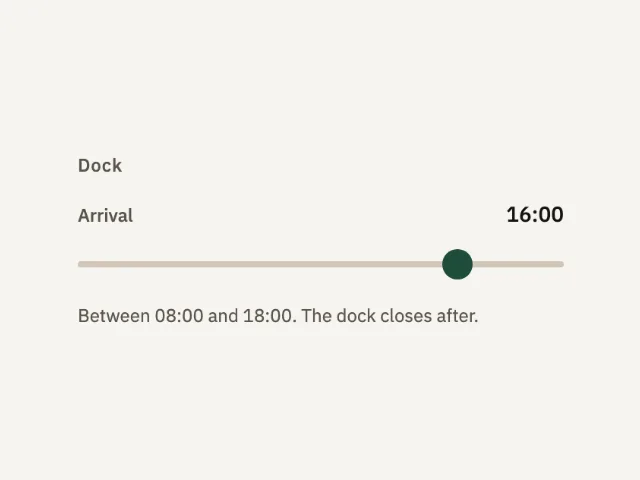
A dock arrival from 08:00 to 18:00. The thumb starts at 16:00. The value sits beside the label and updates as the thumb moves.
Usage pricing slider
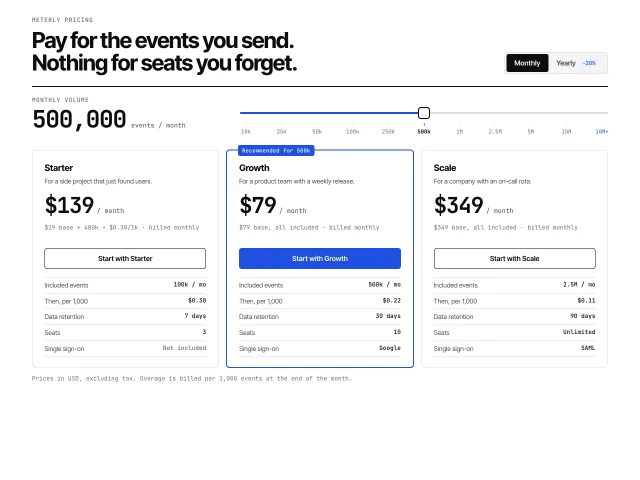
Usage pricing on white: a log-scale event slider with snapping ticks, live prices that count to the new value, a moving recommended border and a sales state past 10M.
Date range picker
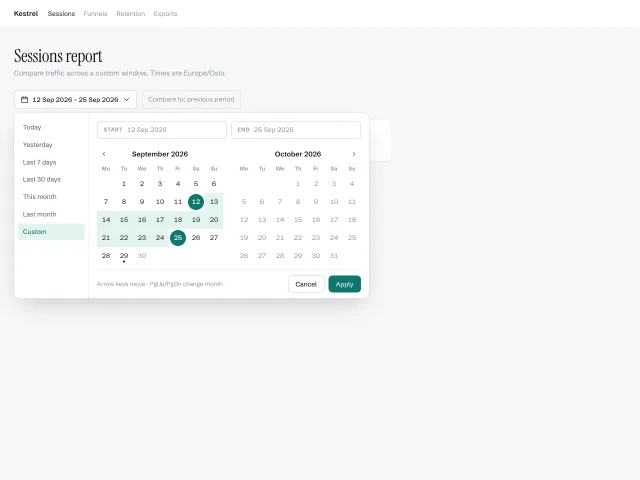
A two-month calendar popover with a presets column, start/end pills, hover-previewed ranges and full arrow-key navigation across month boundaries.
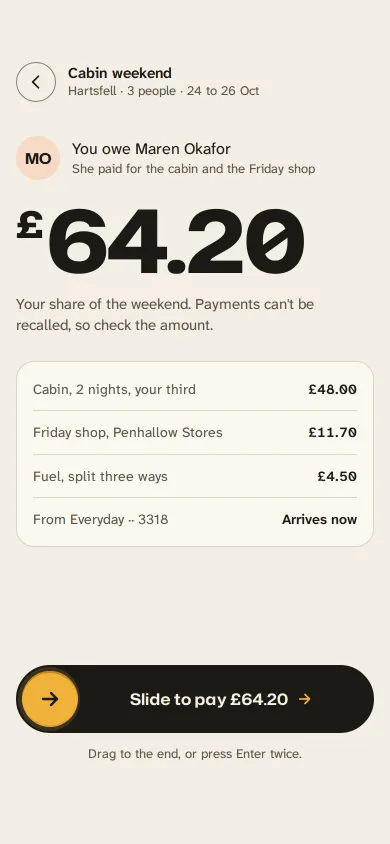
Slide to pay back a friend
A gold handle you drag along an ink track to repay a friend: letters dim as it passes, it resists near the end, snaps through at 90% and becomes a receipt.
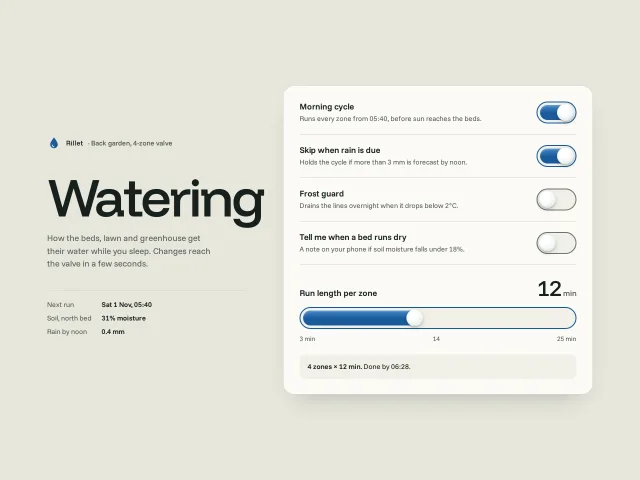
Liquid squish toggles
Switches whose knob is a soft droplet: it squashes on press, stretches as it travels, pours water into the track behind it and wobbles on arrival.
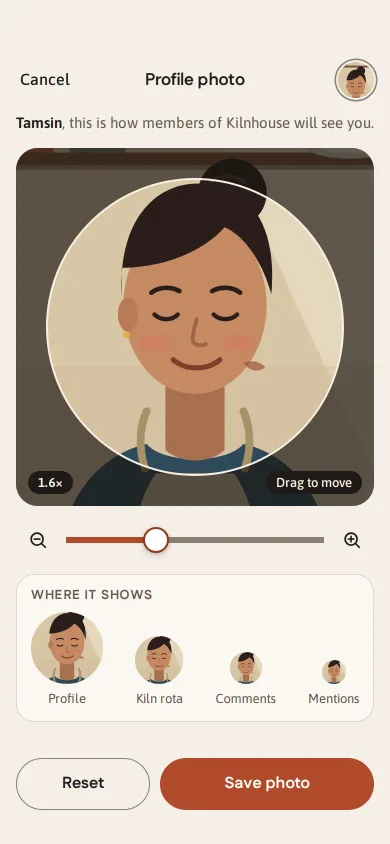
Drag to crop a profile photo
A circular crop for a pottery studio's member app: drag with momentum, pinch or wheel zoom around the pointer, rubber-band edges and live avatar previews.