Nº 625 of 629
Swipe-to-grade flashcard review
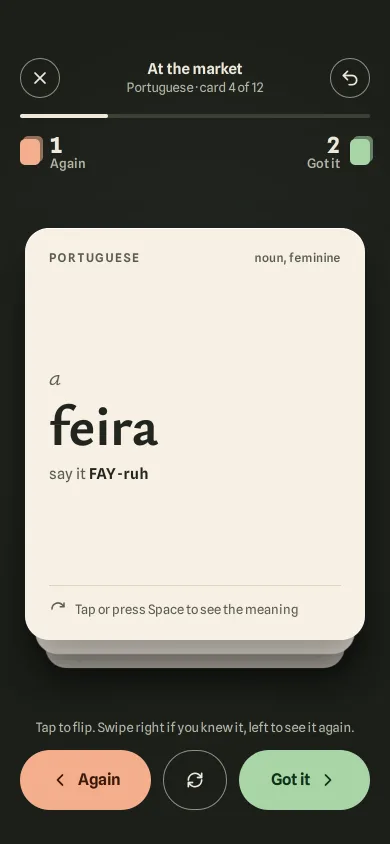
A vocabulary review deck: tap to flip the card in 3D, fling right for Got it or left for Again, with tilt, tint, a growing stamp, live piles and undo.
Preview
Use it
Free to use · credit appreciated1 Once, in your project · Node 22.20+
npx skills add SusanAcharya/Design-Lounge 2 Then ask
Using the Design Lounge skill, build "Swipe-to-grade flashcard review" (piece swipe-flashcard-review) in my stack. Match its brief; restyle it onto my product's theme.
No skill? Paste the brief instead. It carries the numbers, tokens and behaviour.
<!-- Design Lounge Nº 625 · "Swipe-to-grade flashcard review" · www.designlounge.live -->

# Swipe-to-grade flashcard review

> **Build brief for a coding agent.** Rebuild this piece in the reader's stack. If they haven't said which stack, ask once, then default to semantic HTML + CSS + a little vanilla JS. Match the numbers below; don't "improve" them.

## What it is

The review session of "Tidewords", an invented language app, on a Portuguese set called "At the market". One paper card sits on a dark olive table with two more under it. Tap it (or press Space) and it flips over in 3D with a small overshoot to show the meaning and an example sentence. Then you grade yourself with your thumb: drag right and the card tilts, tints green and a "Got it" stamp presses in; drag left for a clay tint and an "Again" stamp. Let go past 100px, or flick, and it flies off with its own momentum while the next card rises from the pile and the counter on that side bumps. Undo brings the last card flying back. Where spring-deck and card-stacked-deck are about browsing a pile, this one is about judging: the flip is the question, the direction is the answer. The language is iOS 26-ish (springs, 24px radii, quiet chrome) on a warm, dark ground.

## Reference behaviour

1. First frame, 390 × 844 (Lounge draws the status bar), 58px top padding, 20px side padding. Header: a 40px round close button (1.5px `#8d907f` ring), centred "At the market / Portuguese · card 4 of 12", a 40px round undo button.
2. A 4px progress bar (track `#3a3f35`, fill `#efe9dc`) at 3/12. Below it two piles: left a clay chip and "1 / Again", right a green chip and "2 / Got it" (counts 22px bold, labels 13px). Each chip is a 20 × 26 rounded rectangle with a second copy offset 3px up-right at 55% opacity, so it reads as a little pile.
3. The stage: a paper card (`#f6f0e3`, radius 24, max 340 wide, up to 412 tall) with a 1px white inner top highlight and a `0 18px 40px rgba(0,0,0,.35)` shadow. Two cards sit under it, each 14px lower and 6% smaller (origin bottom centre), shaded with `#10120e` at 12% and 24%. Under-cards show paper only; their text stays hidden.
4. Card front: top row "PORTUGUESE" (12px, 0.12em, caps) and "noun, feminine" at right; then, pushed to the vertical middle, the article "a" in 24px italic and the word "feira" at 58px Ysabeau Office 700; "say it FAY-ruh"; at the bottom, above a 1px rule, a flip icon and "Tap or press Space to see the meaning".
5. Under the stage: "Tap to flip. Swipe right if you knew it, left to see it again." (13px), then three controls in a `1fr 64px 1fr` grid, 60px tall: "Again" (clay `#f3ae8c`, left chevron), a round flip button (ring), "Got it" (green `#a8d5a6`, right chevron). 34px clear below.
6. 1200ms after load, if untouched, the card leans right once: a spring with initial velocity 520px/s, so it tilts about 3°, the green tint and a faint stamp show, and it settles back. Never repeats.
7. Tap (pointer down and up within 6px) flips: `.inner` rotates `rotateY(0 → 180deg)` in 560ms `cubic-bezier(.34,1.3,.5,1)` inside a 1400px perspective. The back shows "ENGLISH / Missed last time", "street market" (40px, 700), the example "Vamos à feira no sábado." (22px italic), its translation, and "Swipe right if you knew it". Tap again flips back.
8. Drag: the top card captures the pointer and follows 1:1 horizontally and 0.4× vertically. Rotation is `x · 0.06°`, positive when grabbed in the top half and negative when grabbed in the bottom half, so the card pivots like paper held at that point.
9. With `q = min(1, |x| / 110)`: a tint layer over the card fades to 26% (`#3f9a55` right, `#d4562a` left); the matching stamp ("GOT IT" top-left, rotated −12°, `#2e6b3c`; "AGAIN" top-right, rotated 12°, `#a8431f`; 3px border, radius 10, paper fill) goes from opacity 0 and scale 0.55 to 1 and 1. The card below rises toward the top slot by q (translateY 14 → 0, scale 0.94 → 1, shade 12% → 0) and its text becomes visible as soon as q > 0.02.
10. Release: velocity comes from the last 90ms of samples (zero if the finger paused 100ms first). If x > 100, or vx > 0.5px/ms with x > 16, it is Got it; mirrored for Again. Otherwise the card springs home (stiffness 260, damping 23) starting from the release velocity, so a weak throw wobbles back once.
11. Fling: the card keeps going at `max(|v|, 1500px/s)` in its direction, the vertical drag speed carries on with 900px/s² of gravity, the rotation follows x, and when it is 420px past the half-width it is retired. The piles update, the counter chip bumps (scale 1.25 at 30%, 420ms), the progress bar grows (360ms expo-out), the under-cards settle into their new slots (340ms expo-out), and the header says "card 5 of 12".
12. Buttons and arrows do the same: Got it / Right arrow and Again / Left arrow throw the top card at 1700px/s with a small upward kick (−120px/s), so the tilt, tint and stamp all play. Flip button / Space / Enter flip.
13. Undo (button, Z or Backspace) takes the last graded card off its pile, puts it back on top, unflipped, starting 300px past the screen edge it left by and 30px high, and springs it in from a velocity of 900px/s toward the centre. The card that was on top slides back into the second slot.
14. After the last card the stage shows a dashed panel: "Set 3 done", "11 got it · 1 to see again. Again cards come back in 10 minutes, mixed into set 4." and a button "Review the 1 again" (or "Start set 3 over" if nothing was missed). Grade buttons disable; undo stays live.
15. Reduced motion: no lean, no flip rotation (faces swap), no springs, no flings: grades and undo apply instantly; piles and progress update without animation.

## Structure

```
390 × 844 (column max-width 440, centred on wider screens)
┌──────────────────────────────────────┐ 58px top pad, 20px sides
│ (×)      At the market          (↶)  │ 40px round buttons
│      Portuguese · card 4 of 12       │
│ ████████──────────────────────────── │ progress 4px, margin-top 16
│ ▮ 1                           2 ▮    │ piles, margin-top 16
│   Again                   Got it     │
│ ┌──────────────────────────────────┐ │ stage flex 1, pad 14 0 6
│ │ PORTUGUESE        noun, feminine │ │ card r24, pad 24 24 22

… 213 more lines. Copy or download for the full brief. Loading the source…Brief
253 linesBuild brief for a coding agent. Rebuild this piece in the reader’s stack. If they haven’t said which stack, ask once, then default to semantic HTML + CSS + a little vanilla JS. Match the numbers below; don’t “improve” them.
What it is
The review session of “Tidewords”, an invented language app, on a Portuguese set called “At the market”. One paper card sits on a dark olive table with two more under it. Tap it (or press Space) and it flips over in 3D with a small overshoot to show the meaning and an example sentence. Then you grade yourself with your thumb: drag right and the card tilts, tints green and a “Got it” stamp presses in; drag left for a clay tint and an “Again” stamp. Let go past 100px, or flick, and it flies off with its own momentum while the next card rises from the pile and the counter on that side bumps. Undo brings the last card flying back. Where spring-deck and card-stacked-deck are about browsing a pile, this one is about judging: the flip is the question, the direction is the answer. The language is iOS 26-ish (springs, 24px radii, quiet chrome) on a warm, dark ground.
Reference behaviour
- First frame, 390 × 844 (Lounge draws the status bar), 58px top padding, 20px side padding. Header: a 40px round close button (1.5px
#8d907fring), centred “At the market / Portuguese · card 4 of 12”, a 40px round undo button. - A 4px progress bar (track
#3a3f35, fill#efe9dc) at 3/12. Below it two piles: left a clay chip and “1 / Again”, right a green chip and “2 / Got it” (counts 22px bold, labels 13px). Each chip is a 20 × 26 rounded rectangle with a second copy offset 3px up-right at 55% opacity, so it reads as a little pile. - The stage: a paper card (
#f6f0e3, radius 24, max 340 wide, up to 412 tall) with a 1px white inner top highlight and a0 18px 40px rgba(0,0,0,.35)shadow. Two cards sit under it, each 14px lower and 6% smaller (origin bottom centre), shaded with#10120eat 12% and 24%. Under-cards show paper only; their text stays hidden. - Card front: top row “PORTUGUESE” (12px, 0.12em, caps) and “noun, feminine” at right; then, pushed to the vertical middle, the article “a” in 24px italic and the word “feira” at 58px Ysabeau Office 700; “say it FAY-ruh”; at the bottom, above a 1px rule, a flip icon and “Tap or press Space to see the meaning”.
- Under the stage: “Tap to flip. Swipe right if you knew it, left to see it again.” (13px), then three controls in a
1fr 64px 1frgrid, 60px tall: “Again” (clay#f3ae8c, left chevron), a round flip button (ring), “Got it” (green#a8d5a6, right chevron). 34px clear below. - 1200ms after load, if untouched, the card leans right once: a spring with initial velocity 520px/s, so it tilts about 3°, the green tint and a faint stamp show, and it settles back. Never repeats.
- Tap (pointer down and up within 6px) flips:
.innerrotatesrotateY(0 → 180deg)in 560mscubic-bezier(.34,1.3,.5,1)inside a 1400px perspective. The back shows “ENGLISH / Missed last time”, “street market” (40px, 700), the example “Vamos à feira no sábado.” (22px italic), its translation, and “Swipe right if you knew it”. Tap again flips back. - Drag: the top card captures the pointer and follows 1:1 horizontally and 0.4× vertically. Rotation is
x · 0.06°, positive when grabbed in the top half and negative when grabbed in the bottom half, so the card pivots like paper held at that point. - With
q = min(1, |x| / 110): a tint layer over the card fades to 26% (#3f9a55right,#d4562aleft); the matching stamp (“GOT IT” top-left, rotated −12°,#2e6b3c; “AGAIN” top-right, rotated 12°,#a8431f; 3px border, radius 10, paper fill) goes from opacity 0 and scale 0.55 to 1 and 1. The card below rises toward the top slot by q (translateY 14 → 0, scale 0.94 → 1, shade 12% → 0) and its text becomes visible as soon as q > 0.02. - Release: velocity comes from the last 90ms of samples (zero if the finger paused 100ms first). If x > 100, or vx > 0.5px/ms with x > 16, it is Got it; mirrored for Again. Otherwise the card springs home (stiffness 260, damping 23) starting from the release velocity, so a weak throw wobbles back once.
- Fling: the card keeps going at
max(|v|, 1500px/s)in its direction, the vertical drag speed carries on with 900px/s² of gravity, the rotation follows x, and when it is 420px past the half-width it is retired. The piles update, the counter chip bumps (scale 1.25 at 30%, 420ms), the progress bar grows (360ms expo-out), the under-cards settle into their new slots (340ms expo-out), and the header says “card 5 of 12”. - Buttons and arrows do the same: Got it / Right arrow and Again / Left arrow throw the top card at 1700px/s with a small upward kick (−120px/s), so the tilt, tint and stamp all play. Flip button / Space / Enter flip.
- Undo (button, Z or Backspace) takes the last graded card off its pile, puts it back on top, unflipped, starting 300px past the screen edge it left by and 30px high, and springs it in from a velocity of 900px/s toward the centre. The card that was on top slides back into the second slot.
- After the last card the stage shows a dashed panel: “Set 3 done”, “11 got it · 1 to see again. Again cards come back in 10 minutes, mixed into set 4.” and a button “Review the 1 again” (or “Start set 3 over” if nothing was missed). Grade buttons disable; undo stays live.
- Reduced motion: no lean, no flip rotation (faces swap), no springs, no flings: grades and undo apply instantly; piles and progress update without animation.
Structure
390 × 844 (column max-width 440, centred on wider screens)
┌──────────────────────────────────────┐ 58px top pad, 20px sides
│ (×)      At the market          (↶)  │ 40px round buttons
│      Portuguese · card 4 of 12       │
│ ████████──────────────────────────── │ progress 4px, margin-top 16
│ ▮ 1                           2 ▮    │ piles, margin-top 16
│   Again                   Got it     │
│ ┌──────────────────────────────────┐ │ stage flex 1, pad 14 0 6
│ │ PORTUGUESE        noun, feminine │ │ card r24, pad 24 24 22
│ │                                  │ │
│ │ a                                │ │ 24px italic
│ │ feira                            │ │ 58px / 700
│ │ say it FAY-ruh                   │ │
│ │                                  │ │
│ │ ─────────────────────────────────│ │ 1px #ddd3bd
│ │ ↻ Tap or press Space to see…     │ │
│ └──────────────────────────────────┘ │
│   └──────────────────────────────┘   │ under-cards +14 / +28px, −6% / −12%
│ Tap to flip. Swipe right if you…     │ 13px
│ ┌──────────┐ ┌────┐ ┌──────────┐     │ grid 1fr 64 1fr, gap 12, 60 tall
│ │ ‹ Again  │ │ ↻  │ │ Got it › │     │
│ └──────────┘ └────┘ └──────────┘     │ 34px bottom
└──────────────────────────────────────┘- Header is a flex row: two
buttons (aria-labels “End review”, “Undo last card” witharia-keyshortcuts="Z") around a title block. - Progress is
div role="progressbar"witharia-valuenow/aria-valuemaxkept current. - Piles are two
pelements; the counts arebelements updated in place. .stackholds onediv.cardper card in the set (stacked absolutely,inset: 0 0 28px, so 28px is left for the under-cards) plus the end panel. Each card:.inner(preserve-3d) with.face.frontand.face.back, then a.tintspan and twoaria-hiddenstamp elements.- Only the top card is focusable (
tabindex="0",role="button",aria-label="a feira. Space flips, arrows grade.",aria-describedbythe hint); the others arerole="presentation",tabindex="-1"; cards beyond the third arevisibility: hidden. - Controls are three
buttons witharia-keyshortcutsArrowLeft / Space / ArrowRight. One visually hiddenp aria-live="polite".
Tokens
:root {
  /* colour */
  --bg: #1b1e19;         /* table */
  --bg-2: #262b23;       /* radial light behind the card */
  --on: #efe9dc;         /* text on the table, progress fill */
  --on-2: #b4b6a6;       /* secondary text on the table, 8.6:1 */
  --rim: #8d907f;        /* rings of outline buttons, 5.5:1 */
  --bar: #3a3f35;        /* progress track */
  --paper: #f6f0e3;      /* card front */
  --paper-2: #efe7d5;    /* card back */
  --ink: #22251f;        /* card text */
  --ink-2: #5b5d53;      /* card secondary text, 6.0:1 */
  --rule: #ddd3bd;       /* card hairline */
  --shade: #10120e;      /* under-card shading, 12% per slot */
  --ok: #2e6b3c;         /* Got it stamp */
  --ok-soft: #a8d5a6;    /* Got it button and chip */
  --ok-tint: #3f9a55;    /* card tint, max 26% */
  --ok-text: #10301a;
  --no: #a8431f;         /* Again stamp */
  --no-soft: #f3ae8c;    /* Again button and chip */
  --no-tint: #d4562a;
  --no-text: #3b1508;

  /* type */
  --word: "Ysabeau Office", Georgia, serif;
  --ui: "Spline Sans", system-ui, sans-serif;
  --fs-word: 58px; --fs-mean: 40px; --fs-done: 40px; --fs-article: 24px; --fs-stamp: 24px;
  --fs-example: 22px; --fs-count: 22px; --fs-btn: 16px; --fs-body: 15px; --fs-small: 13px; --fs-label: 12px;

  /* geometry */
  --pad-top: 58px; --pad-x: 20px; --pad-bottom: 34px;
  --card-max-w: 340px; --card-max-h: 440px; --card-under-room: 28px;
  --r-card: 24px; --card-pad: 24px 24px 22px;
  --slot-y: 14px; --slot-scale: .06; --slot-shade: .12;
  --btn: 40px; --ctl-h: 60px; --ctl-flip: 64px; --ctl-gap: 12px;
  --chip: 20px 26px; --chip-r: 5px;

  /* behaviour */
  --tilt: .06deg;          /* per px of x, sign from grab half */
  --y-follow: .4;
  --q-distance: 110px;     /* tint, stamp and rise reach full here */
  --grade-at: 100px;  --fling-v: .5;  --fling-min-x: 16px;
  --fling-speed-min: 1500;  --key-speed: 1700;  --gravity: 900;  /* px/s, px/s² */
  --spring: 260 23;        /* stiffness, damping */
  --tap-slop: 6px;

  /* motion */
  --out: cubic-bezier(.16,1,.3,1);
  --ease: cubic-bezier(.2,.7,.2,1);
  --flip: cubic-bezier(.34,1.3,.5,1);
  --t-flip: 560ms; --t-face-swap: 140ms; --t-settle: 340ms; --t-progress: 360ms; --t-bump: 420ms; --t-press: 160ms;
}
Typography
| Role | Family | Size | Weight | Line-height | Tracking | Notes |
|---|---|---|---|---|---|---|
| Word (front) | Ysabeau Office | 58px | 700 | 1 | −0.01em | |
| Article | Ysabeau Office | 24px | 400 italic | 1 | 0 | ink-2, own line |
| Meaning (back), “Set 3 done” | Ysabeau Office | 40px | 700 | 1.05 | 0 | |
| Example sentence | Ysabeau Office | 22px | 500 italic | 1.25 | 0 | lang="pt" |
| Stamp | Spline Sans | 24px | 700 | 1 | 0.06em | uppercase |
| Pile count | Spline Sans | 22px | 700 | 1 | 0 | tabular |
| Buttons | Spline Sans | 16px | 600 | 1 | 0 | |
| Header title | Spline Sans | 15px | 600 | 1.2 | 0 | |
| Pronunciation, translation | Spline Sans | 15px | 400 (respelling 600, 0.04em) | 1.4 | 0 | |
| Labels, hint, pile names | Spline Sans | 12–13px | 500–600 | 1.1 | 0.12em caps for language label |
Motion
| Thing | Trigger | Property | From → to | Timing | Reduced motion |
|---|---|---|---|---|---|
| Lean | 1200ms after load, once | x | spring from v 520px/s | k 260, c 23 | none |
| Flip | tap, Space, Enter, flip button | .inner rotateY | 0 ↔ 180deg | 560ms —flip; faces swap visibility at 140ms | instant |
| Drag | pointer | translate, rotate | 1:1 x, 0.4 y, x·0.06° | frame | same |
| Tint | drag | opacity | 0 → 0.26 by q | frame | same |
| Stamp | drag | opacity, scale | 0/0.55 → 1/1 by q | frame | same |
| Next card rise | drag | translateY, scale, shade | 14px/0.94/12% → 0/1/0 by q | frame | same |
| Spring home | weak release | x, y | → 0 from release velocity | k 260, c 23 | instant |
| Fling | strong release, buttons, arrows | x, y, rotate | off-screen, ≥1500px/s, gravity 900 | until 420px past half-width | instant grade |
| Settle | after a grade | under-card transforms | slot n → n − 1 | 340ms —out | instant |
| Pile bump | after a grade | chip scale | 1 → 1.25 → 1 | 420ms —out | none |
| Progress | after a grade | width | → done/total | 360ms —out | instant |
| Undo return | undo | x, y | ±(half-width + 300), −30 → 0 | spring, v₀ 900px/s inward | instant |
| Button press | :active | scale | 1 → 0.94 | 160ms —out | none |
States
- Front / back: back is
#efe7d5, slightly deeper than the front, so a flipped card reads as “the other side” even in a glance. - Dragging right: green tint, “GOT IT” stamp top-left; dragging left: clay tint, “AGAIN” stamp top-right. Stamps and tint are
visibility: hiddenunless the card leans their way. - Under-cards: paper only, shaded 12% / 24%; the second card shows its text once it starts rising.
- Focus-visible: 3px
#efe9dcoutline, 3px offset on buttons and 5px on the card (it follows the card’s transform). - Hover (pointer devices): Again
#f6bfa3, Got it#b9dfb6, ring buttons fill#2f342b. - Disabled (finished set): grade and flip buttons at 45% opacity,
disabled; undo disabled when there is no history. - Done: dashed
#8d907fpanel with the summary and one primary button in#efe9dc.
Accessibility
- Everything the swipe does has a button and a key: Left/Right grade, Space/Enter flip (unless focus is on another button, where they press it), Z or Backspace undo. Keys are listed in
aria-keyshortcuts. - The top card is the only focusable card; after a grade, focus moves to the new top card if the old one had it, and to “Review the 1 again” when the set ends from a control.
- Polite live region: “Got it: a feira. 8 left.”, “Again: o pêssego. 7 left.”, the meaning and example on flip, “Undone. o pêssego is back on top.”, “1 card to review.”
- Stamps are
aria-hidden; their meaning is in the announcements. touch-action: noneanduser-select: noneon cards so the drag never scrolls or selects; the page itself does not scroll.- Contrast: ink on paper 14.6:1, ink-2 on paper 6.0:1,
#3b1508on clay 8.4:1,#10301aon green 9.6:1, on-2 on table 8.6:1, stamps on paper 6.1:1 (green) and 5.2:1 (clay). Button rings 5.5:1. - Hit targets: card full size; controls 60px tall; header buttons 40 × 40.
Responsive rules
- 360 wide: card is 320 wide; the 58px word still fits (“abóbora” is the longest at about 230px).
- Short screens (< 740px tall): the stage is
flex: 1; card height ismin(440px, 100%)of the stage so the controls never leave the screen. - Wider than 440px: the column caps at 440 and centres; the fling exit distance is measured from
innerWidth, so it always leaves the window. - Tablet: keep the 340px card; larger cards make the drag thresholds feel short.
Acceptance checklist
Always
- Tap (< 6px movement), Space, Enter and the flip button flip the top card in 3D with a slight overshoot; back face never shows mirrored text.
- Drag follows 1:1 in x and 0.4 in y; tilt sign depends on whether the card was grabbed above or below its middle.
- Tint, stamp and next-card rise all scale with
|x| / 110and are invisible at rest. - Release past 100px or faster than 0.5px/ms grades; anything else springs home from the release velocity.
- A graded card flies off with its momentum (≥ 1500px/s) and gravity, then the counter on that side bumps and progress grows.
- Arrow keys and both grade buttons play the same throw with tilt, tint and stamp.
- Undo restores the last card from the side it left by and decrements its pile.
- Only the top card is focusable; focus moves sensibly after each grade and at the end.
- Polite announcements for grade, flip, undo and end.
- Reduced motion keeps every state and removes the springs, flings and flip rotation.
This demo
- Header “At the market / Portuguese · card 4 of 12”, piles “1 Again” and “2 Got it” on load.
- Front “a / feira / say it FAY-ruh”, back “street market / Vamos à feira no sábado.”
- Table
#1b1e19, paper#f6f0e3, Again#f3ae8c, Got it#a8d5a6. - Ysabeau Office for words and meanings; Spline Sans for everything else.
Implementation notes
Drag paint: tilt from the grab point, and the next card rising. One function owns every per-frame style:
const slot = s => `translateY(${14 * s}px) scale(${1 - .06 * s})`;
function paint() {
  const c = els[queue[0]], q = Math.min(1, Math.abs(x) / 110);
  c.style.transform = `translate(${x}px,${y}px) rotate(${x * .06 * rs}deg)`; // rs = ±1 from grab half
  c.style.setProperty('--q', q);                    // tint and stamps read --q in CSS
  c.classList.toggle('go-ok', x > 2); c.classList.toggle('go-no', x < -2);
  [1, 2].forEach(s => { const n = els[queue[s]]; if (!n) return;
    n.style.transform = slot(s - q); n.style.setProperty('--shade', .12 * (s - q)); });
}
Flip without mirrored text. Two faces with backface-visibility: hidden, plus a visibility swap at the edge-on moment so the hidden face is also out of the accessibility tree and hit-testing:
.card { perspective: 1400px; }
.inner { transform-style: preserve-3d; transition: transform 560ms cubic-bezier(.34,1.3,.5,1); }
.flipped .inner { transform: rotateY(180deg); }
.face { position: absolute; inset: 0; backface-visibility: hidden; }
.back { transform: rotateY(180deg); visibility: hidden; transition: visibility 0s 140ms; }
.flipped .back { visibility: visible; }
.flipped .front { visibility: hidden; transition: visibility 0s 140ms; }
Grade or return, with momentum. Velocity over the last 90ms, then either a constant-speed throw with gravity or a spring that starts from the throw:
if (x > 100 || (vx > .5 && x > 16)) fling(1, vx * 1000, vy);
else if (x < -100 || (vx < -.5 && x < -16)) fling(-1, vx * 1000, vy);
else spring(0, 0, vx * 1000, vy);          // k 260, c 23, 4 substeps per frame
// fling tick:
x += sp * dt; y += vy * dt; vy += 900 * dt; paint();
if (Math.abs(x) > innerWidth / 2 + 420) finish();  // piles, bump, settle, announce
Common mistakes:
- Rotating around the card centre regardless of grab point; grabbing low and seeing the top swing out feels wrong.
- Showing the stamp and tint at rest at opacity 0 but still visible, which screen readers and contrast checks pick up; hide them.
- Re-rendering the stack after each grade, which kills the settle transition; keep one element per card and move them between slots.
- Letting a tap after a drag flip the card; only flip when movement stayed under 6px.
- Grading on keydown repeat without the busy guard, which throws several cards at once.
Details
- Palette
- Type
- Ysabeau Office · Spline Sans
- Motion
- Rich motion
- Build
- Multi-step
- Tags
Studied
MindMarketOne path ties the page together. Cards sit beside it, and the numbers pile up as you scroll.
All sourcesSimilar
Spring deck
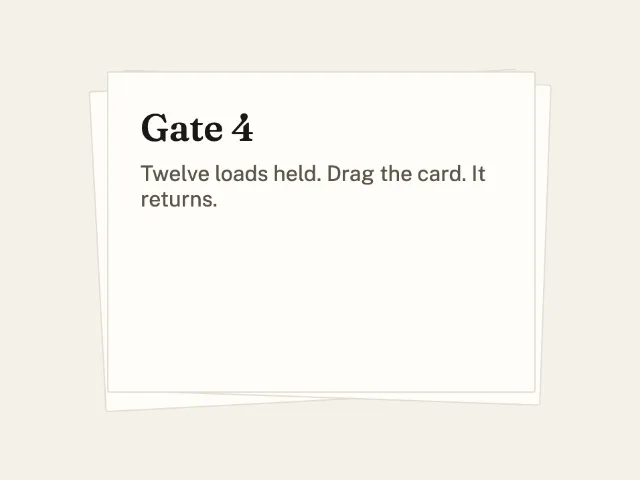
Three notes in a pile. Drag the front one, Gate 4. Release and it springs back.
Swipe deck with undo
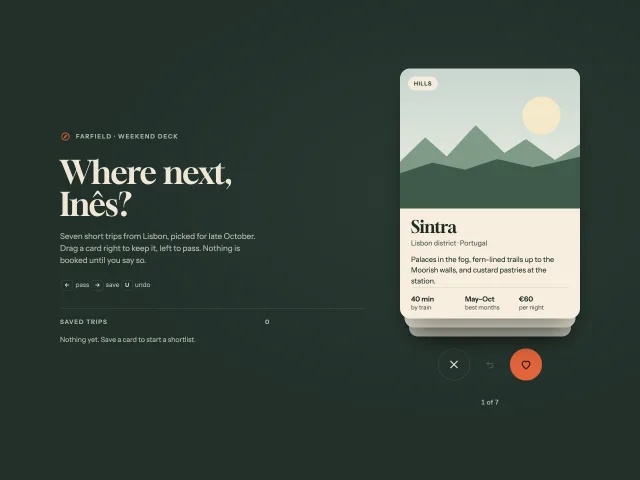
A stacked deck of trip cards: drag right to save, left to pass, arrow keys for both, undo flies the card back from the side it left.
Swipe tab pager with stretching pill
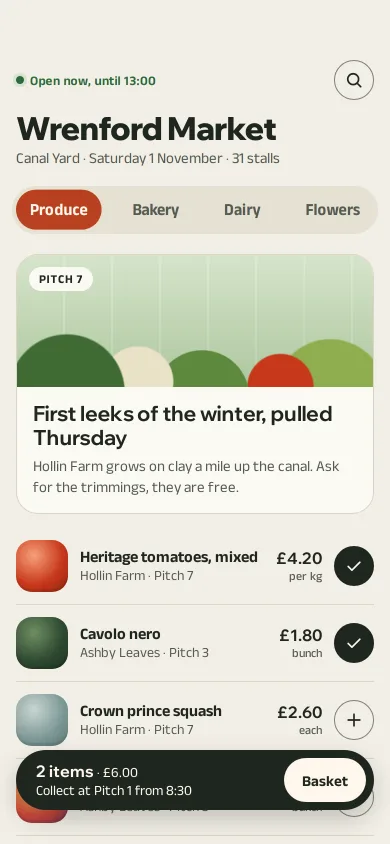
Market-app tabs over swipeable pages: the tomato pill tracks your finger, stretches between tabs mid-swipe and snaps by velocity, with rubber-banded ends.
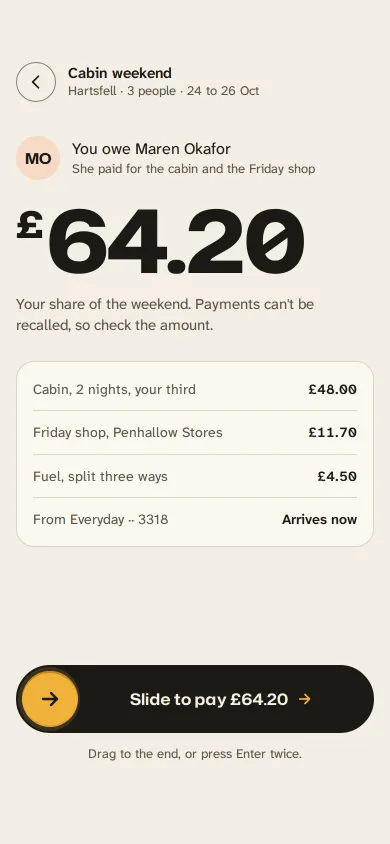
Slide to pay back a friend
A gold handle you drag along an ink track to repay a friend: letters dim as it passes, it resists near the end, snaps through at 90% and becomes a receipt.
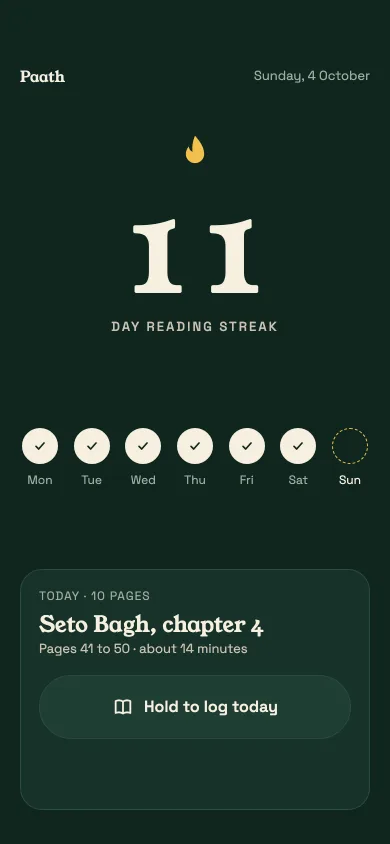
Hold to log, streak and confetti
A reading-streak screen: press and hold to log today, the streak digits roll from 11 to 12, today's dot fills, and one short, restrained confetti burst fires.
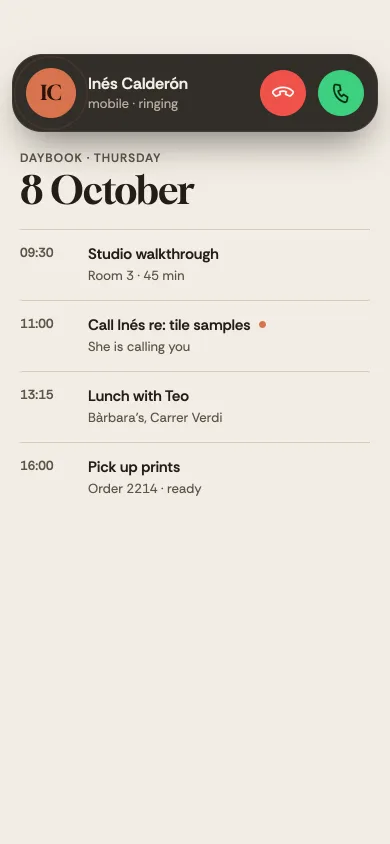
Incoming call banner
A ringing call banner over an agenda app that expands into a full-screen call: slide to answer, decline with a quick reply, live timer, minimise to a pill.