Nº 676 of 677
Juniper home screen widget stack
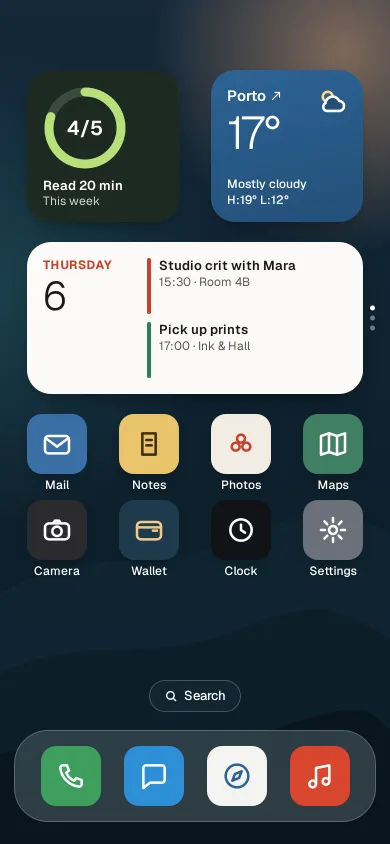
A phone home screen for one app family: small and medium widgets, a swipeable smart stack, long-press jiggle with remove badges and a widget gallery sheet.
Preview
Use it
Free to use · credit appreciated1 Once, in your project · Node 22.20+
npx skills add SusanAcharya/Design-Lounge 2 Then ask
Using the Design Lounge skill, build "Juniper home screen widget stack" (piece app-home-widgets-stack) in my stack. Match its brief; restyle it onto my product's theme.
No skill? Paste the brief instead. It carries the numbers, tokens and behaviour.
<!-- Design Lounge Nº 676 · "Juniper home screen widget stack" · www.designlounge.live -->

# Juniper home screen widget stack

> **Build brief for a coding agent.** Rebuild this piece in the reader's stack. If they haven't said which stack, ask once, then default to semantic HTML + CSS + a little vanilla JS. Match the numbers below; don't "improve" them.

## What it is

An iOS 26-style home screen built around a fictional app family, Juniper: Calendar, Weather, Habits, Sound and Shortcuts. The top row holds two small widgets (a habit ring and Porto weather); below them a medium smart stack holds Calendar, Now playing and Shortcuts, and you swipe it up or down to rotate between them; then two rows of app icons, a Search pill and a glass dock. A long-press anywhere starts jiggle mode: every item wobbles, grey minus badges appear, and a + button opens a widget gallery sheet where you pick a widget and a size (small, medium, large) and add it. All icons and art are drawn in SVG and CSS; nothing belongs to a real brand. The detail worth copying: the wallpaper is dark wherever labels sit, widgets are solid surfaces rather than glass, and the icon grid reflows with a FLIP animation when something is removed or added.

## Reference behaviour

1. First frame: night wallpaper (navy to deep teal, a peach glow top right, three dune silhouettes at the bottom). Row one: Habits small (ring 4/5, "Read 20 min / This week") and Weather small ("Porto ↗ 17°, Mostly cloudy, H:19° L:12°"). Row two: the smart stack on Calendar ("THURSDAY 6", Studio crit with Mara 15:30 · Room 4B, Pick up prints 17:00 · Ink & Hall) with three vertical dots on its right edge. Then Mail, Notes, Photos, Maps / Camera, Wallet, Clock, Settings; Search pill; dock with Phone, Messages, Browser, Music.
2. Smart stack: drag vertically; pages follow the finger 1:1 (clamped ±152px). Release past 40px or faster than 0.5 px/ms goes to the next or previous page with a 420ms iOS-sheet ease; otherwise it springs back. It wraps: from Shortcuts down comes Calendar. Wheel and ↑/↓ on the focused stack do the same. The dot for the current page is solid white.
3. Habits widget tap logs today: 4/5 → 5/5 (ring fills over 520ms expo, label becomes "Week done"); one more tap resets to 0 for the demo.
4. Now playing: "Low Tide Hymns, Odile Varga", progress ticking each second from 1:42 of 4:08; the white play/pause button toggles.
5. Long-press 480ms (cancelled by moving more than 8px), right-click, or the context-menu key on any item enters edit mode: everything jiggles (±1.3° `rotate`, 240–280ms alternate, staggered), 24px minus badges appear at each item's top-left, and an edit bar shows + on the left and Done on the right at top 58px. The home area moves down to 108px.
6. Minus removes that item: it scales to 0.2 and fades over 220ms, then the grid reflows and the other items glide to their new cells (FLIP, 420ms).
7. + opens the gallery sheet (top 150, radius 34): five widget types as 48px icon tiles, a live preview, the name and a line about it, a Small / Medium / Large switch and "Add Widget". Default is Weather, Medium.
8. Add Widget closes the sheet and inserts the widget at the top of the grid; the new item scales in from 0.6 and the rest glide down. The home area scrolls to the top.
9. Done or Escape leaves edit mode; Escape closes the sheet first if it is open.

## Structure

```
390 × 844, wallpaper fixed, home grid scrolls between 66 and 672
┌──────────────────────────────────────┐
│ 54px clear       (edit: [+]   [Done])│ edit bar top 58, buttons 40h
│ ┌─────────────┐   ┌─────────────┐    │ grid 336 wide, 4 × 60 columns,
│ │ (4/5)       │   │ Porto ↗  ☁  │    │ column gap 32, rows 66, row gap 20
│ │ Read 20 min │   │ 17°         │    │ small = 2×2 cells = 152 × 152
│ └─────────────┘   └─────────────┘    │
│ ┌───────────────────────────────┐ ⋮  │ medium = 4×2 = 336 × 152, r 24
│ │ THURSDAY │ Studio crit…        │   │ smart stack, dots at right −12
│ │ 6        │ Pick up prints…     │   │
│ └───────────────────────────────┘    │
│  [Mail] [Notes] [Photos] [Maps]      │ icons 60, r 15, label 12px at +64
│  [Cam]  [Wallet] [Clock] [Settings]  │
│              ( Search )              │ pill 32h, bottom 132
│ ╭──────────────────────────────────╮ │ dock 362 × 92, r 34, bottom 22

… 172 more lines. Copy or download for the full brief. Loading the source…Brief
212 linesBuild brief for a coding agent. Rebuild this piece in the reader’s stack. If they haven’t said which stack, ask once, then default to semantic HTML + CSS + a little vanilla JS. Match the numbers below; don’t “improve” them.
What it is
An iOS 26-style home screen built around a fictional app family, Juniper: Calendar, Weather, Habits, Sound and Shortcuts. The top row holds two small widgets (a habit ring and Porto weather); below them a medium smart stack holds Calendar, Now playing and Shortcuts, and you swipe it up or down to rotate between them; then two rows of app icons, a Search pill and a glass dock. A long-press anywhere starts jiggle mode: every item wobbles, grey minus badges appear, and a + button opens a widget gallery sheet where you pick a widget and a size (small, medium, large) and add it. All icons and art are drawn in SVG and CSS; nothing belongs to a real brand. The detail worth copying: the wallpaper is dark wherever labels sit, widgets are solid surfaces rather than glass, and the icon grid reflows with a FLIP animation when something is removed or added.
Reference behaviour
- First frame: night wallpaper (navy to deep teal, a peach glow top right, three dune silhouettes at the bottom). Row one: Habits small (ring 4/5, “Read 20 min / This week”) and Weather small (“Porto ↗ 17°, Mostly cloudy, H:19° L:12°”). Row two: the smart stack on Calendar (“THURSDAY 6”, Studio crit with Mara 15:30 · Room 4B, Pick up prints 17:00 · Ink & Hall) with three vertical dots on its right edge. Then Mail, Notes, Photos, Maps / Camera, Wallet, Clock, Settings; Search pill; dock with Phone, Messages, Browser, Music.
- Smart stack: drag vertically; pages follow the finger 1:1 (clamped ±152px). Release past 40px or faster than 0.5 px/ms goes to the next or previous page with a 420ms iOS-sheet ease; otherwise it springs back. It wraps: from Shortcuts down comes Calendar. Wheel and ↑/↓ on the focused stack do the same. The dot for the current page is solid white.
- Habits widget tap logs today: 4/5 → 5/5 (ring fills over 520ms expo, label becomes “Week done”); one more tap resets to 0 for the demo.
- Now playing: “Low Tide Hymns, Odile Varga”, progress ticking each second from 1:42 of 4:08; the white play/pause button toggles.
- Long-press 480ms (cancelled by moving more than 8px), right-click, or the context-menu key on any item enters edit mode: everything jiggles (±1.3°
rotate, 240–280ms alternate, staggered), 24px minus badges appear at each item’s top-left, and an edit bar shows + on the left and Done on the right at top 58px. The home area moves down to 108px. - Minus removes that item: it scales to 0.2 and fades over 220ms, then the grid reflows and the other items glide to their new cells (FLIP, 420ms).
-
- opens the gallery sheet (top 150, radius 34): five widget types as 48px icon tiles, a live preview, the name and a line about it, a Small / Medium / Large switch and “Add Widget”. Default is Weather, Medium.
- Add Widget closes the sheet and inserts the widget at the top of the grid; the new item scales in from 0.6 and the rest glide down. The home area scrolls to the top.
- Done or Escape leaves edit mode; Escape closes the sheet first if it is open.
Structure
390 × 844, wallpaper fixed, home grid scrolls between 66 and 672
┌──────────────────────────────────────┐
│ 54px clear       (edit: [+]   [Done])│ edit bar top 58, buttons 40h
│ ┌─────────────┐   ┌─────────────┐    │ grid 336 wide, 4 × 60 columns,
│ │ (4/5)       │   │ Porto ↗  ☁  │    │ column gap 32, rows 66, row gap 20
│ │ Read 20 min │   │ 17°         │    │ small = 2×2 cells = 152 × 152
│ └─────────────┘   └─────────────┘    │
│ ┌───────────────────────────────┐ ⋮  │ medium = 4×2 = 336 × 152, r 24
│ │ THURSDAY │ Studio crit…        │   │ smart stack, dots at right −12
│ │ 6        │ Pick up prints…     │   │
│ └───────────────────────────────┘    │
│  [Mail] [Notes] [Photos] [Maps]      │ icons 60, r 15, label 12px at +64
│  [Cam]  [Wallet] [Clock] [Settings]  │
│              ( Search )              │ pill 32h, bottom 132
│ ╭──────────────────────────────────╮ │ dock 362 × 92, r 34, bottom 22
│ │  [ph]   [msg]   [web]   [music]  │ │
└──────────────────────────────────────┘
main.home[aria-label="Home screen"]>div.gridwithgrid-auto-flow: row dense. Children arediv.it:.w.s,.w.m,.w.l(span 2×2, 4×2, 4×4) or.app.- Widget:
div.face(solid skin, radius 24, overflow hidden) +button.rm(40px hit area, 24px visible disc). - App:
button.icwith anaria-label, anaria-hiddenlabelspan, andbutton.rm. - Smart stack:
div.it.stack[tabindex=0][role=group][aria-roledescription="smart stack"]with three absolutely placeddiv.pgpages andspan.dots. div.edbar(+, Done),div.search,nav.dock.- Gallery:
section.sheet[role=dialog][aria-modal=true]withdiv.types[role=radiogroup],div.pv[aria-hidden]preview,div.nm,div.sz[role=radiogroup]andbutton.add.
Tokens
:root {
  /* wallpaper */
  --wall-a: #14283A; --wall-b: #0F2230; --wall-c: #0B1A22;
  --glow: rgba(232,168,124,.5);     /* radial 70% × 34% at 88% 6% */
  --dune-1: #102733; --dune-2: #0C1F28; --dune-3: #09161D;
  /* widget skins */
  --paper: #FBFAF7; --ink: #1A1A1A; --ink-2: #5C5A55; --red: #C8402B;   /* Calendar */
  --sky: #2D6396; --sky-2: #244F78;                                     /* Weather, white text */
  --moss: #1E2A22; --lime: #B8E07A; --moss-track: #3A4C3F;              /* Habits */
  --plum: #241C2E; --plum-2: #D6CBE0; --plum-track: #4A3F57;            /* Sound */
  --sand: #F1ECE4;                                                      /* Shortcuts, tiles #FFFFFF */
  /* chrome */
  --glass: rgba(255,255,255,.16); --glass-line: rgba(255,255,255,.22);
  --search: rgba(22,40,52,.72);
  --badge: #E8E6E1; --edit-btn: rgba(240,240,240,.92);
  --sheet: #F2F1EE; --chip: #E4E2DD; --label: #FFFFFF;
  /* type */
  --font: "Geist", system-ui, sans-serif;
  --fs-temp: 46px; --fs-date: 40px; --fs-title: 17px; --fs-body: 13px; --fs-small: 12px; --fs-kick: 11px;
  /* grid */
  --col: 60px; --col-gap: 32px; --row: 66px; --row-gap: 20px; --grid-w: 336px;
  /* shape */
  --r-w: 24px; --r-icon: 15px; --r-dock: 34px; --r-sheet: 34px; --r-pill: 999px;
  --shadow-w: 0 10px 24px -12px rgba(0,0,0,.6);
  /* motion */
  --ease: cubic-bezier(.2,.7,.2,1);
  --ios: cubic-bezier(.32,.72,0,1);
  --expo: cubic-bezier(.16,1,.3,1);
  --t-page: 420ms; --t-flip: 420ms; --t-remove: 220ms; --t-sheet: 440ms; --t-ring: 520ms;
  --jiggle: 1.3deg; --t-jiggle: 260ms; --long-press: 480ms;
}
Typography
| Role | Size | Weight | Line-height | Notes |
|---|---|---|---|---|
| Weather temperature | 46px | 300 | 1 | −0.04em |
| Calendar date numeral | 40px | 300 | 1 | −0.03em |
| Sheet title | 20px | 700 | 1.2 | −0.01em |
| Track title, ring value | 17–20px | 600 | 1.2 | ellipsis on the title |
| Event title | 13px | 600 | 1.3 | |
| Event detail, icon label, weather line | 12px | 400–500 | 1.3 | labels white with a 1px 2px shadow |
| Day kicker (THURSDAY), NOW PLAYING | 11–12px | 600–700 | 1 | 0.06–0.08em, upper |
Geist only, with weights doing the hierarchy: 300 for big numerals, 600–700 for names.
Motion
| What | Trigger | From → to | Duration / easing | Reduced motion |
|---|---|---|---|---|
| Stack drag | pointer move | translateY follows finger, ±152px | 1:1 | same |
| Stack page | release / wheel / arrow | to −152, 0, +152 | 420ms --ios | instant |
| Long-press → jiggle | 480ms hold | rotate −1.3° ↔ 1.3° | 240–280ms ease-in-out alternate, infinite, staggered | no wobble; 2px dashed white outline marks edit mode |
| Edit bar | enter / leave | opacity 0 → 1 | 200ms --ease | same |
| Remove | minus | scale 1 → .2, opacity → 0 | 220ms --ease | instant |
| Reflow (FLIP) | remove / add | old position → new | 420ms --ios | instant |
| New widget | add | scale .6, opacity 0 → 1 | 420ms --expo | instant |
| Gallery sheet | + / close | translateY 105% → 0 | 440ms --ios | 200ms fade |
| Habit ring | tap | dashoffset to new value | 520ms --expo | instant |
Jiggle uses the individual rotate property, not transform, so FLIP’s transform animation can run on the same element at the same time.
States
- Home: badges
display:none, edit barvisibility:hidden. - Editing: items wobble, badges shown, home top 108px; taps on widgets do nothing except the badges.
- Stack page off-screen:
visibility:hiddenandaria-hidden=trueafter the move; neighbours become visible only during a drag. - Habit complete: ring full, “Week done”.
- Playing / paused: pause bars or play triangle in the white 40px disc.
- Gallery selected type: 2px
#1A1A1Aoutline, 3px offset on the tile; selected size is a raised white segment. - Focus-visible: 3px white outline, 3px offset (on the light sheet, the selected outline does the same job).
Accessibility
- Every icon is a
buttonwith its app name; label text isaria-hiddento avoid double reading. - The stack is focusable and labelled “Smart stack, Calendar, 1 of 3. Up and down arrows to rotate”; the label updates on every rotate and the live region says the new page.
- Edit mode is reachable without a long-press: right-click or Shift+F10 / the context-menu key fire
contextmenu. Focus moves to Done; Escape leaves. - Remove buttons are labelled “Remove Weather widget”, “Remove Mail”; after removal focus goes to + and the live region confirms.
- The gallery is a modal dialog: focus lands on the selected type, ←/→ move within each radiogroup, Tab loops inside, Escape closes and returns focus to +.
- Contrast: white labels sit on wallpaper below
#16303F, at least 12:1; white on--sky6.3:1;--ink-2on--paper6.6:1;--plum-2on--plum9.9:1;#C9D6CBon--moss10.6:1. - Hit targets: icons 60px, badges 40px, edit buttons 40px tall, stack controls 40px, Add Widget 52px.
Responsive rules
- The grid is a fixed 336px (4 × 60 + 3 × 32), centred; at 360 wide keep it and the wallpaper shows 12px each side.
- On a wider screen the grid stays 336 and centres, the dock stays 362; for tablet use 6 columns of 76px.
- The home region scrolls when added widgets overflow; scroll width stays 390.
- The sheet caps at 460px; the large preview scales to 0.9 so it fits under 844px.
Acceptance checklist
Always
- Small, medium and large widgets are 2×2, 4×2 and 4×4 cells of one icon grid, with dense auto-flow.
- The smart stack follows the finger, snaps on distance or velocity, wraps, and works with wheel and arrows.
- Off-screen stack pages and the closed sheet are
visibility:hidden. - Long-press (480ms, 8px tolerance), right-click and the context-menu key all enter edit mode.
- Jiggle uses
rotatewith staggered durations; reduced motion swaps it for dashed outlines. - Remove badges have a 40px hit area; removal reflows the grid with FLIP.
- The gallery previews each widget at three sizes and adds it to the top of the grid.
- Widgets are solid skins; text over wallpaper sits only on its dark areas.
- No brand icons; every glyph is a short inline SVG path.
- Escape closes the sheet, then leaves edit mode.
This demo
- Habits 4/5 “Read 20 min”, Weather “Porto 17° H:19° L:12°”, stack Calendar → Sound → Shortcuts.
- Calendar “THURSDAY 6”, Studio crit with Mara 15:30 · Room 4B; Sound “Low Tide Hymns, Odile Varga 1:42 / 4:08”.
- Gallery opens on Weather, Medium; the large weather adds a four-day list.
Implementation notes
Stack pages with wrap. Give each page a relative index of −1, 0 or +1 around the current one, then add the drag offset:
function place(dy) {
  const n = pages.length, h = 152;
  pages.forEach((p, i) => {
    let r = ((i - cur) % n + n) % n; if (r > n / 2) r -= n;
    p.style.transform = `translateY(${r * h + dy}px)`;
    p.classList.toggle('off', r !== 0 && !dy);   /* .off { visibility: hidden } */
  });
}
FLIP reflow. Measure, change the DOM, measure again, animate the difference:
function flip(mutate) {
  const first = new Map([...grid.children].map(e => [e.dataset.id, e.getBoundingClientRect()]));
  mutate();
  for (const e of grid.children) {
    const f = first.get(e.dataset.id), l = e.getBoundingClientRect();
    if (!f) { e.animate([{ transform: 'scale(.6)', opacity: 0 }, { transform: 'none', opacity: 1 }], { duration: 420, easing: 'cubic-bezier(.16,1,.3,1)' }); continue; }
    const dx = f.left - l.left, dy = f.top - l.top;
    if (dx || dy) e.animate([{ transform: `translate(${dx}px,${dy}px)` }, { transform: 'none' }], { duration: 420, easing: 'cubic-bezier(.32,.72,0,1)' });
  }
}
Jiggle without fighting FLIP.
.edit .it { animation: jig 260ms ease-in-out infinite alternate; }
.edit .it:nth-child(2n) { animation-delay: -130ms; animation-duration: 240ms; }
.edit .it:nth-child(3n) { animation-duration: 280ms; }
@keyframes jig { from { rotate: -1.3deg; } to { rotate: 1.3deg; } }
One template per widget, three sizes by CSS. Mark extra content .mx (medium and up) and .lx (large only) and hide it with .w.s .mx, .w:not(.l) .lx { display: none }. Watch specificity: a rule like .ev li { display: grid } beats a bare .lx.
Common mistakes: frosted-glass widgets (text fails contrast over a bright wallpaper), a long-press that fires during a stack swipe, badges that are only 24px to tap, and a stack whose hidden pages are still read by screen readers.
Details
- Palette
- Type
- Geist
- Motion
- Rich motion
- Build
- Multi-step
- Tags
Similar
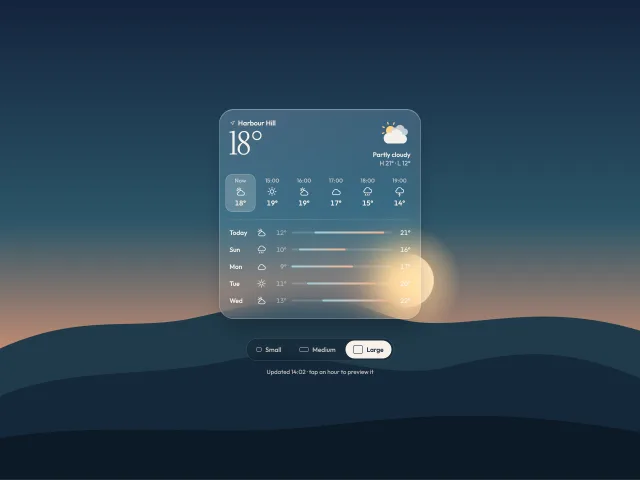
Weather glance widget, three sizes
One frosted weather widget that morphs between small, medium and large, with an animated SVG condition scene and a tappable hourly strip.
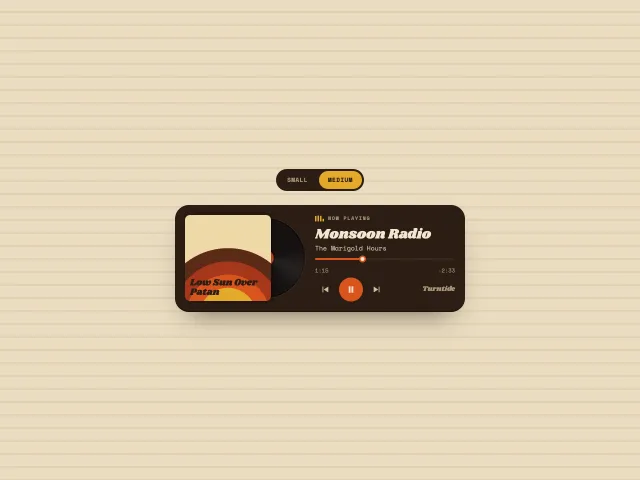
Vinyl now-playing widget
A 70s now-playing widget in small and medium sizes: CSS-only album art, a record that spins while playing, a scrubber, and equaliser bars.
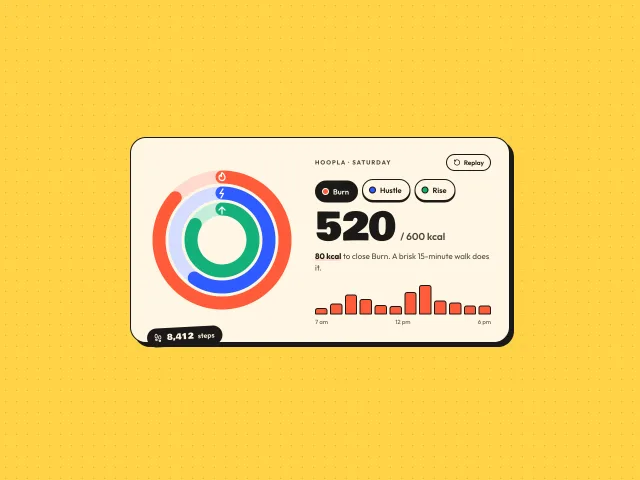
Sticker activity rings
Three chunky concentric rings, Burn, Hustle and Rise, that spring-fill on load on a cream sticker card; tap a ring or pill for its detail and hourly bars.
Sleep breath wind-down
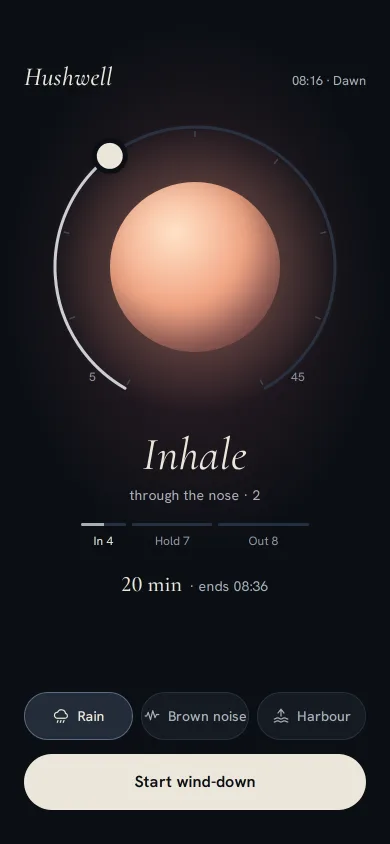
A dark wind-down screen: a 4-7-8 breathing orb tinted by the hour, a ring dial you drag from 5 to 45 minutes, three local sounds, and a slow fade to sleep.
Kestrel manual camera
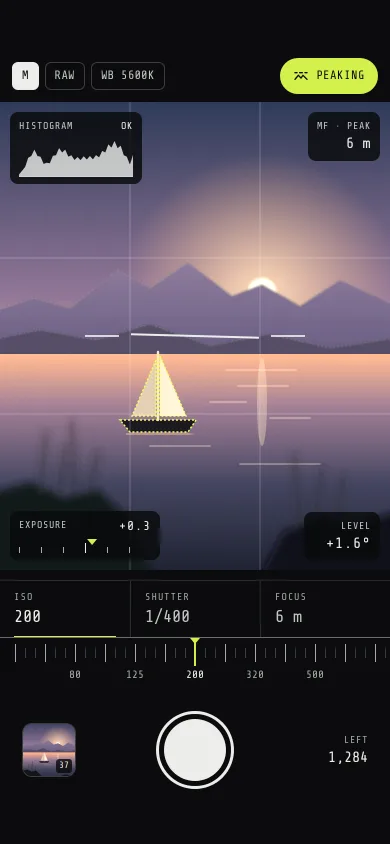
A pro camera screen: a layered dusk-lake viewfinder, detented ISO, shutter and focus dials, a live histogram, focus peaking, a level and a flying thumbnail.
Slow Archive podcast player
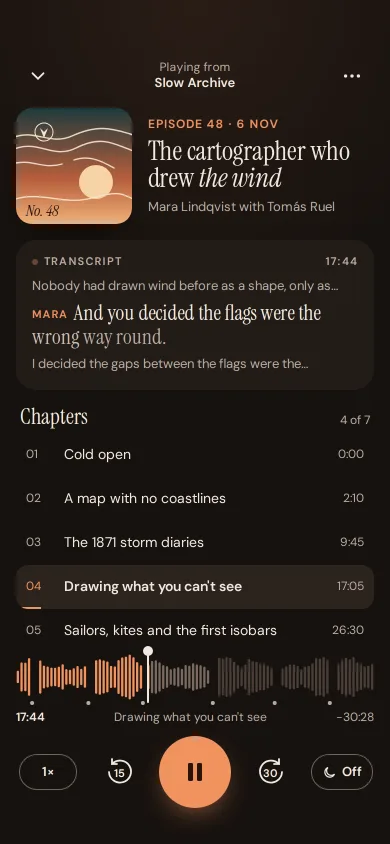
A podcast player with chapter marks in the waveform, a chapter list that follows playback, a word-by-word transcript, speed, skip 15/30 and a sleep timer.