Nº 674 of 677
Wayline turn-by-turn navigation
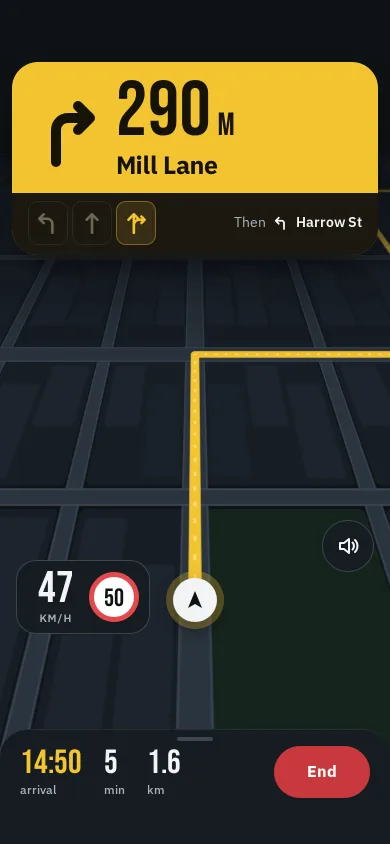
Night-drive guidance: a signal-yellow manoeuvre card with a live countdown, lane arrows, a tilted SVG city map, a calm re-route banner and a speed plate.
Preview
Use it
Free to use · credit appreciated1 Once, in your project · Node 22.20+
npx skills add SusanAcharya/Design-Lounge 2 Then ask
Using the Design Lounge skill, build "Wayline turn-by-turn navigation" (piece app-turn-by-turn-nav) in my stack. Match its brief; restyle it onto my product's theme.
No skill? Paste the brief instead. It carries the numbers, tokens and behaviour.
<!-- Design Lounge Nº 674 · "Wayline turn-by-turn navigation" · www.designlounge.live -->

# Wayline turn-by-turn navigation

> **Build brief for a coding agent.** Rebuild this piece in the reader's stack. If they haven't said which stack, ask once, then default to semantic HTML + CSS + a little vanilla JS. Match the numbers below; don't "improve" them.

## What it is

The driving screen of a fictional navigation app, Wayline, in night mode on the way to Fennick Studios in a made-up town. Everything is built to be read in under a second from arm's length on a dashboard mount: one signal-yellow card at the top with a 78px condensed distance that counts down live, the street name at 25px bold, and lane arrows on a dark band beneath it. Behind it, a city map drawn in SVG is tilted 63° in CSS 3D so the road runs away toward a horizon, the yellow route line turns where you will turn, and the map rotates under a fixed white position puck. Halfway through, the driver misses a turn; the screen does not flash red, it shows a pale blue banner, "Finding a new route", then "New route via Tanner Street. You still arrive at 14:50". The detail worth copying: the camera never moves, the world does, so the puck and every control stay exactly where the eye expects them.

## Reference behaviour

1. First frame: driving north on Calder Row at 47 km/h, limit 50. The card reads a right-turn arrow, "350 M", "Mill Lane"; three lane arrows (left, straight, straight-and-right) with the right one lit; "Then ↰ Harrow St" on the right of the band. Bottom bar: "14:50 arrival · 5 min · 1.7 km" and a red End button.
2. The drive runs on `requestAnimationFrame` at 2.4× real time (dt capped at 50ms). The car follows a polyline in metres; the map group is transformed `translate(900 1750) scale(1.05) rotate(−heading) translate(−x −y)` every frame, so the puck stays at screen (50%, 600px).
3. Heading is the angle between the points 14m behind and 14m ahead on the path, so turns rotate the map smoothly over about 28m instead of snapping.
4. Speed eases toward a cruise speed per street (13, 8.3, 8.3, 10.5 m/s) and drops to 5.5 m/s within 60m of a turn the car takes; the speed plate shows km/h and the limit sign shows that street's limit (50, 30, 30, 40).
5. Distance format: ≥ 1000m "1.2 KM"; 100–999m rounded to 10m; 15–99m rounded to 5m; under 15m the number is replaced by "Now".
6. Each time the next manoeuvre changes, the card content slides up 22px and fades in (320ms, expo out), the arrow, street, lanes and "Then" hint swap, and the live region says "In 420 metres, turn left onto Harrow Street".
7. Missed turn: the planned route turns left at Harrow Street (770m), the car carries on. At 775m the route line disappears and a pale banner drops in under the card: spinning arrow, "Finding a new route / Keep going on Mill Lane". After 1300ms the line redraws via Tanner Street, the icon becomes a tick, and the banner reads "New route via Tanner Street / You still arrive at 14:50" with an OK button. It dismisses itself after 6s.
8. Arrival: the car slows over the last 90m and stops at 1660m; the card reads "ARRIVED" over "Fennick Studios", the End button becomes "Again", and the drive restarts by itself after 7s.
9. End pauses guidance (button becomes "Resume"); Resume continues from the same point. Space toggles the same thing when nothing else has focus.
10. Mute toggles voice guidance: `aria-pressed`, and the speaker's sound waves become a cross.
11. ETA = clock + remaining metres ÷ 6.2 m/s; minutes and kilometres in the bar update every frame.

## Structure

```
390 × 844, map fills the screen behind fixed plates
┌──────────────────────────────────────┐
│ 54px clear (status bar)              │
│ ┌──────────────────────────────────┐ │ card: top 62, inset 12, r 26, #F4C430
│ │  ↱    350 M                      │ │ arrow 84×84, stroke 10
│ │       Mill Lane                  │ │ distance 78px, street 25px/700
│ ├──────────────────────────────────┤ │ band #1C1810, 8/16/10 padding
│ │ [↰][↑][↱]        Then ↰ Harrow St│ │ lanes 40×44 r10, gap 4
│ └──────────────────────────────────┘ │
│ ┌ New route via Tanner Street  [OK]┐ │ banner: top 282, inset 24, r 18
│      ╲      ║ route         ╱        │ tilted map plane: 1800×2300 SVG,
│       ╲     ║              ╱         │ rotateX(63deg), perspective 420px,
│ ┌──────────┐║              ╱   (◁)) │ origin 50% 22%; mute fab 52px at

… 168 more lines. Copy or download for the full brief. Loading the source…Brief
208 linesBuild brief for a coding agent. Rebuild this piece in the reader’s stack. If they haven’t said which stack, ask once, then default to semantic HTML + CSS + a little vanilla JS. Match the numbers below; don’t “improve” them.
What it is
The driving screen of a fictional navigation app, Wayline, in night mode on the way to Fennick Studios in a made-up town. Everything is built to be read in under a second from arm’s length on a dashboard mount: one signal-yellow card at the top with a 78px condensed distance that counts down live, the street name at 25px bold, and lane arrows on a dark band beneath it. Behind it, a city map drawn in SVG is tilted 63° in CSS 3D so the road runs away toward a horizon, the yellow route line turns where you will turn, and the map rotates under a fixed white position puck. Halfway through, the driver misses a turn; the screen does not flash red, it shows a pale blue banner, “Finding a new route”, then “New route via Tanner Street. You still arrive at 14:50”. The detail worth copying: the camera never moves, the world does, so the puck and every control stay exactly where the eye expects them.
Reference behaviour
- First frame: driving north on Calder Row at 47 km/h, limit 50. The card reads a right-turn arrow, “350 M”, “Mill Lane”; three lane arrows (left, straight, straight-and-right) with the right one lit; “Then ↰ Harrow St” on the right of the band. Bottom bar: “14:50 arrival · 5 min · 1.7 km” and a red End button.
- The drive runs on
requestAnimationFrameat 2.4× real time (dt capped at 50ms). The car follows a polyline in metres; the map group is transformedtranslate(900 1750) scale(1.05) rotate(−heading) translate(−x −y)every frame, so the puck stays at screen (50%, 600px). - Heading is the angle between the points 14m behind and 14m ahead on the path, so turns rotate the map smoothly over about 28m instead of snapping.
- Speed eases toward a cruise speed per street (13, 8.3, 8.3, 10.5 m/s) and drops to 5.5 m/s within 60m of a turn the car takes; the speed plate shows km/h and the limit sign shows that street’s limit (50, 30, 30, 40).
- Distance format: ≥ 1000m “1.2 KM”; 100–999m rounded to 10m; 15–99m rounded to 5m; under 15m the number is replaced by “Now”.
- Each time the next manoeuvre changes, the card content slides up 22px and fades in (320ms, expo out), the arrow, street, lanes and “Then” hint swap, and the live region says “In 420 metres, turn left onto Harrow Street”.
- Missed turn: the planned route turns left at Harrow Street (770m), the car carries on. At 775m the route line disappears and a pale banner drops in under the card: spinning arrow, “Finding a new route / Keep going on Mill Lane”. After 1300ms the line redraws via Tanner Street, the icon becomes a tick, and the banner reads “New route via Tanner Street / You still arrive at 14:50” with an OK button. It dismisses itself after 6s.
- Arrival: the car slows over the last 90m and stops at 1660m; the card reads “ARRIVED” over “Fennick Studios”, the End button becomes “Again”, and the drive restarts by itself after 7s.
- End pauses guidance (button becomes “Resume”); Resume continues from the same point. Space toggles the same thing when nothing else has focus.
- Mute toggles voice guidance:
aria-pressed, and the speaker’s sound waves become a cross. - ETA = clock + remaining metres ÷ 6.2 m/s; minutes and kilometres in the bar update every frame.
Structure
390 × 844, map fills the screen behind fixed plates
┌──────────────────────────────────────┐
│ 54px clear (status bar)              │
│ ┌──────────────────────────────────┐ │ card: top 62, inset 12, r 26, #F4C430
│ │  ↱    350 M                      │ │ arrow 84×84, stroke 10
│ │       Mill Lane                  │ │ distance 78px, street 25px/700
│ ├──────────────────────────────────┤ │ band #1C1810, 8/16/10 padding
│ │ [↰][↑][↱]        Then ↰ Harrow St│ │ lanes 40×44 r10, gap 4
│ └──────────────────────────────────┘ │
│ ┌ New route via Tanner Street  [OK]┐ │ banner: top 282, inset 24, r 18
│      ╲      ║ route         ╱        │ tilted map plane: 1800×2300 SVG,
│       ╲     ║              ╱         │ rotateX(63deg), perspective 420px,
│ ┌──────────┐║              ╱   (◁)) │ origin 50% 22%; mute fab 52px at
│ │ 47  (50) │◉  puck 44px           │ │ right 16, top 520
│ └──────────┘  at 50% / 600px         │ speed plate left 16, top 560
│ ╭────────────── grab ──────────────╮ │
│ │ 14:50   5     1.7          [End] │ │ bar: r 28 top, pad 16/20/46
│ │ arrival min   km                 │ │ End 52h, min 96w
└──────────────────────────────────────┘div.stage[aria-hidden](fixed,perspective: 420px) >div.plane(rotated) >svg#map>g#worldholdingg#base(ground, blocks, buildings, river, roads),path#route(13px yellow),path#routeIn(3px pale dashes on top),g#pin.div.haze: a 360px gradient from the ground colour to transparent at the top, so the far map fades out instead of ending in an edge.div.puck[aria-hidden](screen space, not in the plane).section.card[aria-label="Next manoeuvre"]:div.mv(arrow SVG,div.dist,div.street) anddiv.band(div.lanes[role=img],div.then).div.banner[role=status]with an icon, text and an OKbutton.div.speed(current speed and arole=imglimit sign),button#mute,footer.barwith the ETA trio andbutton#end.div.sr[aria-live=polite]for spoken-style announcements.
Tokens
:root {
  /* map */
  --ground: #0E1216;     /* page background, haze end */
  --block: #171D24;      /* city blocks; buildings #1D242D / #1A2129 */
  --road: #2A333E;       /* road fill */
  --road-edge: #3A4552;  /* road casing, plate borders */
  --water: #10263A;
  --park: #15241D;
  /* signal */
  --sig: #F4C430;        /* card, route, ETA time, lit lanes */
  --sig-ink: #17130A;    /* text on the card */
  --sig-band: #1C1810;   /* lane band */
  --lane-off: #6E6852;   /* unlit lane arrows */
  /* plates */
  --plate: #161B21; --plate-2: #202731; --line: rgba(255,255,255,.08);
  --ink: #F2F4F6; --ink-2: #A9B3BE;
  --calm: #DCE6EE; --calm-ink: #14202E;   /* re-route banner */
  --stop: #E5484D;       /* limit-sign ring */
  --end: #C8383D;        /* End button fill, white text 5.0:1 */
  /* type */
  --display: "Bebas Neue", Impact, sans-serif;
  --sans: "IBM Plex Sans", system-ui, sans-serif;
  --fs-dist: 78px; --fs-unit: 32px; --fs-street: 25px; --fs-speed: 44px;
  --fs-eta: 34px; --fs-limit: 25px; --fs-then: 14px; --fs-label: 12px;
  /* shape */
  --r-card: 26px; --r-plate: 20px; --r-banner: 18px; --r-lane: 10px; --r-bar: 28px; --r-pill: 999px;
  --puck: 44px; --fab: 52px;
  --shadow-card: 0 18px 40px -16px rgba(0,0,0,.7);
  /* 3D */
  --perspective: 420px; --tilt: 63deg; --map-scale: 1.05;
  /* motion */
  --ease: cubic-bezier(.2,.7,.2,1);
  --sheet: cubic-bezier(.32,.72,0,1);
  --expo: cubic-bezier(.16,1,.3,1);
  --t-swap: 320ms; --t-banner: 380ms; --t-ping: 2.6s;
  --sim: 2.4; --avg-speed: 6.2;   /* m/s used for the ETA */
}
Typography
| Role | Family | Size | Weight | Line-height | Tracking / case |
|---|---|---|---|---|---|
| Manoeuvre distance | Bebas Neue | 78px (unit 32px) | 400 | 0.86 | 0.01em, tabular |
| Street name | IBM Plex Sans | 25px | 700 | 1.1 | −0.015em, ellipsis |
| Current speed | Bebas Neue | 44px | 400 | 0.9 | tabular |
| Limit sign number | Bebas Neue | 25px | 400 | 1 | 0 |
| ETA trio values | Bebas Neue | 34px | 400 | 1 | tabular |
| ETA labels, KM/H | IBM Plex Sans | 12px / 11px | 500 / 600 | 1.2 | 0 / 0.08em upper |
| Then hint | IBM Plex Sans | 14px (name 600) | 400 | 1.35 | 0 |
| Banner | IBM Plex Sans | 15px title / 14px body | 600 / 400 | 1.3 | 0 |
| End button | IBM Plex Sans | 16px | 700 | 1 | 0 |
Motion
| What | Trigger | From → to | Duration / easing | Reduced motion |
|---|---|---|---|---|
| Map pan and rotate | every frame | world transform follows the car | rAF, dt ≤ 50ms | map redraws once per second, no gliding |
| Card content swap | next manoeuvre changes | translateY 22px, opacity 0 → none | 320ms --expo | 200ms crossfade |
| Distance countdown | every frame | number text | live | live |
| Re-route banner in | missed turn | translateY −10px, opacity 0 → 1 | 380ms --sheet / 280ms --ease | opacity only, 200ms |
| Re-route spinner | banner busy | rotate 0 → 360° | 1.1s linear, infinite | static icon |
| Puck ping | always | scale 1 → 1.9, opacity .8 → 0 | 2.6s --ease, infinite | none |
| Speed | every frame | eases to cruise, k = dt × 1.6 | — | same |
States
- Guiding: card yellow, route line drawn, lit lane(s) in
--sigon a 12% yellow tint with a 40% yellow border. - Close to turn: distance under 15m reads “Now”.
- Re-routing: route line hidden, banner busy (spinner, no button), card keeps the old instruction.
- New route: banner tick and OK button, card swaps to “Tanner Street”.
- Arrived: distance reads “ARRIVED”, “Then” hint hidden with
visibility:hidden, End reads “Again”. - Paused: map and countdown stop, End reads “Resume”.
- Muted: fab filled
--inkwith a--plateicon, sound waves replaced by a cross. - Focus-visible: 3px
--sigoutline, 3px offset, on every button.
Accessibility
- The map stage and puck are
aria-hidden; the card, banner and bar carry the meaning in text. - The lane row is
role="img"with a computed label: “Use the right lane”, “Use the left two lanes”, “Use the middle lane”. - The limit sign is
role="img"with “Speed limit 30”. - Live region announces each new manoeuvre, the missed turn, the new route with its arrival time, pause and arrival. The banner is
role="status". - Keyboard: Tab reaches Mute, OK (when shown), End; Space toggles End when the page has focus.
- Contrast:
#17130Aon#F4C430is 11.9:1;#14202Eon#DCE6EE13.8:1;--ink-2#A9B3BEon--plate8.2:1; white on#C8383D5.0:1. - Hit targets: End 52 × 96, Mute 52 × 52, OK 40px tall inside an 18px-radius banner.
- No text is drawn inside the tilted map, so nothing has to pass contrast at an angle.
Responsive rules
- The card, banner and bar are inset from the edges with a 440 / 416px max width and centred, so at 1280 wide the map spreads and the plates stay phone-sized.
- The plane is 1800px wide centred on the screen, so it covers up to 1800px without showing its edge; the haze hides the far end.
- At 360 wide the street name ellipsises after about 14 characters; the lane band keeps three 40px lanes and the “Then” hint on one line with
white-space: nowrap. - In landscape, move the card to the left 360px column and keep the puck at 50% / 70%.
Acceptance checklist
Always
- The camera is fixed: the puck sits at the same screen point while the world translates and rotates under it.
- The map is an SVG plane tilted with CSS
rotateXunder a parentperspective, with a haze gradient hiding the far edge. - Heading is taken from points ±14m along the path, so turns rotate smoothly.
- Distance rounds to 10m above 100m, 5m below, and reads “Now” under 15m.
- The card swaps with a 320ms slide-and-fade per manoeuvre; reduced motion crossfades.
- Lane arrows show every lane with the correct ones lit, and a text label for screen readers.
- A missed turn shows a calm banner (no red, no shake), then the new route with the arrival time.
- The speed plate shows current speed and the street’s limit sign side by side.
- End pauses and resumes; arrival ends the drive and offers a restart.
- The loop runs on
requestAnimationFramewith dt capped at 50ms; no text sits inside the tilted map. - Scroll width is exactly 390; plates leave 54px clear at the top and the bar pads 46px at the bottom.
This demo
- Calder Row → right Mill Lane (350m) → planned left Harrow Street (770m) missed → left Tanner Street (950m) → right Quay Road (1500m) → Fennick Studios (1660m).
- Opens at “350 M Mill Lane”, 47 km/h, limit 50, “14:50 arrival · 5 min · 1.7 km”.
- Banner text “New route via Tanner Street / You still arrive at 14:50”.
Implementation notes
Fixed camera, moving world. Put the puck on the plane’s transform-origin; then whatever the tilt, that point on the plane lands on the same screen pixel, and a screen-space puck sits on it exactly:
.stage { position: fixed; inset: 0; perspective: 420px; perspective-origin: 50% 22%; overflow: hidden; }
.plane { position: absolute; left: 50%; top: -1150px; width: 1800px; height: 2300px;
         margin-left: -900px; transform-origin: 900px 1750px; transform: rotateX(63deg); }
.puck  { position: fixed; left: 50%; top: 600px; }   /* -1150 + 1750 = 600 */
const [x, y] = at(path, cum, s), [ax, ay] = at(path, cum, s + 14), [bx, by] = at(path, cum, s - 14);
const h = Math.atan2(ax - bx, -(ay - by)) * 180 / Math.PI; // 0 = north is up
world.setAttribute('transform', `translate(900 1750) scale(1.05) rotate(${-h}) translate(${-x} ${-y})`);Draw only the route ahead. Rebuild the route path every frame from the car’s position plus the remaining vertices, so the line starts under the puck and the travelled part never trails behind it:
let pts = [[x, y]];
for (let i = 1; i < P.length; i++) if (C[i] > s) pts.push(P[i]);
route.setAttribute('d', 'M' + pts.map(p => p.join(' ')).join('L'));
Re-route is two states, not one. First hide the line and say “Finding a new route” with no button (1300ms), then draw the new line, swap the card and give the banner its tick and OK. Showing the new route instantly feels like the app knew all along; showing red feels like blame.
Common mistakes: putting the puck inside the tilted plane (it squashes into an ellipse), rotating the map by the segment angle (it snaps 90° at every corner), drawing street labels in the plane (they skew and fail contrast), and making the ETA bar transparent over the map.
Details
- Palette
- Type
- Bebas Neue · IBM Plex Sans
- Motion
- Rich motion
- Build
- Multi-step
- Tags
Studied
Tailwind CSS docsPut each instruction next to its code. Draw the grid with thin lines and let the empty sides carry a faint hatch.
All sourcesSimilar
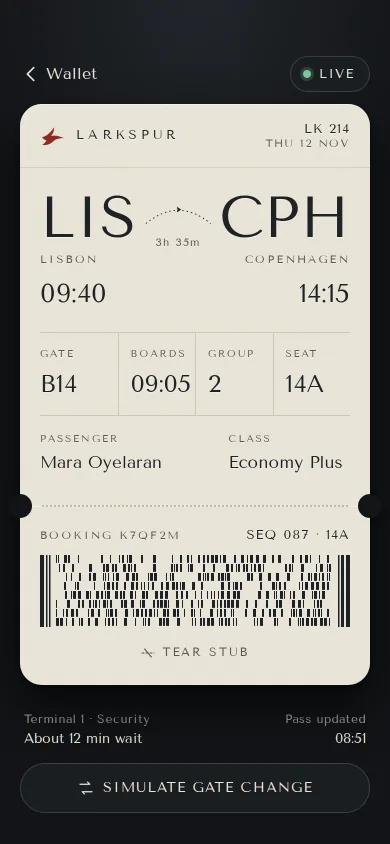
Larkspur paper boarding pass
A wallet boarding pass on ivory paper stock: big IATA codes, a split-flap gate change with a one-line banner, a tear-off stub, and a Live activity strip.
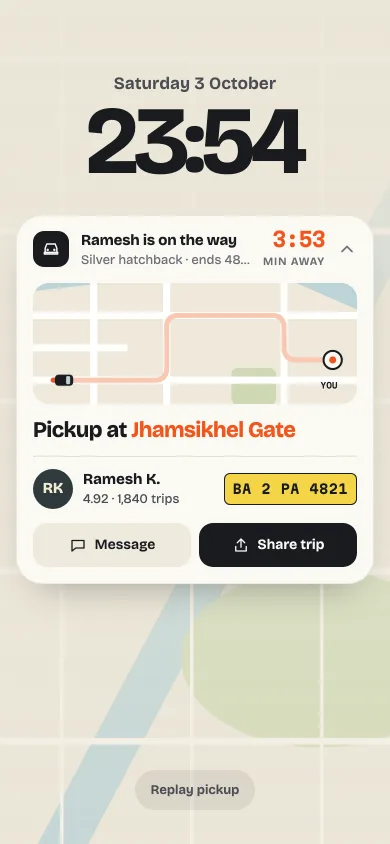
Ride pickup live activity
A lock-screen ride widget: a car drives a mini route map, the ETA counts down to Here, and one tap folds it to a compact progress row.
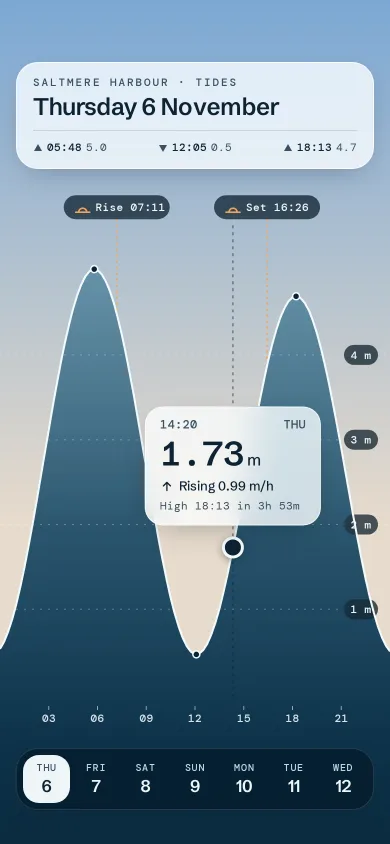
Saltmere tide chart
A full-bleed tide chart where the sea is the chart: scrub with a finger, a glass readout follows, and the sky behind turns to the scrubbed hour.
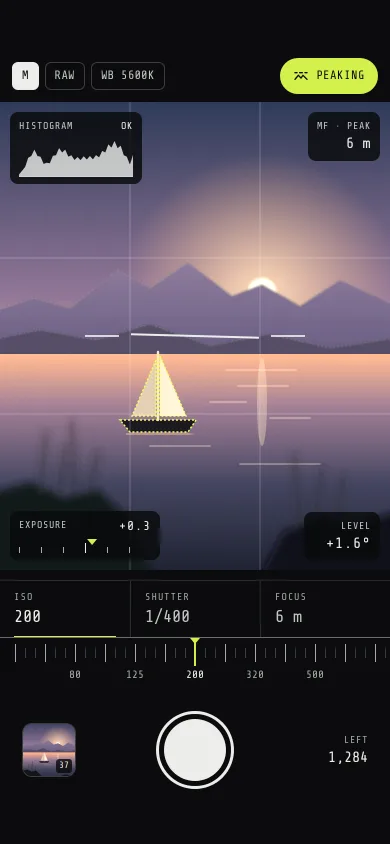
Kestrel manual camera
A pro camera screen: a layered dusk-lake viewfinder, detented ISO, shutter and focus dials, a live histogram, focus peaking, a level and a flying thumbnail.
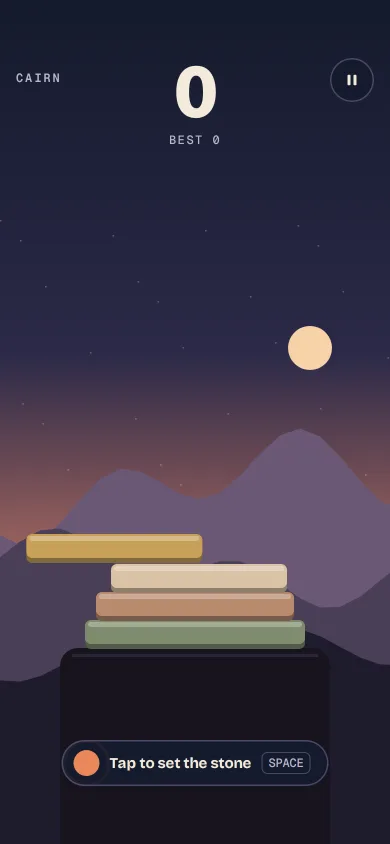
Stack drop mini-game
A one-tap stone stacker on a dusk ridge: the overhang slices off and falls, perfect drops chain a glow, speed rises and the sky turns to night.
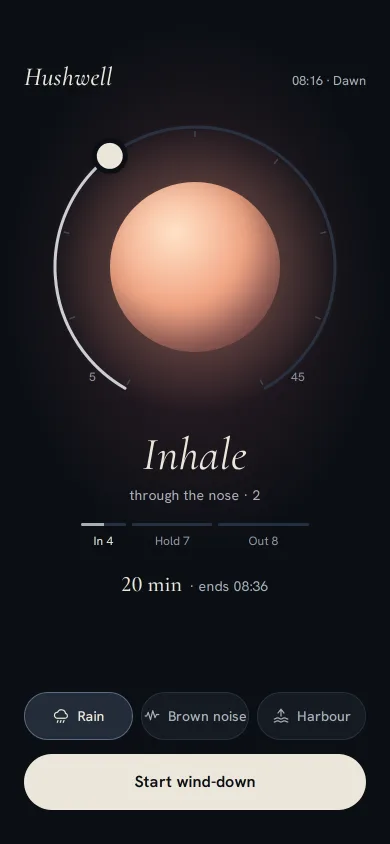
Sleep breath wind-down
A dark wind-down screen: a 4-7-8 breathing orb tinted by the hour, a ring dial you drag from 5 to 45 minutes, three local sounds, and a slow fade to sleep.