Nº 658 of 677
Pixel pet care screen
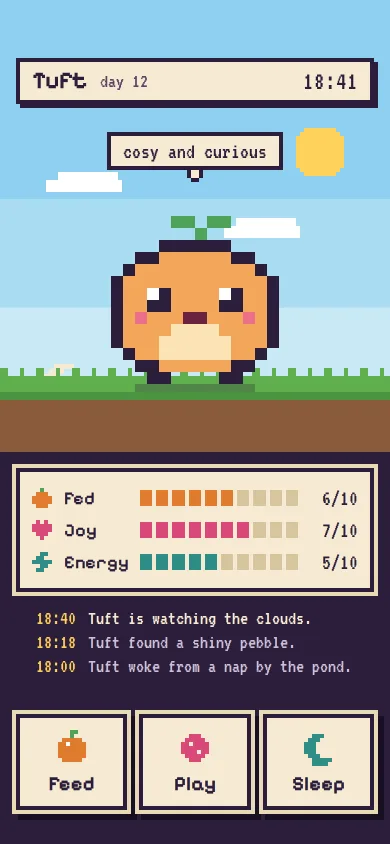
A pixel-art virtual pet: Tuft idles, munches and hops in steps() sprite frames, three segmented meters, Feed, Play and Sleep, a day-night sky and a tiny log.
Preview
Use it
Free to use · credit appreciated1 Once, in your project · Node 22.20+
npx skills add SusanAcharya/Design-Lounge 2 Then ask
Using the Design Lounge skill, build "Pixel pet care screen" (piece style-pixel-pet-care) in my stack. Match its brief; restyle it onto my product's theme.
No skill? Paste the brief instead. It carries the numbers, tokens and behaviour.
<!-- Design Lounge Nº 658 · "Pixel pet care screen" · www.designlounge.live -->

# Pixel pet care screen

> **Build brief for a coding agent.** Rebuild this piece in the reader's stack. If they haven't said which stack, ask once, then default to semantic HTML + CSS + a little vanilla JS. Match the numbers below; don't "improve" them.

## What it is

The home screen of a fictional pocket-pet game, Burrowpal. Tuft, a round peach creature with a leaf sprout, stands on a pixel meadow under a banded sky. Below sit three segmented meters (Fed, Joy, Energy), a three-line log in a terminal font, and three chunky Feed, Play and Sleep buttons in the thumb zone. Everything is on a 4px grid with hard 4px shadows and no blur; every motion runs on `steps()`, so the pet moves like a handheld sprite, not a tween. The detail worth copying is how gentle it is: meters never drift below 3 of 10, the pet is "a little peckish", never sad, and pressing Feed when Tuft is full gets a tummy pat, not a warning.

The style is pixel on a custom game language (not iOS or Material): cream plates with 4px plum borders, the pet drawn as a 16 × 14 sprite at 12px per pixel.

## Reference behaviour

1. Initial state, 18:40 on day 12. Day sky, sun top right, two clouds drifting right in 2px steps. A cream speech plate reads "cosy and curious". Meters read Fed 6/10, Joy 7/10, Energy 5/10. The log shows, newest first: "18:40 Tuft is watching the clouds.", "18:18 Tuft found a shiny pebble.", "18:00 Tuft woke from a nap by the pond."
2. Idle: Tuft bobs 4px every 600ms (`steps(1,end)`) and blinks for 256ms every 3.2s (a two-frame sprite strip, the blink frame shown from 92% to 100%).
3. The in-game clock moves one minute every 1.5s. Every 20 game minutes Fed drops one segment if it is above 3, otherwise Joy does. Nothing ever goes below 3.
4. **Feed**: a pixel sunberry drops from above the pet into its mouth in 6 steps over 600ms. The sprite switches to the two-frame munch (mouth open, cheeks puffed) at 360ms per cycle. Fed rises by 3 (cap 10); each newly lit segment pops up 4px for one step. The log adds "Tuft munched a sunberry." After 1.8s Tuft returns to idle. If Fed is already 10, Tuft does the happy pose and the log says "Tuft is full and patted its tummy."
5. **Play**: Joy +3 (cap 10), Energy −1. Tuft hops (−24px, 0, −12px, 0 at 160ms steps, three times) with ^ ^ eyes and an open mouth. Three pixel hearts rise 72px in 6 steps, 140ms apart. The log reads "Tuft chased the pebble. Joy 10/10." If Energy is 1 or less, Tuft yawns instead: Joy +1, no energy cost, "Tuft yawned mid-game. A nap would help."
6. **Sleep**: the night sky fades in over 800ms in 4 steps, the sun sinks 240px, the crescent moon rises, six 4px stars twinkle, the ground darkens to 55%, a "z Z" drifts up and to the right. Tuft closes its eyes and its sprout droops every 800ms. The button turns yellow and reads **Wake** (`aria-pressed="true"`). The plate reads "dreaming of berries". Energy refills one segment per 1.5s up to 10.
7. While asleep, Feed and Play stay enabled and only log "Shh. Tuft is dreaming. Wake first?"
8. **Wake**: the clock jumps to 07:24 the next day, the day counter becomes 13, the sky turns back to day, Tuft stretches with the happy pose and hearts, and the log reads "Morning! Tuft stretched, energy 10/10."
9. The mood plate always reflects the state: asleep "dreaming of berries", Fed under 4 "a little peckish", Energy under 3 "getting sleepy", Joy over 8 "bouncy and bright", otherwise "cosy and curious".
10. The log keeps three lines; the newest is full cream with a 8px yellow pixel bullet, older lines are `#CDBFD8`.

## Structure

```
390 × 844
┌──────────────────────────────────────┐ 0
│ sky bands (44% / 24% / 32%)          │
│ ┌ Tuft  day 12            18:40 ┐    │ 58  header plate, 4px border + 4px shadow
│ └────────────────────────────────┘    │
│             [cosy and curious]   (sun)│ 132 mood plate with pixel tail
│               ▄██████▄                │ 212 pet 192×168 (16×14 px @12)
│              █ ◘    ◘ █               │
│              █  ▀▀▀▀  █               │
│ ▀▀▀▀▀▀▀▀▀▀▀▀▀▀▀ grass ▀▀▀▀▀▀▀▀▀▀▀▀▀▀▀ │ 376 ground 76px (16 grass, 8 dark, dirt)
├──────────────────────────────────────┤ 452
│ ┌──────────────────────────────────┐ │ 468 needs panel, 16px inset

… 184 more lines. Copy or download for the full brief. Loading the source…Brief
224 linesBuild brief for a coding agent. Rebuild this piece in the reader’s stack. If they haven’t said which stack, ask once, then default to semantic HTML + CSS + a little vanilla JS. Match the numbers below; don’t “improve” them.
What it is
The home screen of a fictional pocket-pet game, Burrowpal. Tuft, a round peach creature with a leaf sprout, stands on a pixel meadow under a banded sky. Below sit three segmented meters (Fed, Joy, Energy), a three-line log in a terminal font, and three chunky Feed, Play and Sleep buttons in the thumb zone. Everything is on a 4px grid with hard 4px shadows and no blur; every motion runs on steps(), so the pet moves like a handheld sprite, not a tween. The detail worth copying is how gentle it is: meters never drift below 3 of 10, the pet is “a little peckish”, never sad, and pressing Feed when Tuft is full gets a tummy pat, not a warning.
The style is pixel on a custom game language (not iOS or Material): cream plates with 4px plum borders, the pet drawn as a 16 × 14 sprite at 12px per pixel.
Reference behaviour
- Initial state, 18:40 on day 12. Day sky, sun top right, two clouds drifting right in 2px steps. A cream speech plate reads “cosy and curious”. Meters read Fed 6/10, Joy 7/10, Energy 5/10. The log shows, newest first: “18:40 Tuft is watching the clouds.”, “18:18 Tuft found a shiny pebble.”, “18:00 Tuft woke from a nap by the pond.”
- Idle: Tuft bobs 4px every 600ms (
steps(1,end)) and blinks for 256ms every 3.2s (a two-frame sprite strip, the blink frame shown from 92% to 100%). - The in-game clock moves one minute every 1.5s. Every 20 game minutes Fed drops one segment if it is above 3, otherwise Joy does. Nothing ever goes below 3.
- Feed: a pixel sunberry drops from above the pet into its mouth in 6 steps over 600ms. The sprite switches to the two-frame munch (mouth open, cheeks puffed) at 360ms per cycle. Fed rises by 3 (cap 10); each newly lit segment pops up 4px for one step. The log adds “Tuft munched a sunberry.” After 1.8s Tuft returns to idle. If Fed is already 10, Tuft does the happy pose and the log says “Tuft is full and patted its tummy.”
- Play: Joy +3 (cap 10), Energy −1. Tuft hops (−24px, 0, −12px, 0 at 160ms steps, three times) with ^ ^ eyes and an open mouth. Three pixel hearts rise 72px in 6 steps, 140ms apart. The log reads “Tuft chased the pebble. Joy 10/10.” If Energy is 1 or less, Tuft yawns instead: Joy +1, no energy cost, “Tuft yawned mid-game. A nap would help.”
- Sleep: the night sky fades in over 800ms in 4 steps, the sun sinks 240px, the crescent moon rises, six 4px stars twinkle, the ground darkens to 55%, a “z Z” drifts up and to the right. Tuft closes its eyes and its sprout droops every 800ms. The button turns yellow and reads Wake (
aria-pressed="true"). The plate reads “dreaming of berries”. Energy refills one segment per 1.5s up to 10. - While asleep, Feed and Play stay enabled and only log “Shh. Tuft is dreaming. Wake first?”
- Wake: the clock jumps to 07:24 the next day, the day counter becomes 13, the sky turns back to day, Tuft stretches with the happy pose and hearts, and the log reads “Morning! Tuft stretched, energy 10/10.”
- The mood plate always reflects the state: asleep “dreaming of berries”, Fed under 4 “a little peckish”, Energy under 3 “getting sleepy”, Joy over 8 “bouncy and bright”, otherwise “cosy and curious”.
- The log keeps three lines; the newest is full cream with a 8px yellow pixel bullet, older lines are
#CDBFD8.
Structure
390 × 844
┌──────────────────────────────────────┐ 0
│ sky bands (44% / 24% / 32%)          │
│ ┌ Tuft  day 12            18:40 ┐    │ 58  header plate, 4px border + 4px shadow
│ └────────────────────────────────┘    │
│             [cosy and curious]   (sun)│ 132 mood plate with pixel tail
│               ▄██████▄                │ 212 pet 192×168 (16×14 px @12)
│              █ ◘    ◘ █               │
│              █  ▀▀▀▀  █               │
│ ▀▀▀▀▀▀▀▀▀▀▀▀▀▀▀ grass ▀▀▀▀▀▀▀▀▀▀▀▀▀▀▀ │ 376 ground 76px (16 grass, 8 dark, dirt)
├──────────────────────────────────────┤ 452
│ ┌──────────────────────────────────┐ │ 468 needs panel, 16px inset
│ │ (●) Fed     ■■■■■■□□□□     6/10 │ │ rows 32px: 24 / 68 / 1fr / 52
│ │ (♥) Joy     ■■■■■■■□□□     7/10 │ │
│ │ (⚡) Energy  ■■■■■□□□□□     5/10 │ │
│ └──────────────────────────────────┘ │
│  18:40  Tuft is watching the clouds. │ log, 3 lines × 24px
│  18:18  Tuft found a shiny pebble.   │
│  18:00  Tuft woke from a nap by…     │
│ ┌────────┐ ┌────────┐ ┌────────┐     │ 714 actions, 3 × 108 × 96, gap 12
│ │ berry  │ │  ball  │ │  moon  │     │
│ │  Feed  │ │  Play  │ │ Sleep  │     │
│ └────────┘ └────────┘ └────────┘     │ 810
│ 34 home indicator                    │ 844
└──────────────────────────────────────┘
<main class="app">: flex column,min-height:800px.<section class="scene" aria-label="Tuft's meadow">, 452px tall: two.skylayers (day and night), sun div, moon SVG, two clouds, six stars,<header class="top">with<h1>Tuft</h1>, age and clock,<p class="mood">,.pet[role=img]containing.window > svg.strip, the Zz, the ground.<section class="panel" aria-label="Needs">with three.meterrows; each bar isdiv.segs[role=meter]with ten<i>segments.<ol class="log" aria-live="polite">, three<li>with<time>and text.<nav class="actions" aria-label="Care">with three<button class="act">; Sleep hasaria-pressed.
Tokens
:root {
  /* ground and plates */
  --plum: #2B1E3A;        /* app background, borders, hard shadows, sprite outline */
  --plum-deep: #170F21;   /* action button drop */
  --cream: #F6EBD3;       /* plates, panel, buttons, newest log line */
  --cream-2: #E9D9B6;     /* outer 4px ring on panel and buttons */
  --ink: #2B1E3A;         /* text on cream (13.4:1) */
  --ink-2: #5A4466;       /* secondary text on cream (7.6:1) */
  --log-old: #CDBFD8;     /* older log lines on plum (9.4:1) */
  --yellow: #FFD25A;      /* log times, newest bullet, sun, Wake button, focus ring */
  /* meters */
  --fed: #E07A2E; --joy: #D9487A; --energy: #2E8C86; --empty: #D8C59F;
  /* sky bands */
  --day-1: #8ED0F0; --day-2: #A9DCF2; --day-3: #C8E9F4;
  --night-1: #1A1C46; --night-2: #23286A; --night-3: #2E3784;
  --grass: #5FAF4E; --grass-2: #4A9440; --dirt: #8A5A3B;
  /* sprite */
  --pet-body: #F2A65A; --pet-belly: #FBE3B6; --pet-cheek: #EC6F8C; --pet-mouth: #6B2340; --pet-leaf: #4FA35A;
  /* type */
  --display: "Pixelify Sans", system-ui, sans-serif;
  --mono: "VT323", ui-monospace, monospace;
  --fs-name: 24px; --fs-button: 20px; --fs-label: 18px; --fs-clock: 26px; --fs-log: 20px; --fs-value: 22px;
  /* grid */
  --px: 4px; --pet-px: 12px; --gutter: 16px;
  --scene-h: 452px; --pet-w: 192px; --pet-h: 168px; --button-h: 96px; --meter-h: 32px; --seg-h: 16px; --seg-gap: 4px;
  /* edges: no radius, no blur */
  --radius: 0;
  --hard: 4px 4px 0 var(--plum);
  --button-edge: 0 0 0 4px var(--cream-2), 6px 6px 0 4px var(--plum-deep);
  /* motion: always steps() */
  --t-bob: 1200ms; --t-blink: 3200ms; --t-hop: 640ms; --t-munch: 360ms; --t-sleep: 1600ms;
  --t-sky: 800ms; --sky-steps: steps(4, end); --t-hearts: 960ms; --t-berry: 600ms; --t-clock: 1500ms;
}
Typography
| Role | Family | Size / line | Weight | Tracking | Case |
|---|---|---|---|---|---|
| Pet name | Pixelify Sans | 24px / 1 | 700 | 0 | title |
| Button label | Pixelify Sans | 20px / 1 | 700 | 0 | title |
| Meter label | Pixelify Sans | 18px / 1 | 600 | 0 | title |
| Zz | Pixelify Sans | 24px / 1 | 700 | 0 | mixed |
| Clock | VT323 | 26px / 1, tabular | 400 | 0.04em | — |
| Meter value | VT323 | 22px / 1 | 400 | 0 | — |
| Mood plate | VT323 | 22px / 1 | 400 | 0 | lower |
| Log line | VT323 | 20px / 24px | 400 | 0 | sentence |
| Age | VT323 | 20px / 1 | 400 | 0 | lower |
Turn off font smoothing (-webkit-font-smoothing:none) and set image-rendering:pixelated on the body so the edges stay hard.
Motion
| What | Trigger | Property | From → to | Duration | Timing | Reduced motion |
|---|---|---|---|---|---|---|
| Bob | idle | translateY | 0 → 4px | 1200ms loop | steps(1,end) at 50% | off |
| Blink | idle | strip translateX | 0 → −192px | 3200ms loop, frame 2 from 92% | steps(1,end) | off, open eyes |
| Munch | Feed | strip translateX | 0 → −384px | 360ms loop, 1.8s total | steps(2,end) | first frame held |
| Berry drop | Feed | translateY | 0 → 176px, fade at end | 600ms | steps(6,end) | hidden |
| Hop | Play, Wake | translateY | 0, −24, 0, −12px | 640ms × 3 | steps(1,end) | off |
| Happy frames | Play, Wake | strip | 2 frames | 320ms loop | steps(2,end) | first frame |
| Hearts | Play, Wake | translateY, opacity | 0 → −72px, 1 → 0 | 960ms, 140ms stagger | steps(6,end) | hidden |
| Sleep frames | Sleep | strip | eyes shut, leaf droops | 1600ms loop | steps(2,end) | first frame |
| Night sky | Sleep / Wake | opacity | 0 ↔ 1 | 800ms | steps(4,end) | 200ms fade |
| Sun / moon | Sleep / Wake | translateY | 0 ↔ 240px | 800ms | steps(4,end) | 200ms fade |
| Stars | asleep | background-color | cream ↔ #8E93D8 | 2400ms loop | steps(2,end) | static |
| Zz | asleep | translate | 0 → 16px, −32px | 2400ms loop | steps(4,end) | static |
| Clouds | day | translateX | 0 → 96px | 24s / 32s loop | steps(48,end) | static |
| New segment | meter rises | translateY | 0 → −4px → 0 | 360ms | steps(2,end) | off |
| Button press | :active | translate | 0 → 4px, 4px | 80ms | steps(1,end) | same |
Never use ease, cubic-bezier or blur in this piece. Every move lands on a whole 4px step.
States
- Idle: open eyes with a 1px (12px) white highlight, small mouth, bob and blink.
- Eating: mouth opens to 4 pixels wide, then closes with puffed cheeks.
- Happy: eyes become carets (^ ^), mouth opens with a pink tongue, sprout splits.
- Asleep: 3-pixel closed-eye lines, no mouth, sprout droops on frame 2; Sleep button is
--yellowand reads Wake. - Meter: lit segments use the meter colour, empty ones
--empty; the floor is 3 for Fed and Joy. - Focus-visible: 4px
--yellowoutline, 2px offset, square. - Pressed: button moves 4px right and down, covering its drop.
- Full: Feed at 10 plays happy instead of eating; Play at Energy ≤ 1 yawns and costs nothing.
Accessibility
- The pet is
role="img"and itsaria-labelchanges with the pose: “Tuft, looking around”, “munching a sunberry”, “hopping with joy”, “curled up asleep”. - Each bar is
role="meter"witharia-valuemin="0",aria-valuemax="10",aria-valuenowandaria-valuetext="6 of 10", labelled by its visible label. - The log is an
<ol aria-live="polite">, so each action is read once in words. - Sleep is a toggle button with
aria-pressed; its text changes Sleep ↔ Wake. - Tab order: Feed, Play, Sleep. Enter and Space press them.
- Contrast: plum on cream 13.4:1,
--ink-2on cream 7.6:1, cream on plum 13.4:1,--log-oldon plum 9.4:1, yellow on plum 11.2:1. The mood and header text always sit on solid cream plates, never on the sky. - Hit targets: buttons 108 × 96px.
Responsive rules
- At 360 wide: buttons become 101px wide; meter bars shrink (
1fr), segments stay 16px tall; the pet stays 192px and centred. - The pet pixel size stays a whole number (12px). On tablet, use 16px pixels and cap the column at 430px.
- Shorter than 800px: the app keeps
min-height:800pxand scrolls; the buttons stay last. - Taller phones: extra height opens between the log and the buttons (
margin-top:auto).
Acceptance checklist
Always
- Every animation uses
steps(); no element has a blur, a radius or an eased tween. - The sprite is a strip of frames inside a 192 × 168 window with
overflow:hidden, and each state swaps the strip. - Each action changes both the pet’s animation and the meters, and writes one log line.
- Meters are ten segments with 4px gaps and never decay below 3.
- Sleep switches the sky to night in four visible steps and Wake switches it back.
- No sad, sick or dying state exists; full or tired gets a friendly alternative.
- Text over the sky sits on a solid cream plate.
- Reduced motion holds each state on its first frame and drops particles, hops and drifts.
-
document.documentElement.scrollWidthis 390.
This demo
- Start at 18:40, day 12, Fed 6, Joy 7, Energy 5, mood “cosy and curious”.
- Feed +3 Fed; Play +3 Joy and −1 Energy; asleep refills 1 Energy per 1.5s.
- Wake jumps to 07:24 and day 13.
- Pet is 16 × 14 pixels at 12px, peach
#F2A65Awith a#4FA35Asprout.
Implementation notes
- Draw the sprite from strings and merge runs. Keep each frame as 14 strings of 16 characters, and write one
<path>per horizontal run. Frames sit side by side in one SVG (viewBox="0 0 32 14", 384 × 168,shape-rendering="crispEdges").
const svg = (frames) => frames.map((rows, f) => rows.map((r, y) => {
  let out = '', x = 0;
  while (x < r.length) {
    const ch = r[x]; let n = 1; while (r[x + n] === ch) n++;
    if (ch !== '.') out += `<path fill="${C[ch]}" d="M${f * 16 + x} ${y}h${n}v1h-${n}z"/>`;
    x += n;
  }
  return out;
}).join('')).join('');- Hold a frame, then jump. A blink is two frames where the second shows only briefly. Use
steps(1,end)between keyframes so each value holds until the next stop:
.strip { animation: blink 3.2s steps(1, end) infinite; }
@keyframes blink { 0% { transform: translateX(0) } 92% { transform: translateX(-192px) } 100% { transform: translateX(-192px) } }
.pet.eat .strip { animation: flip2 360ms steps(2, end) infinite; }
@keyframes flip2 { to { transform: translateX(-384px) } }- Night as a stepped crossfade. You can’t transition a gradient, so stack a second banded sky and step its opacity:
.sky { background: linear-gradient(#8ED0F0 0 44%, #A9DCF2 44% 68%, #C8E9F4 68% 100%); }
.sky.night { background: linear-gradient(#1A1C46 0 44%, #23286A 44% 68%, #2E3784 68% 100%);
  opacity: 0; transition: opacity 800ms steps(4, end); }
.app.asleep .sky.night { opacity: 1; }
Common mistakes: scaling the sprite with transform: scale() (it blurs at fractional sizes; draw it at 12px per pixel instead), letting meters hit zero and guilt the player, and putting the mood text straight on the sky.
Details
- Palette
- Type
- Pixelify Sans · VT323
- Motion
- Rich motion
- Build
- One session
- Tags
Similar
Pixel arcade design language kit
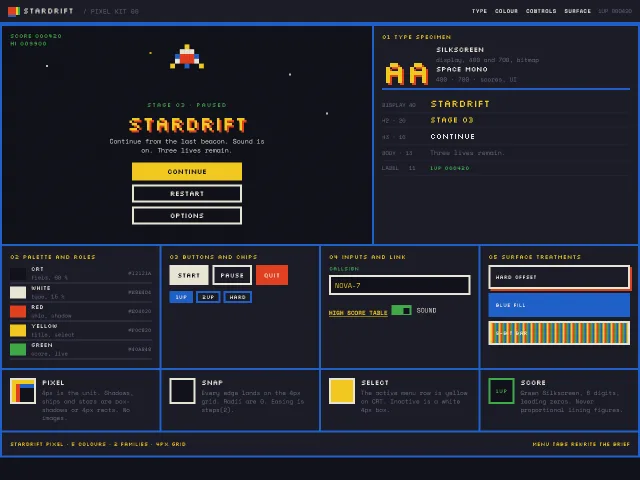
An 8-bit pause-menu kit: 4px grid, Silkscreen display, Space Mono scores, hard NES-like colours, CSS box-shadow sprites, and a Stardrift start screen.
Cozy farm HUD
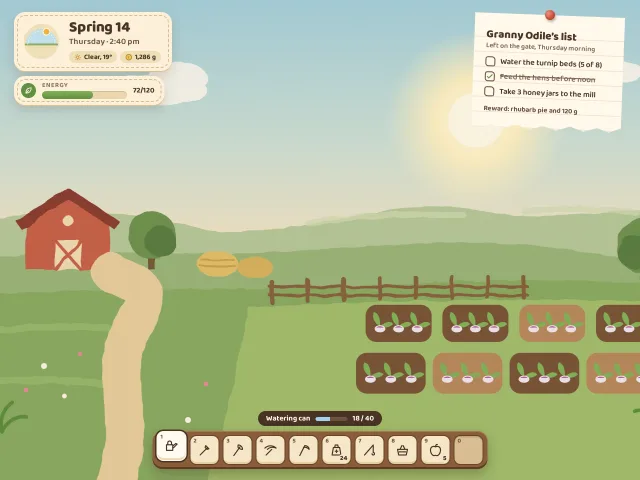
A farming-sim HUD over a painterly SVG field: a stitched day clock with a moving sun, an energy bar, a wooden hotbar, and a quest note pinned like paper.
Lanternfield daily reward
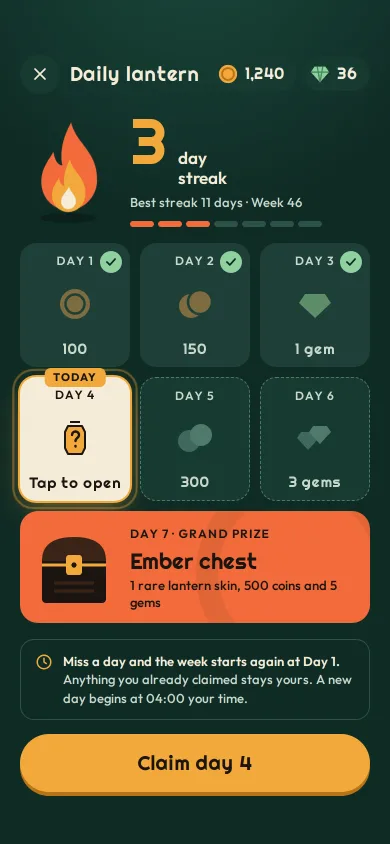
A seven-day login calendar: today's tile flips to reveal 250 coins, the coins arc into the wallet, the streak flame grows, and a come-back timer takes over.
Phone level map
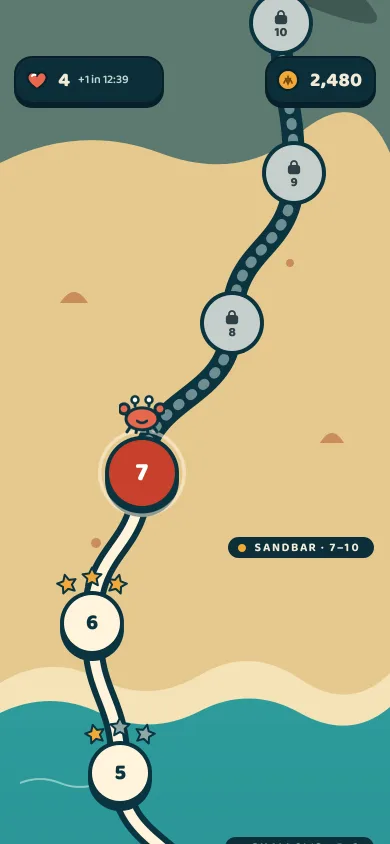
A saga-style level path climbing a tide-pool reef to a lighthouse: starred nodes, a pulsing current level, a level card sheet and a path that draws on clear.
Phone level results
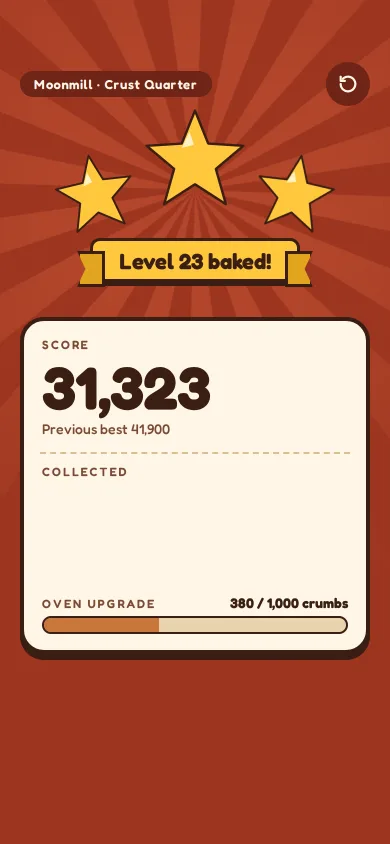
An end-of-level screen in a bakery puzzle game: three stars stamp in with squash and a hit-stop, the score counts up, a new-best tag slams and Next lands last.
Season pass track
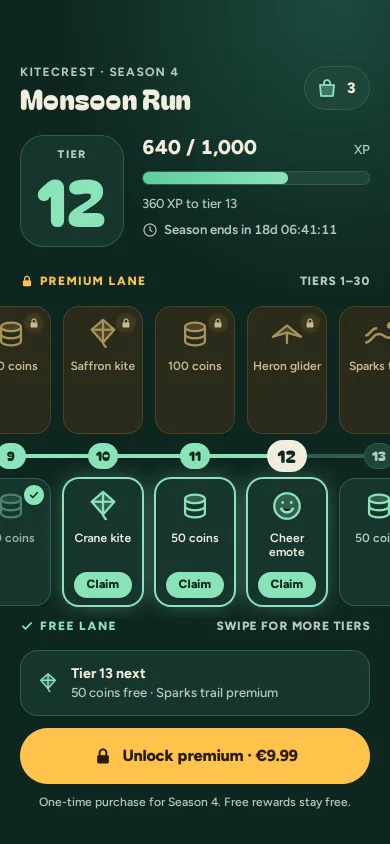
A two-lane season pass for a kite-racing game: claim glowing tiers, watch the reward fly into your satchel, and see exactly what €9.99 premium buys.