Nº 672 of 677
Usage slider that picks your plan
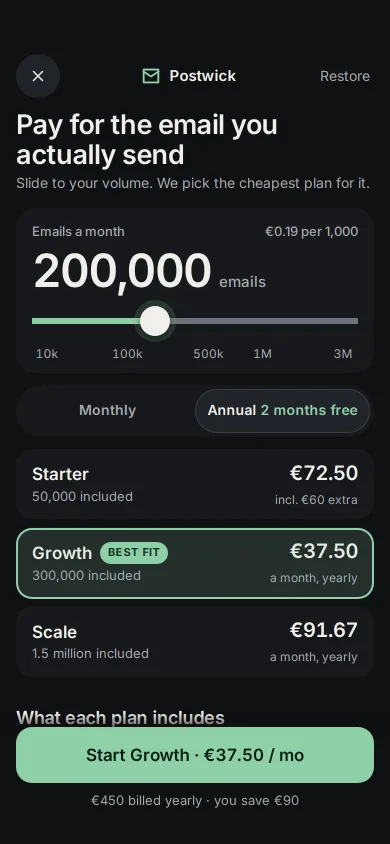
A phone pricing screen: a volume slider prices three plans live, the cheapest one is re-highlighted as you slide, and annual shows the real saving.
Preview
Use it
Free to use · credit appreciated1 Once, in your project · Node 22.20+
npx skills add SusanAcharya/Design-Lounge 2 Then ask
Using the Design Lounge skill, build "Usage slider that picks your plan" (piece phone-pricing-plan-slider) in my stack. Match its brief; restyle it onto my product's theme.
No skill? Paste the brief instead. It carries the numbers, tokens and behaviour.
<!-- Design Lounge Nº 672 · "Usage slider that picks your plan" · www.designlounge.live -->

# Usage slider that picks your plan

> **Build brief for a coding agent.** Rebuild this piece in the reader's stack. If they haven't said which stack, ask once, then default to semantic HTML + CSS + a little vanilla JS. Match the numbers below; don't "improve" them.

## What it is

The plans screen of Postwick, a fictional transactional email API, on a phone. One slider sets how many emails you send a month; all three plans re-price at that volume, including their overage, and a mint frame glides to the cheapest one with a "Best fit" badge. A Monthly / Annual control shows the real saving in euros, a plain comparison table sits below, and one full-width button says exactly what you will pay: "Start Growth · €37.50 / mo". The language is iOS 26 dark: graphite cards on near-black, 20px radii, a sliding segmented control, Inter at tight tracking. The detail worth copying is that the screen does the arithmetic for the buyer and admits when a cheaper plan costs more at their volume.

## Reference behaviour

1. Initial state: 200,000 emails a month, Annual selected. Rows read Starter €72.50 "incl. €60 extra", Growth €37.50 "a month, yearly" with **Best fit** and the mint frame, Scale €91.67 "a month, yearly". The header line shows "€0.19 per 1,000". The button reads "Start Growth · €37.50 / mo" and below it "€450 billed yearly · you save €90".
2. The slider has 12 stops: 10k, 25k, 50k, 100k, 200k, 300k, 500k, 750k, 1M, 1.5M, 2M, 3M. Ticks label 10k, 100k, 500k, 1M and 3M at their stop positions.
3. Drag the slider (or use arrow keys): the big volume number updates, the mint fill follows the thumb, each row's price changes with a 260ms drop-in tick, and the cheapest plan becomes selected. The frame slides to it (420ms expo) and the Best fit badge pops in on that row (scale .8 → 1) and out of the old one.
4. Crossovers in this demo: Starter is best up to 100k, Growth from 200k to 500k, Scale from 750k. At 750k monthly Scale is €110 and Growth €157.50 "incl. €112.50 extra".
5. Tap **Monthly**: the segmented thumb slides left (320ms sheet curve). Base prices return to full (Starter €15, Growth €45, Scale €110); the line under the button reads "Billed monthly · annual would save €90 a year".
6. Tap a plan row to choose it yourself: the frame moves there and the button and table follow; the badge stays on the cheapest plan. Moving the slider again hands selection back to the best fit.
7. The comparison table colours the selected plan's column mint: emails included, extra per 1,000, log retention, dedicated IP, team seats, support.
8. Tap the button: it reads "Starting your trial" for 1.4s.

## Structure

```
390 × 844, page scrolls under a fixed bottom bar
┌──────────────────────────────────────┐
│ 54 safe area                         │
│ (x)          [✉] Postwick    Restore │  nav 44
│ Pay for the email you        27px    │
│ actually send                        │
│ Slide to your volume. We pick …      │  14px lede
│ ╭──────────────────────────────────╮ │
│ │ Emails a month    €0.19 per 1,000│ │  13px
│ │ 200,000 emails            46px   │ │
│ │ ━━━━━━━━━●───────────────────    │ │  input 44 tall, track 6, thumb 30
│ │ 10k   100k   500k  1M        3M  │ │  12px ticks
│ ╰──────────────────────────────────╯ │
│ (  Monthly  )( Annual 2 months free )│  segmented 52, thumb slides
│ ╭ Starter            €72.50        ╮ │  rows 66, gap 8, r16
│ ╭ Growth [BEST FIT]  €37.50        ╮ │  mint frame overlay

… 166 more lines. Copy or download for the full brief. Loading the source…Brief
206 linesBuild brief for a coding agent. Rebuild this piece in the reader’s stack. If they haven’t said which stack, ask once, then default to semantic HTML + CSS + a little vanilla JS. Match the numbers below; don’t “improve” them.
What it is
The plans screen of Postwick, a fictional transactional email API, on a phone. One slider sets how many emails you send a month; all three plans re-price at that volume, including their overage, and a mint frame glides to the cheapest one with a “Best fit” badge. A Monthly / Annual control shows the real saving in euros, a plain comparison table sits below, and one full-width button says exactly what you will pay: “Start Growth · €37.50 / mo”. The language is iOS 26 dark: graphite cards on near-black, 20px radii, a sliding segmented control, Inter at tight tracking. The detail worth copying is that the screen does the arithmetic for the buyer and admits when a cheaper plan costs more at their volume.
Reference behaviour
- Initial state: 200,000 emails a month, Annual selected. Rows read Starter €72.50 “incl. €60 extra”, Growth €37.50 “a month, yearly” with Best fit and the mint frame, Scale €91.67 “a month, yearly”. The header line shows “€0.19 per 1,000”. The button reads “Start Growth · €37.50 / mo” and below it “€450 billed yearly · you save €90”.
- The slider has 12 stops: 10k, 25k, 50k, 100k, 200k, 300k, 500k, 750k, 1M, 1.5M, 2M, 3M. Ticks label 10k, 100k, 500k, 1M and 3M at their stop positions.
- Drag the slider (or use arrow keys): the big volume number updates, the mint fill follows the thumb, each row’s price changes with a 260ms drop-in tick, and the cheapest plan becomes selected. The frame slides to it (420ms expo) and the Best fit badge pops in on that row (scale .8 → 1) and out of the old one.
- Crossovers in this demo: Starter is best up to 100k, Growth from 200k to 500k, Scale from 750k. At 750k monthly Scale is €110 and Growth €157.50 “incl. €112.50 extra”.
- Tap Monthly: the segmented thumb slides left (320ms sheet curve). Base prices return to full (Starter €15, Growth €45, Scale €110); the line under the button reads “Billed monthly · annual would save €90 a year”.
- Tap a plan row to choose it yourself: the frame moves there and the button and table follow; the badge stays on the cheapest plan. Moving the slider again hands selection back to the best fit.
- The comparison table colours the selected plan’s column mint: emails included, extra per 1,000, log retention, dedicated IP, team seats, support.
- Tap the button: it reads “Starting your trial” for 1.4s.
Structure
390 × 844, page scrolls under a fixed bottom bar
┌──────────────────────────────────────┐
│ 54 safe area                         │
│ (x)          [✉] Postwick    Restore │  nav 44
│ Pay for the email you        27px    │
│ actually send                        │
│ Slide to your volume. We pick …      │  14px lede
│ ╭──────────────────────────────────╮ │
│ │ Emails a month    €0.19 per 1,000│ │  13px
│ │ 200,000 emails            46px   │ │
│ │ ━━━━━━━━━●───────────────────    │ │  input 44 tall, track 6, thumb 30
│ │ 10k   100k   500k  1M        3M  │ │  12px ticks
│ ╰──────────────────────────────────╯ │
│ (  Monthly  )( Annual 2 months free )│  segmented 52, thumb slides
│ ╭ Starter            €72.50        ╮ │  rows 66, gap 8, r16
│ ╭ Growth [BEST FIT]  €37.50        ╮ │  mint frame overlay
│ ╭ Scale              €91.67        ╮ │
│ What each plan includes              │
│ Feature   Starter  Growth  Scale     │  table, columns 74
│ ...                                  │
│ [   Start Growth · €37.50 / mo    ]  │  56 tall, r16, mint
│ €450 billed yearly · you save €90    │  13px
└──────────────────────────────────────┘
<header class="nav">: Close<button>, brand (SVG mark + name), Restore<button>.<h1>+ lede<p>.<section class="vol" aria-labelledby="volLab">: label row, the volume number,<input type="range" min=0 max=11>witharia-valuetext,aria-hiddenticks..seg[role=group][aria-label="Billing period"]: two<button aria-pressed>; the moving thumb is::before..plans[role=group]: anaria-hidden.hlframe and three<button class="plan" aria-pressed>rows.<table class="cmp">with<th scope>headers.- Fixed
.barwith the primary<button>and its<p>; a hiddenaria-liveregion.
Tokens
:root {
  --bg: #0F1113;          /* near-black ground */
  --card: #17191C;        /* volume card, rows, segmented track */
  --raise: #202328;       /* round button, segmented thumb */
  --thumb-edge: #3A3F46;  /* 1px inset on the segmented thumb */
  --ink: #F1EFEA;         /* text, slider thumb (16.5:1) */
  --ink-2: #A2A7AE;       /* secondary text (7.3:1 on card) */
  --rule: #2A2E33;        /* table hairlines */
  --track: #6B737D;       /* slider track, 3.7:1 on card */
  --mint: #8FD0A8;        /* the one accent: fill, frame, badge, primary */
  --mint-ink: #0B1F14;    /* text on mint (9.6:1) */
  --mint-tint: rgba(143, 208, 168, .12);  /* inside the frame */
  --halo: rgba(143, 208, 168, .18);       /* 6px ring round the slider thumb */

  --sans: "Inter", system-ui, sans-serif;  /* cv11, ss01 on */
  --fs-volume: 46px; --fs-title: 27px; --fs-price: 20px; --fs-h2: 18px;
  --fs-plan: 17px; --fs-button: 17px; --fs-body: 15px; --fs-table: 14px;
  --fs-small: 13px; --fs-tick: 12px; --fs-badge: 11px;

  --space-1: 4px; --space-2: 8px; --space-3: 12px; --space-4: 16px;
  --r-card: 20px; --r-row: 16px; --r-btn: 16px; --r-pill: 999px;
  --shadow-thumb: 0 2px 8px rgba(0, 0, 0, .5);

  --std: cubic-bezier(0.2, 0.7, 0.2, 1);
  --expo: cubic-bezier(0.16, 1, 0.3, 1);
  --sheet: cubic-bezier(0.32, 0.72, 0, 1);
  --t-micro: 120ms; --t-thumb: 160ms; --t-colour: 200ms; --t-tick: 260ms;
  --t-badge: 300ms; --t-seg: 320ms; --t-frame: 420ms;
}
Typography
| Role | Family | Size / line | Weight | Tracking | Notes |
|---|---|---|---|---|---|
| Volume number | Inter | 46px / 1 | 600 | −0.04em | tabular |
| Title | Inter | 27px / 1.1 | 600 | −0.025em | two lines |
| Row price | Inter | 20px | 600 | −0.02em | tabular, right |
| Section heading | Inter | 18px | 600 | −0.01em | |
| Plan name, button | Inter | 17px | 600 | 0 / −0.01em | button tabular |
| Body, lede | Inter | 14–15px / 1.45 | 400 | 0 | |
| Segmented label | Inter | 14px | 600 | 0 | “2 months free” mint |
| Table | Inter | 14px | 400 / 600 selected | 0 | tabular |
| Labels, sub-lines | Inter | 12–13px | 400–500 | 0 | |
| Best fit badge | Inter | 11px | 700 | 0.06em | upper, mint fill |
Motion
| What | Trigger | Property | From → to | Duration | Easing | Reduced motion |
|---|---|---|---|---|---|---|
| Frame | selection changes | transform, height | old row → new row offset | 420ms | --expo | jumps |
| Best fit badge | best plan changes | opacity, scale | 0, .8 → 1, 1 | 200ms / 300ms | --std / --expo | fades only |
| Row price tick | slider input | opacity, translateY | .3, −5px → 1, 0 | 260ms | --expo | none |
| Segmented thumb | billing tap | translateX | 0 ↔ 100% | 320ms | --sheet | jumps |
| Label colour | billing tap | color | ink-2 ↔ ink | 200ms | --std | instant |
| Table column | selection | color | → mint | 200ms | --std | instant |
| Slider thumb | :active | scale | 1 → 1.12 | 160ms | --std | same |
| Button | :active | scale | 1 → .98 | 120ms | --std | same |
States
- Best fit: the cheapest plan at this volume and billing period carries the badge, ties go to the smaller plan.
- Selected: mint frame (2px inset ring + 12% mint tint) on the row,
aria-pressed="true", its column mint in the table, its name and price in the button. - User override: selection differs from best fit; the badge stays on the cheaper plan so the buyer sees the cost of their choice. Sliding again resets the override.
- Overage: the row’s sub-line says “incl. €60 extra” instead of “a month”.
- Annual: per-month price is base × 10 / 12 plus overage; the line under the button shows the yearly charge and “you save €X” where X = 2 × base.
- Monthly: the same line offers the saving instead.
- Focus-visible: 2px mint outline at 3px offset (6px on the slider so it clears the thumb halo).
Accessibility
- The slider is a native range input with
aria-labelledbyandaria-valuetext="200,000 emails a month"; arrows, Page Up/Down, Home and End work for free. - Billing buttons and plan rows use
aria-pressed; each row’saria-labelreads “Growth, 300,000 included, €37.50 a month at this volume, best fit”. - A polite live region says “750,000 emails. Scale at €110 a month is the best fit.” after each change, and stays empty on load.
- The comparison is a real
<table>with column and row headers. - Contrast: ink-2 on card 7.3:1, mint on card 9.9:1, mint-ink on mint 9.6:1; slider track 3.7:1 against the card (non-text).
- Hit targets: slider 44px tall, segmented buttons 44, rows 66, primary 56, round button 44.
Responsive rules
- At 360 wide: volume drops to 40px; the lede wraps to two lines; the “2 months free” note stays on one line at 13px; table value columns go to 66px.
- Short phones (< 760 tall): the third row may sit under the bar; the bar’s fade (22px gradient to the ground) keeps it legible.
- Tablet: the column caps at 430px and centres; the bar caps at 430px. Do not spread the plans into three columns on a phone layout.
documentElement.scrollWidthstays 390; table cells arenowrapexcept the feature names.
Acceptance checklist
Always
- One slider drives every price on the screen; nothing is static text that can disagree.
- Each plan shows its price at the chosen volume, overage included, not only its sticker price.
- The cheapest plan gets the badge and the selection after every slide.
- Manual selection is allowed and the badge does not follow it.
- Annual saving is a currency amount computed from the plan, never “up to 20%”.
- The primary button names the plan and the exact per-month price.
- The slider input itself has a 3:1 fill against its card (clip the background to the content box).
- Comparison is a plain table, selected column highlighted.
- Reduced motion: frame and thumb jump, no ticks; everything still updates.
- One accent colour.
This demo
- Stops 10k … 3M (12); starts at 200,000 on Annual.
- Starter €15 with 50k, €0.40 per extra 1,000; Growth €45 with 300k, €0.25; Scale €110 with 1.5M, €0.12.
- Annual = 10 months for 12; Growth saves €90, Scale €220.
- Opening button “Start Growth · €37.50 / mo”, line “€450 billed yearly · you save €90”.
Implementation notes
- A range input that passes a 3:1 edge check and still has a 44px target. Make the input itself 44px tall, pad it 19px top and bottom, and clip its background to the 6px content box. The solid
background-coloris the track; a gradient image draws the fill from a custom property.
input[type=range] {
  --p: 36.4%; appearance: none; width: 100%; height: 44px; padding: 19px 0; border-radius: 4px;
  background-color: var(--track);
  background-image: linear-gradient(90deg, var(--mint) 0 var(--p), transparent var(--p));
  background-clip: content-box;
}
input[type=range]::-webkit-slider-runnable-track { height: 6px; background: transparent; }
input[type=range]::-webkit-slider-thumb { appearance: none; width: 30px; height: 30px; margin-top: -12px;
border-radius: 50%; background: var(--ink); box-shadow: 0 2px 8px rgba(0,0,0,.5), 0 0 0 6px var(--halo); }- Price every plan the same way. One function returns base, extra and the per-month total; best fit is the minimum.
const cost = (p, v, yr) => {
  const extra = Math.max(0, v - p.inc) / 1000 * p.over;
  const base = yr ? p.base * 10 / 12 : p.base;
  return { base, extra, month: base + extra };
};
let best = 0; costs.forEach((c, n) => { if (c.month < costs[best].month - 1e-9) best = n; });- One frame, not three borders. Animate a single absolutely positioned overlay to the selected row’s
offsetTopandoffsetHeight, and recompute on resize; borders that fade on and off each row read as flicker when the slider is dragged quickly.
const row = rows[st.pick];
hl.style.transform = `translateY(${row.offsetTop}px)`;
hl.style.height = row.offsetHeight + 'px';
Common mistakes: hiding overage so the cheapest sticker price always “wins”, a saving shown as a percentage that only applies to the base, three plan cards squeezed side by side on a 390px screen, and a slider whose only visible edge is the thumb.
Details
- Palette
- Type
- Inter
- Motion
- Subtle motion
- Build
- One session
- Tags
Similar
Manage subscription, honest cancel
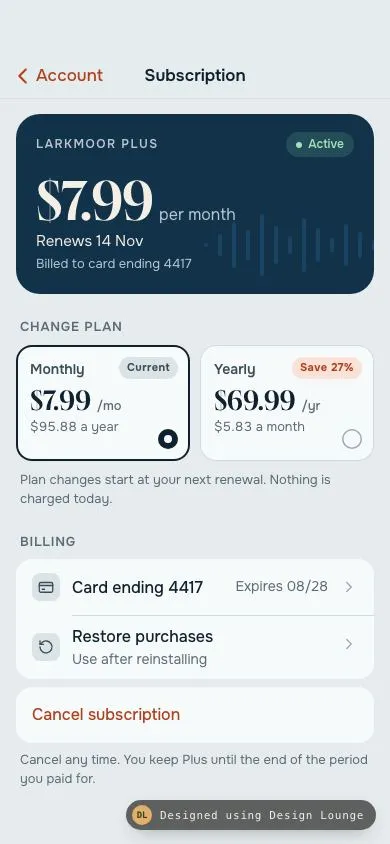
An iOS subscription screen: navy plan card, monthly or yearly with real arithmetic, billing rows, Restore purchases, and a cancel sheet that states the end date and the losses.
Kestrel manual camera
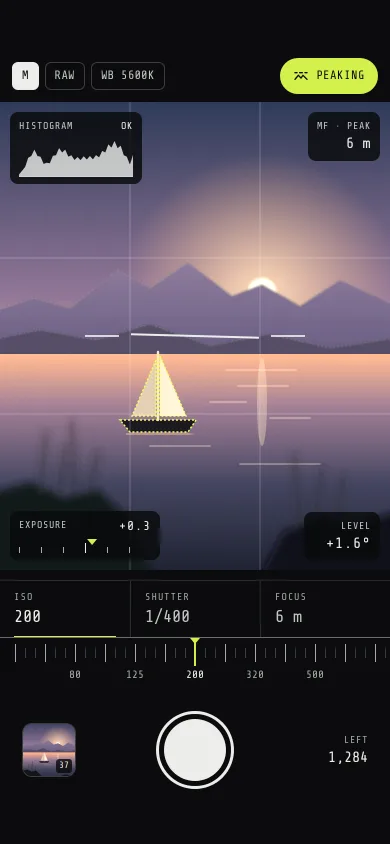
A pro camera screen: a layered dusk-lake viewfinder, detented ISO, shutter and focus dials, a live histogram, focus peaking, a level and a flying thumbnail.
Smart home rooms
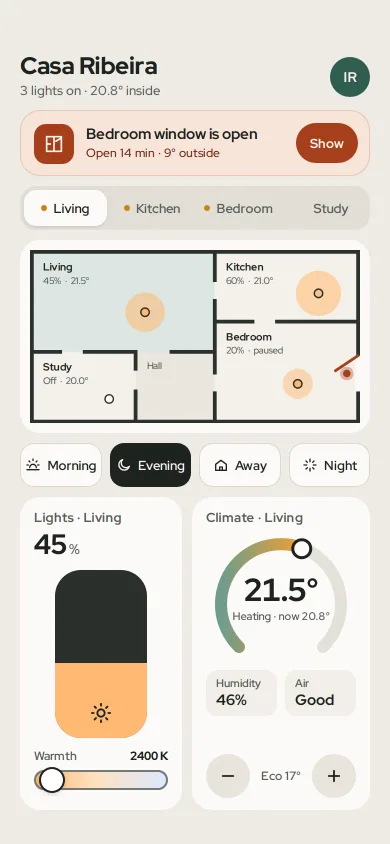
A smart home screen: the open-window alert first, room tabs tied to a tappable floor plan, a dimmer with warmth, a thermostat dial and scenes that move every device.
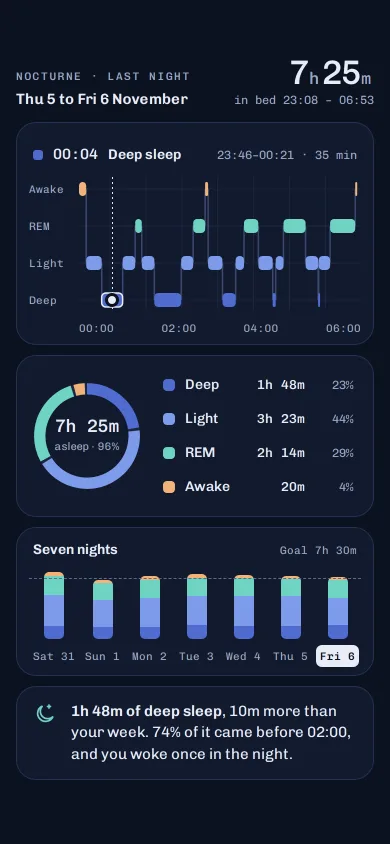
Nocturne sleep stages chart
A dark sleep screen: a scrubbable hypnogram of awake, REM, light and deep, a stage ring, seven nights of stacked bars and one plain-language insight.
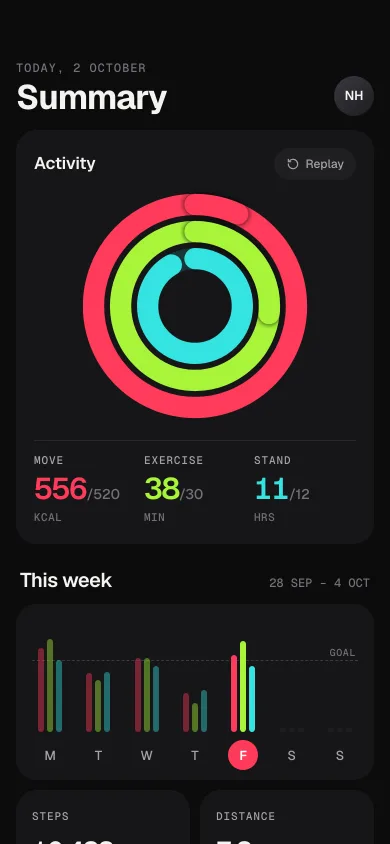
Activity rings with weekly picker
A dark iOS 26 health summary: three concentric rings sweep closed with an overflow lap, counters tick up, and a seven-day bar chart switches the day.
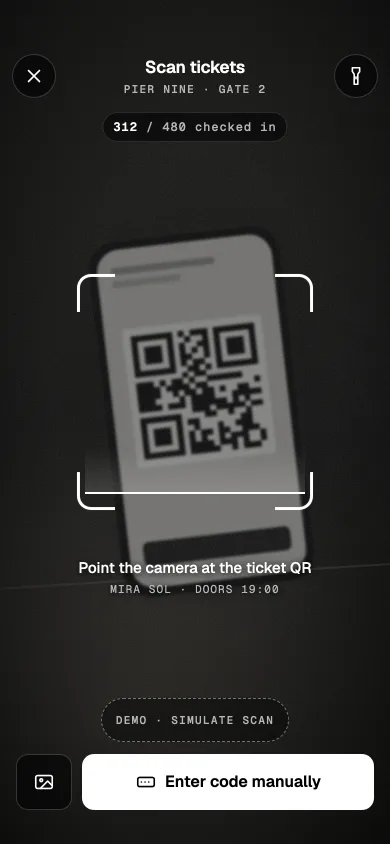
Phone QR ticket scanner
A door-staff ticket scanner: grainy camera scene, breathing reticle with a scan line, torch, manual code sheet, and a mint valid or red invalid result.