Nº 666 of 677
Kids letter tracing with Pom
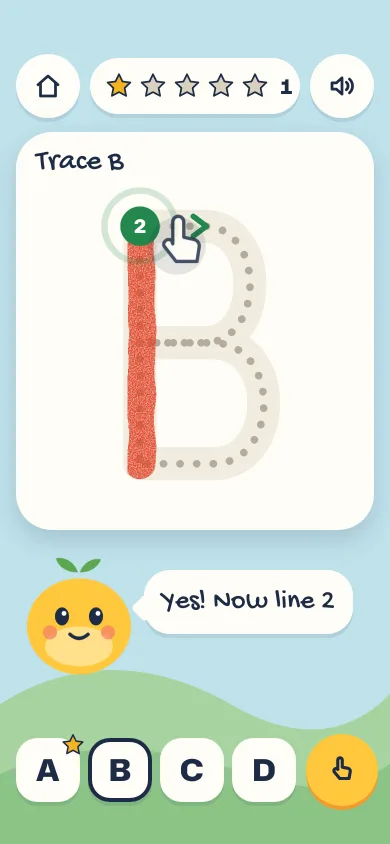
A finger-tracing screen for ages 4 to 8: dotted letter with start dot and arrow, crayon paint, gentle drift help, a spoken "B, ball" and stars that only grow.
Preview
Use it
Free to use · credit appreciated1 Once, in your project · Node 22.20+
npx skills add SusanAcharya/Design-Lounge 2 Then ask
Using the Design Lounge skill, build "Kids letter tracing with Pom" (piece kids-letter-tracing) in my stack. Match its brief; restyle it onto my product's theme.
No skill? Paste the brief instead. It carries the numbers, tokens and behaviour.
<!-- Design Lounge Nº 666 · "Kids letter tracing with Pom" · www.designlounge.live -->

# Kids letter tracing with Pom

> **Build brief for a coding agent.** Rebuild this piece in the reader's stack. If they haven't said which stack, ask once, then default to semantic HTML + CSS + a little vanilla JS. Match the numbers below; don't "improve" them.

## What it is

The tracing screen of a fictional pre-school alphabet app, "Pom's Letters", for children aged 4 to 8. A big capital letter sits on a cream card as a soft groove with a dotted centre line, a numbered green start dot and a green arrow showing which way to go. The child drags a finger along it; a red wax-crayon line paints behind the finger, and Pom (an original round sun-yellow character with two leaf sprouts) watches, follows the finger with its eyes and cheers when the letter is done: it jumps, says "B, ball!" with a ball picture, the device says "B. B is for ball." and a star flies up into a row that only ever grows. The detail worth copying: the trace never fails. Drifting off the path does not erase anything; a ring pulses on the crayon tip and Pom says "This way, follow the dots" until the finger comes back.

Language: iOS 26-ish native (rounded 22–36px radii, spring motion, white plates with a 4px soft lip instead of drop shadows), scaled for small hands: every target is 64px or more.

## Reference behaviour

1. First frame: letter B, line 1 (the spine) already painted in crayon, a green start dot numbered "2" at the top of the spine with a calm pulsing halo, and a green chevron arrow just to its right pointing along the top bump. Pom says "Yes! Now line 2". The star row shows 1 gold star of 5 and the count "1"; chip A carries a small star badge; chip B is current (4px ink inset ring).
2. A ghost finger (white hand outline on a 26px ink disc at 14%) slides from the start dot along the first 55% of the current line, 1800ms per pass, fading out in the last 20% of each pass, two passes, then hides. Any pointer down on the card hides it for good.
3. Pointer down within 48 units (viewBox units, 300-unit board) of the current tip: tracing starts with pointer capture. Pointer down anywhere else: the tip ring pulses for 900ms and Pom says "Start at the green dot" (or "Pick up at the dot" mid-line). Nothing else happens; no sound.
4. Pointer move while tracing: look at the next 10 samples along the line (samples every 5 units). The furthest sample within 34 units of the finger becomes the new progress. The crayon path reveals up to that point via `stroke-dashoffset`. Progress only moves forward.
5. Drift: if the finger is more than 48 units from the current tip and no sample is in reach, the board gets `.drift`: an orange `#F29A2E` ring pulses around the tip bead (900ms loop), Pom tilts its head (700ms) and says "This way, follow the dots". Returning to the tip clears it. Lifting the finger keeps progress: the next touch near the tip bead continues.
6. Line complete: the crayon line is full, the start dot and arrow move to the start of the next line (numbered 2, 3), Pom says one of "Yes!", "Nice line!", "Keep going". A polite live region says "Line 2 done. Now line 3."
7. Letter complete, staggered so each beat is noticed:
   - 0ms: tip bead, dot and arrow hide.
   - 60ms: hit-stop over, the letter squashes (460ms spring: 1.07×0.94 → 0.97×1.04 → 1), 22 crayon-coloured confetti pills burst from the card centre (1100ms expo out, 110–230px, random spin).
   - 220ms: Pom jumps with squash and stretch (760ms) and its smile becomes an open mouth.
   - 520ms: bubble pops in with the picture and "B, ball!"; `speechSynthesis` says "B. B is for ball." (rate 0.85, pitch 1.15).
   - 900ms: a 56px star flies from the card centre to the next empty slot (700ms expo out, scaling to 0.55), then the slot pops gold (520ms spring), the count goes up, the chip gains its badge.
   - 1500ms: the "Next letter" button rises from the bottom (420ms spring) and takes focus. On D it reads "Start again".
8. Next letter loads the next letter fresh (A → B → C → D → A). Stars are never removed: tracing A again adds another star, the count keeps going past 5 while the five slots stay gold.
9. Letter chips jump straight to any letter. Earned badges stay.
10. "Show me" (yellow 72px button, hand icon) or Space/Enter on the focused card auto-traces the current line at one sample per 12ms in a rAF loop (delta capped at 50ms), then stops at the next line.
11. The speaker button says "B. Trace the letter B." and Pom's bubble says "This is B".
12. Pom's eyes follow the finger horizontally, ±4px, whenever the pointer moves over the card. Pom bobs 5px on a 3.2s loop while idle.

## Structure

```
390 × 844, sky #BFE2EC, two hill bands at the bottom, column padding 54 / 16 / 34
┌──────────────────────────────────────┐
│ 54px clear                           │
│ (⌂)  [★ ☆ ☆ ☆ ☆        1]  (🔈)       │ header 64: round 64, star pill 56h

… 190 more lines. Copy or download for the full brief. Loading the source…Brief
230 linesBuild brief for a coding agent. Rebuild this piece in the reader’s stack. If they haven’t said which stack, ask once, then default to semantic HTML + CSS + a little vanilla JS. Match the numbers below; don’t “improve” them.
What it is
The tracing screen of a fictional pre-school alphabet app, “Pom’s Letters”, for children aged 4 to 8. A big capital letter sits on a cream card as a soft groove with a dotted centre line, a numbered green start dot and a green arrow showing which way to go. The child drags a finger along it; a red wax-crayon line paints behind the finger, and Pom (an original round sun-yellow character with two leaf sprouts) watches, follows the finger with its eyes and cheers when the letter is done: it jumps, says “B, ball!” with a ball picture, the device says “B. B is for ball.” and a star flies up into a row that only ever grows. The detail worth copying: the trace never fails. Drifting off the path does not erase anything; a ring pulses on the crayon tip and Pom says “This way, follow the dots” until the finger comes back.
Language: iOS 26-ish native (rounded 22–36px radii, spring motion, white plates with a 4px soft lip instead of drop shadows), scaled for small hands: every target is 64px or more.
Reference behaviour
- First frame: letter B, line 1 (the spine) already painted in crayon, a green start dot numbered “2” at the top of the spine with a calm pulsing halo, and a green chevron arrow just to its right pointing along the top bump. Pom says “Yes! Now line 2”. The star row shows 1 gold star of 5 and the count “1”; chip A carries a small star badge; chip B is current (4px ink inset ring).
- A ghost finger (white hand outline on a 26px ink disc at 14%) slides from the start dot along the first 55% of the current line, 1800ms per pass, fading out in the last 20% of each pass, two passes, then hides. Any pointer down on the card hides it for good.
- Pointer down within 48 units (viewBox units, 300-unit board) of the current tip: tracing starts with pointer capture. Pointer down anywhere else: the tip ring pulses for 900ms and Pom says “Start at the green dot” (or “Pick up at the dot” mid-line). Nothing else happens; no sound.
- Pointer move while tracing: look at the next 10 samples along the line (samples every 5 units). The furthest sample within 34 units of the finger becomes the new progress. The crayon path reveals up to that point via
stroke-dashoffset. Progress only moves forward. - Drift: if the finger is more than 48 units from the current tip and no sample is in reach, the board gets
.drift: an orange#F29A2Ering pulses around the tip bead (900ms loop), Pom tilts its head (700ms) and says “This way, follow the dots”. Returning to the tip clears it. Lifting the finger keeps progress: the next touch near the tip bead continues. - Line complete: the crayon line is full, the start dot and arrow move to the start of the next line (numbered 2, 3), Pom says one of “Yes!”, “Nice line!”, “Keep going”. A polite live region says “Line 2 done. Now line 3.”
- Letter complete, staggered so each beat is noticed:
- 0ms: tip bead, dot and arrow hide.
- 60ms: hit-stop over, the letter squashes (460ms spring: 1.07×0.94 → 0.97×1.04 → 1), 22 crayon-coloured confetti pills burst from the card centre (1100ms expo out, 110–230px, random spin).
- 220ms: Pom jumps with squash and stretch (760ms) and its smile becomes an open mouth.
- 520ms: bubble pops in with the picture and “B, ball!”;
speechSynthesissays “B. B is for ball.” (rate 0.85, pitch 1.15). - 900ms: a 56px star flies from the card centre to the next empty slot (700ms expo out, scaling to 0.55), then the slot pops gold (520ms spring), the count goes up, the chip gains its badge.
- 1500ms: the “Next letter” button rises from the bottom (420ms spring) and takes focus. On D it reads “Start again”.
- Next letter loads the next letter fresh (A → B → C → D → A). Stars are never removed: tracing A again adds another star, the count keeps going past 5 while the five slots stay gold.
- Letter chips jump straight to any letter. Earned badges stay.
- “Show me” (yellow 72px button, hand icon) or Space/Enter on the focused card auto-traces the current line at one sample per 12ms in a rAF loop (delta capped at 50ms), then stops at the next line.
- The speaker button says “B. Trace the letter B.” and Pom’s bubble says “This is B”.
- Pom’s eyes follow the finger horizontally, ±4px, whenever the pointer moves over the card. Pom bobs 5px on a 3.2s loop while idle.
Structure
390 × 844, sky #BFE2EC, two hill bands at the bottom, column padding 54 / 16 / 34
┌──────────────────────────────────────┐
│ 54px clear                           │
│ (⌂)  [★ ☆ ☆ ☆ ☆        1]  (🔈)       │ header 64: round 64, star pill 56h
│ ┌──────────────────────────────────┐ │
│ │ Trace B          (Gochi 30)      │ │ card 358 × 398, radius 36, top 132
│ │      (2)>· · · ·                 │ │ board svg 330 × 330 at 14,48
│ │       █        ·                 │ │ viewBox 0 0 300 300
│ │       █ · · · ·                  │ │
│ │       █          ·               │ │
│ │       █ · · · · ·                │ │
│ └──────────────────────────────────┘ │
│  ( Pom )  ( [pic] B, ball! )         │ character row 150h, Pom 118 × 128
│  ~~~~~ hills ~~~~~                    │
│ [A★] [B] [C] [D]              ( ✋ )  │ bottom row 80h: chips 64, show 72
│ 34px clear                           │
└──────────────────────────────────────┘
Next button (finished): fixed left/right 16, bottom 34, 80h pill, over the rowmain.appcolumn;headerwith twobutton.roundanddiv.stars[role=img](label “Stars earned: 1”).section.card[tabindex=0]with anaria-labelexplaining the drag and the Space shortcut; inside,div.promptandsvg.board(aria-hidden).- Board layers, bottom to top:
g#under(30-unit cream groove#F1ECE0),g#dotsG(dotted centre line),g#paintGwith the wax filter (crayon), arrow, tip bead with ring, start dot, ghost hand. div.char: Pomsvganddiv.bubble(picturesvg+span).div.chips[role=group]ofbutton.chipwitharia-currentand a star badgei;button.show.button.nextfixed,visibility:hiddenuntil finished.div.sr[aria-live=polite]for announcements;div.fxfixed layer for confetti and the flying star.
Tokens
:root {
  /* world */
  --sky: #BFE2EC;        /* page */
  --hill: #A6D4A0;       /* back hill */
  --hill-2: #8CC487;     /* front hill */
  /* surfaces */
  --card: #FFFDF7;       /* card, plates, chips */
  --card-line: #E6DFCF;
  --groove: #F1ECE0;     /* letter groove */
  /* ink */
  --ink: #1D2B45;        /* text, outlines, focus */
  --ink-2: #3F4A60;
  --guide: #B4AC9C;      /* dotted centre line */
  /* accents */
  --crayon: #E2452A;     /* painted stroke */
  --go: #B4321B;         /* Next button fill, white text 6.2:1 */
  --go-lip: #7E2010;
  --start: #23874C;      /* start dot, arrow */
  --sun: #FFC83D;        /* Pom, Show me button */
  --sun-2: #F29A2E;      /* button lip, drift ring */
  --cheek: #F47B6A;
  --star: #F5B321;
  /* type */
  --hand: "Gochi Hand", "Comic Sans MS", cursive;
  --sans: "Hubot Sans", system-ui, sans-serif;
  --fs-prompt: 30px; --fs-bubble: 28px; --fs-chip: 30px; --fs-next: 26px; --fs-count: 20px;
  /* shape */
  --r-card: 36px; --r-chip: 22px; --r-bubble: 26px; --r-pill: 999px;
  --hit: 64px;
  --plate: 0 4px 0 rgba(29,43,69,.10);
  --lift: 0 10px 24px rgba(29,43,69,.16);
  /* stroke */
  --groove-w: 30; --crayon-w: 28; --dot-w: 7; --dot-gap: 15;  /* viewBox units */
  /* motion */
  --ease: cubic-bezier(.2,.7,.2,1);
  --expo: cubic-bezier(.16,1,.3,1);
  --spring: cubic-bezier(.34,1.56,.64,1);
  --t-micro: 160ms; --t-layout: 320ms; --t-hero: 600ms;
}
Typography
| Role | Family | Size | Weight | Line-height | Notes |
|---|---|---|---|---|---|
| Card prompt “Trace B” | Gochi Hand | 30px | 400 | 1 | single-storey a, nowrap |
| Pom’s bubble | Gochi Hand | 28px | 400 | 1.05 | max 228px wide, 2 lines max |
| Letter chips | Hubot Sans | 30px | 800 | 1 | capitals only |
| Next button | Hubot Sans | 26px | 800 | 1 | white on --go |
| Star count | Hubot Sans | 20px | 800 | 1 | tabular numerals |
| Start dot number | Hubot Sans | 17 units | 800 | — | white on green |
Keep each screen to a few words: the prompt is two words, bubbles are under six words.
Motion
| What | Trigger | Property | From → to | Duration / easing | Reduced motion |
|---|---|---|---|---|---|
| Crayon reveal | finger progress | stroke-dashoffset | len → len × (1 − p) | per move, none | same |
| Start halo | idle | scale, opacity | 1 / .6 → 1.7 / 0 | 1.6s --ease loop | static, no halo |
| Drift ring | drift | scale, opacity | 1 → 1.7 | 900ms loop | static orange ring |
| Ghost finger | load | position along line | 0 → 55% | 1800ms × 2, rAF | hidden |
| Pom bob | idle | translateY | 0 → −5px | 3.2s --ease loop | none |
| Pom tilt | drift | rotate | 0 → −7° → 4° → 0 | 700ms --ease | none |
| Letter squash | finish +60ms | scale | 1.07×.94 → .97×1.04 → 1 | 460ms --spring | none |
| Confetti | finish +60ms | translate, rotate, opacity | centre → 110–230px | 1100ms --expo | none |
| Pom jump | finish +220ms | translate, scale | squash, −34px stretch, land | 760ms --spring | none, mouth still opens |
| Bubble pop | new line | scale | .4 → 1 | 480ms --spring | text swaps |
| Star flight | finish +900ms | transform, opacity | card centre → slot, 1 → .55 | 700ms --expo | slot fills at once |
| Slot pop | flight lands | scale | .4 → 1 | 520ms --spring | none |
| Next button | finish +1500ms | translateY | 130% → 0 | 420ms --spring | opacity 200ms |
The idle loops (bob and halo) are calm enough for a grid of other pieces.
States
- Line waiting: start dot with number and halo, arrow, no tip bead.
- Mid-line: start dot and arrow hide; the tip bead (9-unit cream disc, 5-unit ink ring) marks where to continue.
- Drift: orange ring around the tip bead, Pom tilts, bubble “This way, follow the dots”. No red, no shake, no sound.
- Letter done: board locked until Next or a chip; Next button focused.
- Chip current: 4px
--inkinset ring. Chip earned: 26px gold star badge at its top right. - Pressed: round buttons and chips scale to 0.92–0.94.
- Focus-visible: 4px
--inkoutline, 4px offset on every control; the card’s offset is 6px.
Accessibility
- The card is focusable with a label that explains the drag; Space or Enter traces the current line for the child (the keyboard and switch-access path).
- Tab order: Home, Hear the letter, card, letter chips, Show me, Next (when shown).
- Live region announces each line and the result: “B done. B is for ball. You have 2 stars.”
speechSynthesisonly runs on a tap or a finish the child caused, insidetry/catch, and does nothing if the API is missing.- Stars row is
role=imgwith the count in its label; chips say “Letter A, star earned”. - Contrast: ink on cream 14:1; white on
--go6.2:1; the bubble text sits on a solid cream plate, never on the sky. - Hit targets: chips and header buttons 64px, Show me 72px, Next 80px tall. Tracing tolerance is 34 units (about 37px on screen), and starting tolerance 48 units.
- No timers, no fail sound, no streaks; stars never go down.
Responsive rules
- At 360 wide: the card shrinks to 328px, the board to 300px (pointer maths uses the live rect, so tolerances scale), chips stay 64px with a 6px gap.
- Taller than 844: extra height goes between the character row and the chips; the chips stay at the bottom in the thumb zone.
- At tablet width: the column stays 390px centred on the sky; hills stretch full width.
Acceptance checklist
Always
- Each letter is drawn as ordered strokes with a numbered start dot and a direction arrow on the current stroke only.
- Progress only moves forward and only to samples within 34 units of the finger, looking 10 samples ahead.
- Drifting away never erases paint; a pulsing ring and a friendly line guide the finger back.
- Lifting the finger mid-line keeps progress.
- Finish beats are staggered: squash and confetti, character jump, spoken word, star flight, then the Next button.
-
speechSynthesisis wrapped in try/catch and silent if missing. - Stars are only ever added; the count passes 5 while the 5 slots stay gold.
- Every control is 64px or larger; Space on the card traces the line.
- The Next button is
visibility:hiddenuntil a letter is done;document.documentElement.scrollWidthis 390. - Under reduced motion: no ghost, bob, jump, confetti or flight; tracing still works and stars still fill.
This demo
- Letters A (apple), B (ball), C (cat), D (duck); first frame is B with line 1 painted and “2” waiting.
- Character Pom: sun-yellow
#FFC83Dbody, two green leaf sprouts, eyes follow the finger ±4px. - Spoken line “B. B is for ball.”; bubble “B, ball!” with a two-tone ball drawing.
- Crayon red
#E2452A, 28-unit stroke, wax filter.
Implementation notes
Sample the strokes once, then trace against samples. Use the same d for the groove, the dots and the paint. Read points from the dotted path so the trace and the drawing never disagree:
const len = path.getTotalLength(), n = Math.ceil(len / 5), pts = [];
for (let k = 0; k <= n; k++) { const q = path.getPointAtLength(len * k / n); pts.push([q.x, q.y]); }
paint.style.strokeDasharray = `${len} ${len + 40}`;
paint.style.strokeDashoffset = len;               // hidden
// on progress p (sample index):
paint.style.strokeDashoffset = len * (1 - p / (pts.length - 1));
Forward-only, look-ahead hit test. Searching the whole stroke lets a finger jump across the B’s middle bar; searching only 10 samples ahead keeps the line honest:
let best = -1;
for (let k = prog; k < Math.min(pts.length, prog + 10); k++)
  if (Math.hypot(x - pts[k][0], y - pts[k][1]) < 34) best = k;
const drift = Math.hypot(x - pts[prog][0], y - pts[prog][1]) > 48 && best < 0;
board.classList.toggle('drift', drift);
if (best > prog) prog = best;
A crayon texture from two turbulence passes. Fine noise eats holes in the alpha, a low-frequency displacement wobbles the edge:
<filter id="wax"><feTurbulence type="fractalNoise" baseFrequency=".9" numOctaves="2"/>
  <feColorMatrix values="0 0 0 0 0  0 0 0 0 0  0 0 0 0 0  0 0 0 -1.6 1.55"/>
  <feComposite in="SourceGraphic" operator="in" result="g"/>
  <feTurbulence type="fractalNoise" baseFrequency=".04" result="w"/>
  <feDisplacementMap in="g" in2="w" scale="5"/></filter>
Common mistakes: a red “wrong” state or buzz on drift (this audience needs none); resetting the stroke when the finger lifts; reading pointer positions against the SVG’s CSS size without converting to viewBox units; starting speech on page load (browsers block it, and children should choose to hear it).
Details
- Palette
- Type
- Gochi Hand · Hubot Sans
- Motion
- Rich motion
- Build
- Multi-step
- Tags
Similar
Knotwork word trace
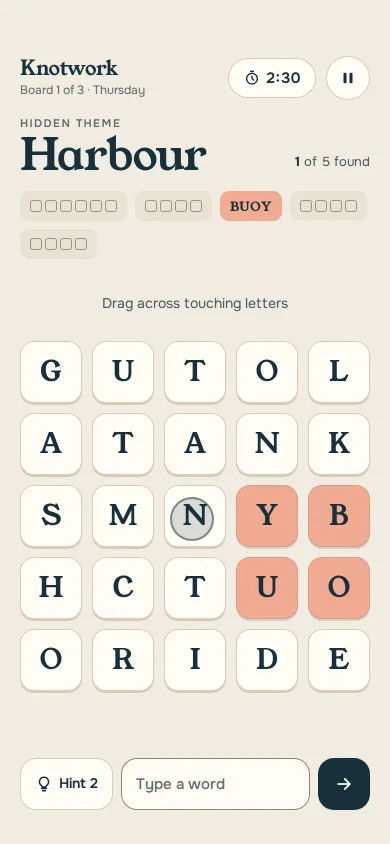
A 5×5 letter grid where you drag a rope through touching letters to find five themed words, with hints, a 3:00 clock, pause and a finish card.
Kids colouring canvas
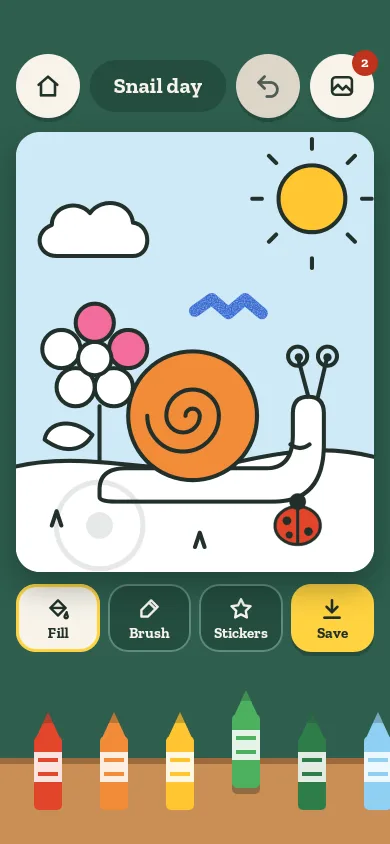
A colouring screen for ages 4 to 8: tap a region to flood it from the tap point, brush with a waxy crayon, stamp stickers, undo, and save to an in-memory gallery.
Kids bedtime story shelf
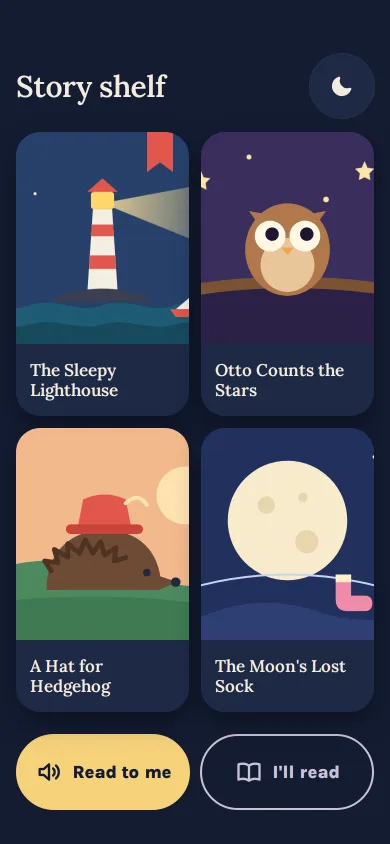
A bedtime shelf of four SVG-drawn covers, read-to-me or I'll-read, big story text where each word lights as it is read, swipe page turns and a calm The end.
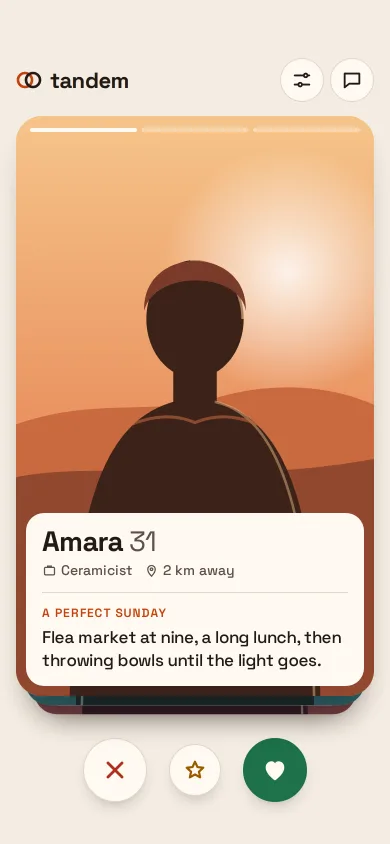
Dating swipe deck with match screen
A card stack for a dating app: drag to like or pass with rotation and LIKE/PASS stamps, velocity flings, a next card that grows in, and a calm match screen.
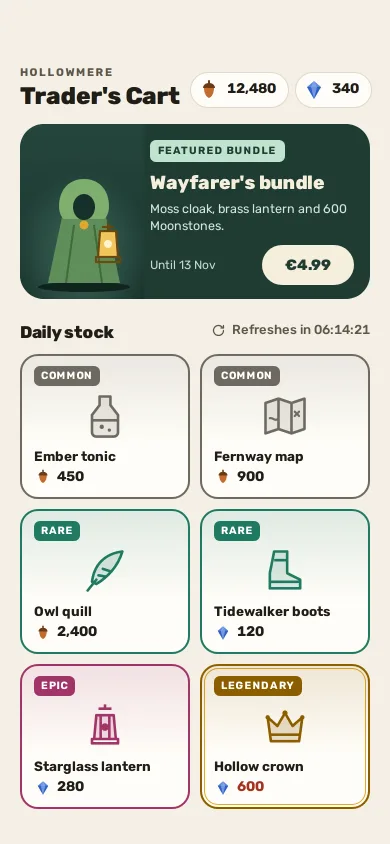
Daily game shop
A fox-adventure game's daily shop: two currencies, one featured bundle in euros, six rarity-framed items, a plain refresh timer and honest confirm sheets.
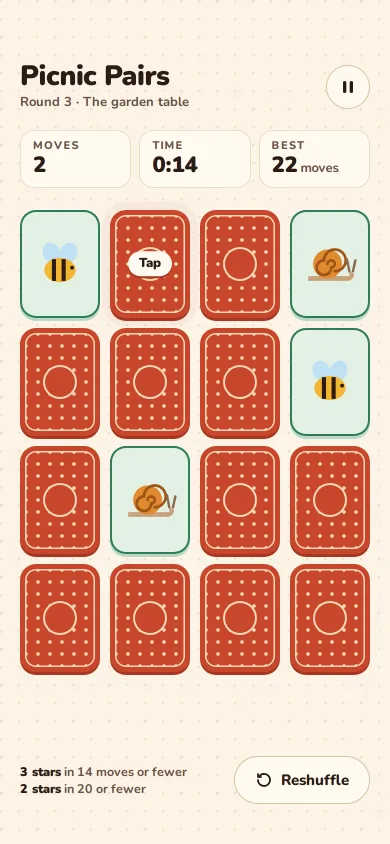
Pair recall memory game
A 4 × 4 picnic-themed memory match you can play to the end: 3D card flips, a pop on a pair, a shake on a miss, stars by moves and a reshuffle.