Nº 643 of 677
Touch HUD for a portrait action game
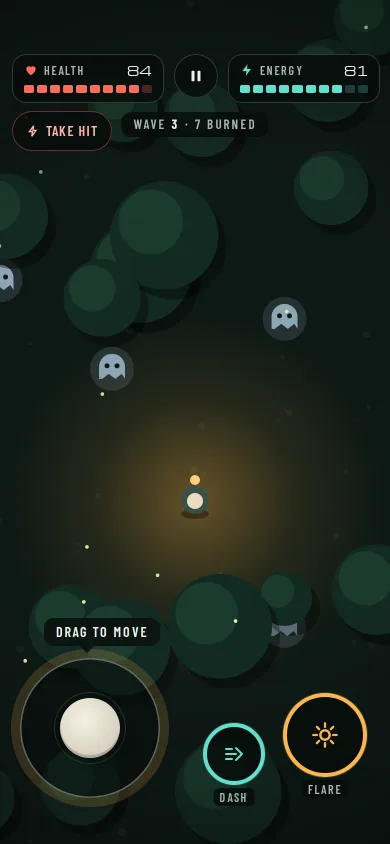
A sparse portrait HUD over a live canvas forest: health and energy in the top corners, a thumbstick and two cooldown-ring abilities in the thumb zone, hit flash and a pause menu.
Preview
Use it
Free to use · credit appreciated1 Once, in your project · Node 22.20+
npx skills add SusanAcharya/Design-Lounge 2 Then ask
Using the Design Lounge skill, build "Touch HUD for a portrait action game" (piece game-phone-touch-hud) in my stack. Match its brief; restyle it onto my product's theme.
No skill? Paste the brief instead. It carries the numbers, tokens and behaviour.
<!-- Design Lounge Nº 643 · "Touch HUD for a portrait action game" · www.designlounge.live -->

# Touch HUD for a portrait action game

> **Build brief for a coding agent.** Rebuild this piece in the reader's stack. If they haven't said which stack, ask once, then default to semantic HTML + CSS + a little vanilla JS. Match the numbers below; don't "improve" them.

## What it is

The in-run HUD of "Emberwake", an invented top-down action game played upright with two thumbs. A canvas draws a night forest clearing: a lantern-bearer with a warm pool of light, pale "hollows" drifting in from the dark, tree canopies and fireflies. The HUD stays out of the way: a health meter and an energy meter in the top corners, a pause button between them, a thumbstick bottom-left and two ability buttons (Dash and Flare) bottom-right with cooldown rings that drain and refill. When something hits you, the screen edge flashes red, the health bar jolts and the whole stage shakes for 260ms. The detail worth copying is the restraint: everything the thumbs touch sits in the lower 30% of the screen, and everything the eyes need is a corner glance.

The language is game UI on solid dark plates (no glass): 14px plates, round buttons, Michroma numerals over Barlow Condensed labels.

## Reference behaviour

1. First frame, 390 × 844: the canvas fills the screen and is already running. The player stands at (195, 500) with a 190px radial lantern glow; three hollows are on screen and more spawn at the edges every 1.6–2.8s, up to 6.
2. Top bar at 54px, 12px side margins, a `1fr 44px 1fr` grid. Left: Health plate (heart icon, "HEALTH", "84" in Michroma, ten 8px segments, 3px gaps, 128px wide). Centre: a 44px round pause button. Right: Energy plate (bolt icon, "ENERGY", value, ten teal segments).
3. Under the health plate, a 40px pill "Take hit" with a 1px `#6b2f29` ring, for demonstrating damage. Under the top bar, centred at 112px, a small plate "WAVE 3 · 7 BURNED".
4. Bottom-left: a 140px stick base (left 20, bottom 46) with a 1.5px ring and an inner ring at 34px inset; a 60px ivory knob. A plate above it reads "DRAG TO MOVE" and the base pulses a soft amber halo every 1600ms. Both go away the first time the stick or a key moves the player.
5. Dragging the knob moves it up to 46px from centre (clamped to a circle); the vector drives the player at 150px/s. Letting go springs the knob back in 220ms expo-out. Arrow keys and W A S D do the same.
6. Bottom-right: Flare (86px, amber ring, right 22, bottom 66) and Dash (64px, teal ring, right 124, bottom 58), each with a label chip under it. Rings are SVG circles with `pathLength=100`, rotated −90°.
7. Flare (tap, J or Space) costs 30 energy, burns every hollow within 120px, draws an expanding amber ring (20 → 130px over 600ms) and starts a 6s cooldown. Dash (tap, K or Shift) costs 15 energy, quadruples speed for 180ms in the facing direction, 3s cooldown.
8. While cooling, a dark disc covers the icon with the whole seconds left ("6", "5"…), and the ring's dash offset equals remaining / cooldown × 100, so it refills clockwise. When ready the button pops to 1.12 and back in 420ms. With too little energy and no cooldown the button drops to 55% opacity.
9. A hit (a hollow within 30px, the Take hit button, or H) removes 12 health and grants 900ms of invulnerability (the player blinks at 16Hz). The edge overlay (6px inset red line plus a 70px inner red glow) snaps to full and fades over 420ms; the stage shakes 260ms; the health segments jolt sideways 300ms. The hollow is knocked back at 260px/s for 350ms.
10. Energy regenerates 6 per second. After 2.5s without a hit, health regenerates 4 per second.
11. Pause (button, Escape or P) stops the loop and opens a centred menu card: "PAUSED · WAVE 3", "Emberwake", "The hollows wait while you do.", and three 54px rows: Resume (amber), Settings, Quit to camp (coral text).
12. Settings swaps the menu body for two switches (Screen shake, Haptics) and Back. Turning Screen shake off stops the stage shake; the edge flash stays.
13. Quit to camp resets health, energy and burned count, clears the hollows and resumes. Reaching 0 health opens the same menu as "FALLEN · WAVE 3 / Lantern out / You burned 7 hollows…" with "Rise again", which refills both meters.
14. Reduced motion: no stage shake, no segment jolt, no ready pop, no stick pulse, fireflies stay still and the knob snaps back. The red edge flash still fades so damage is never silent. The game stays fully playable.

## Structure

```
390 × 844, canvas fills the screen
┌──────────────────────────────────────┐
│ 54px                                 │
│ ┌─────────────┐ (II) ┌─────────────┐ │ grid 1fr 44 1fr, gap 10
│ │♥ HEALTH  84 │      │⚡ ENERGY  70│ │ plates r14, pad 9 12 10
│ │▮▮▮▮▮▮▮▮▮▯   │      │▮▮▮▮▮▮▮▯▯▯   │ │ 10 segs × 8px
│ └─────────────┘      └─────────────┘ │
│ (⚡ TAKE HIT)  WAVE 3 · 7 BURNED      │ 40px pill / plate at top 112

… 178 more lines. Copy or download for the full brief. Loading the source…Brief
218 linesBuild brief for a coding agent. Rebuild this piece in the reader’s stack. If they haven’t said which stack, ask once, then default to semantic HTML + CSS + a little vanilla JS. Match the numbers below; don’t “improve” them.
What it is
The in-run HUD of “Emberwake”, an invented top-down action game played upright with two thumbs. A canvas draws a night forest clearing: a lantern-bearer with a warm pool of light, pale “hollows” drifting in from the dark, tree canopies and fireflies. The HUD stays out of the way: a health meter and an energy meter in the top corners, a pause button between them, a thumbstick bottom-left and two ability buttons (Dash and Flare) bottom-right with cooldown rings that drain and refill. When something hits you, the screen edge flashes red, the health bar jolts and the whole stage shakes for 260ms. The detail worth copying is the restraint: everything the thumbs touch sits in the lower 30% of the screen, and everything the eyes need is a corner glance.
The language is game UI on solid dark plates (no glass): 14px plates, round buttons, Michroma numerals over Barlow Condensed labels.
Reference behaviour
- First frame, 390 × 844: the canvas fills the screen and is already running. The player stands at (195, 500) with a 190px radial lantern glow; three hollows are on screen and more spawn at the edges every 1.6–2.8s, up to 6.
- Top bar at 54px, 12px side margins, a
1fr 44px 1frgrid. Left: Health plate (heart icon, “HEALTH”, “84” in Michroma, ten 8px segments, 3px gaps, 128px wide). Centre: a 44px round pause button. Right: Energy plate (bolt icon, “ENERGY”, value, ten teal segments). - Under the health plate, a 40px pill “Take hit” with a 1px
#6b2f29ring, for demonstrating damage. Under the top bar, centred at 112px, a small plate “WAVE 3 · 7 BURNED”. - Bottom-left: a 140px stick base (left 20, bottom 46) with a 1.5px ring and an inner ring at 34px inset; a 60px ivory knob. A plate above it reads “DRAG TO MOVE” and the base pulses a soft amber halo every 1600ms. Both go away the first time the stick or a key moves the player.
- Dragging the knob moves it up to 46px from centre (clamped to a circle); the vector drives the player at 150px/s. Letting go springs the knob back in 220ms expo-out. Arrow keys and W A S D do the same.
- Bottom-right: Flare (86px, amber ring, right 22, bottom 66) and Dash (64px, teal ring, right 124, bottom 58), each with a label chip under it. Rings are SVG circles with
pathLength=100, rotated −90°. - Flare (tap, J or Space) costs 30 energy, burns every hollow within 120px, draws an expanding amber ring (20 → 130px over 600ms) and starts a 6s cooldown. Dash (tap, K or Shift) costs 15 energy, quadruples speed for 180ms in the facing direction, 3s cooldown.
- While cooling, a dark disc covers the icon with the whole seconds left (“6”, “5”…), and the ring’s dash offset equals remaining / cooldown × 100, so it refills clockwise. When ready the button pops to 1.12 and back in 420ms. With too little energy and no cooldown the button drops to 55% opacity.
- A hit (a hollow within 30px, the Take hit button, or H) removes 12 health and grants 900ms of invulnerability (the player blinks at 16Hz). The edge overlay (6px inset red line plus a 70px inner red glow) snaps to full and fades over 420ms; the stage shakes 260ms; the health segments jolt sideways 300ms. The hollow is knocked back at 260px/s for 350ms.
- Energy regenerates 6 per second. After 2.5s without a hit, health regenerates 4 per second.
- Pause (button, Escape or P) stops the loop and opens a centred menu card: “PAUSED · WAVE 3”, “Emberwake”, “The hollows wait while you do.”, and three 54px rows: Resume (amber), Settings, Quit to camp (coral text).
- Settings swaps the menu body for two switches (Screen shake, Haptics) and Back. Turning Screen shake off stops the stage shake; the edge flash stays.
- Quit to camp resets health, energy and burned count, clears the hollows and resumes. Reaching 0 health opens the same menu as “FALLEN · WAVE 3 / Lantern out / You burned 7 hollows…” with “Rise again”, which refills both meters.
- Reduced motion: no stage shake, no segment jolt, no ready pop, no stick pulse, fireflies stay still and the knob snaps back. The red edge flash still fades so damage is never silent. The game stays fully playable.
Structure
390 × 844, canvas fills the screen
┌──────────────────────────────────────┐
│ 54px                                 │
│ ┌─────────────┐ (II) ┌─────────────┐ │ grid 1fr 44 1fr, gap 10
│ │♥ HEALTH  84 │      │⚡ ENERGY  70│ │ plates r14, pad 9 12 10
│ │▮▮▮▮▮▮▮▮▮▯   │      │▮▮▮▮▮▮▮▯▯▯   │ │ 10 segs × 8px
│ └─────────────┘      └─────────────┘ │
│ (⚡ TAKE HIT)  WAVE 3 · 7 BURNED      │ 40px pill / plate at top 112
│                                      │
│          canvas: forest, glow,       │
│          player, hollows             │
│                                      │
│ [DRAG TO MOVE]                       │ hint plate, bottom 198
│  ╭──────╮                ( ◎ )       │ Flare 86px, right 22, bottom 66
│  │  ●   │        ( » )               │ Dash 64px, right 124, bottom 58
│  ╰──────╯        DASH    FLARE       │ stick 140px, left 20, bottom 46
│ 34px                                 │
└──────────────────────────────────────┘div.stageholds thecanvas role="img"with a scene description; a siblingdiv.edgeis the red flash overlay (pointer-events none).- Meters are
div role="meter"witharia-valuenowkept current; segments areielements. - Pause, Take hit, Dash and Flare are
buttons witharia-keyshortcuts. - Stick:
div role="application"with anaria-labelnaming the keys; pointer events with pointer capture. - Menu: scrim
divplussection role="dialog" aria-modal="true";visibility:hiddenwhen closed. Switches arebutton role="switch" aria-checked.
Tokens
:root {
  /* world and plates */
  --ground: #0e1916;              /* canvas clear colour */
  --plate: rgba(7,13,11,.86);     /* HUD plates over the canvas */
  --plate-solid: #0b1412;         /* menu card, hint */
  --line: #2b3b36;                /* plate rings, menu rules */
  --text: #eef1e8; --text-2: #a9b7b0;
  /* meters */
  --hp: #ff6b57; --hp-dim: #4a2621;
  --en: #5fe0cf; --en-dim: #1d3d39;
  /* accents */
  --lamp: #ffb547;                /* flare, primary, focus */
  --danger: #ff3b30;              /* edge flash */
  --hit-ring: #6b2f29; --hit-text: #ffb3a8; --quit: #ff9a8c;
  /* canvas palette */
  --tree: #132a22; --tree-hi: #1b3a2e; --stone: #16241f;
  --hollow: #8ea6b4; --cloak: #3c4f47; --face: #e9dcc0; --lantern: #ffcf7a;
  /* type */
  --hud: "Michroma", system-ui, sans-serif;
  --ui: "Barlow Condensed", system-ui, sans-serif;
  --fs-num: 13px; --fs-label: 12px; --fs-pill: 14px; --fs-menu-title: 22px;
  --fs-menu-row: 19px; --fs-cd: 15px;
  /* sizes */
  --plate-r: 14px; --seg-h: 8px; --seg-gap: 3px; --meter-w: 128px;
  --pause: 44px; --stick: 140px; --knob: 60px; --stick-travel: 46px;
  --flare: 86px; --dash: 64px; --ring-w: 4px; --menu-row: 54px;
  /* motion */
  --out: cubic-bezier(.16,1,.3,1);
  --ease: cubic-bezier(.2,.7,.2,1);
  --sheet: cubic-bezier(.32,.72,0,1);
  --t-shake: 260ms; --t-flash: 420ms; --t-knob: 220ms; --t-ready: 420ms;
}
Typography
| Role | Family | Size | Weight | Line-height | Tracking | Case |
|---|---|---|---|---|---|---|
| Meter value | Michroma | 13px | 400 | 1 | 0, tabular | — |
| Cooldown seconds | Michroma | 15px | 400 | 1 | 0 | — |
| Menu title | Michroma | 22px | 400 | 1.2 | 0.02em | Title |
| Meter label | Barlow Condensed | 12px | 600 | 1 | 0.14em | Upper |
| Take hit, hint | Barlow Condensed | 14px | 600 | 1 | 0.08–0.12em | Upper |
| Wave plate | Barlow Condensed | 13px | 600 / 700 | 1 | 0.16em | Upper |
| Ability label chip | Barlow Condensed | 12px | 600 | 1 | 0.14em | Upper |
| Menu eyebrow | Barlow Condensed | 13px | 600 | 1 | 0.2em | Upper |
| Menu rows | Barlow Condensed | 19px | 600 | 1 | 0.06em | Upper |
| Menu body, settings | Barlow Condensed | 17–19px / 15px sub | 500–600 | 1.3 | 0 | Sentence |
Motion
| Element | Trigger | Property | From → To | Duration | Easing | Reduced motion |
|---|---|---|---|---|---|---|
| Stage | hit | translate | ±5 / ±3px keyframes | 260ms | --ease | none |
| Edge overlay | hit | opacity | 1 → 0 | 420ms | --ease | same (kept) |
| Health segments | hit | translateX | −4 → 3 → 0 | 300ms | --out | none |
| Player | invulnerable | visibility blink | on/off at 16Hz | 900ms | — | same |
| Knob | release | transform | offset → 0 | 220ms | --out | instant |
| Stick base | until first move | halo box-shadow | 0 → 10px amber 18% | 1600ms loop | --ease | none |
| Cooldown ring | ability used | stroke-dashoffset | 100 → 0 | 3s / 6s, per frame | linear in time | same |
| Ability button | ready | scale | 1 → 1.12 → 1 | 420ms | --out | none |
| Flare ring (canvas) | flare | radius, alpha | 20 → 130px, 1 → 0 | 600ms | linear | same |
| Menu card | pause | translateY, scale, opacity | −44% / .96 / 0 → −50% / 1 / 1 | 340ms | --sheet | opacity 200ms |
| Switch thumb | toggle | translateX | 0 → 20px | 200ms | --out | same |
The game loop runs on requestAnimationFrame with dt = min(33ms, now − last) and is cancelled while paused.
States
- Ability ready: full opacity, full ring. Cooling: dark disc with seconds, ring refilling. Unaffordable: 55% opacity, no disc. Pressed: scale 0.92 for 120ms.
- Hit: edge flash, shake, jolt, invulnerability blink. Fallen: menu variant with “Rise again”.
- Paused: loop stopped, HUD dimmed by the 72% scrim, focus on Resume.
- Settings: switches checked = amber fill and amber 2px border, dark thumb at right; unchecked =
#1a2623with a 2px#74857eborder. - Hover: menu rows
#15211e, primary row#ffc56e. - Focus-visible: 3px
#ffb547outline, 3px offset.
Accessibility
- Keyboard: arrows / W A S D move, J or Space flare, K or Shift dash, H take a hit, Escape or P pause and resume. Tab reaches Take hit, Pause, the stick region, Dash and Flare, then the menu items when open.
- Meters are
role="meter"with min, max and current value; a polite live region says “Hit. Health 72.”, “Flare. 2 hollows burned.”, “Not enough energy.”. - The canvas has
role="img"and a description of the scene; nothing important lives only in the canvas. - Text over the canvas always sits on a plate at 86% opacity over a dark ground; labels
#a9b7b0on the plate measure above 7:1. - Hit targets: stick 140px, abilities 64 and 86px, pause 44px, menu rows 54px, switches 52 × 32 inside 56px rows.
Responsive rules
- 360 wide: the meters shrink with the grid (segments stay 128px until the plate is narrower, then flex); abilities and stick keep their sizes and corner offsets.
- Taller phones: the playfield grows; HUD stays pinned to corners; the player’s vertical range is
180 … height − 230so it never walks under the controls. - Left-handed layouts: mirror the stick and abilities with a single class; keep 20px from the edges.
- Tablet: keep the same corner anchoring; do not scale the controls with the screen.
Acceptance checklist
Always
- The playfield is alive on the first frame; the HUD never covers the middle 60% of the screen.
- Health top-left, energy top-right, pause between them; all on solid plates with 4.5:1 text.
- Thumbstick bottom-left clamps the knob to a 46px radius and springs back on release.
- Two ability buttons bottom-right with SVG cooldown rings that refill and show whole seconds left.
- Taking damage flashes the screen edge red, jolts the health bar and shakes the stage (no shake under reduced motion).
- Invulnerability window after a hit so one touch costs one hit.
- Pause stops the rAF loop; the menu has Resume, Settings and Quit, and Settings has a working Screen shake switch.
- Closed menu is
visibility:hidden; focus moves into the menu and back to Pause. - Every control works by keyboard; first move hides the “Drag to move” hint.
- 54px top and 34px bottom stay clear of fixed controls.
This demo
- “Emberwake”, “WAVE 3 · 7 BURNED”, health 84, energy 70 at load.
- Flare costs 30 energy, 6s cooldown, 120px radius; Dash costs 15, 3s, 4× speed for 180ms.
- Hit = −12 health, 900ms invulnerability; regen 6 energy/s and 4 health/s after 2.5s calm.
- Michroma numerals and menu title; Barlow Condensed labels.
Implementation notes
Clamp the stick in a circle, not a square. Read the pointer relative to the base centre and scale the vector down when it is too long; the normalised vector is the input.
function setStick(e) {
  const r = base.getBoundingClientRect();
  let dx = e.clientX - r.left - 70, dy = e.clientY - r.top - 70;
  const d = Math.hypot(dx, dy), m = 46;
  if (d > m) { dx = dx / d * m; dy = dy / d * m; }
  stick.x = dx / m; stick.y = dy / m;
  knob.style.transform = `translate(${dx}px,${dy}px)`;
}
base.addEventListener('pointerdown', e => { base.setPointerCapture(e.pointerId); setStick(e); });
Cooldown ring with pathLength. Normalising the path length to 100 makes the offset a percentage, whatever the radius.
<svg class="ring" viewBox="0 0 86 86"><circle class="bg" cx="43" cy="43" r="40"/>
<circle class="fg" cx="43" cy="43" r="40" pathLength="100" stroke-dasharray="100"/></svg>fg.setAttribute('stroke-dashoffset', cd > 0 ? cd / CD[k] * 100 : 0);Restart a CSS shake on every hit. Remove the class, force a reflow, add it again; otherwise a second hit inside 260ms does nothing.
edge.classList.add('on');                                  // transition: none while on
requestAnimationFrame(() => requestAnimationFrame(() => edge.classList.remove('on'))); // fades 420ms
if (shakeOn && !reduce) { stage.classList.remove('shake'); void stage.offsetWidth; stage.classList.add('shake'); }
Common mistakes:
- Putting text straight on the canvas glow; it fails contrast whenever the lantern passes under it. Use plates.
- Letting the loop keep running behind the pause menu (and draining cooldowns); cancel the frame and reset
laston resume so the first delta is not the whole pause. - Making the hit flash depend on shake; under reduced motion the player still needs to see damage.
Details
- Palette
- Type
- Michroma · Barlow Condensed
- Motion
- Rich motion
- Build
- Multi-step
- Tags
Similar
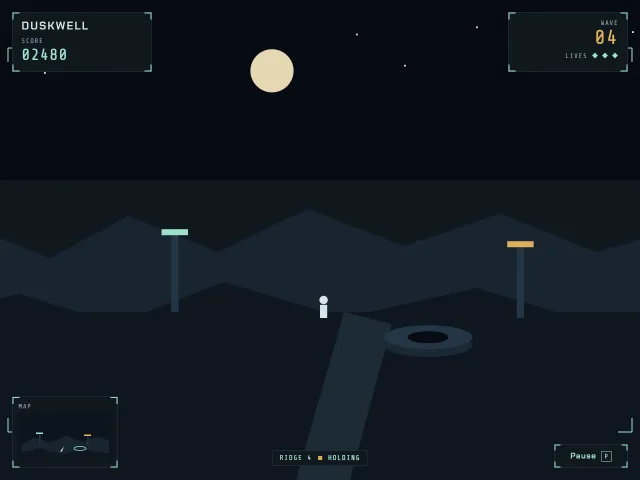
Duskwell mission HUD
Duskwell chrome over a still night ridge: score, lives, wave, a minimap, and a pause menu that opens on P.
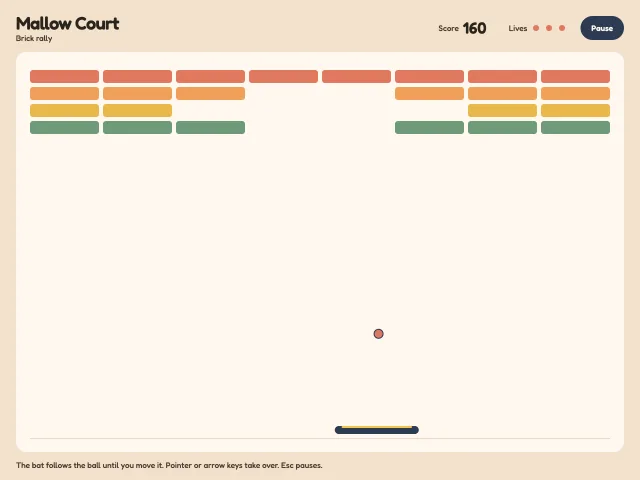
Mallow Court brick rally
A finishable Mallow Court rally: paddle, bricks, three lives, a score from cleared bricks, Esc to pause, and Play again.
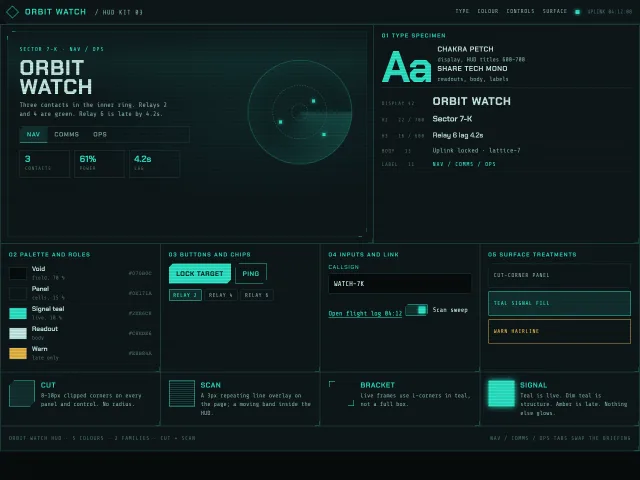
Cyber HUD design language kit
A near-black ops HUD kit: cut corners, scanlines, signal teal on void, Chakra Petch titles, Share Tech Mono readouts, and a Sector 7-K nav console.
Sleep breath wind-down
A dark wind-down screen: a 4-7-8 breathing orb tinted by the hour, a ring dial you drag from 5 to 45 minutes, three local sounds, and a slow fade to sleep.
Lane dodge on a night tram line
A three-lane dodge game: swipe a tram between tracks under arches of paper lanterns, dodge market barrows, grab lanterns, chain near misses, crash to a result card.
Kestrel manual camera
A pro camera screen: a layered dusk-lake viewfinder, detented ISO, shutter and focus dials, a live histogram, focus peaking, a level and a flying thumbnail.