Nº 660 of 677
Smart home rooms
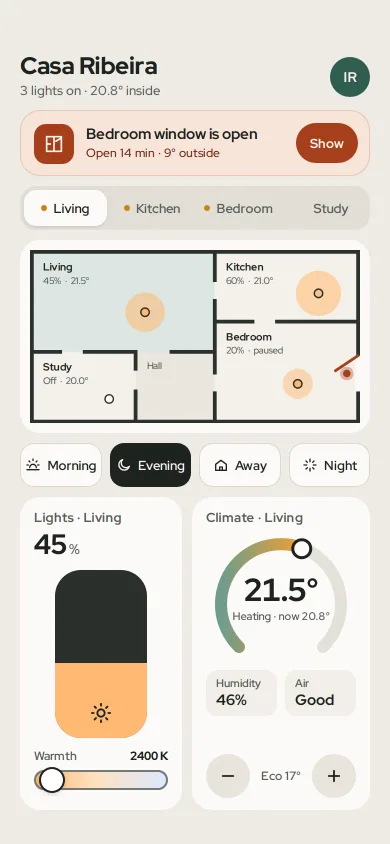
A smart home screen: the open-window alert first, room tabs tied to a tappable floor plan, a dimmer with warmth, a thermostat dial and scenes that move every device.
Preview
Use it
Free to use · credit appreciated1 Once, in your project · Node 22.20+
npx skills add SusanAcharya/Design-Lounge 2 Then ask
Using the Design Lounge skill, build "Smart home rooms" (piece app-smart-home-rooms) in my stack. Match its brief; restyle it onto my product's theme.
No skill? Paste the brief instead. It carries the numbers, tokens and behaviour.
<!-- Design Lounge Nº 660 · "Smart home rooms" · www.designlounge.live -->

# Smart home rooms

> **Build brief for a coding agent.** Rebuild this piece in the reader's stack. If they haven't said which stack, ask once, then default to semantic HTML + CSS + a little vanilla JS. Match the numbers below; don't "improve" them.

## What it is

The home tab of a fictional smart home app for a flat called Casa Ribeira. The one thing that needs attention, a bedroom window left open, sits first in a rust card with a single Show button. Under it, four room tabs and a floor plan select the same room; each light on the plan glows at its own brightness and colour temperature. A scene row (Morning, Evening, Away, Night) sets every device at once, and the plan's glows change in a 70ms wave. The lower half is the selected room's controls: a dark 92px dimmer slab with a warmth slider, and a 270° thermostat dial with − and + buttons. The language is iOS 26-ish: 20px card radii, a segmented control, a single warm stone material. The detail worth copying is that the alert, the plan and the climate card agree: the open window pulses on the plan, the bedroom reads "paused", and its dial goes grey with "Heat paused".

## Reference behaviour

1. Initial state: Evening scene on, Living selected. Header "Casa Ribeira", "3 lights on · 20.8° inside". Alert: "Bedroom window is open", "Open 14 min · 9° outside", button **Show**. Tabs Living (selected), Kitchen, Bedroom, Study; a 6px amber dot marks rooms with lights on.
2. The plan shows Living 45% · 21.5°, Kitchen 60% · 21.0°, Bedroom 20% · paused, Study Off · 20.0°, and an unselectable Hall. Living is tinted `#DCE7E2`. The bedroom's east wall has a 38px gap with a rust casement line swung 24px inward and a rust dot that pulses out to 3.2× every 1.8s.
3. Controls show "Lights · Living" 45%, the slab filled 45% in the colour of 2400 K, Warmth 2400 K; "Climate · Living" 21.5°, "Heating · now 20.8°", a green-amber-rust arc to 21.5° on a 10–30° scale, Humidity 46%, Air Good, and "Eco 17°" between the − and + buttons.
4. **Tap a tab or a room on the plan**: both select the room; the tab gets the white pill, the room gets the teal tint, both card titles change, the dimmer fill animates to the new height in 600ms, and the dial sweeps to the new target in 600ms (cubic out).
5. **Tap Show**: selects Bedroom and thickens the casement line from 3 to 7px twice (900ms each). The climate card turns grey: arc `#B9B5AD`, label "Heat paused" in rust. An announcement reads "Bedroom selected. The window is open on the east wall."
6. **Tap a scene**: the chip turns ink with cream text; all four rooms take the scene's brightness, warmth and target at once. Glows change radius, opacity and colour over 600ms, room n delayed n × 70ms. Tab dots and the header count update. Values:
   - Morning: 70% 4500 K 21°, 85% 5000 K 21°, 60% 4000 K 20°, 70% 5500 K 20.5°
   - Evening: 45% 2400 K 21.5°, 60% 2700 K 21°, 20% 2200 K 19°, Off 20°
   - Away: all Off, 16°
   - Night: Off 18°, Off 17°, 5% 2200 K 18°, Off 17°
7. **Drag the slab** up or down (pointer capture), or use Arrow keys (±5) and Page Up/Down (±20): brightness follows the pointer; 0 reads "Off". Any manual change clears the active scene chip.
8. **Warmth slider**: 2200–6500 K in 100 K steps; the slab fill and the room's plan glow recolour live.
9. **− / +**: target ±0.5° within 10–30°; the output reads "Target 22.0°".

## Structure

```
390 × 844 (54 safe top, 34 safe bottom, 20px gutters, 10px vertical gap)
┌──────────────────────────────────────┐
│ Casa Ribeira                    (IR) │ header 46; avatar 40
│ 3 lights on · 20.8° inside           │
│ ┌[▣] Bedroom window is open  (Show)┐ │ alert: grid 40 / 1fr / auto, r20
│ └    Open 14 min · 9° outside      ┘ │
│ [ Living | Kitchen | Bedroom | Study]│ segmented 44 (4px inset, tabs 36)
│ ┌──────────────────────────────────┐ │ plan card, padding 10
│ │ Living 45%·21.5° │ Kitchen  (o) │ │ SVG viewBox 350×184
│ │        (o)       ├──────────────┤ │ walls 4px #2B312D
│ ├──────┬──────┤    │ Bedroom   ╲• │ │ open window on east wall

… 187 more lines. Copy or download for the full brief. Loading the source…Brief
227 linesBuild brief for a coding agent. Rebuild this piece in the reader’s stack. If they haven’t said which stack, ask once, then default to semantic HTML + CSS + a little vanilla JS. Match the numbers below; don’t “improve” them.
What it is
The home tab of a fictional smart home app for a flat called Casa Ribeira. The one thing that needs attention, a bedroom window left open, sits first in a rust card with a single Show button. Under it, four room tabs and a floor plan select the same room; each light on the plan glows at its own brightness and colour temperature. A scene row (Morning, Evening, Away, Night) sets every device at once, and the plan’s glows change in a 70ms wave. The lower half is the selected room’s controls: a dark 92px dimmer slab with a warmth slider, and a 270° thermostat dial with − and + buttons. The language is iOS 26-ish: 20px card radii, a segmented control, a single warm stone material. The detail worth copying is that the alert, the plan and the climate card agree: the open window pulses on the plan, the bedroom reads “paused”, and its dial goes grey with “Heat paused”.
Reference behaviour
- Initial state: Evening scene on, Living selected. Header “Casa Ribeira”, “3 lights on · 20.8° inside”. Alert: “Bedroom window is open”, “Open 14 min · 9° outside”, button Show. Tabs Living (selected), Kitchen, Bedroom, Study; a 6px amber dot marks rooms with lights on.
- The plan shows Living 45% · 21.5°, Kitchen 60% · 21.0°, Bedroom 20% · paused, Study Off · 20.0°, and an unselectable Hall. Living is tinted
#DCE7E2. The bedroom’s east wall has a 38px gap with a rust casement line swung 24px inward and a rust dot that pulses out to 3.2× every 1.8s. - Controls show “Lights · Living” 45%, the slab filled 45% in the colour of 2400 K, Warmth 2400 K; “Climate · Living” 21.5°, “Heating · now 20.8°”, a green-amber-rust arc to 21.5° on a 10–30° scale, Humidity 46%, Air Good, and “Eco 17°” between the − and + buttons.
- Tap a tab or a room on the plan: both select the room; the tab gets the white pill, the room gets the teal tint, both card titles change, the dimmer fill animates to the new height in 600ms, and the dial sweeps to the new target in 600ms (cubic out).
- Tap Show: selects Bedroom and thickens the casement line from 3 to 7px twice (900ms each). The climate card turns grey: arc
#B9B5AD, label “Heat paused” in rust. An announcement reads “Bedroom selected. The window is open on the east wall.” - Tap a scene: the chip turns ink with cream text; all four rooms take the scene’s brightness, warmth and target at once. Glows change radius, opacity and colour over 600ms, room n delayed n × 70ms. Tab dots and the header count update. Values:
- Morning: 70% 4500 K 21°, 85% 5000 K 21°, 60% 4000 K 20°, 70% 5500 K 20.5°
- Evening: 45% 2400 K 21.5°, 60% 2700 K 21°, 20% 2200 K 19°, Off 20°
- Away: all Off, 16°
- Night: Off 18°, Off 17°, 5% 2200 K 18°, Off 17°
- Drag the slab up or down (pointer capture), or use Arrow keys (±5) and Page Up/Down (±20): brightness follows the pointer; 0 reads “Off”. Any manual change clears the active scene chip.
- Warmth slider: 2200–6500 K in 100 K steps; the slab fill and the room’s plan glow recolour live.
- − / +: target ±0.5° within 10–30°; the output reads “Target 22.0°”.
Structure
390 × 844 (54 safe top, 34 safe bottom, 20px gutters, 10px vertical gap)
┌──────────────────────────────────────┐
│ Casa Ribeira                    (IR) │ header 46; avatar 40
│ 3 lights on · 20.8° inside           │
│ ┌[▣] Bedroom window is open  (Show)┐ │ alert: grid 40 / 1fr / auto, r20
│ └    Open 14 min · 9° outside      ┘ │
│ [ Living | Kitchen | Bedroom | Study]│ segmented 44 (4px inset, tabs 36)
│ ┌──────────────────────────────────┐ │ plan card, padding 10
│ │ Living 45%·21.5° │ Kitchen  (o) │ │ SVG viewBox 350×184
│ │        (o)       ├──────────────┤ │ walls 4px #2B312D
│ ├──────┬──────┤    │ Bedroom   ╲• │ │ open window on east wall
│ │Study │ Hall │    │      (o)     │ │
│ └──────┴──────┴────┴──────────────┘ │
│ [Morning][Evening][ Away ][ Night ]  │ chips 44, flex 1, gap 8
│ ┌ Lights · Living ┐ ┌ Climate · Liv ┐│ two cards, 1fr 1fr, gap 10
│ │ 45%             │ │   ╭──•──╮     ││ dial 150 × 136, arc r60, 270°
│ │   ┌──────┐      │ │  │ 21.5° │    ││
│ │   │ slab │ 92w  │ │   Heating …   ││
│ │   │▓▓▓▓▓▓│      │ │ [Hum 46%][Air]││
│ │ Warmth  2400 K  │ │ (−) Eco 17° (+)││ 44px round buttons
│ │ [====o========] │ │               ││
│ └─────────────────┘ └───────────────┘│
└──────────────────────────────────────┘
<main class="app">flex column,gap:10px; the controls grid takes the remaining height (flex:1).<header>with<h1>and a summary<p>; an initials avatar.<section class="alert" role="alert">with icon, text and one<button>.<div role="tablist">with fourrole="tab"buttons (roving tabindex).<section class="plan">with one<svg>: room<rect role="button" tabindex="0">s, the Hall rect, the lights group (glow + bulb per room), the labels group (above the glows), the walls group and the window group.<div role="group" aria-label="Scenes">of fouraria-pressedbuttons.- Two
<section class="card">: the dimmerdiv[role=slider]and a<label>+<input type=range>; the dial (SVGaria-hidden), a<dl>of two readings, − / + buttons and an<output aria-live>.
Tokens
:root {
  /* surfaces */
  --bg: #EEEBE5;          /* warm stone ground */
  --card: #FBFAF7;        /* cards, selected tab, plan card */
  --tabs: #E2DED6;        /* segmented track */
  --floor: #F4F1EB;       /* room fill */
  --hall: #EAE6DE;        /* non-room fill */
  --well: #F1EEE8;        /* reading tiles */
  --button: #E8E4DC;      /* − / + */
  --line: #DCD7CE;        /* chip ring */
  --wall: #2B312D;        /* plan walls, 4px */
  --slab: #2A302C;        /* dimmer track */
  /* text */
  --ink: #1D2320;         /* 15.2:1 on --card */
  --ink-2: #575F5A;       /* 6.3:1 on --card */
  /* accents */
  --teal: #2F5D50;        /* selected room tint base, focus ring, avatar */
  --teal-tint: #DCE7E2;   /* selected room */
  --rust: #A63F1B;        /* alert icon, button, window, paused label (6.0:1) */
  --rust-tint: #F8E4D9;   /* alert card; ring #EBC6B3 */
  --rust-ink: #6A2A12;    /* alert body text */
  --lit-dot: #C98418;     /* tab dot for lights on */
  --heat: linear-gradient(90deg, #6E9C8C, #E3A03E 60%, #C9532A);
  --paused: #B9B5AD;
  /* colour temperature stops */
  --k2200: rgb(255,180,107); --k4000: rgb(255,226,192); --k6500: rgb(221,232,255);
  /* type */
  --font: "Red Hat Display", system-ui, sans-serif;
  --fs-title: 24px; --fs-temp: 32px; --fs-value: 28px; --fs-alert: 15px; --fs-body: 13px; --fs-small: 12px; --fs-plan: 11px; --fs-plan-sub: 10px;
  /* space and radius */
  --gutter: 20px; --gap: 10px; --r-card: 20px; --r-chip: 14px; --r-tabs: 16px; --r-tab: 12px; --r-slab: 26px;
  --slab-w: 92px; --dial: 150px; --dial-r: 60px; --arc-w: 12px; --knob: 18px; --hit: 44px;
  /* shadows */
  --tab-lift: 0 1px 2px rgba(29,35,32,.12);
  --thumb: 0 0 0 2px var(--ink), 0 2px 6px rgba(0,0,0,.25);
  /* motion */
  --std: cubic-bezier(0.2, 0.7, 0.2, 1);
  --sheet: cubic-bezier(0.32, 0.72, 0, 1);
  --expo: cubic-bezier(0.16, 1, 0.3, 1);
  --t-tab: 200ms; --t-room: 240ms; --t-device: 600ms; --device-stagger: 70ms; --t-pulse: 1800ms; --t-flash: 900ms;
}
Typography
One family, Red Hat Display, at four weights.
| Role | Size / line | Weight | Tracking | Notes |
|---|---|---|---|---|
| Home name | 24px / 1 | 800 | −0.01em | |
| Thermostat target | 32px / 1 | 800 | −0.02em | tabular |
| Brightness | 28px / 1 | 800 | −0.02em | % at 14px / 600 in --ink-2 |
| Alert title | 15px / 1.2 | 700 | 0 | |
| Reading value | 15px / 1 | 700 | 0 | |
| Tabs, chips | 13px / 1 | 600 | 0 | nowrap |
| Card title | 13px / 1 | 700 | 0.02em | --ink-2 |
| Summary, alert body | 12–13px / 1.35 | 500 | 0 | |
| Plan room name | 11px / 1 | 700 | 0.02em | SVG text |
| Plan status | 10px / 1 | 500 | 0 | SVG tspans |
| Dial status, reading label | 11px / 1.2 | 600 | 0 |
Motion
| What | Trigger | Property | From → to | Duration | Easing | Delay | Reduced motion |
|---|---|---|---|---|---|---|---|
| Tab | select | fill, colour | track → card | 200ms | --std | 0 | instant |
| Room tint | select | fill | floor → teal tint | 240ms | --std | 0 | instant |
| Plan glow | scene, edits | r, opacity, fill | old → new | 600ms | --expo / --std | room × 70ms | instant |
| Bulb | scene | fill | off ↔ colour | 400ms | --std | room × 70ms | instant |
| Dimmer fill | select, scene | height, colour | old → new | 600ms | --expo | 0 | instant |
| Dial | select, scene, ± | arc offset, knob, number | old → new | 600ms | cubic out (rAF) | 0 | instant |
| Window pulse | always | scale, opacity | 1, .55 → 3.2, 0 | 1800ms loop | --std | 0 | static dot |
| Window flash | Show | stroke-width | 3 → 7 → 3px | 900ms × 2 | --std | 0 | none |
| Chip press | :active | scale | 1 → 0.96 | 160ms | --std | 0 | same |
Glow radius is 12 + brightness × 0.2 (max 32px in plan units); glow opacity is 0.35 + brightness / 200. While dragging the slab, the height transition is removed so the fill sticks to the finger.
States
- Tab: selected is the white pill with a 1px lift; others
--ink-2; a 6px--lit-dotwhen the room has light. - Room: selected
--teal-tint; focus-visible draws a 3px teal stroke on the rect. - Light off: no glow, bulb fill
--cardwith a 1.5px wall-colour ring; brightness reads “Off”; the slab’s sun icon turns#D8DDD9. - Paused climate (window open): arc
--paused, status “Heat paused” in rust; the plan status reads “paused”. - Scene: one chip pressed (ink fill); any manual edit returns all chips to unpressed.
- Heating vs holding: “Heating · now 20.8°” when target is above current, else “Holding”.
- Focus-visible: 3px teal outline, 2px offset.
Accessibility
- The alert is
role="alert"and comes first in reading order; its one button has the visible name Show. - Tabs:
role="tablist", Left/Right arrows move and select, rovingtabindex. - Plan rooms are focusable
role="button"rects witharia-label; Enter and Space select. Labels and lights arearia-hidden(the tabs carry the same information). - Dimmer:
role="slider",aria-valuemin="0",aria-valuemax="100",aria-valuenow,aria-valuetext(“45 percent” / “Off”); the dark slab is the control’s own fill, 13:1 against the card. - Warmth: a native range with a visible
<label>and a 2px#747B76border (3.9:1). - Thermostat: the dial is decorative; − / + buttons are labelled “Lower target” / “Raise target” and the
<output aria-live="polite">reads the new value. - Scenes are
aria-pressedtoggles; a hidden live region says “Evening scene set for 4 rooms.” - Hit targets: tabs 36px tall inside a 44px control, chips 44px, ± 44px, alert button 40px, slab 92 × 168.
Responsive rules
- At 360 wide: chips drop their icons below 84px each; the plan scales by its
viewBox; the cards keep two columns with a 132px dial. - Shorter than 800px: the slab’s
flex:1shrinks it to its 120px minimum before anything else. - Tablet: plan on the left at 560px wide, scenes and the two cards stacked on the right; the alert spans the top.
Acceptance checklist
Always
- The single alert is the first card under the header and its action selects the affected room.
- Tabs and plan rooms select the same room, in both directions.
- Each light on the plan reflects its room’s brightness (radius, opacity) and colour temperature (fill).
- A scene changes every room at once, with a 70ms stagger visible on the plan.
- Manual edits clear the active scene.
- The dimmer works by drag, arrows and Page keys, and reports “Off” at 0.
- A room with an open window shows paused heat in three places: plan, dial colour, status text.
- Plan labels sit above the glows and never collide with them.
- Reduced motion: values jump, the window dot stops pulsing.
-
document.documentElement.scrollWidthis 390.
This demo
- Casa Ribeira; rooms Living, Kitchen, Bedroom, Study and a Hall.
- Evening scene: 45/60/20/0% at 2400/2700/2200/5000 K, targets 21.5/21/19/20°.
- Alert “Bedroom window is open · Open 14 min · 9° outside”.
- Dial scale 10–30° over 270°, starting at 135°.
Implementation notes
- Colour temperature to a fill. Interpolate between three stops; it is close enough for a UI glow and keeps the plan and slab in sync.
const kc = (k) => {
  const s = [[2200, [255,180,107]], [4000, [255,226,192]], [6500, [221,232,255]]];
  const i = k < 4000 ? 0 : 1, [a, ca] = s[i], [b, cb] = s[i + 1];
  const t = Math.min(1, Math.max(0, (k - a) / (b - a)));
  return `rgb(${ca.map((v, j) => Math.round(v + (cb[j] - v) * t))})`;
};- A 270° dial from one path. Draw the arc once (
M33 117A60 60 0 1 1 117 117, centre 75,75), use its length as the dash array and move the offset; place the knob with the same angle.
const L = arc.getTotalLength(); arc.style.strokeDasharray = L;
const paint = (t) => {
  const p = (t - 10) / 20, a = (135 + p * 270) * Math.PI / 180;
  arc.style.strokeDashoffset = L * (1 - p);
  knob.setAttribute('cx', 75 + 60 * Math.cos(a)); knob.setAttribute('cy', 75 + 60 * Math.sin(a));
};- The scene wave is just a delay per device. Put the stagger on the element once and let every state change ride it:
.glow { transition: r 600ms var(--expo), opacity 600ms var(--expo), fill 600ms var(--std);
        transition-delay: var(--d, 0ms); }
/* <circle class="glow" style="--d:140ms"> for the third room */
Common mistakes: leaving labels under the glows (draw labels after lights), status strings like “60% · 21.0°” as one short text node (it reads as a squeezed column; split it into tspans), and a second alert competing with the first.
Details
- Palette
- Type
- Red Hat Display
- Motion
- Subtle motion
- Build
- Multi-step
- Tags
Similar
Glass dashboard home
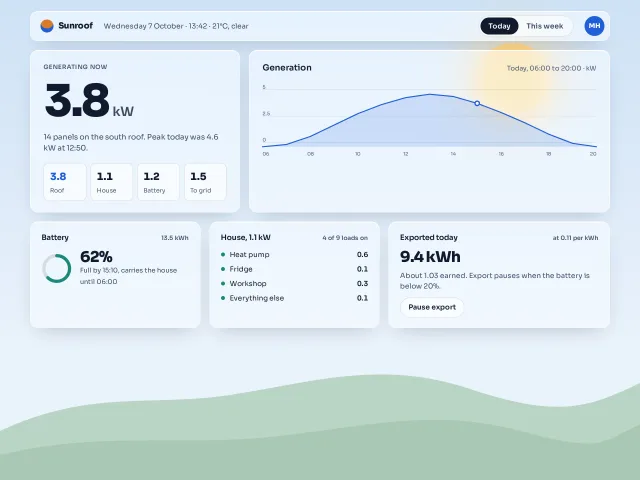
A home-energy dashboard as frosted panels over one drawn sky: a glass bar, an 88px live number, an SVG generation curve, a battery ring and a device list, with a solid fallback.
Fintech home
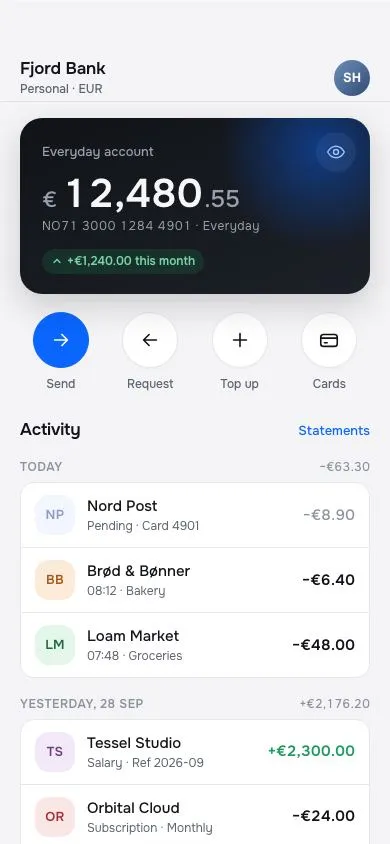
A banking home screen: dark balance card with a 40px tabular amount and a blur-to-hide toggle, four circular quick actions, day-grouped transactions with initial avatars, under a glass top bar.
M3 Expressive home feed
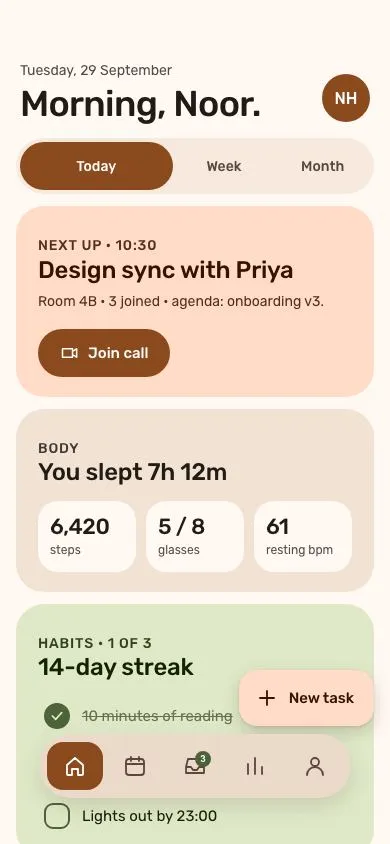
A warm-tonal Material 3 Expressive home: 36px greeting, morphing segmented group with a shape loader, 28px tonal cards, a floating 5-action toolbar and an extended FAB.
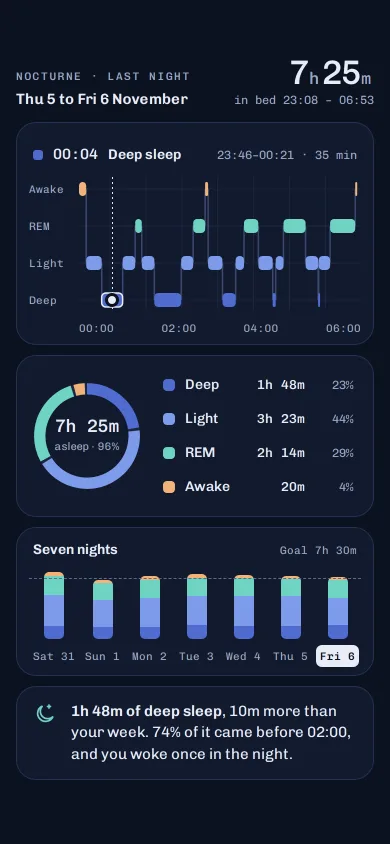
Nocturne sleep stages chart
A dark sleep screen: a scrubbable hypnogram of awake, REM, light and deep, a stage ring, seven nights of stacked bars and one plain-language insight.
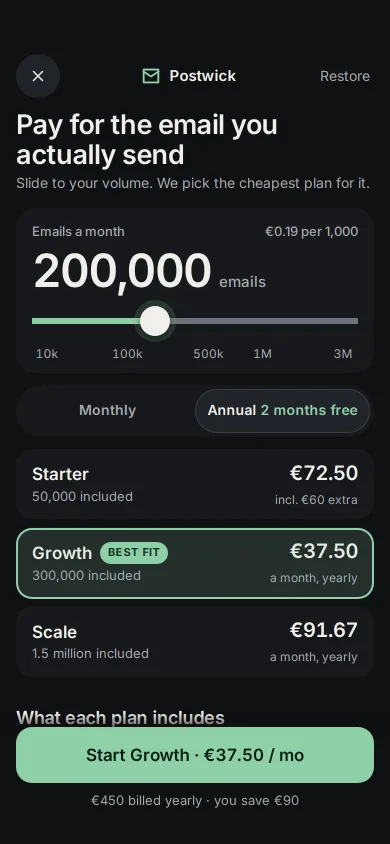
Usage slider that picks your plan
A phone pricing screen: a volume slider prices three plans live, the cheapest one is re-highlighted as you slide, and annual shows the real saving.
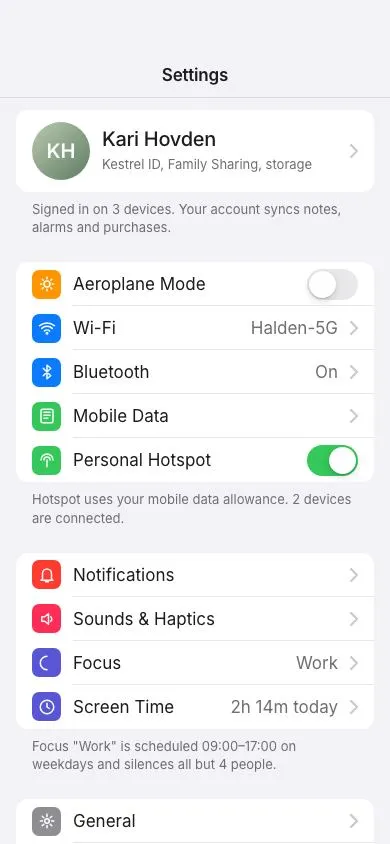
Grouped settings list
An iOS-style settings screen: inset grouped sections with 44px rows, coloured icon squares, 51×31 spring toggles with a stretching knob, chevron rows with values, footers and a profile row.