Nº 648 of 677
Kestrel manual camera
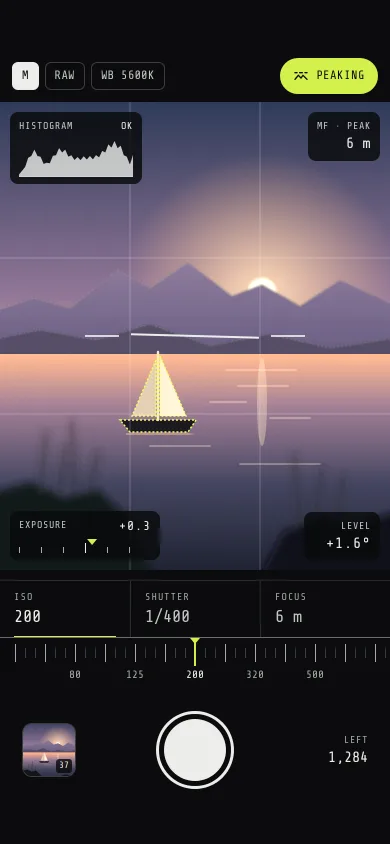
A pro camera screen: a layered dusk-lake viewfinder, detented ISO, shutter and focus dials, a live histogram, focus peaking, a level and a flying thumbnail.
Preview
Use it
Free to use · credit appreciated1 Once, in your project · Node 22.20+
npx skills add SusanAcharya/Design-Lounge 2 Then ask
Using the Design Lounge skill, build "Kestrel manual camera" (piece premium-manual-camera) in my stack. Match its brief; restyle it onto my product's theme.
No skill? Paste the brief instead. It carries the numbers, tokens and behaviour.
<!-- Design Lounge Nº 648 · "Kestrel manual camera" · www.designlounge.live -->

# Kestrel manual camera

> **Build brief for a coding agent.** Rebuild this piece in the reader's stack. If they haven't said which stack, ask once, then default to semantic HTML + CSS + a little vanilla JS. Match the numbers below; don't "improve" them.

## What it is

The manual shooting screen of a fictional pro camera app, Kestrel. A 390×468 viewfinder shows a dusk lake drawn entirely in SVG (sky, setting sun, two mountain ridges, a sailboat at 6 m, reeds and rocks at 1.2 m), and the controls really drive it: ISO and shutter set the exposure (the scene brightens, grain rises, the histogram slides and flags clipping), focus distance blurs each layer by its distance, and focus peaking draws chartreuse crawling dots on whatever is sharp. One horizontal ruler with detents serves all three controls. It is a tool: near-black, one mono family, one accent, no gradients outside the viewfinder. The detail worth copying: blur per layer is `6 × |1/focus − 1/layer|` in dioptres, so the boat snaps sharp at 6 m, the mountains are almost sharp at the same time, and the reeds go soft, just like a lens.

## Reference behaviour

1. First frame: mode M, RAW, WB 5600K, Peaking on (chartreuse pill). ISO 200, 1/400, focus 6 m, so EV reads +0.3 and the histogram says OK. The boat and the far ridges carry peaking dots; the reeds are soft. The level line sways gently; the level plate reads its angle, e.g. "+1.5°". Thumbnail shows the scene with a "37" badge; "LEFT 1,284".
2. Tabs ISO, SHUTTER, FOCUS sit above the ruler; ISO is selected (2px chartreuse underline, white value). Tapping a tab rebuilds the ruler for that control at its current value.
3. Ruler: one major tick per value 30px apart, two minor ticks between, labels under every second value (every value for focus, shown as 0.3 … 20, ∞). The fixed chartreuse index mark sits at the centre. Labels within 24px of either edge are hidden.
4. Drag on the ruler: the strip follows the finger 1:1 (no transition), allowed 0.4 of a step past each end. The nearest value is live: the tab value, the viewfinder and the slider's `aria-valuetext` update the moment the nearest tick changes, and the index mark pulses (scaleY 1.25, 120ms) on every detent.
5. Release: the strip springs to the snapped value (240ms, `cubic-bezier(.34,1.4,.64,1)`), and the live region reads "ISO 500".
6. Exposure: EV = log2(ISO / 100) + log2(shutter seconds × 250). The scene gets `filter: brightness(2^(0.62·EV))` clamped 0.12–3, plus `contrast(.9)` above +1.5. The meter needle moves 22px per stop on a ±3 scale; the readout uses a true minus sign.
7. Grain: an `feTurbulence` overlay in `mix-blend-mode: overlay` at opacity `log2(ISO/100) / 5 × 0.5`, max 0.55, 0 at ISO 100 and below.
8. Histogram: four tonal masses (sky .70/.08 weight .36, water .48/.10 .26, ridges .30/.06 .20, foreground .12/.05 .18) are multiplied by 2^(0.8·EV) and binned into 38 bins; anything past either end piles into the end bin. If the top bin beats the tallest inner bin the badge reads "CLIP HI" (chartreuse); if the bottom bin is over 20% of it, "CLIP LO". Otherwise "OK".
9. Focus distances: 0.3, 0.4, 0.5, 0.7, 1, 1.2, 1.5, 2, 3, 4, 6, 10, 20 m and ∞. Each layer's Gaussian blur = min(9, 6 × |1/focus − 1/distance|); peaking opacity for that layer = max(0, 1 − blur / 1.1). At 1.2 m the reeds and rocks are sharp and the boat dissolves.
10. Peaking toggle: `aria-pressed` flips, the dots hide, the distance plate reads "MF" instead of "MF · PEAK".
11. Level: a 128px bar between two 34px fixed stubs rotates by `1.6·sin(t/2300) + 0.5·sin(t/870)` degrees in rAF. Within ±0.3° the bar and stubs turn chartreuse and the plate reads "LEVEL".
12. Shutter: a white flash (opacity 0 → .9 → 0, 260ms), then a copy of the viewfinder dips to 84% and flies to the thumbnail (560ms expo out, 90ms delay), rounding its corners; on landing the thumbnail shows the new frame, the badge goes 37 → 38, LEFT goes 1,284 → 1,283, and the live region says "Photo taken. ISO 200, 1/400, 6 m."

## Structure

```
390 × 844, body #0B0C0D
┌──────────────────────────────────────┐
│ 54px clear                           │
│ [M][RAW][WB 5600K]        (≈ PEAKING)│ top bar 44h, chips 28h, pill 36h
├──────────────────────────────────────┤ y 102
│┌HISTOGRAM── OK┐          ┌MF · PEAK┐│ plates 10px inset, r 8
││▁▃▅▆▅▃▅▇▆▃    │          │     6 m ││ histo 132w, svg 114×40
│└──────────────┘          └─────────┘│
│        thirds grid 1px 22% white     │ viewfinder 390 × 468
│   ──    ─────────────    ──          │ level: 220w, stubs 34, bar 128
│          ⛵ (6 m)                     │
│ reeds (1.2 m)                rocks   │

… 156 more lines. Copy or download for the full brief. Loading the source…Brief
196 linesBuild brief for a coding agent. Rebuild this piece in the reader’s stack. If they haven’t said which stack, ask once, then default to semantic HTML + CSS + a little vanilla JS. Match the numbers below; don’t “improve” them.
What it is
The manual shooting screen of a fictional pro camera app, Kestrel. A 390×468 viewfinder shows a dusk lake drawn entirely in SVG (sky, setting sun, two mountain ridges, a sailboat at 6 m, reeds and rocks at 1.2 m), and the controls really drive it: ISO and shutter set the exposure (the scene brightens, grain rises, the histogram slides and flags clipping), focus distance blurs each layer by its distance, and focus peaking draws chartreuse crawling dots on whatever is sharp. One horizontal ruler with detents serves all three controls. It is a tool: near-black, one mono family, one accent, no gradients outside the viewfinder. The detail worth copying: blur per layer is 6 × |1/focus − 1/layer| in dioptres, so the boat snaps sharp at 6 m, the mountains are almost sharp at the same time, and the reeds go soft, just like a lens.
Reference behaviour
- First frame: mode M, RAW, WB 5600K, Peaking on (chartreuse pill). ISO 200, 1/400, focus 6 m, so EV reads +0.3 and the histogram says OK. The boat and the far ridges carry peaking dots; the reeds are soft. The level line sways gently; the level plate reads its angle, e.g. “+1.5°”. Thumbnail shows the scene with a “37” badge; “LEFT 1,284”.
- Tabs ISO, SHUTTER, FOCUS sit above the ruler; ISO is selected (2px chartreuse underline, white value). Tapping a tab rebuilds the ruler for that control at its current value.
- Ruler: one major tick per value 30px apart, two minor ticks between, labels under every second value (every value for focus, shown as 0.3 … 20, ∞). The fixed chartreuse index mark sits at the centre. Labels within 24px of either edge are hidden.
- Drag on the ruler: the strip follows the finger 1:1 (no transition), allowed 0.4 of a step past each end. The nearest value is live: the tab value, the viewfinder and the slider’s
aria-valuetextupdate the moment the nearest tick changes, and the index mark pulses (scaleY 1.25, 120ms) on every detent. - Release: the strip springs to the snapped value (240ms,
cubic-bezier(.34,1.4,.64,1)), and the live region reads “ISO 500”. - Exposure: EV = log2(ISO / 100) + log2(shutter seconds × 250). The scene gets
filter: brightness(2^(0.62·EV))clamped 0.12–3, pluscontrast(.9)above +1.5. The meter needle moves 22px per stop on a ±3 scale; the readout uses a true minus sign. - Grain: an
feTurbulenceoverlay inmix-blend-mode: overlayat opacitylog2(ISO/100) / 5 × 0.5, max 0.55, 0 at ISO 100 and below. - Histogram: four tonal masses (sky .70/.08 weight .36, water .48/.10 .26, ridges .30/.06 .20, foreground .12/.05 .18) are multiplied by 2^(0.8·EV) and binned into 38 bins; anything past either end piles into the end bin. If the top bin beats the tallest inner bin the badge reads “CLIP HI” (chartreuse); if the bottom bin is over 20% of it, “CLIP LO”. Otherwise “OK”.
- Focus distances: 0.3, 0.4, 0.5, 0.7, 1, 1.2, 1.5, 2, 3, 4, 6, 10, 20 m and ∞. Each layer’s Gaussian blur = min(9, 6 × |1/focus − 1/distance|); peaking opacity for that layer = max(0, 1 − blur / 1.1). At 1.2 m the reeds and rocks are sharp and the boat dissolves.
- Peaking toggle:
aria-pressedflips, the dots hide, the distance plate reads “MF” instead of “MF · PEAK”. - Level: a 128px bar between two 34px fixed stubs rotates by
1.6·sin(t/2300) + 0.5·sin(t/870)degrees in rAF. Within ±0.3° the bar and stubs turn chartreuse and the plate reads “LEVEL”. - Shutter: a white flash (opacity 0 → .9 → 0, 260ms), then a copy of the viewfinder dips to 84% and flies to the thumbnail (560ms expo out, 90ms delay), rounding its corners; on landing the thumbnail shows the new frame, the badge goes 37 → 38, LEFT goes 1,284 → 1,283, and the live region says “Photo taken. ISO 200, 1/400, 6 m.”
Structure
390 × 844, body #0B0C0D
┌──────────────────────────────────────┐
│ 54px clear                           │
│ [M][RAW][WB 5600K]        (≈ PEAKING)│ top bar 44h, chips 28h, pill 36h
├──────────────────────────────────────┤ y 102
│┌HISTOGRAM── OK┐          ┌MF · PEAK┐│ plates 10px inset, r 8
││▁▃▅▆▅▃▅▇▆▃    │          │     6 m ││ histo 132w, svg 114×40
│└──────────────┘          └─────────┘│
│        thirds grid 1px 22% white     │ viewfinder 390 × 468
│   ──    ─────────────    ──          │ level: 220w, stubs 34, bar 128
│          ⛵ (6 m)                     │
│ reeds (1.2 m)                rocks   │
│┌EXPOSURE  +0.3┐            ┌LEVEL  ┐│ meter 150w
││ ' ' ' | ' '▼ │            │ +1.5° ││
│└──────────────┘            └───────┘│
├────────────┬────────────┬────────────┤ y 580, tabs 56h, 3 equal
│ ISO        │ SHUTTER    │ FOCUS      │ caption 10px, value 17px
│ 200        │ 1/400      │ 6 m        │
├═══════════ ruler top rule #6A6F6D ═══┤
│ |  '  '  |  '  ' ▼|  '  '  |  '  '  |│ ruler 62h, majors 18h, minors 10h
│ 50     80    125  200   320   500    │ labels 11px at y 30
│                                      │
│  [thumb]        ( ◯ )        LEFT    │ row padding 12 22 0
│   54×54          78           1,284  │
│ 34px clear                           │
└──────────────────────────────────────┘.top: threespan.chip, a spacer,button.peakbtn[aria-pressed]..vf:svg.scene(all layers generated from one data list),svg.grain,.thirds,.level, four.plates (histogram, distance, meter, level),.flash..tabs[role=tablist]with threebutton[role=tab];.dial[role=slider]containing.strip(ticks and labels) and the fixed.mark..row:button.thumb,button.shutter, a static shots-left block.
Tokens
:root {
  --body: #0B0C0D;        /* screen */
  --panel: #141617;
  --line: #2A2D2E;        /* tab hairlines */
  --line-2: #3A3E3F;      /* chip borders, minor ticks, thumb edge */
  --rule: #6A6F6D;        /* ruler top edge (3:1 on body) */
  --plate: rgba(9,10,11,.82); /* every readout over the scene */
  --ink: #ECEDEA;         /* values */
  --ink-2: #C2C6C3;       /* plate captions */
  --ink-3: #A4A9A6;       /* tab captions, ruler labels, major ticks */
  --peak: #D4F04C;        /* the one accent: peaking, index, selection, level ok */
  --peak-ink: #0B0C0D;
  /* scene */
  --sky-top: #28324C; --sky-mid: #7E6683; --sky-glow: #E7A27A; --horizon: #F6C792;
  --ridge-far: #5B5170; --ridge-near: #4A4258; --lake-top: #E6A47E; --lake-deep: #1B1E2B;
  --hull: #17151C; --sail-lit: #E9D6BC; --sail-shade: #C9B49C; --rock: #101216;
  --mono: "Share Tech Mono", ui-monospace, Menlo, monospace;
  --fs-value: 17px; --fs-plate-value: 15px; --fs-body: 13px; --fs-label: 11px; --fs-cap: 10px;
  --vf-h: 468px; --tick-gap: 30px; --shutter: 78px; --shutter-core: 62px; --thumb: 54px;
  --r-plate: 8px; --r-thumb: 10px; --r-chip: 6px;
  --ease: cubic-bezier(.2,.7,.2,1);
  --expo: cubic-bezier(.16,1,.3,1);
  --detent: cubic-bezier(.34,1.4,.64,1);
  --t-detent: 120ms; --t-snap: 240ms; --t-flash: 260ms; --t-fly: 560ms;
}
Typography
| Role | Family | Size | Weight | Tracking | Notes |
|---|---|---|---|---|---|
| Tab value | Share Tech Mono | 17px | 400 | 0 | --ink when selected, --ink-2 otherwise |
| Plate value (EV, distance, level) | Share Tech Mono | 15px (EV 13px) | 400 | 0.02em | |
| Shots left | Share Tech Mono | 15px | 400 | 0 | en-GB grouping, 1,284 |
| Chips, Peaking | Share Tech Mono | 12px | 400 | 0.06–0.08em | upper |
| Ruler labels | Share Tech Mono | 11px | 400 | 0 | current label --ink |
| Captions (ISO, HISTOGRAM, LEFT) | Share Tech Mono | 10px | 400 | 0.1–0.14em | upper |
Single family on purpose: a camera reads as an instrument when every numeral has the same width.
Motion
| What | Trigger | From → to | Duration / easing | Reduced motion |
|---|---|---|---|---|
| Ruler follow | drag | 1:1 translateX | none | same |
| Ruler snap | release, key | to centre − i × 30 | 240ms --detent | instant |
| Index detent | value change | scaleY 1 → 1.25 → 1 | 120ms --ease | none |
| Scene exposure | value change | brightness filter | 140ms linear | instant |
| Meter needle | EV change | translateX | 160ms --ease | instant |
| Level | always | rotate, two sines | rAF | fixed 0.2°, no loop |
| Flash | shutter | opacity 0 → .9 → 0 | 260ms | 0 → .25 → 0, 160ms |
| Thumbnail flight | shutter | viewfinder rect → thumb rect, 84% dip at 25% | 560ms --expo, 90ms delay | thumbnail swaps in place |
| Shutter core | press | scale 1 → .9 | 120ms --ease | none |
States
- Tab selected: 2px
--peakunderline inset 14px, value--ink; otherstabindex=-1. - Ruler current tick and label: tick
--peak, label--ink. - Peaking on / off: pill filled
--peakwith dark text / outlined--line-2with--ink-2text. - Histogram clip: badge “CLIP HI” or “CLIP LO” in
--peakfill with dark text; “OK” plain. - Level ok: stubs and bar
--peak, plate “LEVEL”. - Focus-visible: 2px
--peakoutline, 2px offset (ruler: −2px inset).
Accessibility
- The ruler is
role="slider"witharia-labelset to the active control,aria-valuemin/max/nowas indices andaria-valuetextsuch as “Shutter 1/400”. ← ↓ step down, → ↑ step up, Home and End jump to the ends. - Tabs follow the tabs pattern: ← → move between ISO, SHUTTER, FOCUS (roving
tabindex), Enter/Space or click selects. - The scene, grain and level are
aria-hidden; their meaning is in the plates and the live region. - Shutter is a labelled button (“Take photo”); the thumbnail is “Last photo, 38 of 38”.
- Plates are
rgba(9,10,11,.82)so plate text stays above 4.5:1 even over the blown-out sky at +3 EV. - Hit targets: shutter 78px, ruler 390 × 62, tabs 130 × 56, Peaking 36px tall.
Responsive rules
- At 360 wide the viewfinder keeps 468px height and crops via
preserveAspectRatio="xMidYMid slice"; tabs stay three equal columns; the ruler recentres from its ownclientWidth. - Taller screens: keep the viewfinder at 468px and let the extra height collect below the shutter row, so the controls never move away from the thumb.
- At tablet width the column stays 390px centred; a landscape camera layout is a separate piece.
Acceptance checklist
Always
- One ruler, three controls; values snap to detents on release with a spring and update live while dragging.
- Every detent crossing pulses the index mark.
- Exposure changes scene brightness, grain, histogram and meter together from one EV number.
- Histogram clips into the end bins and the badge flags HI or LO.
- Per-layer blur follows dioptre difference; peaking shows only on sharp layers.
- Level turns accent inside ±0.3°.
- Shutter flashes, flies a copy to the thumbnail, then updates the count.
- Every readout over the viewfinder sits on a plate.
- Ruler labels near the edges are hidden so nothing runs off the 390px frame.
- Reduced motion: no flight, no sway, no spring; values still update.
This demo
- Start at ISO 200, 1/400, 6 m, EV +0.3, histogram OK, peaking on.
- Boat at 6 m, reeds and rocks at 1.2 m, ridges at ∞.
- Shots 37 → 38, left 1,284 → 1,283.
Implementation notes
Live detents while dragging, spring on release. Track a fractional position, render it raw, round it for the value:
dial.onpointermove = (e) => {
  if (!drag) return;
  const f = clamp(drag.i - (e.clientX - drag.x) / GAP, -0.4, n - 0.6);
  strip.classList.remove('snap');
  strip.style.transform = `translateX(${dial.clientWidth / 2 - f * GAP}px)`;
  setIndex(Math.round(f));             // updates value, scene, aria, pulses the mark
};
dial.onpointerup = () => { drag = null; strip.classList.add('snap'); place(index); };
Blur by dioptres, peaking from the same number. Each layer group carries its own feGaussianBlur:
layers.forEach((l, k) => {
  const blur = Math.min(9, 6 * Math.abs(1 / focus - 1 / l.d)); // Infinity → 1/d = 0
  blurNode[k].setAttribute('stdDeviation', blur.toFixed(2));
  peakGroup[k].setAttribute('opacity', Math.max(0, 1 - blur / 1.1).toFixed(2));
});
Generate each shape once from data and emit it twice: filled in its blurred group, and as fill:none; stroke:#D4F04C; stroke-dasharray:2 2 in the peaking group. Extend shapes past the frame edges so their outlines never trace the border.
Thumbnail flight. Clone the scene SVG, strip its filters and the peaking group, put it in a fixed div at the viewfinder’s rect, and animate translate + scale(sx, sy) to the thumbnail’s rect with transform-origin: 0 0. Swap the thumbnail on finish. Common mistake: animating the live viewfinder itself, which blanks the preview mid-shot.
Details
- Palette
- Type
- Share Tech Mono
- Motion
- Subtle motion
- Build
- Multi-step
- Tags
Similar
Now playing
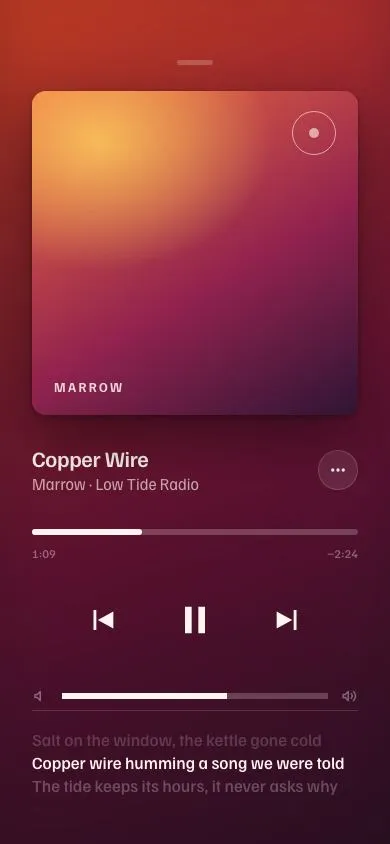
A full-screen player: CSS-gradient album art with SVG grain, the same art blurred as the backdrop, a scrubber with a fat drag thumb, a path-morphing play/pause and time-synced lyrics.
Price range over a histogram
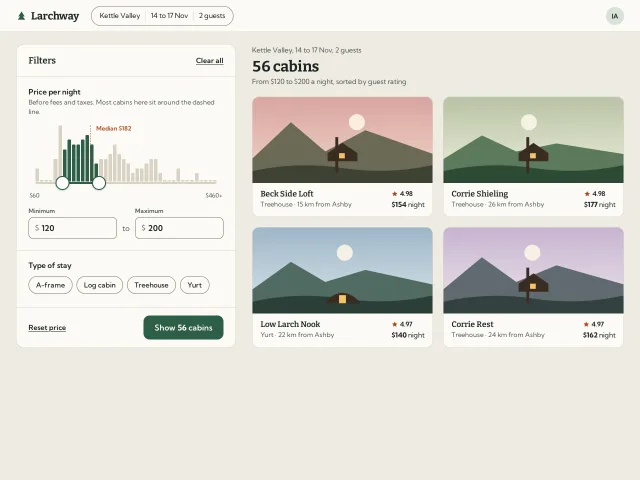
A two-thumb nightly price filter sitting on a histogram of cabin prices: bars fill as the range covers them, the count updates live and the thumbs squash when they meet.
Saltmere tide chart
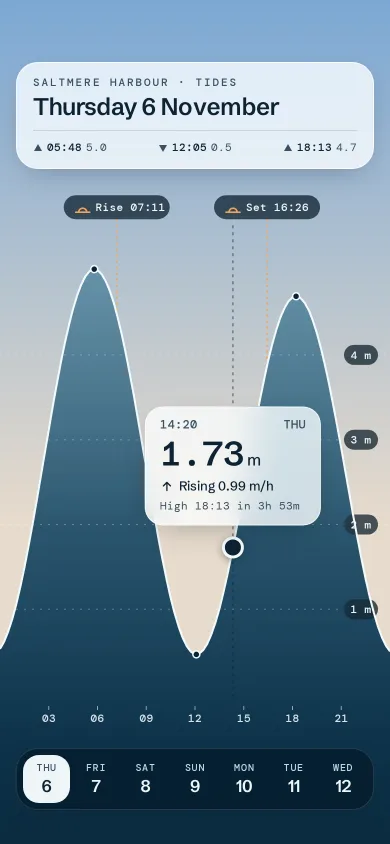
A full-bleed tide chart where the sea is the chart: scrub with a finger, a glass readout follows, and the sky behind turns to the scrubbed hour.
Sleep breath wind-down
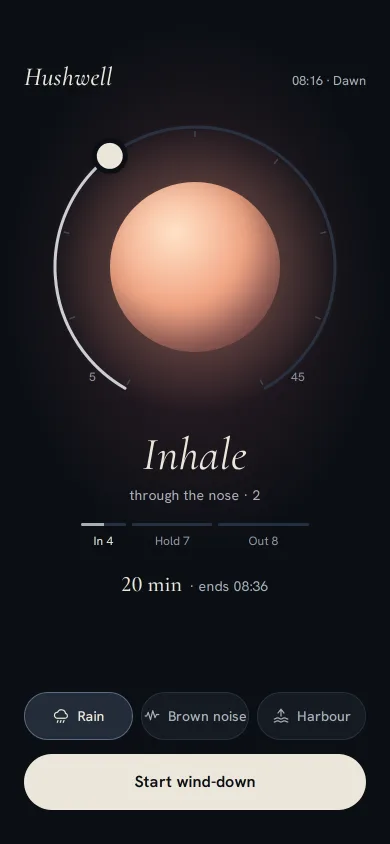
A dark wind-down screen: a 4-7-8 breathing orb tinted by the hour, a ring dial you drag from 5 to 45 minutes, three local sounds, and a slow fade to sleep.
Slow Archive podcast player
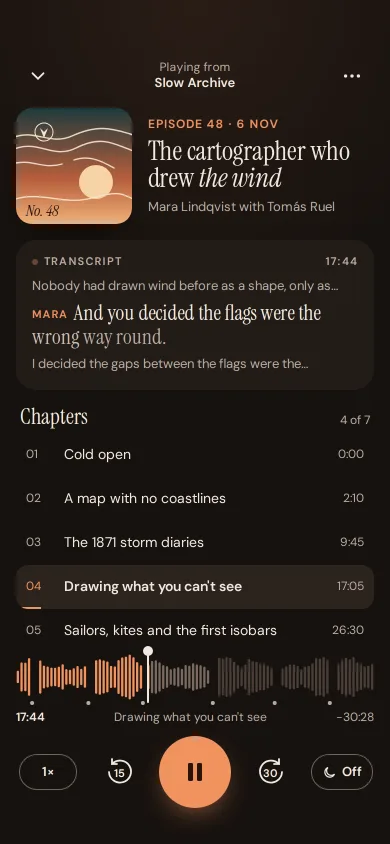
A podcast player with chapter marks in the waveform, a chapter list that follows playback, a word-by-word transcript, speed, skip 15/30 and a sleep timer.
Wayline turn-by-turn navigation
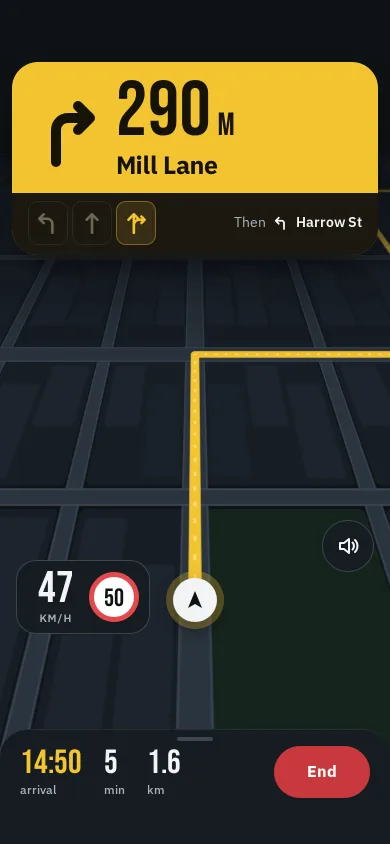
Night-drive guidance: a signal-yellow manoeuvre card with a live countdown, lane arrows, a tilted SVG city map, a calm re-route banner and a speed plate.