Nº 638 of 677
Riftline hero select
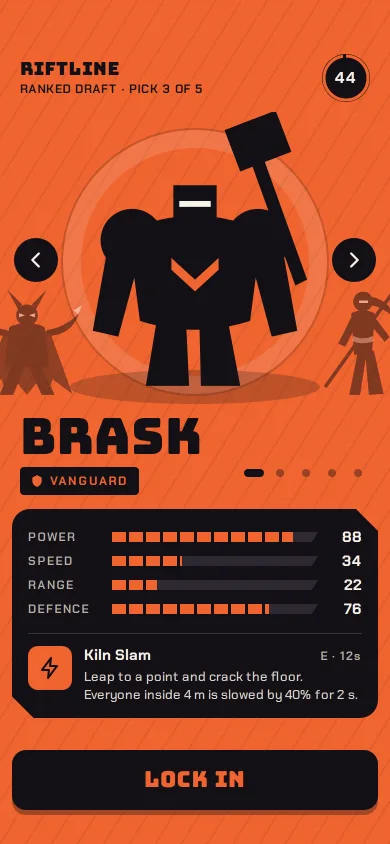
A phone character select: five SVG silhouettes on a swipe carousel, the screen floods to each hero's colour, stat bars morph, and Lock in stamps READY.
Preview
Use it
Free to use · credit appreciated1 Once, in your project · Node 22.20+
npx skills add SusanAcharya/Design-Lounge 2 Then ask
Using the Design Lounge skill, build "Riftline hero select" (piece game-phone-hero-select) in my stack. Match its brief; restyle it onto my product's theme.
No skill? Paste the brief instead. It carries the numbers, tokens and behaviour.
<!-- Design Lounge Nº 638 · "Riftline hero select" · www.designlounge.live -->

# Riftline hero select

> **Build brief for a coding agent.** Rebuild this piece in the reader's stack. If they haven't said which stack, ask once, then default to semantic HTML + CSS + a little vanilla JS. Match the numbers below; don't "improve" them.

## What it is

The draft-phase character select of a fictional phone arena brawler, Riftline. Five original heroes stand one at a time on a round plinth as flat near-black silhouettes; the whole screen floods to the chosen hero's colour (ember, gold, teal, lime, rose), and a single black plate below carries four segmented stat bars and one ability card. The language is closer to Material 3 Expressive than iOS: bold flat shapes, chunky pill-free slabs, emphasized spring easing. The detail worth copying is the flood: one custom property, `--c`, drives the background, the bar fills, the role chip text, the ability icon and the Lock in label, so a swipe recolours the entire screen in one 520ms move.

## Reference behaviour

1. Initial state: BRASK (Vanguard, `#F0642F`) is centred on the plinth at scale 1. Its neighbours, VESSA on the left and SOLA on the right, peek in at 50% scale and 50% opacity, 168px off-centre and clipped by the stage. The pick timer in the top right shows 45 and starts counting down once per second.
2. Swipe the stage left or right: the carousel follows the finger 1:1 with no transition; on release, a drag past 48px moves one hero in that direction, a shorter drag springs back. The carousel wraps (5 → 1 and 1 → 5).
3. Tap the round arrow buttons (44px, at the stage's left and right edges) to step one hero. ArrowLeft / ArrowRight on the keyboard do the same.
4. Tap any of the five dots under the stage to jump straight to that hero. The current dot stretches from 8px to a 20px bar.
5. On every change: the background colour crossfades over 520ms; the four stat bars spring to their new widths (520ms, staggered 0/40/80/120ms); the numbers at the right count from the old values to the new ones over 420ms with a cubic ease-out; the ability block slides up 6px and fades in over 380ms; the name, role and ability text swap instantly.
6. Tap **LOCK IN**: a cream full-screen flash peaks at 90% opacity at 55ms and fades out by 460ms; the hero scales to 1.14 from its feet; the neighbours fade and hide; the arrows hide; a rotated READY stamp (-8deg) drops in from scale 1.6 to 1 after a 140ms delay. The button turns cream with dark text reading `READY · 0:05`, and a square Change pick button (60×60) appears to its right.
7. The ready countdown ticks once per second, `0:05` → `0:01`, then the button reads `ENTERING KILN YARD`. Swipes, arrows, dots and keys do nothing while locked.
8. Tap Change pick (or let it be the Replay): the lock clears, the pick timer resets to 45 and restarts, focus returns to Lock in.
9. If the pick timer reaches 0 before you lock, the current hero locks automatically, exactly as in step 6.

## Structure

```
390 × 844 (54 safe top, 34 safe bottom)
┌──────────────────────────────────────┐
│ 54 safe area                         │
│ RIFTLINE                       ( 44 )│  header 48: brand + sub-line, timer ring 48
│ RANKED DRAFT · PICK 3 OF 5           │
│┌────────────────────────────────────┐│
││ ◖peek    (  halo 268  )    peek◗  ││  stage 318, overflow hidden
││ (‹)       HERO 236×292        (›) ││  arrows 44 at top 136
││          ═══ ground ═══           ││
│└────────────────────────────────────┘│
│ BRASK                  ▬ • • • •     │  name 50px Bungee, dots 24×40 hit areas
│ [▼ VANGUARD]                         │  role chip
│ ╔══════════════════════════════════╗ │  plate, 12px side margin, clipped corners 22
│ ║ POWER    ▮▮▮▮▮▮▮▮▮▮▮▯▯▯     88  ║ │  4 rows × 24px, grid 74 / 1fr / 34
│ ║ SPEED    ▮▮▮▮▯▯▯▯▯▯▯▯▯▯     34  ║ │

… 176 more lines. Copy or download for the full brief. Loading the source…Brief
216 linesBuild brief for a coding agent. Rebuild this piece in the reader’s stack. If they haven’t said which stack, ask once, then default to semantic HTML + CSS + a little vanilla JS. Match the numbers below; don’t “improve” them.
What it is
The draft-phase character select of a fictional phone arena brawler, Riftline. Five original heroes stand one at a time on a round plinth as flat near-black silhouettes; the whole screen floods to the chosen hero’s colour (ember, gold, teal, lime, rose), and a single black plate below carries four segmented stat bars and one ability card. The language is closer to Material 3 Expressive than iOS: bold flat shapes, chunky pill-free slabs, emphasized spring easing. The detail worth copying is the flood: one custom property, --c, drives the background, the bar fills, the role chip text, the ability icon and the Lock in label, so a swipe recolours the entire screen in one 520ms move.
Reference behaviour
- Initial state: BRASK (Vanguard,
#F0642F) is centred on the plinth at scale 1. Its neighbours, VESSA on the left and SOLA on the right, peek in at 50% scale and 50% opacity, 168px off-centre and clipped by the stage. The pick timer in the top right shows 45 and starts counting down once per second. - Swipe the stage left or right: the carousel follows the finger 1:1 with no transition; on release, a drag past 48px moves one hero in that direction, a shorter drag springs back. The carousel wraps (5 → 1 and 1 → 5).
- Tap the round arrow buttons (44px, at the stage’s left and right edges) to step one hero. ArrowLeft / ArrowRight on the keyboard do the same.
- Tap any of the five dots under the stage to jump straight to that hero. The current dot stretches from 8px to a 20px bar.
- On every change: the background colour crossfades over 520ms; the four stat bars spring to their new widths (520ms, staggered 0/40/80/120ms); the numbers at the right count from the old values to the new ones over 420ms with a cubic ease-out; the ability block slides up 6px and fades in over 380ms; the name, role and ability text swap instantly.
- Tap LOCK IN: a cream full-screen flash peaks at 90% opacity at 55ms and fades out by 460ms; the hero scales to 1.14 from its feet; the neighbours fade and hide; the arrows hide; a rotated READY stamp (-8deg) drops in from scale 1.6 to 1 after a 140ms delay. The button turns cream with dark text reading
READY · 0:05, and a square Change pick button (60×60) appears to its right. - The ready countdown ticks once per second,
0:05→0:01, then the button readsENTERING KILN YARD. Swipes, arrows, dots and keys do nothing while locked. - Tap Change pick (or let it be the Replay): the lock clears, the pick timer resets to 45 and restarts, focus returns to Lock in.
- If the pick timer reaches 0 before you lock, the current hero locks automatically, exactly as in step 6.
Structure
390 × 844 (54 safe top, 34 safe bottom)
┌──────────────────────────────────────┐
│ 54 safe area                         │
│ RIFTLINE                       ( 44 )│  header 48: brand + sub-line, timer ring 48
│ RANKED DRAFT · PICK 3 OF 5           │
│┌────────────────────────────────────┐│
││ ◖peek    (  halo 268  )    peek◗  ││  stage 318, overflow hidden
││ (‹)       HERO 236×292        (›) ││  arrows 44 at top 136
││          ═══ ground ═══           ││
│└────────────────────────────────────┘│
│ BRASK                  ▬ • • • •     │  name 50px Bungee, dots 24×40 hit areas
│ [▼ VANGUARD]                         │  role chip
│ ╔══════════════════════════════════╗ │  plate, 12px side margin, clipped corners 22
│ ║ POWER    ▮▮▮▮▮▮▮▮▮▮▮▯▯▯     88  ║ │  4 rows × 24px, grid 74 / 1fr / 34
│ ║ SPEED    ▮▮▮▮▯▯▯▯▯▯▯▯▯▯     34  ║ │
│ ║ RANGE    ▮▮▯▯▯▯▯▯▯▯▯▯▯▯     22  ║ │
│ ║ DEFENCE  ▮▮▮▮▮▮▮▮▮▯▯▯▯▯     76  ║ │
│ ║ ─────────────────────────────── ║ │
│ ║ [!] Kiln Slam          E · 12s  ║ │  ability card: 44 icon + text
│ ║      Leap to a point and crack…  ║ │
│ ╚══════════════════════════════════╝ │
│ ┌──────────────────────────┐ ┌────┐ │
│ │         LOCK IN           │ │ ↶  │ │  60px tall, pushed to bottom (margin-top:auto)
│ └──────────────────────────┘ └────┘ │  undo only when locked
│ 34 home indicator                     │
└──────────────────────────────────────┘
<main class="app">flex column,max-width:430px, centred,padding:54px 0 34px.<header>: brand (div), sub-line, and.timerwithrole="timer"holding an SVG ring and the seconds.<section class="stage" aria-roledescription="carousel">:.halo(ring),.ground(ellipse shadow),#trackwith five.slidedivs (aria-hidden, each an<svg><use href="#id"/></svg>), two arrow<button>s, and the.stamp..ident:<h1 class="name">,.rolechip with a shield glyph,.dotsgroup of five<button>s witharia-current.<section class="plate">: four.statrows (label span,.bar > i, valueb) and the.abilitycard..cta:<button class="lock">and<button class="undo" aria-label="Change pick">.- A visually hidden
aria-live="polite"paragraph announces each hero and the lock. - Characters are
<g>symbols in one hidden<svg><defs>: flat#141016silhouettes with a few#F6F1E8accents (visor slits, spear tip, shield boss). No text inside the SVG.
Tokens
:root {
  /* flood: set per hero by JS */
  --c: #F0642F;            /* BRASK ember (others: SOLA #F4C534, QUILL #2BC4B4, MOTT #9BCB3F, VESSA #F27BA6) */
  /* neutrals */
  --ink: #141016;          /* silhouettes, plate, text on flood */
  --ink-2: #2E2833;        /* empty bar track */
  --line: #3A3340;         /* hairline inside plate */
  --cream: #F6F1E8;        /* text on plate, accents, flash, ready button */
  --mute: #B9B0A6;         /* stat labels and cooldown on plate (8.4:1) */
  --body-on-plate: #D9D1C7;/* ability description */
  --stripe: rgba(20,16,22,.07);  /* -58deg stripes, 2px every 22px */
  --peek-ground: rgba(20,16,22,.22);
  /* type */
  --display: "Bungee", Impact, sans-serif;
  --ui: "Chakra Petch", system-ui, sans-serif;
  --fs-name: 50px; --fs-lock: 22px; --fs-brand: 18px; --fs-stamp: 30px;
  --fs-value: 15px; --fs-body: 13px; --fs-label: 12px;
  /* space */
  --gutter: 20px; --plate-inset: 12px; --plate-pad: 16px;
  /* shape */
  --r-plate: 18px; --plate-notch: 22px; --r-button: 14px; --r-chip: 4px; --r-icon: 10px;
  --shadow-button: 0 5px 0 rgba(20,16,22,.35);
  /* motion */
  --spring: cubic-bezier(0.34, 1.4, 0.5, 1);
  --std: cubic-bezier(0.2, 0.7, 0.2, 1);
  --expo: cubic-bezier(0.16, 1, 0.3, 1);
  --t-flood: 520ms; --t-slide: 460ms; --t-count: 420ms; --t-flash: 460ms; --t-press: 120ms;
  --peek-offset: 168px; --peek-scale: .5; --swipe-threshold: 48px;
}
Typography
| Role | Family | Size / line | Weight | Tracking | Case |
|---|---|---|---|---|---|
| Hero name | Bungee | 50px / 0.9 | 400 | 0.01em | upper |
| Lock in label | Bungee | 22px / 1 | 400 | 0.04em | upper |
| READY stamp | Bungee | 30px / 1 | 400 | 0 | upper |
| Brand | Bungee | 18px / 1 | 400 | 0.02em | upper |
| Sub-line | Chakra Petch | 12px / 1.2 | 600 | 0.06em | upper |
| Role chip | Chakra Petch | 12px / 1 | 700 | 0.12em | upper |
| Stat label | Chakra Petch | 12px / 1 | 600 | 0.12em | upper |
| Stat value | Chakra Petch | 15px / 1, tabular | 700 | 0 | — |
| Ability name | Chakra Petch | 15px / 1.2 | 700 | 0 | sentence |
| Ability body | Chakra Petch | 13px / 1.4 | 500 | 0 | sentence |
| Timer | Chakra Petch | 16px / 1 | 700 | 0 | — |
Motion
| What | Trigger | Property | From → to | Duration | Easing | Delay | Reduced motion |
|---|---|---|---|---|---|---|---|
| Flood | hero change | background-color (and every --c user) | old → new hue | 520ms | --std | 0 | 160ms crossfade |
| Carousel | hero change | slide transform | translateX(o × 168px) scale(.5 / 1) | 460ms | --spring | 0 | position snaps, opacity fades 160ms |
| Drag | pointermove | --dx on track | follows finger | 0 | none | — | same |
| Stat bars | hero change | width | old % → new % | 520ms | --spring | 0/40/80/120ms | 160ms, no delay |
| Stat values | hero change | text | count old → new | 420ms | cubic out (rAF) | 0 | same |
| Ability | hero change | opacity, translateY | 0, 6px → 1, 0 | 380ms | --expo | 0 | none |
| Flash | Lock in | opacity | 0 → .9 (12%) → 0 | 460ms | --std | 0 | none |
| Hero scale | Lock in | transform | scale 1 → 1.14, origin feet | 520ms | --spring | 0 | stays 1 |
| Stamp | Lock in | transform, opacity | scale 1.6, 0 → 1, 1 | 360ms / 200ms | --spring | 140ms | appears, no scale |
| Dot | hero change | width | 8 → 20px | 260ms | --expo | 0 | 160ms |
| Button press | :active | translateY, shadow | 0 → 4px, 5px → 1px | 120ms | --std | 0 | same |
| Timer ring | each second | stroke-dashoffset | step of 138/45 | 1000ms | linear (a clock) | 0 | same |
States
- Browsing: arrows visible, dots active, Lock in is ink with
--ctext, timer counting. - Dragging: stage cursor
grabbing; slide transitions off so the track tracks the finger. - Hover/active: buttons sink 4px on press; arrows scale to .9.
- Focus-visible: 3px
--inkoutline, 3px offset, on every button (visible on all five floods). - Locked: hero 1.14, neighbours hidden (
visibility:hidden), arrows hidden, READY stamp, cream button with countdown, Change pick visible. - Deploying: button reads
ENTERING KILN YARDonce the countdown ends. - Auto-locked: identical to Locked; reached when the pick timer hits 0.
Accessibility
- Arrow buttons:
aria-label="Previous character"/"Next character". Dots:aria-label="Show Sola, Striker"etc.,aria-current="true"on the shown hero. - ArrowLeft / ArrowRight change hero from anywhere on the page; Tab order is arrows, dots, Lock in, Change pick.
- The live region reads
SOLA, Striker. Power 72, Speed 86, Range 38, Defence 30. Sunlance: Dash 6 m…on each change, andBRASK locked in. Match starts in 5 seconds.on lock. - Slides are
aria-hidden; the names and stats are real text outside the SVG. - Contrast:
#141016on the lightest and darkest floods stays above 4.5:1 (rose#F27BA67.2:1, ember#F0642F5.8:1); cream on plate 16:1; mute labels 8.4:1. Keep every flood hue at relative luminance ≥ 0.22. - Hit targets: arrows 44×44, dots 24×40, Lock in 60px tall, Change pick 60×60.
- The live region is hidden with
clip-path:inset(50%)on a 320px-wide box, not a 1px box, so automated checks do not read it as a collapsed column.
Responsive rules
- At 360 wide: the name drops to 44px, the stat grid label column stays 74px, the bar column shrinks; peeks stay 168px off-centre so less of each shows.
- Heights from 680 to 1000: the stage holds 318px; the Lock in row is pushed to the bottom by
margin-top:auto, so extra height opens between the plate and the button. Below 760 the app keepsmin-height:760pxand scrolls. - Tablet or desktop: the app column caps at 430px and centres; the flood and stripes fill the whole window.
Acceptance checklist
Always
- One custom property sets the flood, bar fill, chip text, ability icon and Lock in label; a change recolours all of them together over 520ms.
- Swipe past 48px, arrow buttons, dots and keyboard arrows all change hero; the carousel wraps.
- Neighbours peek at 50% scale and are clipped by the stage; heroes two away are
visibility:hidden. - Stat bars use fixed 17px segments (14px fill, 3px gap), so 34 and 88 read on the same grid.
- Values count up between heroes; they never jump straight to the new number.
- Lock in: flash, 1.14 scale, READY stamp, countdown 5 → 1, then a deploy message; input is ignored while locked.
- Change pick unlocks and resets the timer; the timer auto-locks at 0.
- Reduced motion: no flash, no scale, no stagger; colour and opacity fade in 160ms.
-
document.documentElement.scrollWidth === 390at 390 wide. - Every hit target is at least 40px; focus is visible on every flood.
This demo
- Heroes in order: BRASK Vanguard, SOLA Striker, QUILL Marksman, MOTT Warden, VESSA Phantom.
- BRASK stats 88 / 34 / 22 / 76 and ability “Kiln Slam”,
E · 12s. - Header reads RIFTLINE, “Ranked draft · Pick 3 of 5”, timer from 45.
- Countdown ends on “ENTERING KILN YARD”.
Implementation notes
- Carousel by offset, not by scroll. Each slide gets its signed distance from the current index, wrapped to −2…2, written both as a data attribute (for the scale/opacity rules) and as a custom property (for the translate). Forgetting the custom property leaves
calc(var(--o) * 168px)invalid and stacks every slide in the centre.
[...track.children].forEach((s, k) => {
  let o = ((k - i) % 5 + 5) % 5; if (o > 2) o -= 5;
  s.dataset.o = o; s.style.setProperty('--o', o);
});
.slide { transform-origin: 50% 100%;
transform: translateX(calc(var(--o) * 168px + var(--dx, 0px))) scale(var(--s)); }
.slide[data-o="0"] { --s: 1; --a: 1 }
.slide[data-o="1"], .slide[data-o="-1"] { --s: .5; --a: .5 }
.slide[data-o="2"], .slide[data-o="-2"] { --s: .3; --a: 0; visibility: hidden }- Drag without fighting scroll.
touch-action: pan-yon the stage keeps vertical page scroll; capture the pointer on down, write--dxon move, decide on up. Turn transitions off during the drag with a.dragclass, or the track lags the finger.
stage.onpointerdown = e => { startX = e.clientX; stage.classList.add('drag'); stage.setPointerCapture(e.pointerId); };
stage.onpointermove = e => { if (startX != null) track.style.setProperty('--dx', (dx = e.clientX - startX) + 'px'); };
stage.onpointerup = () => { startX = null; stage.classList.remove('drag'); track.style.setProperty('--dx', '0px');
if (dx < -48) go(i + 1); else if (dx > 48) go(i - 1); };- Segments that do not stretch. A percentage-based repeating gradient on the fill gives each hero different segment widths. Use fixed pixels so the grid stays still and only the fill length moves:
.bar i { background: var(--c);
  background-image: repeating-linear-gradient(90deg, transparent 0 14px, var(--ink) 14px 17px);
  transition: width 520ms var(--spring), background-color 520ms; }
Common mistakes: dimming locked or off-screen heroes with opacity on text (the names here are never inside the slides), and putting the flood on body without a max-width app column, which stretches the layout at desktop widths.
Details
- Palette
- Type
- Bungee · Chakra Petch
- Motion
- Rich motion
- Build
- One session
- Tags
Similar
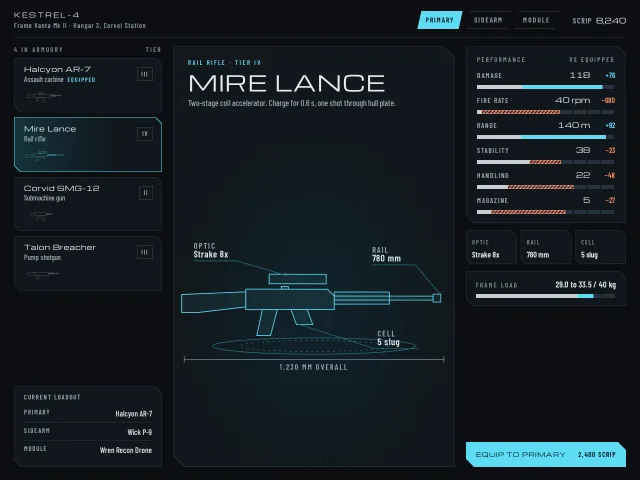
Sci-fi loadout screen
A sci-fi armoury: cut-corner panels, a weapon and module list, a hologram drawn in SVG that redraws on swap, and stat bars that show gains and losses.
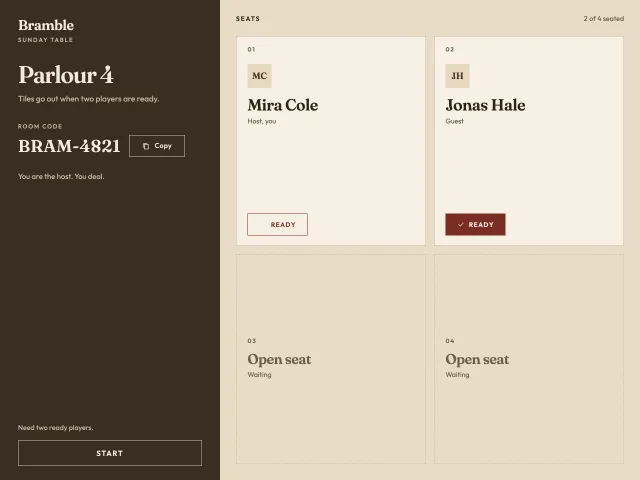
Bramble parlour lobby
Four seats in Parlour 4, a copyable room code, one ready toggle, and a host Start that stays off until two players are ready, then a one-line deal.
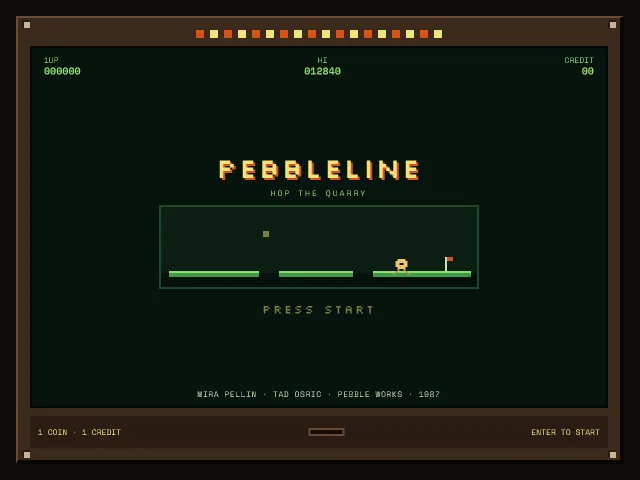
Pebbleline attract screen
A Pebbleline coin-op attract screen: bezel, looping ledge demo, blinking Press start, high score, and a credit that opens Stage 1.
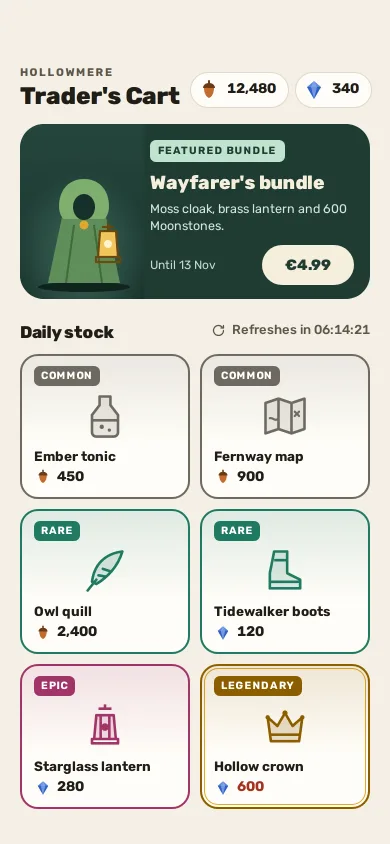
Daily game shop
A fox-adventure game's daily shop: two currencies, one featured bundle in euros, six rarity-framed items, a plain refresh timer and honest confirm sheets.
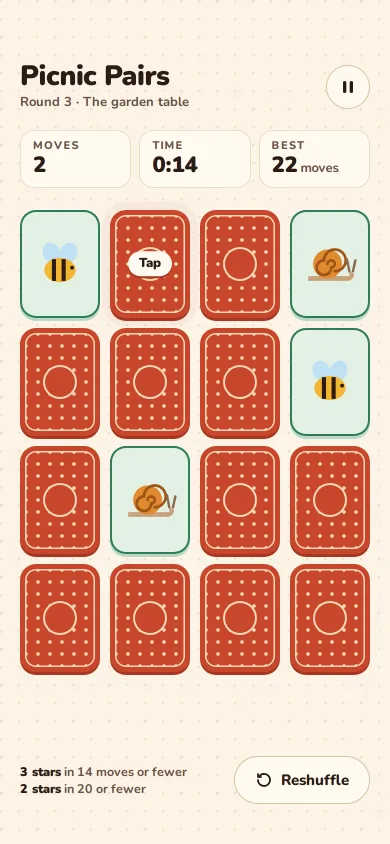
Pair recall memory game
A 4 × 4 picnic-themed memory match you can play to the end: 3D card flips, a pop on a pair, a shake on a miss, stars by moves and a reshuffle.
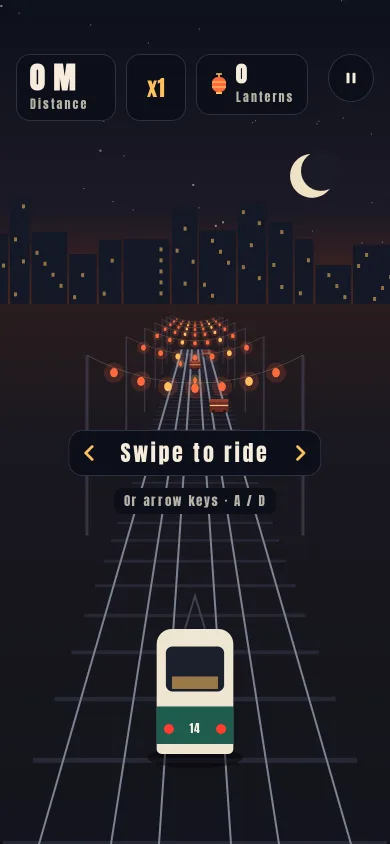
Lane dodge on a night tram line
A three-lane dodge game: swipe a tram between tracks under arches of paper lanterns, dodge market barrows, grab lanterns, chain near misses, crash to a result card.